

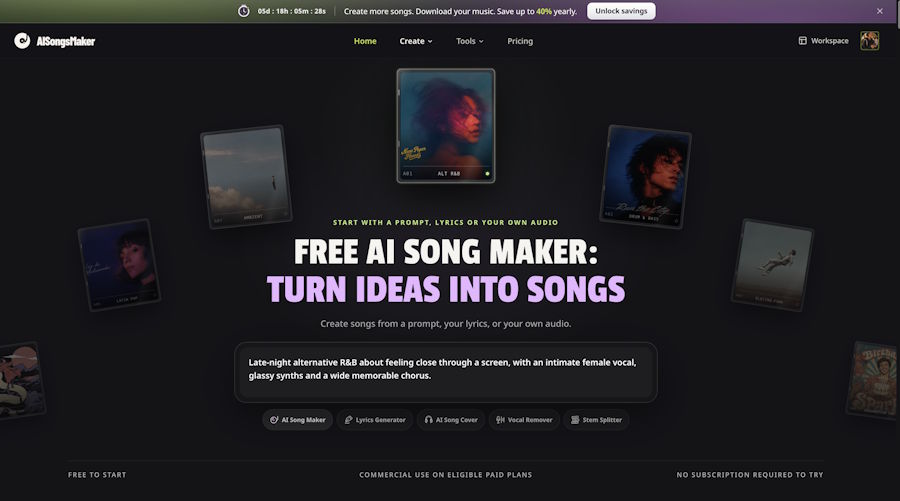
You can almost hear the song in your head: a late-night mood, a warm voice, and a chorus that opens up into something hopeful. You just cannot quite turn that feeling into music. You have no melody written down, no finished lyrics, and no idea which instrument should come in first.
AISongsMaker gives that idea somewhere to go. Its Free AI Song Maker lets you start with an idea or your own lyrics, choose a musical direction, and hear a song you can develop—with lyric writing and useful audio tools available in the same platform.
AISongsMaker is an AI music generator for creating songs from prompts or your own lyrics. Its all-in-one approach puts songwriting and supporting audio tools in one place, so you can spend more time on the idea itself. The homepage brings five tools together:
- AI Song Maker — create music from an idea or your own lyrics.
- Lyrics Generator — develop the words before setting them to music.
- AI Song Cover — explore another vocal interpretation.
- Vocal Remover — work with vocals and accompaniment.
- Stem Splitter — work with separated audio components.
You can start with the song maker and explore the others as needed.
Free access is a starting point for trying the workflow. Check the current account allowance and the credits shown before generating; downloads and commercial use depend on the applicable access and plan. You can make those decisions as you go. First, give yourself something worth listening to.
1. Give the idea in your head a few words
You do not need a finished melody to start. A mood, an image, or a phrase you keep returning to can give you enough direction for a first attempt.
Picture a late-night city walk after a difficult day: quiet verses, a hopeful chorus, and enough energy to keep moving.
Write that feeling in one sentence:
A late-night pop song about finding a fresh start, with quiet, reflective verses and a hopeful chorus.
You now have a setting and an emotional direction. Leave the melody open and explore how the generator interprets your brief.
For your own idea, ask: Where would I listen to this song? How should it feel? Which image or phrase matters most?
2. Turn that feeling into a text-to-song brief
A clear description gives the generator a starting point. You can hear a first musical interpretation before writing complete lyrics.
AISongsMaker's Text to Song Generator is a natural starting point for this kind of project. In the Idea route, describe what the song is about and how you want it to sound. Keep Instrumental off if you want to sing.
For our late-night example, bring the story and musical direction together:
Create a warm indie-pop song about walking through a quiet city after a difficult day and feeling ready for a fresh start. Use soft electric piano, an understated steady beat, and an intimate vocal. Keep the verses reflective and let the chorus feel brighter and hopeful. Build the lyrical theme around finding a little light and moving forward.
Adapt this sample to your own idea. It gives the AI music generator a scene, a sound, and a clear emotional direction.
The description does not have to be long. Give each detail a job:
| Brief element | Our example |
|---|---|
| Scene and theme | A quiet city walk; finding a fresh start |
| Sound | Warm indie pop; soft electric piano; understated beat |
| Voice | An intimate vocal |
| Emotional movement | Reflective verses; a brighter, hopeful chorus |
Soft piano and a restrained beat suit a reflective walk. A brighter chorus gives that quiet beginning somewhere to go.
If you picture a different song, change the direction. Acoustic guitar could make the same idea feel more personal; mellow R&B could give it a smoother evening mood. You are choosing the musical world around your idea, without needing to arrange every instrument yourself.
3. Keep your first attempt focused
Before generating, read the brief once more. Can you tell what the song is about? Do the style instructions fit the feeling? Have you asked for a vocal song or an instrumental?
A useful starting brief answers four questions:
- What is happening in the song?
- How should it feel?
- What kind of sound belongs with that feeling?
- Where should the energy change?
You do not need to answer every possible production question. A request for five genres, several vocal styles, and a different tempo in every section makes your intention harder to judge when you listen back.
Start with one clear direction. Check the available model and the credit amount shown before submitting, then let the first result give you something concrete to respond to.
That is one of the most appealing parts of using an AI song maker: an idea that was difficult to explain becomes music you can hear and discuss. You can decide whether the voice is right, whether the chorus lifts, and whether the atmosphere feels close to what you had in mind.
4. Listen, compare, and refine your song
The AI music generator offers a musical interpretation of your brief. Once the result is ready, listen through the verse, chorus, and ending. Give it a fair hearing before deciding what to change.
For this example, listen for three things:
- Story — does the song carry the fresh-start theme?
- Voice — does the performance suit the late-night mood?
- Chorus — does the energy feel brighter and hopeful?
A song can sound polished and still miss the feeling you wanted. Your judgment turns a generated track into a personal choice.
Choose one adjustment for the next version:
- Too dramatic? Ask for a lighter, more restrained arrangement.
- Vocal too forceful? Ask for a more relaxed delivery.
- Does the chorus feel flat? Describe a clearer lift from verse to chorus.
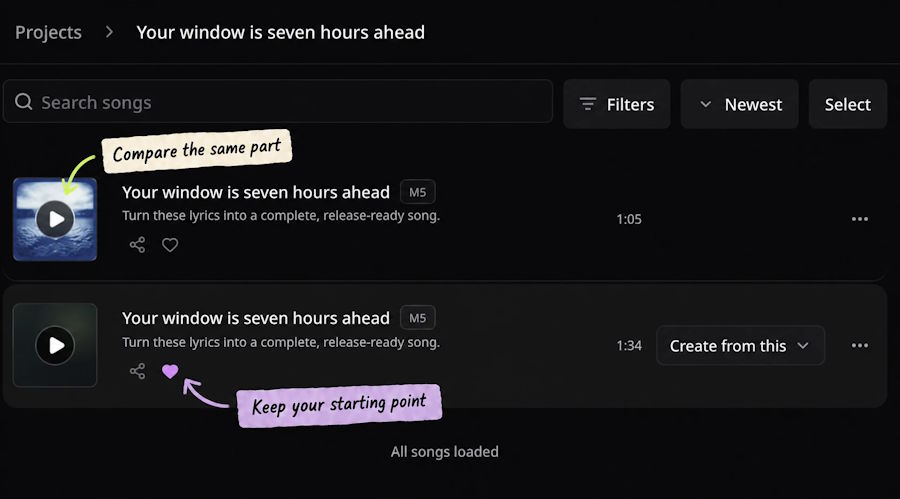
Change one direction at a time and keep a copy of the previous input. A new generation is another interpretation, so the melody or arrangement can also change. Comparing the same chorus across versions helps you hear what you prefer.
The project view is a useful place to return to your results. Save your favorite with the heart action so a promising version does not get lost while you explore another idea.
5. Develop the idea further in the same platform
Sometimes the first song helps you discover what you wanted to say. You might hear a chorus and realize that a particular image—a quiet street, an open window, the first light of morning—should be at the center of the lyrics.
AISongsMaker gives you room to take that next step. The Lyrics Generator offers a separate starting point for working on the words. You can review and rewrite a draft, or bring your own lyrics into the Lyrics route when you want to decide which words should be sung. Keep musical direction separate from the lyrics in that workflow.
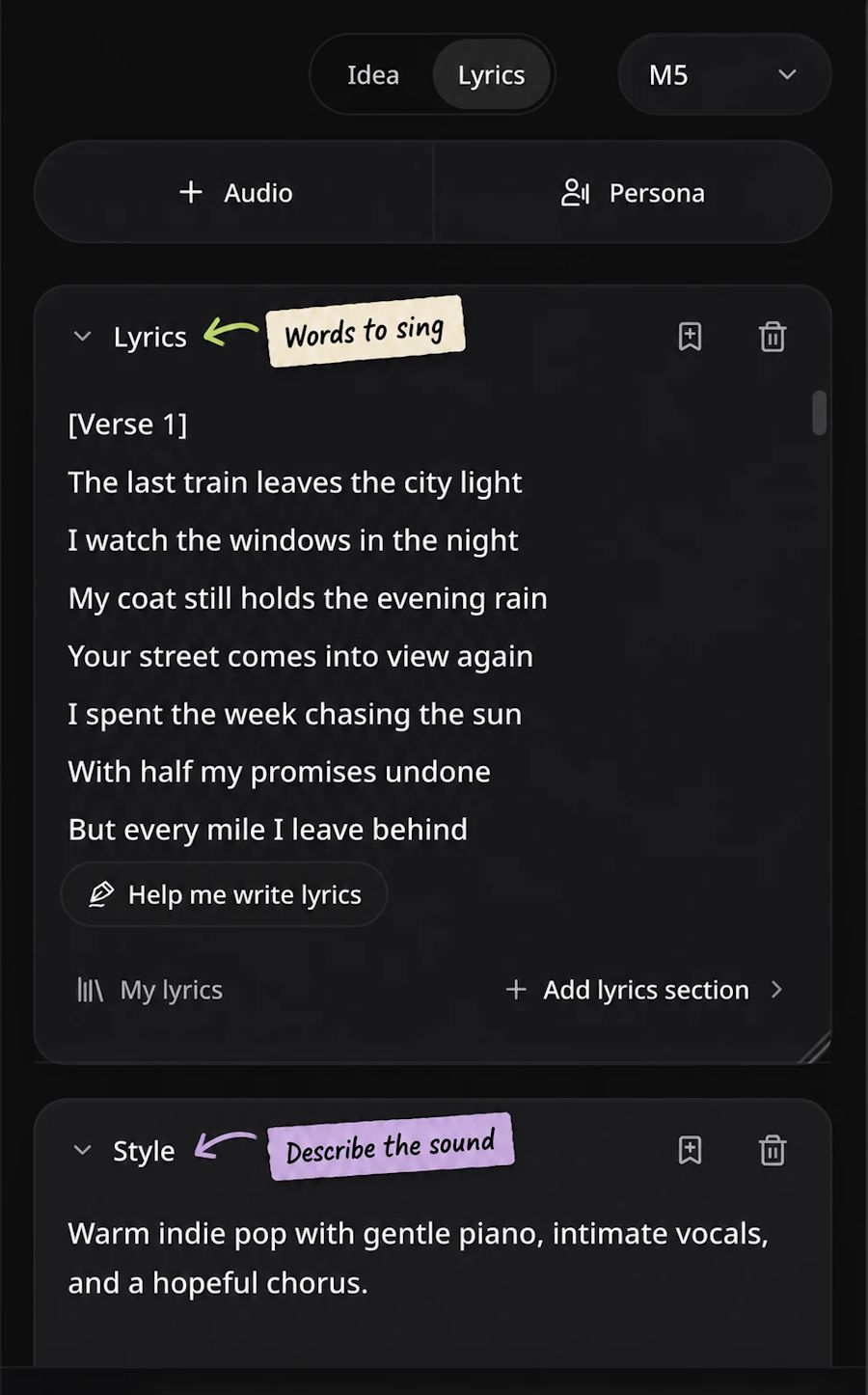
This makes the all-in-one approach useful in practice. You can begin with a loose description, explore a musical direction, and work more closely on the writing without searching for a different platform at each stage.
AI Song Cover, Vocal Remover, and Stem Splitter add options for vocal interpretations and audio work. Check each tool’s supported inputs, credits, and output options.
Start with the song maker and add other tools when they serve your idea. Having them together keeps the next step within reach.
Hear what your idea could become
Think of the song you wish you could play right now. Give that feeling a setting, a few words, and a musical direction. AISongsMaker brings lyric writing, song creation, and supporting audio tools into one place, so you can spend more time exploring the idea itself. Try the free AI song maker with the allowance available in your account. Hear how your brief translates into music, then keep shaping the version that makes you want to press play again.

