

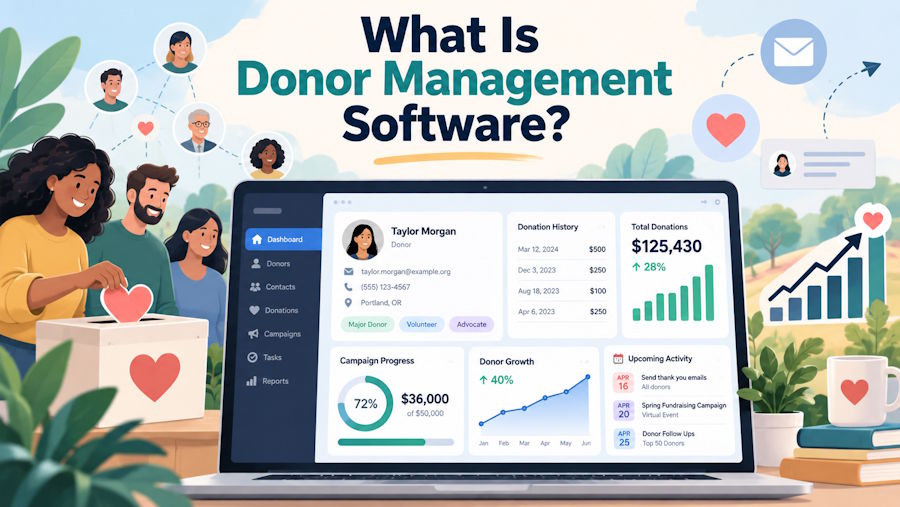
Donor management software is a tool that helps charities track their supporters and donations in one place. It replaces spreadsheets with clean digital files. These files update automatically whenever someone gives money or opens an email. These organized records help nonprofits build trust and raise more funds.
Unlike basic business tools, this software handles special tasks for charities. It creates tax receipts, tracks monthly gifts, and manages volunteer lists. Fundraisers use these central records to write thank-you letters, check gift totals, and prepare for donor visits.
Keeping all records in one system stops mistakes. Staff members will not lose files or ask the same person for money twice in a row. These clear records also give leaders a simple view of their total progress.
Top-tier donor management software will connect to online donation forms, email tools, and bank accounts. Information flows into donor profiles on its own. This saves staff time and keeps records correct without extra typing.
Fixing Common Software Problems
Many charities struggle with disconnected tools that do not talk to each other. Older systems lock important donor details inside separate department files. High software costs and computer errors make it hard for fundraising teams to manage donor lists.
Charities solve these tech problems by switching to an enterprise-level fundraising CRM. Ascend CRM by Kindsight, which is built on Salesforce, connects smoothly with your existing bank and email tools for seamless donor management, greater accuracy, and significant time savings. Having one connected system stops double-entry, prevents mistakes, and gives team members quick access to donor details.
Replacing outdated tools lowers stress for your team. Staff members spend less time fixing errors and more time talking to supporters. A good system gives your charity a safe way to grow over time.
Key Features of Donor Software
Donor software includes profile tracking, gift processing, automated notes, and simple reports. These basic tools handle daily office tasks, so staff members focus on raising money.
| Tool | Main Job | How It Helps |
|---|---|---|
| Donor Profiles | Stores gift history and meeting notes. | Keeps records safe when workers change jobs. |
| Gift Tracking | Tracks single gifts, monthly gifts, and receipts. | Keeps money records correct and up-to-date. |
| Auto Notes | Sends thank-you emails right away. | Saves time while thanking donors fast. |
| Simple Charts | Shows gift totals and giving trends. | Helps leaders make smart decisions. |
Rich profile notes help fundraisers prepare for face-to-face meetings. Staff members are able to quickly review a donor's personal interests and past giving before making a new ask.
Instant digital receipts give donors quick peace of mind. Sending fast receipts proves that their gift arrived safely and is already making a difference.
Visual report tools replace long lists of raw numbers. Leaders can spot winning campaigns at a glance and adjust their strategy for next year.
Connecting Events and Volunteer Work
Donor software does more than track money. It also tracks event tickets, volunteer hours, and gift preferences in one profile.
When a supporter signs up to volunteer, the software logs their hours. When that same person buys a dinner ticket, the system saves that record. Having all activity in one place helps you see who your true champions are.
You can then invite top volunteers to join monthly giving programs. You can also send special thank-you gifts to guests who attend every annual event. Seeing full activity leads to better relationships and higher gifts.
Why Nonprofits Ditch Spreadsheets
Charities switch from spreadsheets to donor software to stop typing errors, privacy leaks, and lost files. Simple files get hard to manage once a donor list grows past a few hundred names.
Spreadsheets lock important facts inside individual computers. When a worker leaves the charity, their notes about donors often disappear. Central donor management software keeps team notes safe in one shared online account.
Spreadsheets also lack basic security. Unlocked files put donor addresses and gift details at risk. Professional software protects donor information with password locks and limited access rules. It also checks for double records and cleans up outdated addresses on its own.
Cutting out spreadsheet work saves hours of typing each week. Staff members stop copying numbers from bank slips into separate files. These saved hours let team members spend more time meeting with supporters.
Keeping More Donors Year After Year
Donor software helps charities keep their current supporters by making it easy to send fast, personal updates. Keeping current givers happy costs far less than finding brand-new donors through paid ads.
Research highlighted by fundraising expert Claire Axelrad shows that 45 percent of donors gave again after receiving an outstanding thank-you letter. Another 23 percent gave a larger gift because of how well they were thanked. Sending fast, personal notes fixes retention problems by showing supporters that their gift mattered right away.
Smart email tools let teams group donors by gift size and interests. First-time givers get a warm welcome email. Long-time givers get updates on real program results. Targeted messages build trust and encourage givers to donate again each year.
Tracking gift history also highlights loyal supporters who might give more. Software flags frequent small givers so staff can invite them to join monthly giving plans. Spotting loyal givers creates a steady path for future growth.
Easy Steps to Switch Systems
Switching to new donor software requires cleaning old records, setting clear rules, and training your team. Preparing your staff early ensures a smooth move.
1. Clean Your Data First
Clean records prevent system glitches later.
Gather all current lists, spreadsheet files, and paper records in one spot. Remove double names, update old addresses, and fill in missing details before moving files into the new software.
2. Set Simple System Rules
Keeps team notes clear and organized.
Create simple rules for how staff members enter names, record gifts, and tag donor interests. Documenting these rules keeps records clean even as team members join or leave.
3. Train Staff and Launch
Builds staff confidence before going live.
Hold short practice sessions for every worker who will use the software. Practice entering sample gifts, running reports, and sending receipts together before going live.
Choosing the Right Path Forward
Donor management software gives charities the tools they need to stay organized, protect donor data, and build lasting relationships. Modern systems replace messy spreadsheets with clean digital files that save hours of paperwork each week. This extra time allows fundraisers to focus on what matters most: thanking supporters and sharing your mission.
A modern donor platform prepares your organization for long-term growth. This flexible tool keeps your records accurate as your supporter list grows over time. Having clear data and advanced software helps your charity raise more money and make a bigger impact in your community.

