

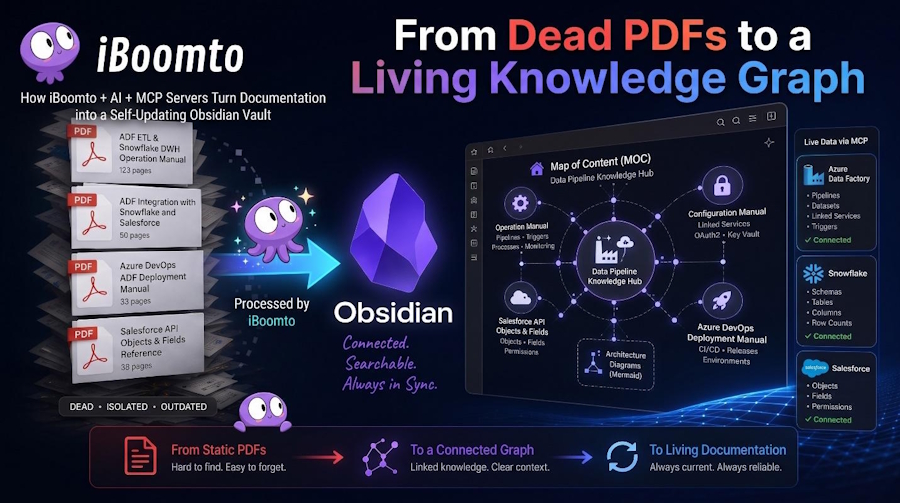
Useful information is easier to keep track of if it is stored in notes that you can review, link, and add to as your research progresses. If you have a PDF with important statistics, explanations, or references that you want to go back to after months, it will be hard to find a specific point if it's all inside the original PDF. Obsidian is a tool to create one's personal knowledge base, and Markdown is a flexible format for organizing information.
Manual import workflow and PDF-to-Markdown conversion can help you transform lengthy reference documents into searchable notes, without ever losing sight of the source. Organizing content in Obsidian is simplified with iBoomto, since it simplifies the conversion and preparation stages prior to organizing.
Why Convert PDFs into Markdown?
The intent of a PDF is to ensure a document's layout, and not necessarily to facilitate easy reusability of its contents. You can get unwanted line breaks, broken tables, and formatting inconsistencies by copying paragraphs directly. Doing this a lot of times over many research papers can be tedious.
Markdown is an alternative, simpler option. Uses plain text and light formatting symbols for headings, lists, links, etc., in the document. This allows the content to be easily edited and arranged in an organized manner before being added to a knowledge management system.
Students, researchers, and professionals can find it beneficial to convert PDFs to Markdown, which can help them transform reference material into notes that are easier to review. You can make notes on important concepts within a report without having to look through the whole report to find them, while having the original report on hand for checking.
Introducing iBoomto for PDF-to-Markdown Conversion
iBoomto is a Windows-based Document AI software to help create, organize, and execute document-related productivity tasks. The PDF-to-Markdown functionality is useful if you need to convert readable data from a PDF so you can incorporate it into a Markdown-based process.
One benefit of iBoomto is that it supports both online and local AI models. It provides users with options on how to utilize AI for documentation. Its attention to privacy and security applies to research files, business documents, or reference material used personally.
As a free tool, iBoomto supports a no-token-limit model, offering users an easy-to-use option for tackling common documentation tasks without having to worry about subscription costs or token quotas.
Importantly, iBoomto and Obsidian are different. iBoomto prepares your documents; Obsidian is a personal knowledge base and organizer of your notes. They can be used together via standard file operations, and you don't have to assume that there is a native integration between them.
Step-by-Step: From PDF to Obsidian Notes
Step 1: Choose your reference PDF
Begin by reading a research paper, handout, lecture, report, or any other reference. Always store a copy of the original PDF in a special folder so you can always retrieve it to check a quotation, statistic, or explanation.
Step 2: Convert it with iBoomto
Open the iBoomto PDF to Markdown tool, upload your PDF with the workflow offered, and convert it. Examine the resulting Markdown to ensure that the main text, headings, and important information were preserved.
Step 3: Clean up the Markdown
Eliminate any superfluous line breaks, repeated page headers, footer text, and extraneous page numbers. Correct headings and check lists, tables, and hyperlinks. For documents with intricate tables or scanned pages, check the details provided against the PDF.
Step 4: Import the content manually into Obsidian
Save the cleaned content in a .md file. Open the vault folder in Obsidian and copy the file into a suitable folder—Research, Study Notes, or Reference Materials. Or, make a note in Obsidian and copy and paste the cleaned Markdown. Open the note to see how it looks.
Step 5: Organize and preserve your sources
Assign a descriptive title to the note, put in appropriate tags, and link the note with other ones that relate. Note the original PDF's name and page numbers (if applicable). Store the PDF that you are referencing in another easily identified folder or file.
Keep the Original PDF as Your Source of Truth
While content is easier to work with in conversion, it should not be used instead of the source document. Markdown extraction can alter the structure of tables, remove images, or strip away elements from complex page designs.
A good solution would be to have two files, one PDF and the other Markdown note. Search, summarize, and link ideas using the Markdown version. Always get back to the PDF where you need to check word-for-word, page number, figures, or context.
This distancing also increases your knowledge base's credibility. Your notes are a handy working layer, and the original document can serve as evidence of the information you recorded.
Build a More Useful Personal Knowledge Base
The true benefit of this process comes in when every document is processed in the same manner. A series of PDFs can be turned into a well-structured set of notes by subject, project, course, or research question. As time goes on, connections between notes can help uncover relationships that might not be apparent when information exists in isolated files.
iBoomto can assist in the preparation part, and Obsidian provides a space for you to structure and link the content you generate. They work together to provide a manageable approach to the use of reference material without the need for an elaborate set-up.
Final Thoughts
It cannot be just a file conversion. This includes pulling out the valuable content and cleaning up the Markdown, importing it by hand, and keeping the source available.
iBoomto can help with this process, as it can convert PDF to Markdown, supports AI models online and offline, is privacy-first, and offers no cost and no token limit. The prepared material is then organized into a personal knowledge base using Obsidian.
The key to the best results is to keep the workflow simple – convert, review, import, link, and verify. This will make reference documents easier to use and will keep your notes organized and your sources unaltered.

