

A custom video player looks finished when its controls sit over a dark placeholder. Then a bright scene passes underneath the progress bar, the pause icon disappears into the picture, and a tester cannot tell whether seeking worked because every frame looks alike.
The missing ingredient is useful footage. For front-end developers building media components, a small collection of deliberately varied clips can reveal problems that an attractive stock video never exposes.
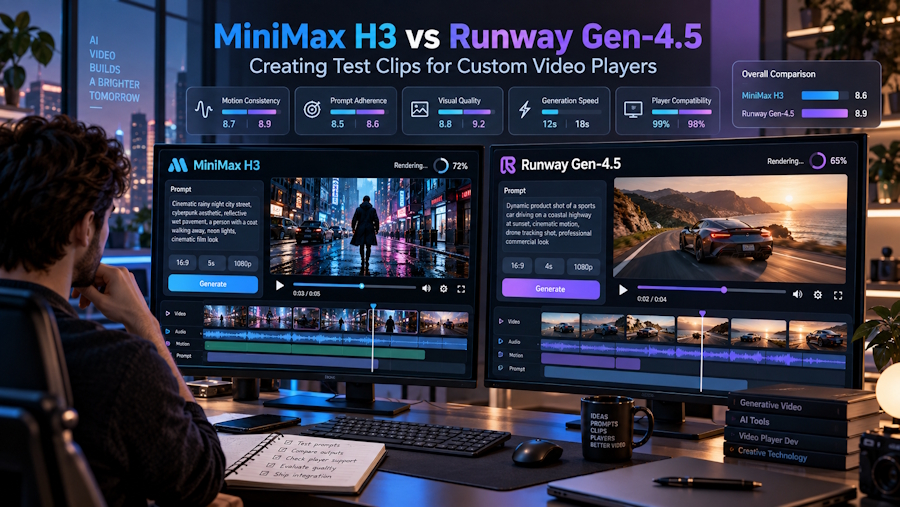
MiniMax H3 and Runway Gen-4.5 offer different ways to create that material. The meaningful comparison is how their inputs fit the clips you need, not which model wins a cinematic beauty contest. This guide compares documented generation options, not measured rendering speed or independently tested output quality.
Write the test cases before the scene description
Imagine a developer building a portfolio site's custom player. The first requirement is visual: controls must remain understandable over changing content. A second is behavioural: play, pause and seek should show the expected part of a saved file. These are related checks, but they need different evidence.
For the visual check, a clip that moves between dark and bright compositions is useful. For seeking, recognisable changes make it easier to see that the displayed picture has moved. Neither requires a celebrity, a branded product or footage from a private client project.
MiniMax H3 offers text generation, an image-to-video path with a required first frame and optional last frame, and a separate reference-media workflow. That gives a developer several ways to request contrasting source footage without treating the generator as part of the player's runtime.
A fictional amber light sculpture in an architectural tunnel provides a simple subject. Begin in a dark space, let illumination spread through the tunnel, then settle into a pale, open composition. The scene supplies changing visual conditions while avoiding distracting narrative details.
Compare the inputs, not the marketing adjectives
Runway Gen-4.5 supports text-to-video and image-to-video. Its image-led route pairs an uploaded image with a motion prompt. It is a reasonable starting point when one composition and a written movement description adequately define the source clip.
MiniMax H3 adds an explicit optional ending image in its frame-led workflow. For the tunnel example, an original dark opening image and a pale ending image give two visual destinations to work towards. The generated passage between them still needs inspection; supplying endpoints is guidance, not a guarantee of exact intermediate states.
The distinction matters if your test needs a recognisably different ending. With Gen-4.5's documented text-and-image route, describe that change in the prompt and inspect whether the resulting clip provides enough contrast. With MiniMax H3, you can also supply the intended final composition.
Duration is another practical difference. MiniMax H3 offers 4–15 seconds; Gen-4.5 offers 2–10 seconds. A short sample is enough for many visual checks. Choose a length for the interaction being inspected rather than automatically taking the maximum.
These comparisons concern the named workflows. Runway contains other models and tools, so this is not a claim that its entire platform lacks additional controls. Nor does support for more input types prove that a particular generated clip will be more suitable.
Give each saved clip a specific job
One elaborate scene is a poor substitute for a small, understandable test set. The developer should be able to say why a clip is loaded and which problem it might expose.
- Contrast clip: move from a predominantly dark tunnel to a bright composition. Inspect the play icon, captions if present, and progress indicator against both conditions.
- Motion clip: let the amber subject cross the frame. Pause at several points to check the visual relationship between the frozen image and the custom controls.
- Orientation clip: use a composition suited to a different aspect ratio. Check the player's sizing and letterboxing rules rather than stretching the picture to fill the container.
Keep exact labels, timecodes and test identifiers outside the generated scene. If a test requires frame numbers or precisely timed colour changes, create those deterministically in code or an editor. AI-generated imagery is useful for varied visual content, not as an accurate clock.
First and last frame control in MiniMax H3 is particularly relevant to the contrast clip: it lets you express the desired opening and closing compositions visually. After generation, select a suitable file and record where its noticeable changes actually occur.
Freeze the asset before debugging the component
Once a candidate serves its purpose, stop regenerating it during the debugging cycle. Save a fixed version under a descriptive filename, such as tunnel-contrast-v1, and keep a record of its duration, dimensions and encoding. A new generation is a new input, even when the prompt is unchanged.
This separates two questions that are easily confused. Did the generator make useful footage? Does the player behave correctly with that footage? A surprising scene transition is not necessarily a seeking bug. A stalled network request is not evidence about generation quality.
Compare the same saved file in the custom component and a basic browser player using native controls. That provides a reference point without assuming the custom implementation or the media file is responsible. Investigate decoding, delivery and application state separately when playback differs.
For caption synchronisation, accessibility or streaming checks, add dedicated fixtures with known timings and appropriate media characteristics. A handful of short generated clips cannot establish complete player coverage. Their role is narrower: varied, repeatable visual material that makes everyday interface problems easier to notice.
Choose the shortest route to the missing footage
Choose Gen-4.5 when a text prompt or one starting image is enough for the sample you have in mind, particularly if the project already uses Runway. There is little value in changing tools solely to collect more settings.
Reference-to-video generation in MiniMax H3 offers another route when written instructions alone are not enough. Supported images or short video references can communicate the look or movement you want. For the tunnel exercise, its separate frame-led mode is useful when the priority is a dark opening and a contrasting pale ending.
The final decision belongs at the player, not in a model leaderboard. Keep the clip that exposes the interface condition you were missing, freeze that file, and make the component pass the same check tomorrow.

