

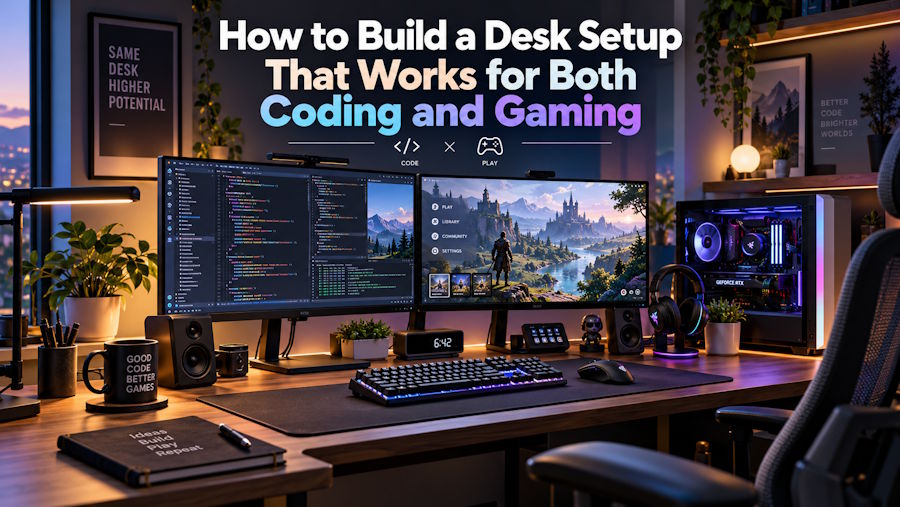
For developers who also enjoy gaming, a computer desk often serves two very different purposes. During working hours, it might be filled with code editors, documentation, browser tabs, and debugging tools. After work, the same setup becomes a place for competitive matches, immersive single-player games, or simply relaxing with friends online.
Creating a workspace that accommodates both activities requires more than powerful computer hardware. The keyboard, mouse, audio equipment, monitor arrangement, and even desk layout influence how comfortable and practical the setup feels.
The goal isn't necessarily to buy the most expensive equipment. It's to choose peripherals that make sense for the way the computer is actually used.
1. Choose a Keyboard That Handles Both Work and Play
A keyboard is one of the most frequently used devices in a developer's workspace. Whether someone is writing hundreds of lines of code or playing a game that requires precise movement, key feel, layout, and consistency matter.
Mechanical keyboards remain popular because they offer a variety of switch types, layouts, and customization options.
For developers, the most useful considerations include:
- Switch characteristics: Linear switches provide smooth travel, while tactile switches offer a noticeable actuation bump. Preference depends on typing habits rather than a universal performance advantage.
- Keyboard layout: Compact 75% and tenkeyless designs preserve many essential keys while freeing up desk space.
- Build quality: A stable chassis and consistent key feel can make extended sessions more pleasant.
- Connectivity: USB, Bluetooth, and 2.4GHz wireless modes can accommodate different computers and workflows.
- Operating-system compatibility: Key mapping, modifier placement, and configuration software deserve attention, especially when switching between Windows and macOS.
Another category worth understanding is Hall Effect keyboards. Instead of relying on conventional mechanical electrical contacts, these designs use magnetic sensing to detect key movement.
Supported Hall Effect keyboards may allow users to adjust actuation points and enable rapid-trigger behavior. Those features can be useful in games where rapid changes in movement input matter. They do not automatically make someone type code faster or more accurately.
A developer who also plays competitive games should therefore consider the value of adjustable actuation against factors such as typing feel, layout, software support, and price.
2. Understand Gaming Mouse Specifications Before Choosing One
A gaming mouse can work perfectly well for programming, browsing, design work, and general productivity. However, the features that matter most differ according to the activity.
For example, a developer may prioritize comfort, reliable wireless connectivity, and programmable buttons. A competitive player might place greater emphasis on weight, sensor performance, shape, and input responsiveness.
Several technical specifications deserve particular attention.
DPI and sensor tracking
DPI describes how far the pointer moves in response to physical mouse movement. Higher DPI settings produce greater cursor movement for the same distance traveled, but an extremely high advertised DPI figure does not necessarily indicate better tracking quality.
Sensor consistency, appropriate sensitivity settings, and a suitable mouse shape are often more important.
Polling rate
Polling rate describes how frequently a mouse reports information to the computer.
At a nominal 1,000Hz polling rate, the reporting interval is one millisecond. At 8,000Hz, that interval decreases to 0.125 milliseconds.
These numbers describe the reporting interval, not the total input latency experienced by the user.
Higher polling rates can reduce one component of input delay, but the practical difference depends on the mouse, game engine, operating system, computer performance, and display configuration.
For everyday programming, an 8,000Hz mouse is generally unnecessary. Competitive gamers may benefit in certain scenarios, but should not expect polling rate alone to transform their performance.
Weight and ergonomics
Lightweight mice can make repeated movements feel easier for some users, particularly during fast-paced games.
However, weight should not be considered independently of shape. Grip style, hand size, button placement, and surface texture affect whether a mouse remains comfortable during extended use.
A slightly heavier mouse that fits someone's hand may be a better choice than a lighter model with an uncomfortable shape.
3. Consider the Design of Your Peripherals
Performance is important, but modern desktop setups increasingly reflect personal design preferences.
Traditional peripherals often favor restrained black or white enclosures. Other products experiment with exposed structures, metallic finishes, transparent materials, and more unconventional shapes.
This approach is particularly visible in science-fiction-inspired gaming hardware.
GravaStar, for example, develops peripherals with distinctive futuristic designs across keyboards, mice, speakers, and other desktop accessories.
Its Mercury series includes mechanical keyboards and lightweight gaming mice, while selected products feature aluminum-alloy structures, transparent components, customizable lighting, or high-polling-rate input technology.
The brand illustrates how visual design and functional hardware specifications can coexist, although individual products still need to be assessed on their own merits.
Availability also varies by region. Readers interested in seeing how these products are offered in South Asia can explore GravaStar's gaming keyboards, mice, and desktop accessories available through Pokobai in Bangladesh.
When comparing products, pay attention to the specific model rather than assuming every device in a product family shares identical specifications.
4. Don't Overlook Audio Equipment
Audio is often treated as an afterthought when building a workstation, even though it can influence both productivity and entertainment.
Developers may use headphones for meetings, technical tutorials, or focused work. Gamers may require directional audio, clear voice communication, or a more immersive listening experience.
Different audio devices serve different purposes.
Headphones are suitable for private listening and environments where external noise needs to be minimized.
Headsets combine headphones with a microphone, making them practical for team communication.
Desktop speakers offer an alternative for music, videos, and casual gaming when private listening is unnecessary.
Good audio quality cannot be judged solely by speaker size or advertised power. Frequency response, distortion, microphone clarity, connection stability, and listening conditions all deserve consideration.
It is also worth checking whether a product relies on Bluetooth, wired USB, analog connections, or another interface.
A visually striking speaker may complement a particular desk aesthetic, but connectivity and sound quality should remain central to the purchase decision.
5. Organize the Desk Around Your Workflow
Even excellent peripherals become inconvenient when a workstation is poorly organized.
A dual-purpose setup should allow users to switch between programming and gaming without repeatedly rearranging equipment.
Start with monitor placement. The display should sit at a comfortable height and viewing distance, with enough space for the keyboard and mouse.
For developers who frequently work across multiple windows, a second monitor can make documentation, terminal sessions, and debugging information easier to manage.
Gamers may instead prioritize a high-refresh-rate primary display with responsive performance.
Neither preference excludes the other. A thoughtfully arranged dual-monitor setup can support both.
Other practical considerations include:
- Providing enough mouse space for comfortable movement.
- Using cable management to reduce clutter.
- Positioning speakers without obstructing the display.
- Keeping frequently used accessories within easy reach.
- Choosing lighting that complements the workspace without creating distracting screen reflections.
RGB lighting and unusual peripheral designs can contribute to the visual character of a setup, but should remain adjustable so they do not interfere with work.
6. Balance Performance, Price, and After-Sales Support
Technical specifications are only one part of the purchasing process.
Compatibility, regional availability, warranty terms, and replacement procedures can matter just as much, particularly with imported gaming accessories.
For example, a keyboard may support advanced configuration software on Windows but provide more limited functionality on other operating systems. Similarly, a wireless mouse might offer multiple connection modes while requiring a particular receiver to achieve its highest advertised polling rate.
Checking these details before purchasing helps avoid unnecessary frustration.
Regional retailers can also provide locally relevant product information. In Bangladesh, technology retailers such as Pokobai list gaming peripherals and computer accessories for the domestic market, allowing buyers to examine local availability and published product information.
Regardless of where a product is purchased, buyers should verify warranty conditions, supported operating systems, return policies, and the specific model being offered.
For imported peripherals, these considerations are especially useful because international manufacturer support and locally provided service may not operate in exactly the same way.
7. Build Around Actual Requirements, Not Marketing Numbers
It is easy to become distracted by impressive hardware specifications.
An 8,000Hz polling rate, a lightweight magnesium-alloy shell, adjustable magnetic switches, or elaborate RGB lighting can all have legitimate uses.
However, none of these features guarantees a better experience for every user.
Someone who spends most of the day writing code may benefit more from a comfortable keyboard, reliable mouse, suitable monitor height, and quiet workspace than from gaming-focused performance upgrades.
Someone who regularly plays competitive FPS games may place greater value on precise mouse tracking, appropriate sensor settings, and customizable keyboard actuation.
The most effective approach is to identify actual limitations in the current setup before deciding which component deserves an upgrade.
Final Thoughts
A desk that serves both programming and gaming doesn't require two separate sets of equipment.
With the right combination of peripherals, one workstation can accommodate long coding sessions, creative work, competitive gaming, and everyday entertainment.
Mechanical keyboards, Hall Effect switches, high-performance mice, and thoughtfully designed audio equipment provide plenty of options, but their value depends on how well they match the user's needs.
Ultimately, a successful setup balances responsiveness, comfort, compatibility, appearance, and long-term reliability.
The best peripheral is not necessarily the one with the highest specification on the box. It is the one that makes the entire workstation more useful and enjoyable.

