

Do the Glasses Fit Comfortably During Your Usual Activities?
Check Pressure and Stability on Your Nose and Ears
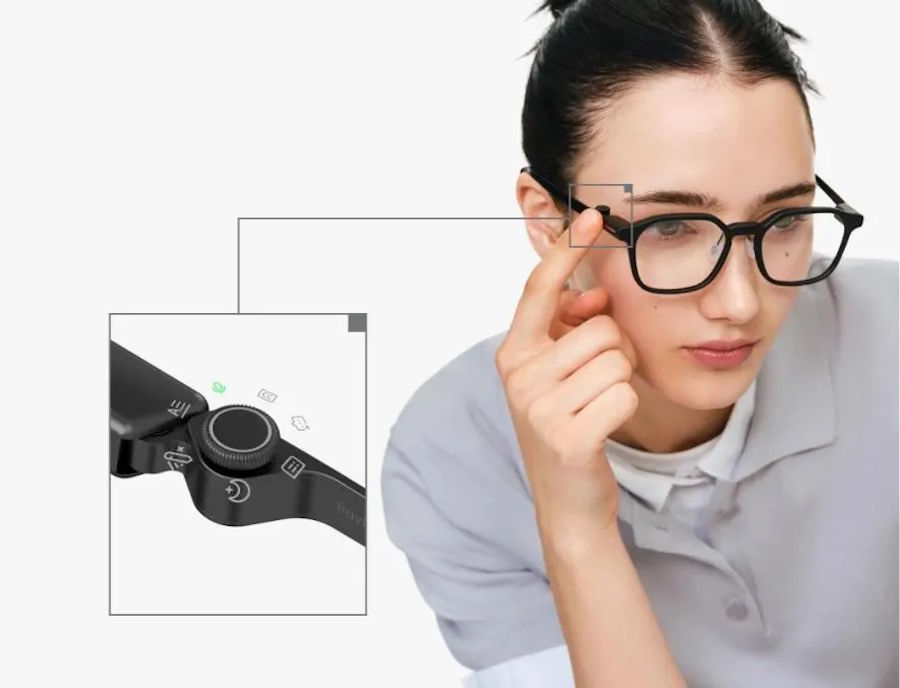
All-day wear starts with physical comfort, so test the glasses during the activities you actually do. Walk, type, commute, look down at your phone, and turn your head quickly to see whether the frame shifts or creates pressure points. A lightweight design helps, but balance matters just as much as total weight. RayNeo iO Smart Glasses weigh 33 grams, which supports longer wear, yet you should still check how that weight sits across your nose bridge and ears over several hours. If the temples squeeze, the pads slide, or the frame bounces during movement, small annoyances can build into fatigue. Stable fit usually matters more than first impressions.
Check Vision Correction and Display Readability
Comfort also depends on how easily you can see both the real world and the digital layer. If you normally wear prescription lenses, make sure your setup supports clear vision without forcing your eyes to refocus constantly. Blurry overlays, dim text, or a display positioned too high or low can cause eye strain faster than many people expect. RayNeo iO features the Blue Lake optical waveguide lens, designed to integrate the display smoothly into daily viewing, but you should still test text sharpness, brightness, and alignment in different lighting. Read messages, check navigation, and view menus indoors and outside to confirm the image stays clear and easy to process.
Will the Battery Support the Features You Use Most?
Separate Everyday Battery Claims From Continuous Use
Battery expectations should match your real usage, not just the headline claim on the box. Features such as constant display use, voice commands, translation, navigation, or frequent AI queries can drain power much faster than light standby use. That is why you should separate mixed daily use from near-continuous activity when judging whether the glasses can last all day. Track how long the battery lasts during a normal workday, then compare that result with heavier sessions before relying on it away from home.
Plan Charging Around Natural Breaks
A practical battery routine matters almost as much as total battery life. If you want to wear ai glasses all day, identify the points when charging fits naturally into your schedule, such as lunch, commuting, desk work, or evening downtime. Short top-ups can prevent the low-battery anxiety that comes from running power-hungry features too long without a plan. Keep the charger where you already pause rather than treating charging as a separate task. It also helps to reduce brightness, disable unused services, and close features you are not actively using. When you build charging into existing breaks, the glasses feel more dependable and less like another device demanding constant attention.

Are the Settings Suitable for Work and Shared Spaces?
Check Recording Controls and Privacy Indicators
Before wearing AI glasses in offices, classrooms, transit, or cafés, review exactly how recording works and how other people can tell when it is active. You should know how to start and stop capture quickly, whether indicators are visible, and whether accidental recording is possible from gestures or voice triggers. Privacy matters even more when glasses include smart assistance features that process what you see or hear. RayNeo iO is built on Privacy by Design principles and GDPR standards, which is a strong baseline, but you should still confirm your own settings before daily use. Clear controls and obvious indicators help protect both your privacy and the comfort of people around you.
Choose Which Updates and AI Services You Need
Not every AI feature needs to stay on all day. Review the services enabled by default and decide which ones actually help your work, travel, or daily routine. Background updates, always-listening functions, cloud processing, or automatic syncing can affect battery life, notifications, and privacy more than expected. If you only need translation during commutes or reminders during meetings, turn those tools on selectively instead of running everything at once. The same approach applies to software updates: schedule them for times when you are not actively using the glasses. A lean setup reduces distractions, preserves power, and keeps the device focused on tasks that add real value in shared spaces.
Conclusion
The main checks before wearing AI glasses all day are simple: make sure they stay comfortable, confirm the display remains easy to read, test battery life against your actual habits, and review privacy-related settings carefully. When those basics work, the glasses feel useful rather than intrusive or inconvenient. A secure fit prevents fatigue, a realistic charging plan prevents interruptions, and clear recording controls help you use the device responsibly around others. Taking time to verify those points first gives you a better chance of getting reliable, practical support from AI glasses throughout your full daily routine.

