

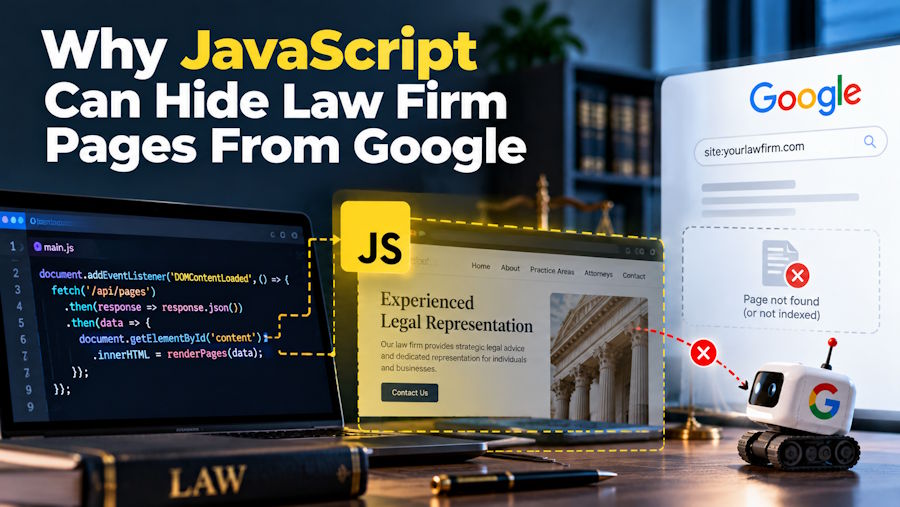
A law firm launches a redesigned website with interactive attorney profiles, dynamic practice-area pages, and a modern JavaScript framework. Everything looks perfect in the browser, but several important pages disappear from Google search results. The problem might not involve the legal content itself, but how the website delivers that content to search engine crawlers.
JavaScript rendering, internal linking, and technical configuration directly affect whether search engines discover and understand a website. For developers building law firm websites, these details deserve attention before launching a new design.
How JavaScript Rendering Affects Search Visibility
Google processes JavaScript-powered websites through crawling, rendering, and indexing. According to Google Search Central's JavaScript SEO documentation, Googlebot retrieves a page before its rendering system executes JavaScript to examine additional content.
A page that displays correctly for visitors is not necessarily processed identically by every search engine crawler. Rendering delays, blocked resources, and execution failures create potential indexing problems.
For example, a legal services page might load its main content through a JavaScript API. If that request fails during rendering, Google might receive an incomplete version of the page.
Server-Side Rendering Reduces Content Dependencies
Client-side rendering often delivers an HTML document containing minimal content before JavaScript constructs the visible interface. Server-side rendering (SSR) provides meaningful HTML directly in the initial response.
This distinction matters when law firms depend on organic traffic for high-value practice areas.
Our Code World's article on SEO-friendly website architectures explains how server-side rendering, static site generation, and client-side rendering affect discoverability.
SSR is not mandatory for Google indexing, but it reduces dependence on client-side execution. Developers using Next.js, Nuxt, or similar frameworks benefit from ensuring that essential legal content appears in the rendered HTML.
Technical SEO Requires Coordination With Developers
Law firm SEO involves more than keyword research and writing practice-area descriptions. Website architecture, crawlability, redirects, structured data, and loading performance determine whether search engines can access that content.
Agencies providing SEO services for attorneys, such as Hennessey Digital, address these technical issues alongside legal content development, local search optimization, and performance measurement.
An effective technical audit identifies barriers that prevent otherwise useful pages from appearing in search results. Developers then need to prioritize corrections according to their impact on important website sections.
A broken practice-area template affecting 100 pages generally deserves attention before a minor visual issue on an individual article.
Internal Links Must Be Accessible to Crawlers
JavaScript navigation menus sometimes use buttons or custom click handlers instead of standard HTML links. Although these elements work for visitors, they might prevent crawlers from discovering important pages.
Google recommends using standard anchor elements containing valid href attributes for crawlable links.
A navigation element that depends exclusively on an onclick event is not equivalent to a conventional HTML hyperlink.
For example, a personal injury firm's main service page should link directly to relevant accident and injury practice pages. Proper internal linking establishes a clear website structure while helping visitors navigate related services.
Canonical Tags Prevent Duplicate URL Confusion
Law firm websites frequently contain multiple pages with overlapping content, particularly when targeting neighboring cities. Technical mistakes also create duplicate URLs through query parameters, staging environments, or inconsistent routing.
According to Google's canonicalization guidance, rel="canonical" identifies a preferred URL for duplicate or substantially similar content. However, Google treats canonical tags as signals rather than absolute instructions.
Canonical tags should not automatically point every location page toward the firm's homepage. Doing so might prevent genuinely distinct practice-area pages from receiving independent search visibility.
Developers need to examine canonical URLs, redirects, and XML sitemaps together to avoid conflicting instructions.
Website Performance Influences User Experience
JavaScript-heavy websites often introduce additional scripts, third-party integrations, and render-blocking resources. These dependencies affect how quickly visitors interact with the page.
Google's Core Web Vitals measure loading performance, responsiveness, and visual stability through Largest Contentful Paint (LCP), Interaction to Next Paint (INP), and Cumulative Layout Shift (CLS).
Our Code World's guide to JavaScript SEO fundamentals discusses how resource optimization, caching, and technical audits improve website performance.
Removing unnecessary JavaScript does more than improve performance scores. It helps visitors access attorney information and consultation forms without unnecessary delays.
Conversion Tracking Needs Technical Validation
A law firm website might receive substantial organic traffic but fail to record consultation requests accurately. JavaScript-based forms, asynchronous submissions, and consent-management systems sometimes interfere with analytics events.
For example, a form might display a successful submission message without triggering the configured Google Analytics event.
A completed form submission and a recorded conversion are not automatically the same thing.
Developers need to test successful submissions, validation errors, and analytics events independently. Connecting recorded inquiries with customer relationship management systems also helps distinguish website activity from actual client acquisition.
Test the Rendered Website Before Launch
Technical SEO testing needs to occur before deploying a major website redesign. Developers benefit from checking response codes, rendered HTML, canonical tags, navigation links, and analytics functionality.
Google Search Console's URL Inspection tool helps identify indexing problems and examine Google's rendered page information.
The most important test is whether search engines can access the same essential content that visitors see. A visually impressive redesign provides limited business value when its practice-area pages cannot be reliably discovered.
For law firms, technical SEO succeeds when search engines can crawl important pages, users can navigate them efficiently, and consultation systems accurately record potential clients.

