

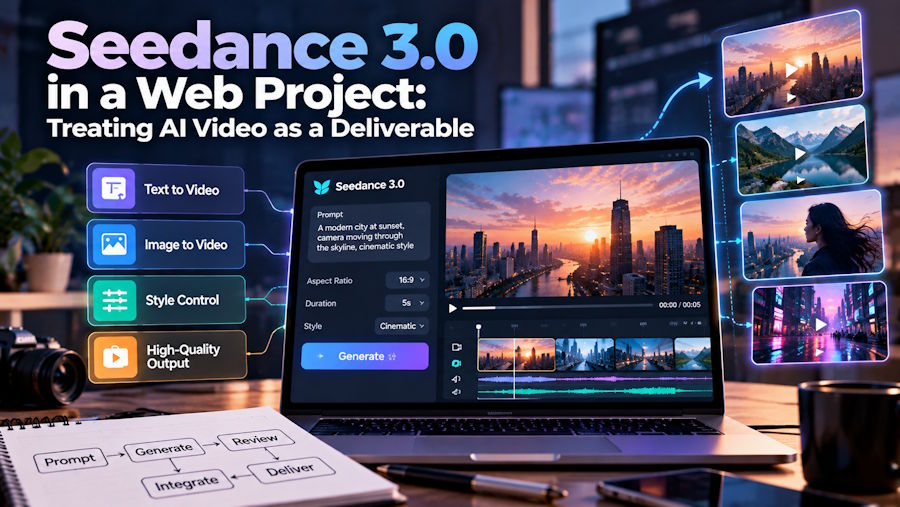
A developer receives a message that says, “The video is ready,” followed by a large file with an ambiguous name. The clip looks attractive in a desktop player, but the page needs a narrow mobile composition, a useful still image, and an explanation of what should happen before playback starts. The asset is finished from one person's perspective and barely specified from another's. AI generation makes this familiar handoff problem more visible.
The practical question is not simply how to make a moving image. It is how to turn a creative output into something a web team can place, review, replace, and maintain. A generated clip may serve as an atmospheric background, an editorial illustration, or a product concept. Those roles have different requirements, even when the source files initially look similar.
For teams exploring seedance 3.0, text and image based video creation can provide original visual material for those roles. The useful boundary is between creating the visual and integrating its exported result. A team can work with downloaded assets in its existing publishing process without assuming that the creative tool supplies an application API, a content management integration, or the website's delivery infrastructure.
Define the asset's job before discussing the file
Imagine a small team building an editorial page about an imaginary architectural concept. The video should show the feeling of moving through a proposed space. It does not need to demonstrate a working building or prove that a design has been constructed. That distinction shapes both the creative brief and the surrounding copy. The asset is a visualization, so the page should present it as one.
The first handoff decision is therefore semantic: what is the visitor expected to learn from this clip? If the answer is merely an atmosphere, the page should communicate its essential information elsewhere. If the clip explains an action, that action needs enough room and time to remain understandable. Calling every moving asset a background hides these differences and makes later discussions about behavior unnecessarily confusing.
A short asset note can capture the decision in plain language. State the page location, intended meaning, approximate display shape, and whether the motion is essential to understanding the section. Add the approved still alternative and the person responsible for accepting the result. This is a small specification, not a new workflow system. Its purpose is to prevent several people from silently making incompatible assumptions.
A visual can pass creative review and fail the layout
Suppose the important movement occurs near the far right edge of a wide clip. A centered crop in a narrow container may hide it completely. The answer is not always to regenerate the video. The design might need a different container, a separately composed mobile asset, or a still image that preserves the relevant detail. Review the visual within the intended layout before treating the export as final.
Text embedded in a video deserves particular scrutiny. It can become difficult to read at smaller display sizes, and changing a sentence may require replacing the entire asset. Keep important interface labels and explanatory copy in the page when possible. The video can contribute motion and atmosphere while ordinary page content carries information that needs to remain clear, selectable, and easy to update.
The same principle applies to product representations. A generated concept may contain a shape or detail that looks convincing but does not match a real item. If the page sells that item, creative approval should include checking the visual against the actual product. A concept illustration and an accurate demonstration are different deliverables. Naming the intended role helps reviewers apply the appropriate standard instead of arguing only about visual polish.
The handoff package should answer ordinary questions
A useful delivery package includes the approved export, a representative still, a descriptive filename, and a short note about intended use. Where multiple versions exist, identify the approved one explicitly. A folder full of files labeled final, newer, and final again forces the next person to reconstruct decisions. Simple version numbers or dated names can remove that ambiguity without introducing a specialized asset platform.
Preserve the creative context too. Record which original references were approved and what the clip is meant to depict. If a later revision changes the page's message, that note helps the team decide whether the existing visual still fits. It also prevents a purely illustrative sequence from quietly becoming evidence for a product claim that nobody reviewed.
For a team using seedance as its creative workspace, the exported clip can move through this package alongside assets produced by other methods. The handoff should describe the result rather than depend on everyone knowing the generation interface. Designers need to understand the composition; developers need to understand the intended behavior; editors need to understand the meaning. Those responsibilities meet at the asset, but they are not interchangeable.
Acceptance happens on the page
A file opening successfully in a media player is only one checkpoint. The relevant review happens where visitors encounter it. Does the still image make sense before the clip appears? Does the surrounding text remain understandable if motion is unavailable? Is the important action visible in the actual container? These questions assess the delivered experience instead of treating successful export as the end of the project.
Performance review belongs at this stage as well. Compare the experience with and without the video on representative devices and connections. A short decorative sequence should earn the resources it consumes. The team may decide that a smaller delivery version or a still image serves the section better. Keep the original master separately so that publishing decisions do not destroy the source needed for future adaptations.
Finally, give the asset an owner after launch. Someone should know whether it still matches the page, where its approved replacement lives, and when a changed product or campaign makes it obsolete. AI video can make visual exploration accessible, but a useful web deliverable still needs an explicit purpose, an understandable package, and acceptance in its real context. Those modest agreements turn an impressive clip into something a team can reliably ship.

