

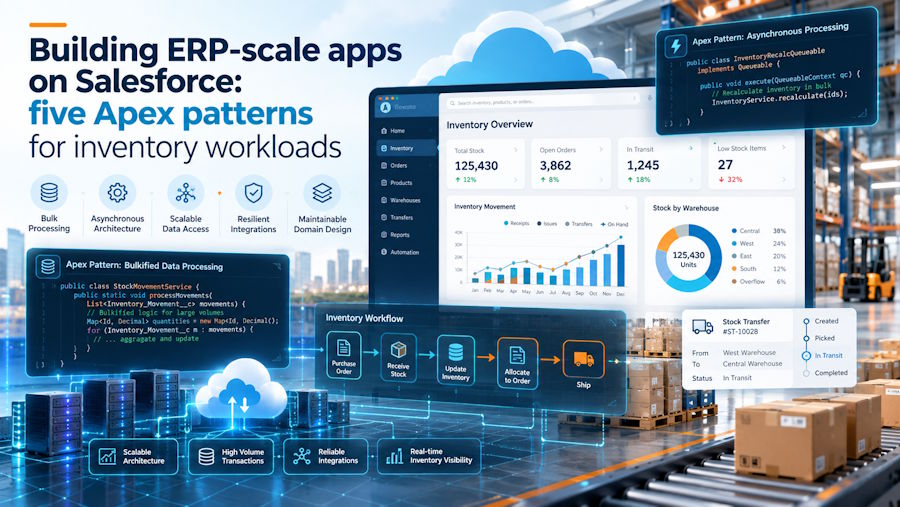
CRM code mostly updates one record at a time. Inventory and manufacturing apps reserve stock, move quantities and run planning jobs across thousands of records at once. These five patterns keep that kind of workload inside Salesforce’s limits, with Apex examples for each.
Salesforce is best known as a CRM, but a growing number of products run full operational workloads on the platform: inventory, manufacturing, procurement and finance. Axolt, which builds ERP software natively on Salesforce, is one of them.
Operational data behaves differently from sales data. One sales order can reserve stock for dozens of products. A planning run can touch every item in the catalog. Two warehouse users can try to allocate the same stock in the same second. On a multi-tenant platform with strict governor limits, those patterns break code that works perfectly well for CRM.
The examples below use simplified custom objects (Order_Line__c, Stock__c, Purchase_Requisition__c) to illustrate each pattern. They are not a production data model, and they assume one stock record per product to keep the code short.
1. Bulkify first: one query and one update, whatever the batch size
Apex triggers receive up to 200 records at a time, and a synchronous transaction allows 100 SOQL queries and 150 DML statements (Apex governor limits). Code with a query inside a loop works in a demo with one order line and fails on the first data import.
This version runs one query and one update per order line:
// Don't do this: one query and one DML statement per record
trigger OrderLineTrigger on Order_Line__c (after insert) {
    for (Order_Line__c line : Trigger.new) {
        Stock__c s = [SELECT Id, Available__c FROM Stock__c
                      WHERE Product__c = :line.Product__c LIMIT 1];
        s.Available__c -= line.Quantity__c;
        update s;
    }
}
The bulk-safe version totals the quantity per product first, then queries and updates every affected stock record in a single statement each. It also handles an order with two lines for the same product, which the loop version silently gets wrong if the lines arrive in the same transaction.
Map<Id, Decimal> qtyByProduct = new Map<Id, Decimal>();
for (Order_Line__c line : lines) {
    Decimal soFar = qtyByProduct.containsKey(line.Product__c)
        ? qtyByProduct.get(line.Product__c) : 0;
    qtyByProduct.put(line.Product__c, soFar + line.Quantity__c);
}

List<Stock__c> stock = [
    SELECT Id, Product__c, Available__c
    FROM Stock__c
    WHERE Product__c IN :qtyByProduct.keySet()
];
for (Stock__c s : stock) {
    s.Available__c -= qtyByProduct.get(s.Product__c);
}
update stock;
2. Lock the rows you are about to change
Bulkifying fixes limits, not concurrency. If two users confirm orders for the last 50 units at the same moment, both transactions can read 50 available, both subtract, and the stock goes negative.
Adding FOR UPDATE to the query locks the returned records until the transaction ends. A second transaction that tries to lock the same records waits; if it cannot get the lock within about 10 seconds, it fails with an UNABLE_TO_LOCK_ROW error, which your code or the user can retry. Once the rows are locked, you can check availability safely and reject the line instead of overselling:
public with sharing class StockReservationService {
    public static void reserve(List<Order_Line__c> lines) {
        Map<Id, Decimal> qtyByProduct = new Map<Id, Decimal>();
        Map<Id, List<Order_Line__c>> linesByProduct =
            new Map<Id, List<Order_Line__c>>();
        for (Order_Line__c line : lines) {
            Decimal soFar = qtyByProduct.containsKey(line.Product__c)
                ? qtyByProduct.get(line.Product__c) : 0;
            qtyByProduct.put(line.Product__c, soFar + line.Quantity__c);
            if (!linesByProduct.containsKey(line.Product__c)) {
                linesByProduct.put(line.Product__c, new List<Order_Line__c>());
            }
            linesByProduct.get(line.Product__c).add(line);
        }

        List<Stock__c> stock = [
            SELECT Id, Product__c, Available__c
            FROM Stock__c
            WHERE Product__c IN :qtyByProduct.keySet()
            WITH USER_MODE
            FOR UPDATE
        ];

        List<Stock__c> toUpdate = new List<Stock__c>();
        for (Stock__c s : stock) {
            Decimal needed = qtyByProduct.get(s.Product__c);
            if (s.Available__c < needed) {
                for (Order_Line__c line : linesByProduct.get(s.Product__c)) {
                    line.addError('Only ' + s.Available__c + ' available.');
                }
            } else {
                s.Available__c -= needed;
                toUpdate.add(s);
            }
        }
        update as user toUpdate;
    }
}
Call this from a before insert trigger so addError can block the order lines that cannot be fulfilled. Keep locked transactions short: every millisecond a row stays locked is a millisecond another user may be waiting.
3. Move heavy planning to asynchronous Apex
A planning run that checks every product against its reorder point will exceed the 10-second CPU limit of a synchronous transaction long before a real catalog runs out. Batch Apex splits the work into chunks of up to 2,000 records (200 by default), and each chunk gets a fresh set of governor limits, including 60 seconds of CPU time and a 12 MB heap.
public with sharing class ReorderPlanningBatch implements Database.Batchable<SObject> {
    public Database.QueryLocator start(Database.BatchableContext ctx) {
        return Database.getQueryLocator(
            'SELECT Id, Product__c, Available__c, Reorder_Point__c, Reorder_Quantity__c ' +
            'FROM Stock__c'
        );
    }

    public void execute(Database.BatchableContext ctx, List<Stock__c> scope) {
        List<Purchase_Requisition__c> requisitions = new List<Purchase_Requisition__c>();
        for (Stock__c s : scope) {
            if (s.Available__c <= s.Reorder_Point__c) {
                requisitions.add(new Purchase_Requisition__c(
                    Product__c = s.Product__c,
                    Quantity__c = s.Reorder_Quantity__c
                ));
            }
        }
        insert as user requisitions;
    }

    public void finish(Database.BatchableContext ctx) {}
}

// Process 200 stock records per chunk
Database.executeBatch(new ReorderPlanningBatch(), 200);
Notice that the comparison happens in Apex rather than in the query. SOQL cannot compare two fields in a WHERE clause, so either filter in code, as here, or add a checkbox formula field such as Below_Reorder_Point__c and filter on that to process fewer records. For smaller follow-up jobs, such as notifying a buyer once requisitions exist, a Queueable class is lighter than a second batch.
4. Enforce the user’s permissions in every query and DML statement
Apex runs in system mode by default, which ignores object and field permissions. In a CRM that is a risk; in ERP it is a serious one, because the data includes unit costs, supplier prices and margins that most users should never see. Apps listed on AppExchange also have to pass Salesforce’s security review, which checks for exactly this.
Declare classes with sharing so record-level sharing applies, then run queries and DML in user mode so object and field permissions apply too:
// Queries: object, field and sharing checks for the running user
List<Stock__c> rows = [
    SELECT Id, Product__c, Unit_Cost__c
    FROM Stock__c
    WITH USER_MODE
];

// DML: either the "as user" keyword...
update as user rows;

// ...or the Database method with an access level
Database.update(rows, AccessLevel.USER_MODE);
If a user lacks access to Unit_Cost__c, the query throws an exception instead of quietly returning data they should not see. That is the behavior you want: fail loudly, then handle it in the UI.
5. Design the package for upgrades you haven’t planned yet
Commercial Salesforce apps ship as managed packages, today usually second-generation packages (2GP) under a namespace. Customers install upgrades into orgs you cannot see, full of their own automation, and the package has to keep working.
Two rules save a lot of pain. First, keep the global surface small: once a global class or method is released in a managed package, you cannot delete it or change its signature, only deprecate it. Second, put configuration that varies by customer, such as allocation rules or default warehouses, in custom metadata types rather than hard-coded values. Custom metadata is packageable, deployable between orgs and cached, so reading it costs no SOQL queries against your limit.
Where AI agents fit
AI agents are now a common entry point into operational apps. In Agentforce, an agent can call Apex through an invocable method, which means agent actions inherit every rule above: they receive a list of requests, so they must be bulk-safe, and they should run in user mode so the agent can only see what the person using it could see. Axolt’s own assistant, Axo, is built on Agentforce.
public with sharing class CheckStockAction {
    public class Request {
        @InvocableVariable(required=true label='Product Id')
        public Id productId;
        @InvocableVariable(required=true label='Quantity')
        public Decimal quantity;
    }

    public class Result {
        @InvocableVariable(label='Available')
        public Boolean available;
        @InvocableVariable(label='Quantity on hand')
        public Decimal onHand;
    }

    @InvocableMethod(
        label='Check stock availability'
        description='Checks whether a quantity of a product is available now, across all locations.'
    )
    public static List<Result> check(List<Request> requests) {
        Set<Id> productIds = new Set<Id>();
        for (Request r : requests) {
            productIds.add(r.productId);
        }

        Map<Id, Decimal> onHandByProduct = new Map<Id, Decimal>();
        for (AggregateResult ar : [
            SELECT Product__c product, SUM(Available__c) total
            FROM Stock__c
            WHERE Product__c IN :productIds
            WITH USER_MODE
            GROUP BY Product__c
        ]) {
            onHandByProduct.put((Id) ar.get('product'), (Decimal) ar.get('total'));
        }

        List<Result> results = new List<Result>();
        for (Request r : requests) {
            Result res = new Result();
            res.onHand = onHandByProduct.containsKey(r.productId)
                ? onHandByProduct.get(r.productId) : 0;
            res.available = res.onHand >= r.quantity;
            results.add(res);
        }
        return results;
    }
}
Write the label and description for the agent as carefully as the code. The agent uses them to decide when to call the action, so a vague description leads to the action being called at the wrong time, or not at all.
The common thread
None of these patterns is new to experienced Salesforce developers. What changes with operational workloads is the cost of skipping them. In a CRM, a missing bulk pattern is a performance bug. In inventory, it is double-allocated stock, a purchase order raised twice or a cost price shown to the wrong person.
If you want to see what an operational app looks like on the platform from the user’s side, Axolt runs a 30-minute demo of inventory management inside Salesforce.

