

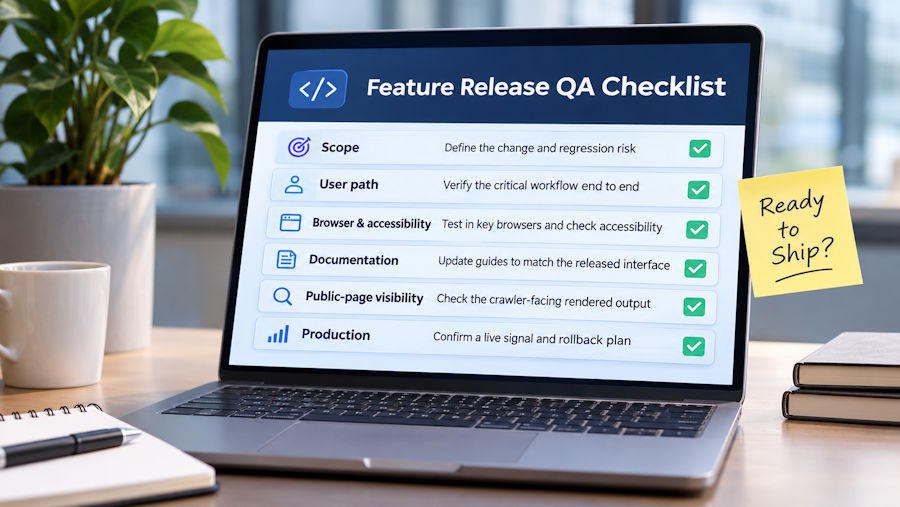
A pull request can be merged and the automated suite can be green while a feature is still not ready for users.
The gap usually appears outside the narrow behavior covered by the code change. A form works in Chrome but breaks in Safari. A new UI state is missing from the support documentation. A public landing page renders correctly for a visitor, while the HTML available to a crawler doesn't contain the content the team expected.
A useful release checklist starts with the change itself. Before running every test the team owns, define what the feature changed, which user path proves it works, and what evidence would make the team comfortable shipping it.
Define the feature's release contract
QA gets noisy when the release scope is vague. A ticket that says "test the new billing settings" leaves too much room for interpretation.
The release contract can be much narrower. Identify the main behavior being added or changed, the existing behavior most exposed to regression, and the observable result that counts as success.
Suppose a SaaS product adds a new option for changing billing contacts. The release contract might cover saving a new contact, displaying it correctly after refresh, and preserving the existing billing owner. There is no reason to turn that change into a complete audit of every billing feature.
This also gives reviewers something concrete to sign off. They are confirming evidence against the release scope instead of giving a general impression that the feature "looks fine."
Prove the path a user will actually take
Automated tests are strongest when they exercise visible behavior instead of implementation details. Playwright makes the same recommendation in its testing guidance, encouraging tests that interact with the rendered application the way an end user would.
For a new SaaS feature, identify the shortest realistic path from entry point to completed outcome. Run that path with representative data and record the result somewhere the release team can inspect later.
That evidence could be an automated test result, a short screen recording, or a linked QA ticket. The format matters less than reproducibility. Another engineer should be able to understand what was tested without relying on the original tester's memory.
Edge cases still matter, but they should follow the risk created by the change. A new optional profile field doesn't deserve the same test matrix as a change to account permissions or payment logic.
Browser and accessibility coverage should follow risk
Frontend behavior can change across rendering engines even when the underlying JavaScript is identical. If the feature touches layout, forms, browser APIs, uploads, media, or other browser-sensitive behavior, cross-browser testing belongs in the release scope.
Playwright projects can run the same tests across Chromium, Firefox, and WebKit, which makes repeatable browser coverage practical without maintaining separate test suites.
Accessibility deserves similar treatment. Automated checks are useful for detecting certain problems, but they don't prove that a workflow is accessible in practice. Keyboard navigation, focus behavior, labels, and error states still deserve human attention when the feature changes an important interaction.
The amount of coverage should reflect the feature's impact. A small text change and a new multi-step checkout flow don't need identical release procedures.
Documentation has to match the released interface
UI changes create a second QA surface that teams sometimes discover after release. The feature works, but the material used by support, customer success, or future testers still describes the previous interface.
Documentation review works best after the feature behavior is stable. Capture the verified flow from the same build that is being approved, then update any guide whose screenshots or instructions depend on the changed interface.
The choice of format depends on who will use the reference. Teams comparing workflow documentation tools can choose between screenshot-based guides, interactive walkthroughs, video, and other formats based on how frequently the interface changes and how much guidance the reader needs. Supademo's comparison is focused on that documentation decision rather than replacing the QA process itself.
This is especially useful for workflows that move through several screens. A verified visual reference gives support teams something more precise than an old screenshot in a ticket or a paragraph written before the final UI was approved.
Public JavaScript features need crawler-facing QA too
A browser rendering correctly doesn't automatically answer every question about a public page.
Google renders JavaScript as part of its processing, so JavaScript itself isn't inherently an SEO problem. The release check is whether the important public content, links, metadata, and status behavior are present in the version Google can process. Google's JavaScript SEO guidance recommends testing rendered output when diagnosing these issues.
This matters when a feature release changes a marketing page, public product directory, documentation route, or another page expected to appear in search.
For teams using client-side rendering, the first step is to inspect the actual crawler-visible output and fix the architecture where practical. Google now describes dynamic rendering as a deprecated workaround rather than its preferred long-term approach. Server-side rendering, static rendering, or hydration are better architectural options where they fit the application.
Existing applications aren't always easy to rebuild before the next release. Prerender.io is one implementation option for that narrower situation. It detects configured crawler requests, renders the JavaScript page in a headless browser, caches the result, and returns rendered HTML to the crawler.
The QA task remains the same after implementation. Inspect the rendered output rather than assuming the rendering layer solved every indexing or content problem.
Production evidence closes the loop
Pre-release testing proves what happened in a controlled environment. The final gate is confirming what happens after deployment.
Choose a production signal that relates directly to the feature. For a new upload workflow, that might be successful completion events and error logs. For a public page change, it could include rendered output and response behavior. A permissions update might require checking that the intended account types can complete the new action without expanding access elsewhere.
The release ticket should also say what triggers rollback or escalation. Teams make slower decisions when those thresholds have to be invented during an incident.
A compact release record becomes useful later as well. When a regression appears, the team can see what was actually tested, which environment produced the evidence, and what changed after the original release.
A compact feature release checklist
| Release gate | Evidence to capture |
|---|---|
| Scope | The changed behavior and the main regression risk |
| User path | A reproducible result from the critical workflow |
| Browser and accessibility | Coverage appropriate to the feature's interface risk |
| Documentation | Updated guidance based on the verified UI |
| Public-page visibility | Rendered crawler output for relevant JavaScript pages |
| Production | A feature-specific health signal and clear rollback condition |
The useful question before shipping isn't whether every possible check has been completed. It is whether the evidence matches the risk created by this particular change.
That keeps small releases moving without turning QA into ceremony, while giving higher-risk features the extra scrutiny they deserve. Over time, the release record also becomes a practical history of what the team trusted, what later failed, and which checks are worth strengthening for the next feature.

