

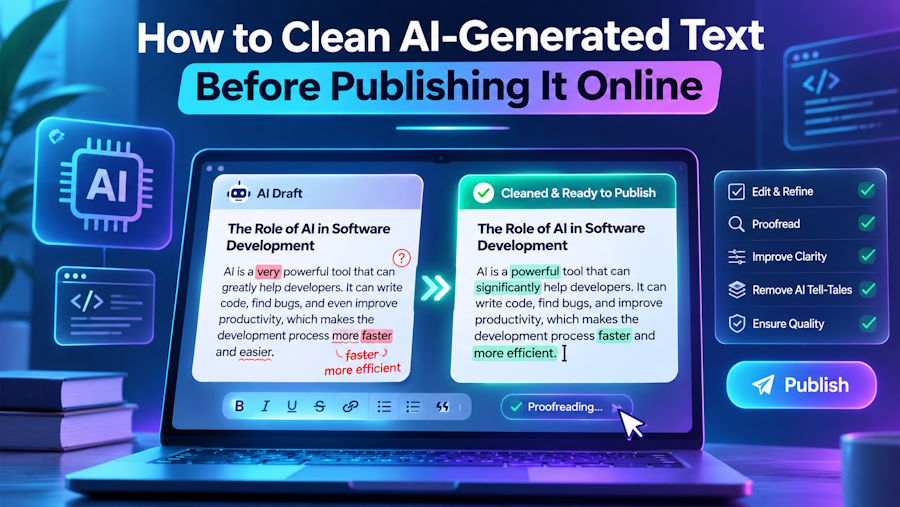
Copying a response from ChatGPT or another AI assistant into a blog editor should be simple: generate a draft, make the necessary edits, and publish. In practice, the text often arrives with extra blank lines, Markdown markers, inconsistent spacing, or Unicode characters that are difficult to see. The result may look fine in one app and behave strangely in another.
The solution is not to rewrite the entire article. It is to separate text cleanup from content editing, fix the technical artifacts, and then verify the finished draft in its destination editor. Here is a repeatable process for bloggers, developers, marketers, and anyone working with AI-assisted copy.
What usually goes wrong when you paste AI text?
Formatting issues commonly come from the journey between tools rather than from the words themselves. A response may begin as Markdown, be copied through a rich-text editor, and eventually land in WordPress, a newsletter platform, a CMS, or an online form. Each application interprets the clipboard differently.
- Non-breaking spaces (U+00A0) can prevent ordinary line wrapping and behave differently from normal spaces.
- Zero-width spaces (U+200B) and byte-order marks (U+FEFF) may be invisible, yet interfere with exact matches, validation, or pasted output.
- Markdown tokens such as
**bold**,## headings, and fenced code blocks may appear literally if the destination does not parse Markdown. - Mixed line endings, trailing spaces, and repeated blank lines can create inconsistent paragraphs.
- Rich-text pasting can import fonts, colors, and styling that do not match the publication’s design.
Not every invisible character is unwanted. For example, zero-width joiners help form some emoji sequences, and certain Unicode marks are important in multiple writing systems. A cleanup process should be conservative rather than deleting every non-ASCII character.
Step 1: Decide whether the destination needs plain text or rich text
Start with the editor you will publish into. A plain-text email field may only need words and paragraph breaks. A WordPress block editor might need headings, links, lists, and emphasis. A developer documentation page may need to preserve code fences or convert Markdown into HTML.
If the destination requires structured content, avoid stripping formatting indiscriminately. It is usually better to convert Markdown with a trusted parser, paste the rendered result, or recreate semantic headings and lists in the target editor. Only use a plain-text cleanup when you actually want plain text.
Step 2: Inspect suspicious spaces and invisible characters
A string such as “AI text cleaner” may contain an ordinary space, a non-breaking space, or an invisible character after “AI.” It can look identical on screen while producing different results in validation, search, or copy-and-paste workflows.
For a technical check, inspect code points in your browser console or editor. For example, JavaScript can turn a string into an array of Unicode code points:
Array.from(text, char => `U+${char.codePointAt(0).toString(16).toUpperCase()}`);
This is helpful when text is unexpectedly failing an equality check or behaving differently across applications. For ordinary publishing, you generally do not need to inspect every character manually; a conservative cleaner can handle common artifacts.
Step 3: Normalize whitespace while keeping paragraphs intact
A good first pass removes trailing spaces, converts non-breaking spaces when appropriate, unifies line endings, and reduces excessive blank lines. It should not collapse the entire document into one paragraph or remove deliberate indentation from code examples.
For long-form articles, preserving paragraph boundaries matters more than making every line look visually identical. Keep one blank line between paragraphs if your publishing workflow uses plain text, and adjust spacing in the CMS rather than inserting extra empty paragraphs.
Step 4: Treat Markdown as a format, not random punctuation
Markdown often appears in AI-generated drafts because it provides a simple way to express structure. A heading such as “## Installation” is useful in a Markdown editor but looks unfinished in a plain-text submission form. The correct fix depends on the target: render it into a heading, rewrite it as an ordinary label, or remove the marker if formatting is not needed.
Be cautious with regular expressions that delete every asterisk, underscore, bracket, or hash sign. Those characters may be meaningful in code, filenames, citations, URLs, or product names. A purpose-built Markdown converter is safer for structured documents than a blanket punctuation-removal rule.
Step 5: Use a text-cleaning tool for repetitive fixes
For routine copy-and-paste cleanup, a browser-based service such as GPT Clean Up can help remove common hidden Unicode artifacts and normalize spacing before the text goes into Word, Google Docs, or a publishing platform. This is particularly useful when the goal is to keep the original wording while addressing technical formatting problems.
A cleaner is not a fact-checker, plagiarism checker, or substitute for editorial review. After processing, compare the result with the source to confirm that quotations, numbers, links, and special characters are still correct. Avoid uploading confidential text to any third-party service unless its data-handling terms meet your requirements.
Step 6: A simple JavaScript cleanup function for plain-English prose
Developers who process text in their own applications can implement a small, conservative normalization step. The following function is intended for ordinary plain-English prose, not source code, multilingual text processing, or documents where exact Unicode preservation matters.
function cleanPlainText(input) {
  return input
    .replace(/\r\n?/g, "\n")         // consistent line endings
    .replace(/[\uFEFF\u200B]/g, "")  // BOM and zero-width spaces
    .replace(/\u00A0/g, " ")         // non-breaking spaces
    .replace(/[ \t]+$/gm, "")        // trailing spaces
    .replace(/\n{3,}/g, "\n\n");    // excessive blank lines
}
Notice what this function deliberately does not do: it does not remove zero-width joiners, alter quotation marks, delete Markdown symbols, or merge every line. More aggressive transformations should be optional and tested against the languages and document types your application supports.
Step 7: Run a publishing check before you hit Publish
Cleanup is only the first stage. Open the result in the actual publishing environment and check how it renders. A concise final review can catch issues that are invisible in the source editor.
- Check the first and last paragraphs for accidental truncation or duplicated copy.
- Confirm headings use real heading styles and lists render as lists.
- Test links, code blocks, quotation marks, and any special symbols.
- Compare numbers, names, citations, and direct quotations against the original.
- Preview the result on both desktop and mobile layouts if you publish to the web.
If content was generated with an AI assistant, verify its factual claims independently. Better formatting does not make inaccurate information trustworthy.
Common mistakes to avoid
Deleting every invisible Unicode character
Some characters are required for correct rendering of emoji or complex scripts. Only remove specific characters when you understand what your content uses.
Replacing all line breaks with spaces
This can destroy paragraphs, lists, and code blocks. Normalize excess blank lines instead of flattening the entire document.
Using cleanup as a substitute for editing
Text can be technically clean while still being vague, repetitive, or wrong. Content review and format cleanup are separate tasks.
Publishing without checking the destination
A paste that looks correct in a document can still behave differently inside a CMS. Always preview the final version where readers will see it.
Final thoughts
AI text cleanup is a small but useful stage in a reliable publishing workflow. The key is to make only the changes the destination requires: normalize common artifacts, preserve meaningful structure, and check the result before publication. When writers combine that technical discipline with genuine editorial judgment, they spend less time repairing pasted text and more time improving what the article actually says.

