

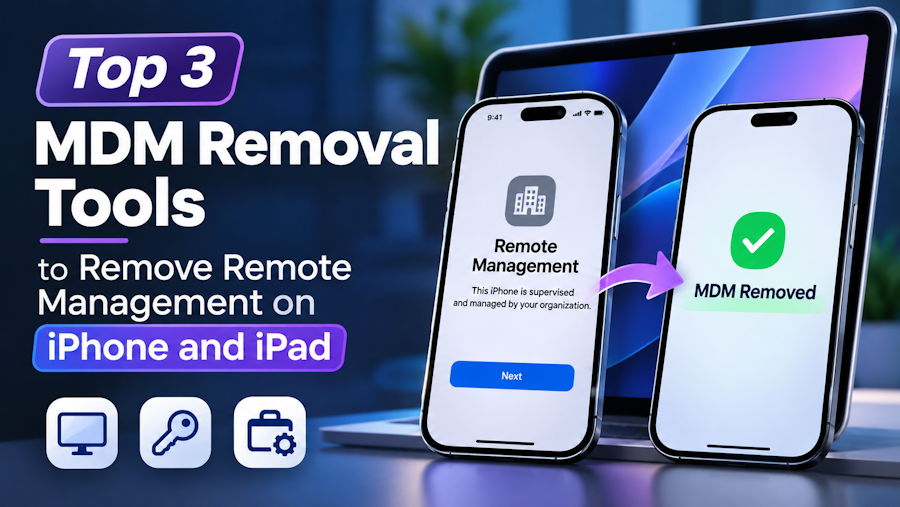
Have you purchased a second-hand iPhone only to find it stuck on the Remote Management screen during setup? Or does your iPad display the same management restrictions again after a factory reset?
These issues are commonly associated with Mobile Device Management (MDM), a system used by businesses and schools to manage Apple devices remotely.
Finding the right MDM removal tool can help you address different device management issues. This article introduces four useful tools, compares their features and limitations, and explains the available solutions for iPhone and iPad Remote Management.
What Is an MDM Removal Tool?
An MDM removal tool is designed to address device management restrictions on compatible iPhones and iPads.
There are two common scenarios in which users may need an MDM bypass tool:
- Remote Management during setup: The iPhone or iPad is stuck on the Remote Management screen during initial setup or after a factory reset.
- Existing MDM profiles: The device is accessible, but certain apps, settings, or functions are restricted by a management profile.
Software-based MDM bypass does not permanently release a device from an organization's enrollment system. These solutions should only be used on devices you own or are authorized to manage.
Top 3 Tools for iPhone and iPad MDM Removal
1. Fonelora iPhone Unlocker: Best MDM Removal Tool for iPhone & iPad
If your iPhone is stuck on the Remote Management screen or you can't remove an MDM profile through Settings, Fonelora iPhone Unlocker provides a dedicated solution for compatible devices.
Unlike general-purpose iOS utilities, Fonelora includes an MDM-specific unlocking feature designed to handle two common situations:
1. Bypass Remote Management After Factory Reset
Fonelora helps bypass the Remote Management setup screen on compatible iPhones and iPads without requiring the original administrator credentials, allowing authorized users to continue device setup.
2. Remove Local MDM Profiles from an Activated Device
Fonelora can remove restrictive MDM profiles from compatible, already activated devices. For supported configurations, the process preserves personal data, including photos and messages.
Why Choose Fonelora iPhone Unlocker for MDM Removal?
Fonelora offers several practical advantages:
- MDM bypass without administrator credentials: Bypass compatible Remote Management restrictions without entering the organization's username or password.
- No Jailbreak Required: Fonelora iPhone Unlocker can bypass supported Remote Management restrictions and remove compatible local MDM profiles without jailbreaking your iPhone or iPad.
- Simple guided workflow: Follow clear on-screen instructions instead of complicated manual procedures.
- Additional iOS unlocking features: Access separate tools for screen passcodes, Apple ID removal, and iCloud Activation Lock.
How to Bypass MDM with Fonelora iPhone Unlocker in 3 Steps
For supported devices, the MDM unlocking process involves three main steps.
Step 1. Launch Fonelora and Select the MDM Feature
Download and install Fonelora iPhone Unlocker on your Windows PC or Mac.
Launch the software and select Bypass MDM function from the main interface.
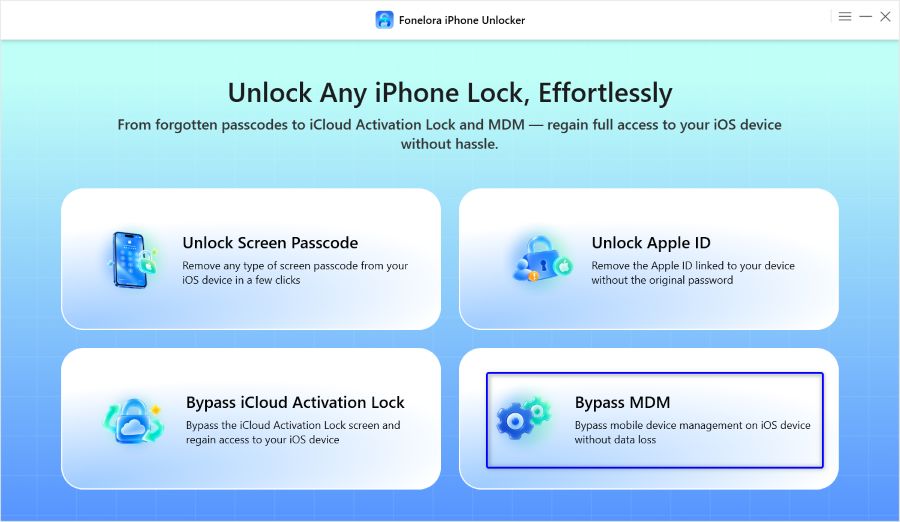
Step 2. Connect Your iPhone or iPad
Connect your device to the computer using a USB cable. Choose the appropriate workflow according to whether your device is stuck on Remote Management or has an existing local MDM profile.
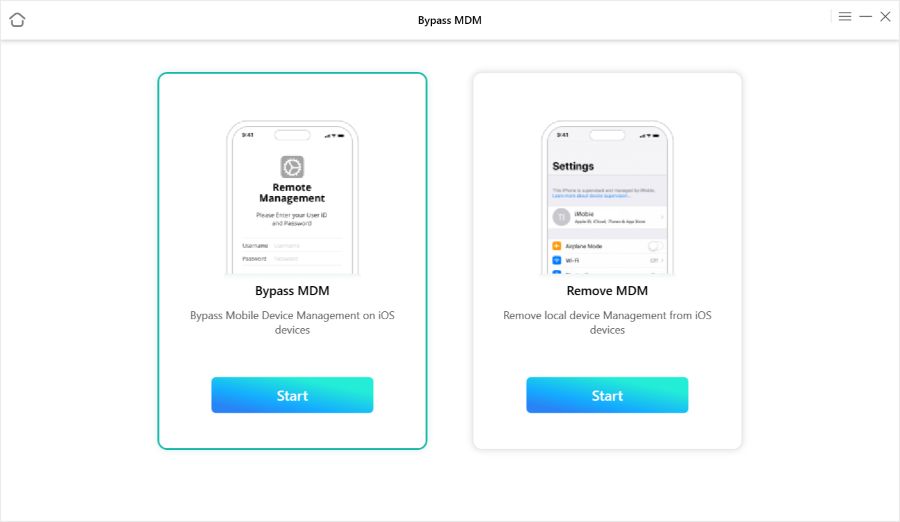
Step 3. Start the MDM Unlocking Process
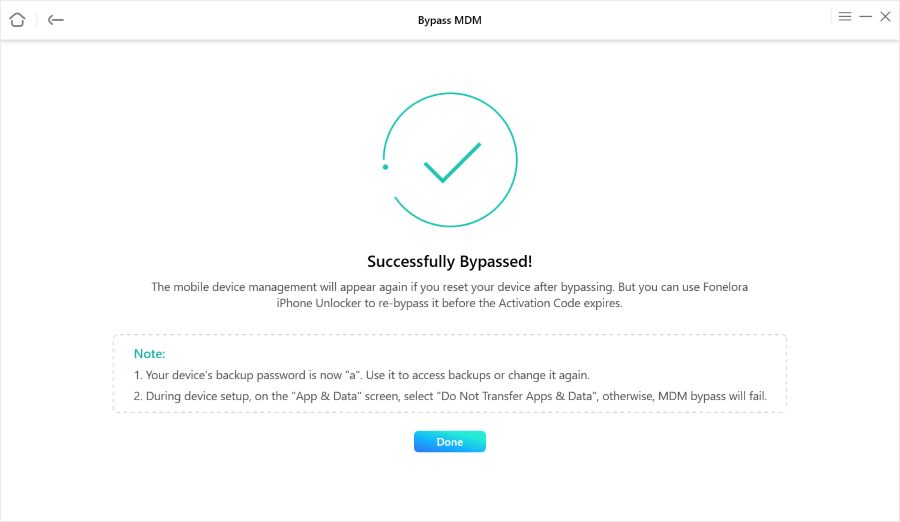
Once your device is ready, start the MDM unlocking procedure. Follow the on-screen instructions to prepare your device and confirm that it meets the requirements for the selected MDM unlocking mode.
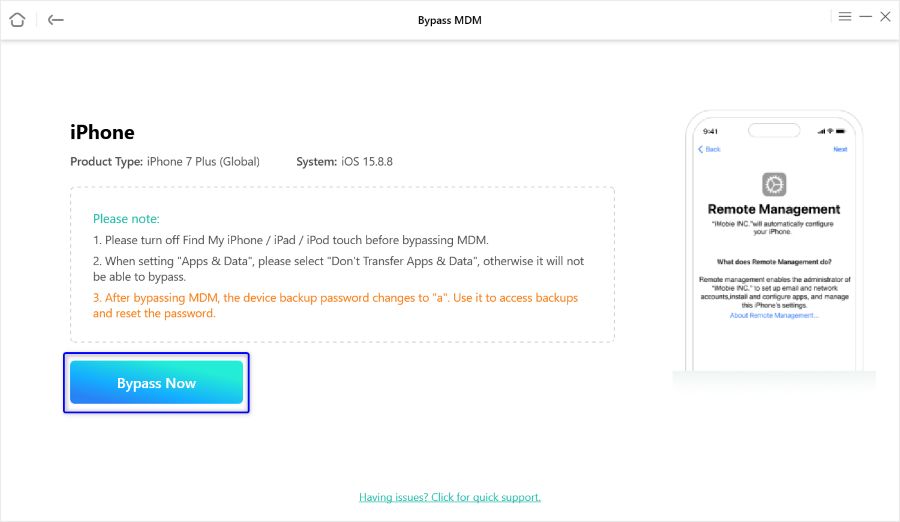
Keep the iPhone or iPad connected until the process finishes. Then follow the prompts to continue setting up or using your device.
2. 3uTools – Free iOS Device Management Tool
3uTools is a free iOS utility for firmware flashing, data backup, and device management. Some versions have been reported to support MDM bypass, but compatibility remains limited.
Pros:
- Completely free to use.
- Offers various iOS management features.
Cons:
- Limited MDM bypass compatibility.
- No clear compatibility information for newer iOS versions.
- Firmware restoration may cause data loss.
3. iActivate – Dedicated MDM Bypass Tool
iActivate is a specialized MDM bypass tool for iPhones and iPads. It focuses on Remote Management restrictions but has certain device requirements.
Pros:
- Dedicated MDM bypass functionality.
- Supports Windows and Mac.
Cons:
- Requires Find My to be disabled.
- MDM restrictions may return after a factory reset.
- Lacks other iOS unlocking features.
How to Remove Remote Management from iPhone During Setup
If your iPhone gets stuck on the Remote Management screen during setup, it may still be enrolled in a company or school's MDM system. Repeated factory resets may not resolve the issue.
You can contact the original organization or seller to request an official release. However, if you cannot obtain their assistance, Fonelora iPhone Unlocker is a recommended alternative for eligible devices.
Fonelora iPhone Unlocker offers a dedicated MDM bypass feature for supported iPhones and iPads, with intuitive on-screen instructions and no jailbreaking required.
If your iPhone is stuck on Remote Management during setup or your iPad encounters MDM restrictions after a restore, download Fonelora iPhone Unlocker for free to check device compatibility.
FAQs About MDM Removal and Bypass Tools
1. Is there a free MDM removal tool for iPhone?
If the management profile is removable, you can remove it for free through Settings > General > VPN & Device Management using any required credentials. Most dedicated third-party MDM bypass tools require payment for full functionality.
2. Can I remove MDM from an iPhone without losing data?
Personal data may be preserved in supported local MDM profile removal scenarios. However, results depend on the device configuration and management restrictions. Always check the requirements and back up important data beforehand.
3. Does a factory reset permanently remove Remote Management?
No. If the device remains enrolled in an organization's automated device enrollment system, Remote Management may reappear during setup after a factory reset.
Conclusion
Choosing the right MDM removal tool depends on your device model, iOS version, and the type of management restriction you are experiencing.
While 3uTools and iMazing offer useful iOS device management features, and iActivate focuses on MDM-related issues, Fonelora iPhone Unlocker provides a more comprehensive solution for various supported iPhone and iPad lock scenarios.
With its dedicated MDM features, intuitive interface, and multiple unlocking capabilities, Fonelora iPhone Unlocker is a practical option for users dealing with Remote Management during setup or management restrictions after a restore.
Explore Fonelora iPhone Unlocker now to check your device compatibility and discover the available solutions.

