

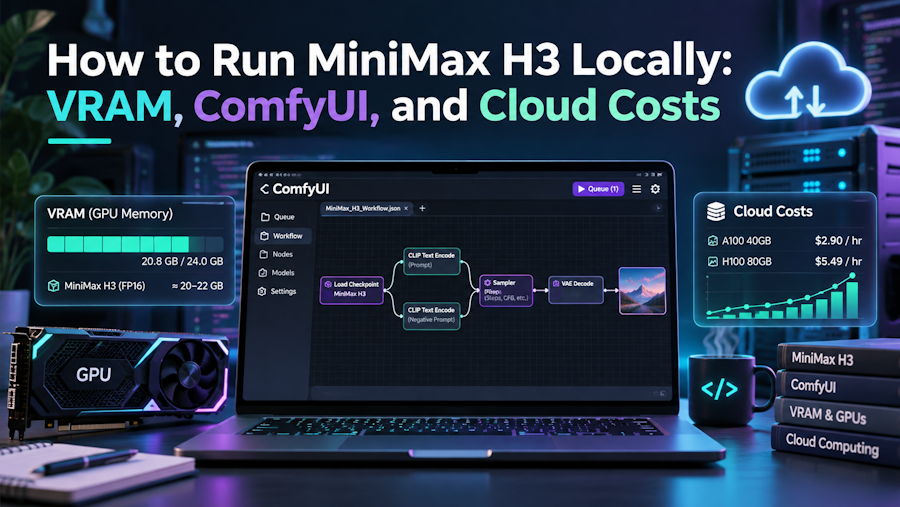
When MiniMax released MiniMax H3 (also known as Hailuo 3) on July 31, 2026 under the MiniMax H3 Community License, local machine learning builders immediately inspected the Hugging Face checkpoints. Yet a wide engineering gap separates open access to a 33B video model from fitting a joint video-and-audio pipeline onto one consumer GPU.
Unlike silent diffusion pipelines that only decode latent video frames, this architecture generates 4 to 15 seconds of 24 fps video alongside native 32 kHz stereo sound, including spoken dialogue, sound effects, ambience, and music, in one pass. Before clearing hundreds of gigabytes of disk space, it pays to compare local hardware and licensing walls against running a cloud minimax h3 video generator workspace, especially once quantization tradeoffs enter the picture.
Inside the Four Component Stack: H3 Omni Transformer, Qwen3 VL 32B, and Dual VAEs
Memory estimates fail when developers count only the core 33B single-stream Transformer (H3-Omni-Transformer, CFG-distilled in BF16). Any local text-to-video, image-to-video, or reference pipeline must load four components:
- The H3 Denoiser (H3-Omni-Transformer): The 33B single stream core processing video and audio tokens jointly across 4 to 15 seconds of context.
- The Text and Vision Encoder (Qwen3-VL-32B): A 32B vision language model that parses complex prompts, dialogue cues, and visual reference inputs.
- The Video VAE: Decodes spatial and temporal latents into 24 fps frames at a default 768p shorter side, or scales to native 2K via in context regeneration (H3-Regenerate-2K).
- The Audio VAE: Decodes synchronized 32 kHz stereo waveforms directly from the shared token stream so lip movements and environmental sound align frame for frame.
Because the text encoder alone is a 32B model nearly matching the 33B denoiser, keeping the unquantized pipeline resident in memory is impossible on one desktop card.
VRAM Reality Across BF16 Multi GPU Servers and 8 to 24 GB Quantized Builds
In full BF16 precision, the combined footprint of the 33B denoiser, the 32B Qwen3 VL encoder, and both VAEs targets datacenter servers rather than home rigs. MiniMax's reference server example on vLLM uses a 4 GPU setup to hold the weights and temporal KV caches comfortably.
For developers assembling a ComfyUI workflow on a single consumer card, weight quantization (GGUF, FP8, or INT8) and CPU offloading are mandatory. Evaluating VRAM tiers shows clear tradeoffs between hardware limits and output quality:
- 8 GB to 12 GB VRAM: Viable only for minimal, low resolution tests. Heavy GGUF quantization and sequential CPU offloading create PCIe bottlenecks and degrade texture sharpness and audio clarity.
- 16 GB VRAM: The realistic entry point for quantized local runs. You can run FP8 or INT8 builds with Qwen3 VL 32B offloaded to system RAM during denoising, though long clips or multi reference inputs still strain memory.
- 24 GB+ VRAM: Supports higher quantization tiers and cleaner execution at the default 768p shorter side, though native 2K regeneration via H3-Regenerate-2K still trades quality for memory compared to native BF16 server runs.
Even on a 24 GB GPU, swapping tens of gigabytes of weights between system RAM and VRAM before and after each diffusion pass adds noticeable latency.
Runtimes and Community License Territory Rules Developers Overlook
From a software standpoint, four runtimes support local and self hosted deployments. Production teams on multi GPU Linux nodes deploy via SGLang or vLLM for throughput. Python developers integrate via Hugging Face diffusers, while node builders rely on ComfyUI wrappers to manage quantized weights and dual VAE decoding.
Technical setup is only half the equation. Before deploying the open weights into an application or studio pipeline, teams must check three restrictions in the MiniMax H3 Community License:
- Excluded Territories: The open weights list the United States, the European Union, the United Kingdom, and South Korea as excluded territories under the Community License.
- Commercial Revenue Cap: Organizations exceeding $20 million in annual revenue must obtain written permission from MiniMax.
- Attribution Requirement: Any product or interface built on the checkpoints must prominently display "MiniMax H3".
For developers located in the US, EU, UK, or South Korea, or teams without a 4 GPU server rack, downloading the Hugging Face weights is often a legal or practical dead end.
Cost Math: Renting Cloud GPUs vs Per Second Browser or API Execution
When local hardware falls short, teams weigh cloud GPUs (RunPod, Google Colab), developer APIs (MiniMax API, OpenRouter, fal), official Hailuo AI or MiniMax Design plans, multi-model apps (Higgsfield, Krea), and pay-per-second browser tools. Rented GPUs give ComfyUI control but bill idle download and prompt-tuning time, while monthly apps require recurring commitments.
For direct access without server upkeep or ComfyUI setup, MiniMax H3 AI (minimax-h3.ai) operates as an independent browser tool (not affiliated with or endorsed by MiniMax) running both flagship MiniMax H3 and its faster variant, MiniMax H3 Max. It uses one time credit packs with no subscription and no expiry: Starter at $9.99 (300 credits), Creator at $29.99 (1,000 credits), and Studio at $69.99 (2,500 credits), including a free first test video, commercial rights, watermark free MP4 downloads, and automatic credit refunds if a render fails.
Switching between H3 Max for cheap 480P testing and H3 for final 2K renders preserves your prompt and settings:
- H3 Max (~1 minute renders, 5 to 15s clips): 6 credits/s at 480P ($1.00 per 5s clip on Starter), 9 credits/s at 768P ($1.50 per 5s), and 19 credits/s at 1080P ($3.16 per 5s), with the first 2 reference images free (9 credits each after).
- H3 Flagship (sharper faces, fabric, and small text, 4 to 15s clips): 9 credits/s at 768P ($1.50 per 5s) and 14 credits/s at native 2K ($2.33 per 5s), with the first 5 reference images free (4 credits each after).
The workspace supports text to video across 21:9 to 9:16 aspect ratios with spoken lines in the prompt; image to video with a first and optional last frame (validating 256 to 5760 px sides and 0.4 to 2.5 aspect ratios before charging, auto deleting uploads after 30 days); and reference to video with up to 12 files (@Image 1, @Video 1, @Audio 1 across up to 9 images, 3 video clips of 2 to 15s up to 15s total billed per second like output, and 3 audio files) to lock character face, outfit, camera rhythm, or voice.
Choosing Between Local Runtimes and Cloud Execution
Deciding how to run MiniMax H3 comes down to hardware, location, and output volume. If you operate outside the excluded license territories, own a 16 GB to 24 GB+ GPU, and want custom ComfyUI workflows, local quantized execution is a rewarding build. If you need unquantized native 2K fidelity, 12 file multimodal referencing, or predictable per second billing without idle GPU costs, a browser workspace or developer API is far more practical.

