

Stitching three 10-second generative video clips together with FFmpeg crossfades and external text-to-speech tracks almost always leaks visual state drift and lip-sync offsets. Even when you extract the final frame of clip one to seed clip two, color grading shifts, background geometry warps, and separate Foley passes land milliseconds off the visual impact. For full-stack developers and media pipeline engineers building automated product demos or social video tooling, maintaining multi-step post-processing queues adds brittle failure points to every render job.
Following Alibaba Tongyi Lab's public beta on August 6, 2026 and general availability release on August 24, 2026, engineers can generate continuous 2 to 30 second takes with synchronized sound in a single inference pass. Accessing Wan 3 through Wan3 AI, an independent browser workspace powered by Alibaba's Wan 3.0 video API alongside Wan 2.6 video and Wan 2.7 Image, Nano Banana, Nano Banana Pro, and Nano Banana 2 image models without affiliation with Alibaba or Google, lets builders consolidate video synthesis and audio timing into one deterministic prompt architecture.
Why 2 to 30 Second Single-Pass Generation Eliminates State Drift
Earlier generative video workflows capped output at 5 or 10 seconds, forcing developers to treat longer sequences as an assembly problem. Even with Wan 2.7's 15-second limit, producing a 30-second commercial or onboarding walkthrough required at least two generations joined by a cut. Every boundary between separate generations introduces temporal discontinuity: character momentum resets, camera focal length shifts, and ambient lighting loses consistency across the splice.
Generating a continuous 2 to 30 second clip in a single pass doubles the previous 15-second ceiling and keeps the entire scene inside one latent temporal window. Because the model plans motion trajectories from second zero to second thirty simultaneously, camera pans maintain constant velocity and physical interactions resolve naturally without jarring jump cuts. When a developer needs a 24-second product tour in 16:9, 9:16, 1:1, 4:3, or 3:4 aspect ratios, one Text to Video call handles the complete arc from establishing shot to close-up reveal.
This single-take approach also simplifies audio engineering. Rather than running a video file through an external optical-flow analyzer to trigger Foley samples and aligning a separate waveform in FFmpeg, native audio generation synthesizes spoken dialogue, ambient room tone, and physical sound effects during the same pass as the pixels. If an application requires silent loops, audio can be toggled off before execution.
Structuring Prompt Blocks for Camera Motion, Dialogue, and Foley
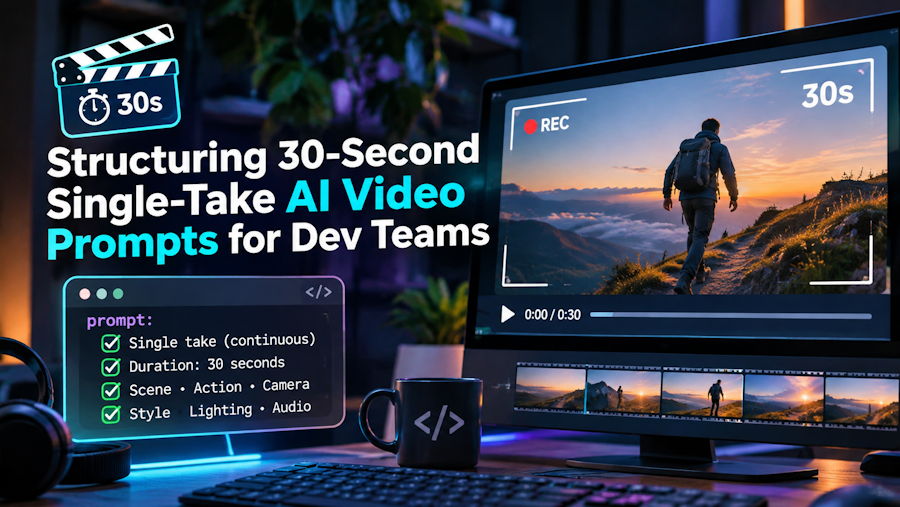
When a single prompt governs up to 30 seconds of screen time, unstructured prose leads to muddled pacing where all actions happen in the first five seconds. Media pipeline engineers get far more predictable results by treating the prompt as a sequential specification divided into four explicit blocks: Temporal Beats, Camera Vector, Quoted Dialogue, and Acoustic Environment.
Instead of mixing visual descriptions and sound cues randomly, structure the prompt text so the parser separates scene physics from audio synthesis:
- Temporal Beats (0–10s, 10–20s, 20–30s): Define what changes across each segment so the model distributes motion evenly across the full duration rather than rushing the action early.
- Camera Vector: Specify physical lens behavior—such as a slow dolly-in, a clockwise orbital arc, or a locked-off tripod shot with shallow depth of field—to prevent aimless camera wandering.
- Quoted Dialogue: Place exact spoken lines inside quotation marks directly connected to the speaking subject, instructing the model to generate lip-synced speech timed to facial movement.
- Acoustic Environment and Foley: Explicitly name both the continuous ambient bed and discrete impact sounds tied to visible motion, such as mechanical keyboard switches clicking, rain hitting glass, or ceramic mugs touching oak tables.
When animating an uploaded starting frame in Image to Video mode, avoid re-describing the static clothing, furniture, or lighting already visible in the source image. Redundant static descriptions waste token attention and often cause texture boiling while preserving the original aspect ratio. Prompt only what moves, changes, and makes sound: specify the camera pushing toward the desk over 15 seconds, the presenter looking up to say "Deployment pipelines finish in half the time," and the subtle hum of server fans paired with a crisp mouse click at the end of the movement.
Locking Visual State with Endpoints and Reference Tags
Text prompts alone cannot enforce strict visual identity when a pipeline needs specific hardware geometry or a recurring brand spokesperson. To prevent hallucinated product ports or shifting facial structure across a 30-second timeline, engineers rely on two constraint modes: First and Last Frame interpolation and multi-image reference tagging.
First and Last Frame mode locks both the opening image and the closing image of the generation. Supplying these two endpoints forces the model to calculate a valid interpolation path for the camera movement, lighting shift, or product transition between frame one and the final frame. This works well for hardware unboxings, day-to-night transitions, or product demonstrations where the resting state must match a pixel-accurate marketing asset.
When a sequence requires consistent characters, wardrobe, and environments across separate shots or complex single takes, Reference Images mode accepts up to 9 tagged assets in a single job. Each uploaded file is indexed sequentially as Image 1 through Image 9, allowing you to bind visual identity directly inside the prompt syntax:
- Bind character identity and attire by referencing Image 1 for the presenter's face and Image 2 for their jacket.
- Lock physical props by assigning Image 3 and Image 4 to the front and side angles of a specific hardware device.
- Anchor spatial layout by pointing the background description to Image 5 so camera pans reveal consistent room geometry.
Writing "The engineer from Image 1 wearing the blazer in Image 2 picks up the router from Image 3 inside the lab from Image 5" removes ambiguity and keeps multi-shot campaigns visually cohesive.
Per-Second Resolution Budgeting from 480p Tests to 4K Masters
Treating 30-second high-resolution generations like free local compile steps quickly drains production budgets. Because compute is billed per second with the exact credit cost displayed upfront and automatic credit refunds if a job fails, disciplined teams separate prompt debugging from master rendering.
In Wan 3.0 Standard, a 5-second clip requires 13 credits at 480p, 25 at 720p, 50 at 1080p or 2K, and 58 at 4K, whereas a 30-second 1080p clip takes 300 credits. Validating camera vectors, lip-sync timing, and Image 1 through Image 9 bindings with 5-second 480p drafts lets engineers verify motion physics before rendering full-length 1080p, 2K, or 4K masters.
Designing Deterministic Media Workflows
Replacing multi-clip FFmpeg stitching and external audio synchronization with single-pass 2 to 30 second generations removes the most fragile link in automated video pipelines. By modularizing prompts into timed action beats, isolating motion instructions in Image to Video tasks, binding assets through Image 1 to Image 9 tags, and prototyping at 480p before rendering 1080p or 4K masters, engineering teams can ship frame-accurate video and native audio with predictable compute overhead.

