

Planning to sell your old iPhone, give it to someone else, or simply restore it to factory settings? Forgetting your Apple ID password can make this seemingly simple task surprisingly difficult.
Whether you've forgotten your iCloud credentials, lost access to your Apple Account, or purchased a second-hand iPhone that is still linked to another account, you may be wondering how to erase an iPhone without an Apple ID password.
Fortunately, there are several solutions available. In this article, we'll introduce three practical ways to factory reset an iPhone without an iCloud password, including Fonelora iPhone Unlocker. These methods can also be applied to compatible iPads if you've forgotten your Apple ID or iCloud password.
Can You Erase an iPhone Without an Apple ID Password?
Yes, you can erase an iPhone without an Apple ID password using Recovery Mode or dedicated iPhone unlocking software.
However, factory resetting an iPhone does not necessarily remove the associated Apple Account. If Find My was previously enabled, you may still encounter Activation Lock during the initial setup.
Therefore, if your goal is not only to erase your iPhone but also to resolve an inaccessible Apple ID issue, choosing a solution that matches your device's account status is essential.
Method 1. How to Erase iPhone Without Apple ID Password Using Fonelora iPhone Unlocker
If you have forgotten your Apple ID password and cannot recover your account, using dedicated iPhone unlocking software can be a convenient alternative.
Fonelora iPhone Unlocker is a professional iOS unlocking utility available for Windows and Mac. Its dedicated Apple ID removal feature helps users remove inaccessible Apple Accounts from compatible iPhones and iPads without entering the original account password.
Unlike traditional factory reset methods, which primarily focus on erasing local data, Fonelora helps address the underlying account issue on eligible devices. This makes it particularly useful for users who want to prepare their iPhones for a fresh start but cannot recover their original Apple ID credentials.
Its intuitive interface and guided operation also make the process accessible to beginners.
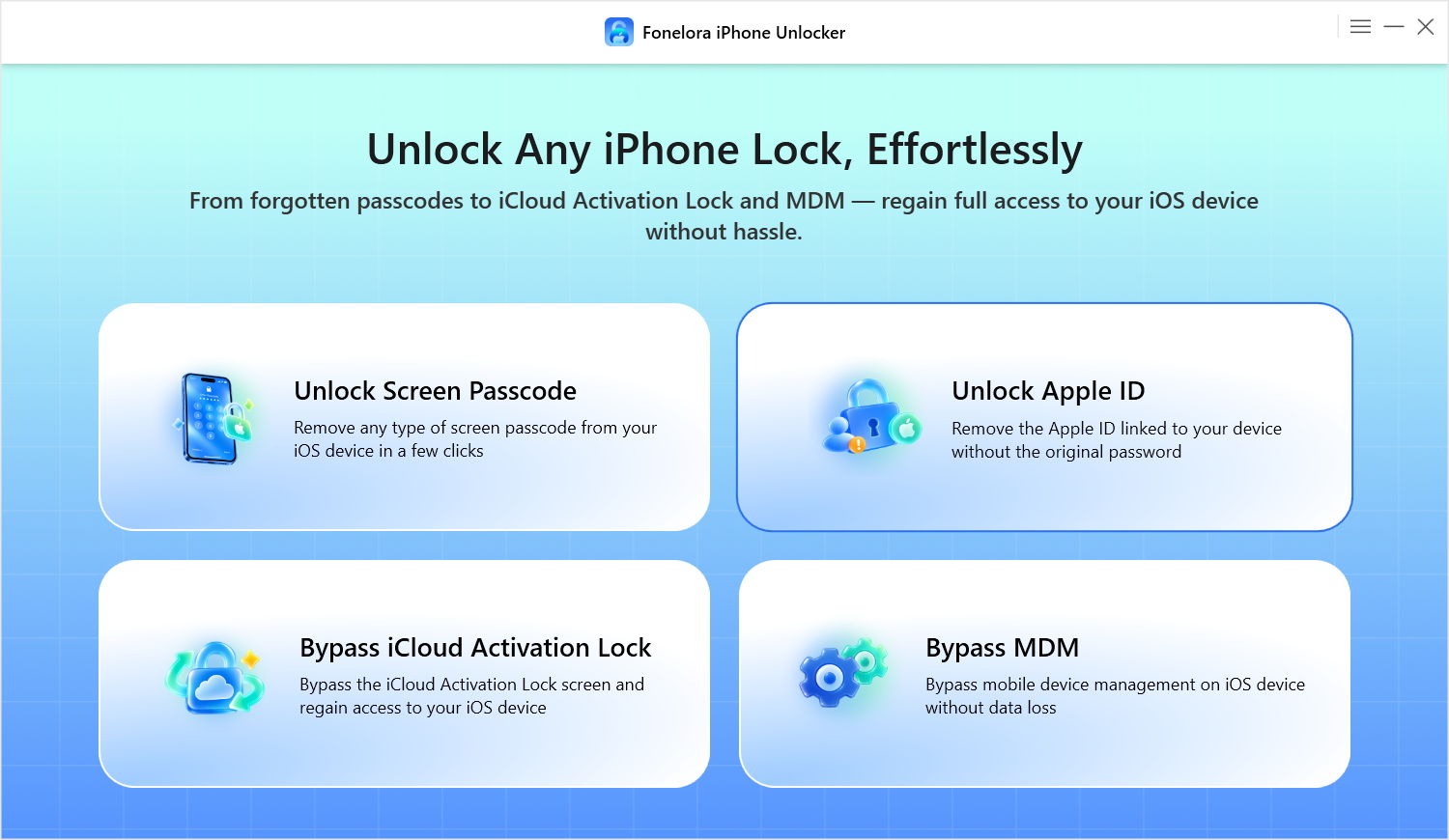
[Image: Fonelora iPhone Unlocker main interface]
Key Advantages of Fonelora iPhone Unlocker
- No Original Apple ID Password Required: Remove an inaccessible Apple ID from eligible iPhones without entering the original account password.
- No Lengthy Account Recovery: On supported devices, avoid waiting several days for Apple's account recovery process.
- Convenient iPhone Reset: Simplify the process of preparing your iPhone for a factory reset when you have forgotten your Apple ID or iCloud password.
- Simple 3-Step Process: Follow intuitive on-screen instructions without requiring advanced technical knowledge.
How to Remove an Apple ID Without a Password and Reset Your iPhone or iPad
Step 1. Download and Launch Fonelora iPhone Unlocker
Download and install Fonelora iPhone Unlocker on your Windows PC or Mac. Launch the software and select the Unlock Apple ID feature.
Step 2. Connect Your iPhone and Check Device Requirements
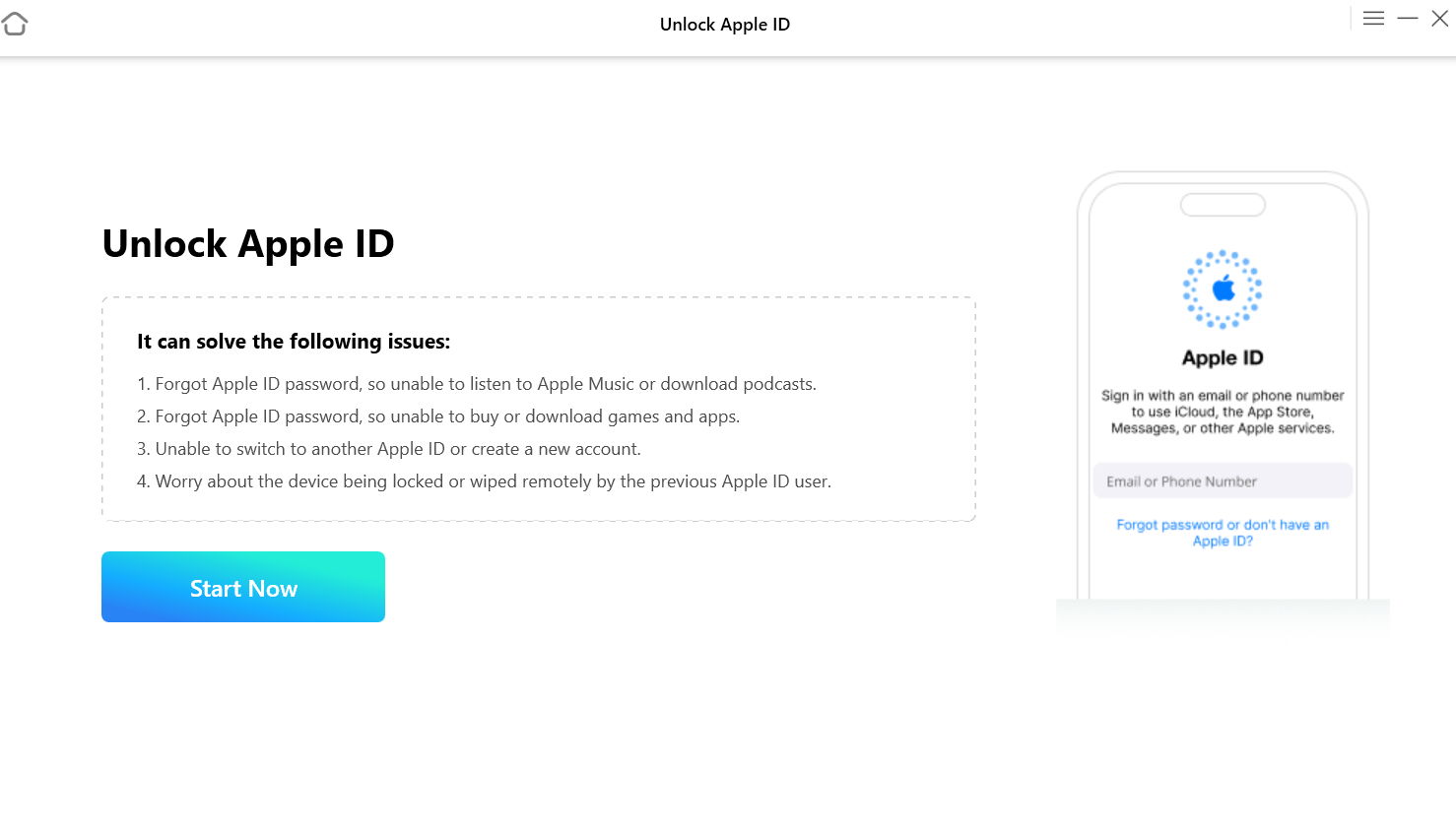
Connect your iPhone to the computer using a USB cable. Check the device compatibility, feature requirements, and data-loss warnings displayed by the software.
Step 3. Complete the Apple ID Removal Process
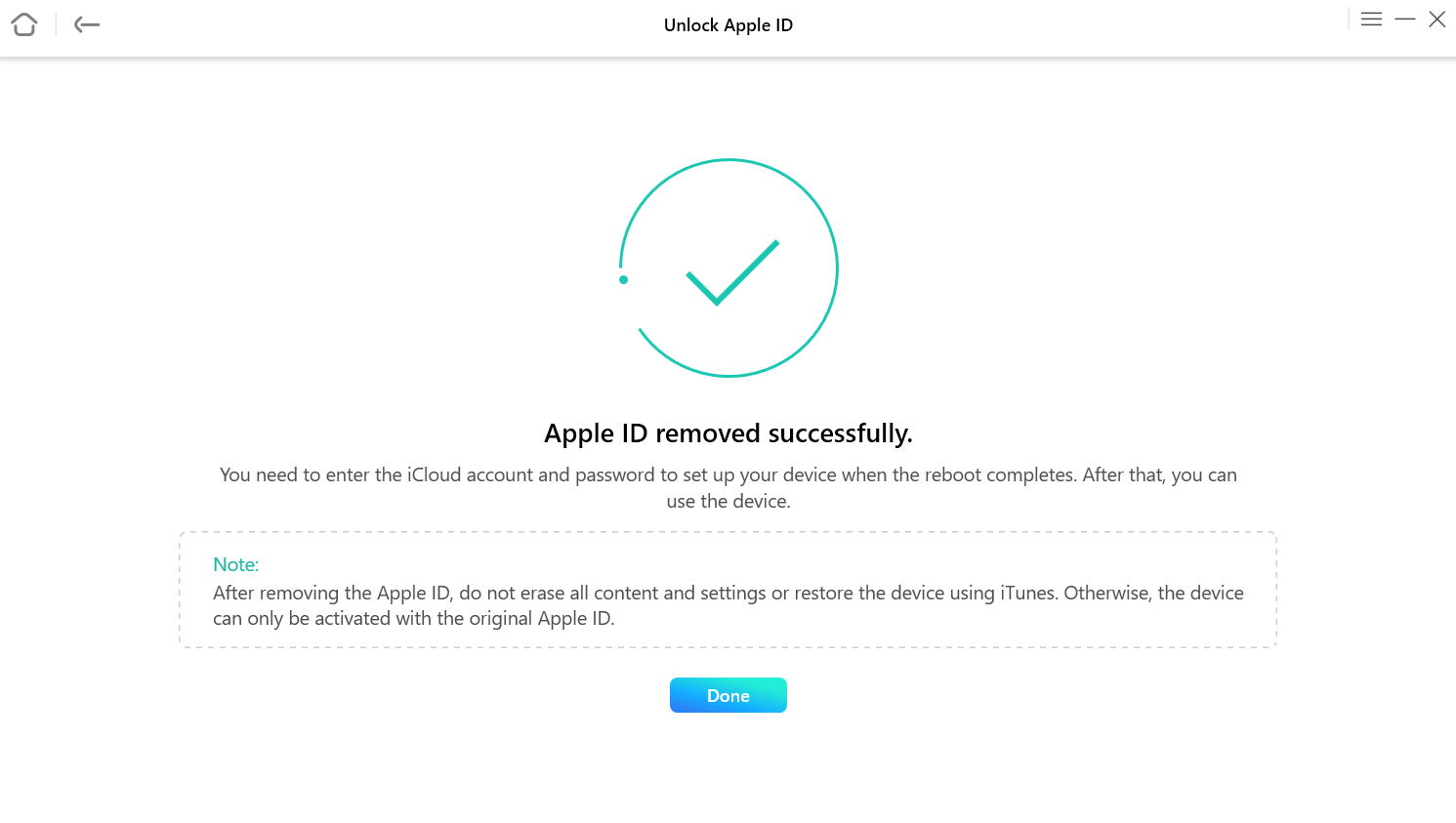
Follow the on-screen instructions and keep your iPhone connected until the process is complete. After successful removal, verify the device's account and Find My status before proceeding with a factory reset through Settings.
Method 2. How to Factory Reset iPhone Without iCloud Password via Recovery Mode
Apple's Recovery Mode is a free way to factory reset an iPhone without an iCloud password. It allows you to restore your device using Finder, Apple Devices, or iTunes on older computers.
However, this method primarily erases your iPhone's data and settings rather than removing its associated Apple Account.
How to Factory Reset an iPhone via Recovery Mode
- Turn off your iPhone and connect it to your computer.
- Enter Recovery Mode according to your iPhone model.
- Open Finder, Apple Devices, or iTunes and select Restore.
- Wait for the restoration process to complete.
Limitations of Recovery Mode
- Requires a computer and manual Recovery Mode operations.
- Permanently erases all locally stored data.
- Does not remove Activation Lock.
- May still require the original Apple ID password during device setup.
Recovery Mode is suitable if you simply want to wipe your iPhone. However, if an inaccessible Apple ID is the main reason you cannot reset your device, this method may leave you facing another account verification screen after restoration.
Method 3. Erase iPhone by Resetting Your Apple ID Password
If you still have access to your trusted Apple device or verification methods, resetting your Apple ID password is another free option.
How to Reset Your Apple ID Password and Erase Your iPhone
- Go to Settings > Your Name > Sign-In & Security.
- Tap Change Password and follow the verification instructions.
- Once your password has been reset, go to Settings > General > Transfer or Reset iPhone.
- Tap Erase All Content and Settings and follow the prompts.
Alternatively, visit iforgot.apple.com to recover your Apple Account.
Limitations of Apple ID Password Recovery
- Requires successful identity verification.
- May require access to a trusted device or phone number.
- Account recovery can take several days or longer.
- Cannot help users who are unable to verify ownership of the associated Apple Account.
Although this is an official and free solution, it becomes considerably less convenient when you no longer have access to your original verification methods.
Which Is the Best Way to Erase an iPhone Without an Apple ID Password?
Each method is suitable for different situations:
- Fonelora iPhone Unlocker: Recommended for users who have forgotten their Apple ID password and cannot recover their account. It offers a straightforward process and helps resolve account-related issues on eligible devices without lengthy account recovery.
- Recovery Mode: Suitable for users who simply want to erase their iPhone, but Activation Lock may remain after resetting.
- Apple ID Password Reset: Suitable for users who can verify their identity, although account recovery may take considerable time.
Compared with traditional methods, Fonelora iPhone Unlocker stands out for its ease of use and dedicated Apple ID removal capabilities. If you cannot recover your Apple ID password and your device meets the requirements, it is a more convenient alternative worth considering.
Frequently Asked Questions
- Can I factory reset my iPhone without an iCloud password or computer?
If Find My is disabled and you know your screen passcode, you may be able to erase your iPhone directly through Settings. Otherwise, you may need to recover your Apple Account or use a computer-based restoration method. - Can I erase my iPhone without an Apple ID password if Find My is enabled?
Yes. We recommend Fonelora iPhone Unlocker, which not only supports Apple ID removal but also offers a dedicated iCloud Activation Lock removal feature on compatible devices, helping resolve account-related issues before or after a factory reset. - Does erasing an iPhone remove the Apple ID?
Not necessarily. Erasing an iPhone deletes locally stored data and settings, but it does not automatically remove the device's association with an Apple Account on Apple's servers.
Final Thoughts
Knowing how to erase an iPhone without an Apple ID password can save you considerable time and frustration. Although Apple's official methods are free, they may be insufficient when you cannot recover your account credentials or need to resolve existing account restrictions.
If you're wondering how to factory reset an iPhone without an iCloud password, Fonelora iPhone Unlocker is our recommended alternative for compatible devices with inaccessible Apple Accounts. Its dedicated Apple ID removal feature, intuitive interface, and simplified operation make it particularly appealing to users looking for a more convenient solution.
Download Fonelora iPhone Unlocker today, check your device's compatibility, and take the first step toward resetting your iPhone or iPad without your forgotten Apple ID password.

