

Most Python projects that use AI start the same way. You install the OpenAI library, paste in a key, call gpt-something, and it works. Then a few weeks later you read that Claude writes better code, or that DeepSeek is far cheaper for simple jobs, or that Gemini handles huge documents better. And suddenly your neat little script needs three different libraries, three keys and three slightly different ways of formatting a request.
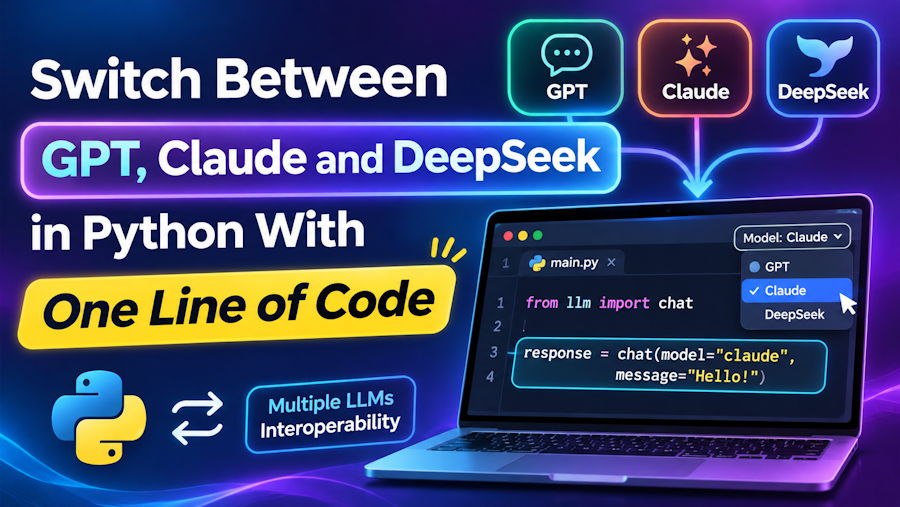
It doesn't have to be like that. In this tutorial we'll build a small, clean Python setup where switching from GPT to Claude to DeepSeek is literally a one-word change. Then we'll go a bit further and add things you actually need in real projects: a simple model router, automatic fallback when a model fails, and a quick way to compare models side by side.
Everything here uses the standard openai Python package. No extra frameworks.
The idea in one paragraph
The OpenAI chat completions format has become the common language for talking to large language models. Many services now accept requests in exactly that format, even when the model behind them isn't from OpenAI. If you point the OpenAI client at one of these services, you can reach many different models by changing only the model parameter. That's the whole trick, and the rest of this article is about using it well.
What you'll need
You need Python 3.9 or newer and the OpenAI package:
pip install openai
You also need an API key for a service that exposes many models through an OpenAI-compatible endpoint. I'll use Oxyy in the examples. It gives access to more than 130 models, including GPT, Claude, Gemini, DeepSeek and Grok, on a pay-per-use basis, and its endpoint is https://api.oxyy.ai/v1. If you use a different gateway, just swap the URL and key.
Store the key as an environment variable rather than in your code:
export OXYY_API_KEY="your-key-here"
On Windows PowerShell use $env:OXYY_API_KEY = "your-key-here".
Step 1: A client that can talk to any model
Create a file called ai.py:
import os
from openai import OpenAI

client = OpenAI(
    base_url="https://api.oxyy.ai/v1",
    api_key=os.environ["OXYY_API_KEY"],
)

def ask(prompt, model="gpt-5.5", system="You are a helpful assistant."):
    response = client.chat.completions.create(
        model=model,
        messages=[
            {"role": "system", "content": system},
            {"role": "user", "content": prompt},
        ],
    )
    return response.choices[0].message.content
That's the whole foundation. The ask function takes a prompt and a model name and returns the text. Now try it:
from ai import ask

print(ask("Explain Python decorators in two sentences."))
print(ask("Explain Python decorators in two sentences.", model="claude-sonnet-5"))
print(ask("Explain Python decorators in two sentences.", model="deepseek-v4-pro"))
Three different AI labs, one function, and the only thing that changed was the model name. That's the "one line of code" from the title.
Step 2: Pick the model by task, not by habit
Once switching is easy, the next question is which model to use for what. A common mistake is to send everything to the biggest, most expensive model. It works, but you pay a premium for jobs that a smaller model would handle just as well.
A tiny router helps keep you honest:
MODELS = {
    "quick": "deepseek-v4-flash",      # short answers, tagging, simple rewrites
    "code": "claude-sonnet-5",          # writing and reviewing code
    "long": "gemini-3.1-pro",           # very long documents or many files
    "reasoning": "gpt-5.5",             # tricky multi-step problems
}

def ask_for(task, prompt, **kwargs):
    return ask(prompt, model=MODELS[task], **kwargs)
Now your application code reads like this:
summary = ask_for("quick", f"Summarise this commit message: {msg}")
review = ask_for("code", f"Review this function for bugs:\n{code}")
The nice side effect is that when a better or cheaper model comes out, you change one line in the MODELS dictionary and the whole app benefits. You don't have to hunt through your codebase for hard-coded model names.
The model choices above are only examples. Prices and quality change often, so treat the dictionary as something you revisit every few months.
Step 3: Add a fallback so one outage doesn't break your app
Every AI provider has bad days. A model might be overloaded, a region might go down, or you might hit a rate limit at the worst possible moment. If your code depends on a single model, your feature breaks with it.
Because all our models share the same client and request format, adding a fallback is easy:
import time
from openai import APIError, RateLimitError, APITimeoutError

def ask_with_fallback(prompt, models, retries=1, **kwargs):
    last_error = None
    for model in models:
        for attempt in range(retries + 1):
            try:
                return model, ask(prompt, model=model, **kwargs)
            except (RateLimitError, APITimeoutError, APIError) as e:
                last_error = e
                time.sleep(1 + attempt)
    raise RuntimeError(f"All models failed: {last_error}")

model, answer = ask_with_fallback(
    "Write a regex that matches UK postcodes.",
    models=["claude-sonnet-5", "gpt-5.5", "deepseek-v4-pro"],
)
print(f"Answered by {model}:\n{answer}")
The function tries the first model, retries once on a temporary error, and then moves on to the next model in the list. Returning the model name along with the answer is useful for logging, so you can see later how often your fallback actually kicked in.
Some gateways also do failover on their side, routing your request to another provider of the same model if one degrades. Even so, a small client-side fallback across different models is cheap insurance.
Step 4: Compare models side by side
This is my favourite part, because it turns "which model is best?" from an internet argument into something you can test on your own data.
import time

def compare(prompt, models, **kwargs):
    results = []
    for model in models:
        start = time.time()
        response = client.chat.completions.create(
            model=model,
            messages=[{"role": "user", "content": prompt}],
            **kwargs,
        )
        elapsed = time.time() - start
        usage = response.usage
        results.append({
            "model": model,
            "seconds": round(elapsed, 2),
            "input_tokens": usage.prompt_tokens,
            "output_tokens": usage.completion_tokens,
            "answer": response.choices[0].message.content,
        })
    return results

for r in compare(
    "Write a Python function that checks if a string is a valid IPv4 address. Include tests.",
    ["gpt-5.5", "claude-sonnet-5", "gemini-3.5-flash", "deepseek-v4-flash"],
):
    print(f"--- {r['model']} ({r['seconds']}s, {r['input_tokens']} in / {r['output_tokens']} out)")
    print(r["answer"][:400], "\n")
Run this with three or four prompts from your real project. You'll quickly see which models give you good answers, which are fast, and which use far more output tokens than they need to. Multiply the token counts by each model's price and you have a real cost comparison, based on your own work rather than a benchmark someone else ran.
Step 5: Streaming works the same way
If you're building a chat interface or a CLI tool, streaming makes responses feel much faster. The good news is that it works exactly the same across models:
def stream(prompt, model="claude-sonnet-5"):
    response = client.chat.completions.create(
        model=model,
        messages=[{"role": "user", "content": prompt}],
        stream=True,
    )
    for chunk in response:
        delta = chunk.choices[0].delta.content
        if delta:
            print(delta, end="", flush=True)
    print()

stream("Give me five ideas for a weekend Python project.")
Change the model name and the same function streams from GPT, Gemini or DeepSeek instead.
Step 6: Ask for structured output and check it
Sooner or later you'll want the model to return data rather than prose: a list of tags, a product summary, a set of fields pulled out of an email. This is where switching between models can catch you out, because each one has its own habits. One model returns clean JSON every time. Another wraps it in a friendly sentence. A third adds a code fence around it.
The fix is to be very clear in the prompt and to check the result in code before you trust it:
import json

def ask_json(prompt, model="claude-sonnet-5"):
    raw = ask(
        prompt + "\n\nReturn only valid JSON. No explanation, no code fences.",
        model=model,
        system="You are a precise data extraction assistant.",
    )
    raw = raw.strip().removeprefix("```json").removeprefix("```").removesuffix("```").strip()
    return json.loads(raw)

data = ask_json('Extract name, email and company from: "Hi, I am Sara Khan from Brightlane, [email protected]"')
print(data)
Stripping stray code fences costs one line and saves a lot of confusing errors. If json.loads still fails, that's a good moment to retry with a different model using the fallback function from Step 3. In practice, combining a clear instruction, a small clean-up step and a fallback makes structured output reliable across almost any model you choose.
A real example: a tiny commit message helper
To see how the pieces fit together, imagine a small command-line tool that writes commit messages for you. It reads the output of git diff --staged, sends it to a model and prints a suggested message.
For a job like this you don't need the most powerful model. A diff is short, the task is simple and you'll run it many times a day, so a fast, low-cost model is the sensible default. You could set the router's "quick" entry to a small model and only fall back to a larger one when the diff is unusually big or the first answer is poor.
The interesting part is what happens six months later. A new small model comes out that writes better messages for half the price. With the setup in this article, you change one word in the MODELS dictionary, run your comparison helper on a few real diffs to confirm it's actually better, and you're done. No new library, no new account, no rewrite. That's the practical payoff of keeping model choice in one place.
When you shouldn't switch models
Easy switching is powerful, but it's worth a word of caution. If a feature in production is working well, don't change its model just because something new is trending. Different models can give subtly different answers, and a change that looks harmless in a quick test can affect real users in ways you didn't expect.
A good rule is to treat a model change like any other code change. Test it on a set of real examples, compare the results with the current model, and roll it out gradually if you can. The comparison helper from Step 4 makes this quick, so there's no reason to skip it.
A few things to watch out for
While the request format is shared, models are not identical, and a few differences are worth knowing about.
First, not every model supports every feature. Function calling, JSON mode, image input and very long context windows vary between models. If a feature matters to you, test it on each model you plan to use rather than assuming.
Second, the same prompt can behave differently across models. One model might follow a strict output format perfectly while another adds a friendly sentence at the start. If you parse the output in code, be explicit in your prompt ("Return only valid JSON, with no extra text") and validate the result.
Third, model names change. Providers release new versions regularly, and old IDs are sometimes retired. Keeping model names in one place, like the MODELS dictionary above, makes these updates painless.
Finally, keep an eye on costs. Output tokens usually cost more than input tokens, and some models are much more talkative than others. Setting max_tokens on requests where you only need a short answer is an easy saving.
Putting it together
Here's what we built in a few dozen lines of Python. We have one client that can reach many models. We have a router that picks a model based on the task. There's a fallback so a single outage doesn't break the app, a comparison helper that tells us which model is actually best for our work, and streaming that works the same everywhere.
The big shift is mental rather than technical. Once switching models is a one-word change, you stop thinking of your project as "the GPT app" or "the Claude app". It's just your app, and the model is a setting you can tune whenever something better or cheaper comes along. That flexibility is worth a lot in a field that changes as quickly as this one.

