

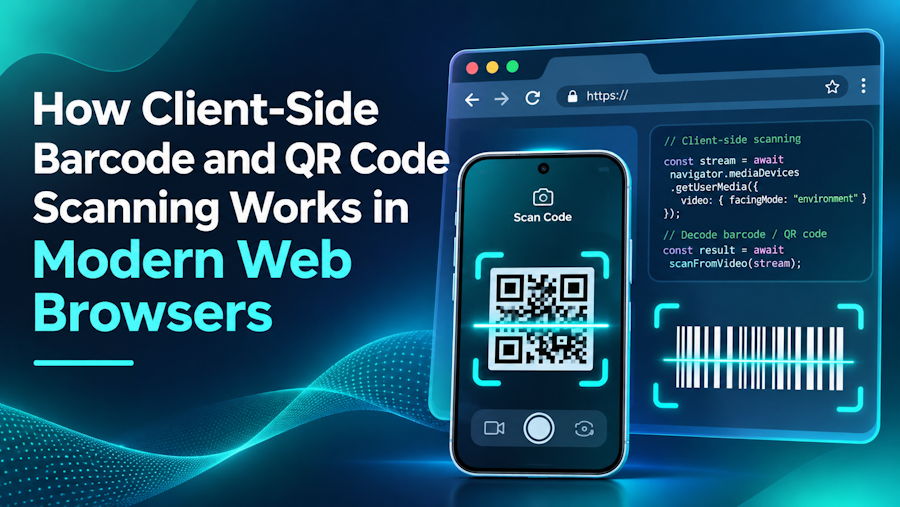
For years, scanning a 1D barcode or 2D QR code from a web application meant one of two compromises: forcing users to install a native mobile app, or capturing a static photo and uploading it to a backend server for decoding. Both approaches introduce friction, latency, and unnecessary privacy exposure—especially when the barcode contains sensitive data such as Wi-Fi credentials, boarding passes, or payment addresses.
Modern browser APIs and WebAssembly have changed that equation completely. Today, a web page can access the device camera at 60 frames per second, run computer-vision decoding locally inside a background thread, and return structured barcode payloads in milliseconds without sending a single byte over the network.
In this guide, we will walk through the architecture behind zero-upload browser barcode scanning, compare native Web APIs with WebAssembly fallbacks, and highlight the performance practices that keep mobile devices cool and responsive.
1. Capturing Video Frames Safely with getUserMedia
Everything starts with the Media Capture and Streams API (navigator.mediaDevices.getUserMedia). Because camera access is a sensitive permission, browsers strictly require a secure context (HTTPS) and an explicit user gesture or permission prompt.
On mobile devices, requesting the wrong camera or resolution can ruin detection accuracy. Standard 1D barcodes like Code-128, EAN-13, and UPC-A require sharp horizontal pixel density, while autofocus is essential for small labels. A production-ready constraint object typically looks like this:
async function startCamera(videoElement) {
  const constraints = {
    audio: false,
    video: {
      facingMode: { ideal: "environment" },
      width: { ideal: 1280 },
      height: { ideal: 720 },
      focusMode: { ideal: "continuous" }
    }
  };

  const stream = await navigator.mediaDevices.getUserMedia(constraints);
  videoElement.srcObject = stream;
  await videoElement.play();
}
Using "ideal" instead of "exact" prevents OverconstrainedError failures on laptops or older Android handsets that do not expose focusMode or 720p streams.
2. Native BarcodeDetector vs. WebAssembly (ZXing / ZBar)
Once video frames are flowing, the browser needs a decoding engine. Developers currently have two complementary paths:
The Native Shape Detection API (BarcodeDetector)
Chromium-based browsers on Android, macOS, and ChromeOS support the native BarcodeDetector interface, which delegates decoding directly to the underlying OS vision libraries (such as Google Play Services ML Kit or Apple Vision):
if ("BarcodeDetector" in window) {
  const detector = new BarcodeDetector({
    formats: ["qr_code", "ean_13", "code_128", "upc_a", "data_matrix"]
  });

  const barcodes = await detector.detect(videoElement);
  for (const code of barcodes) {
    console.log(code.format, code.rawValue);
  }
}
Native detection is extremely fast and power-efficient, often completing in under 5-10 ms per frame. However, BarcodeDetector is not universally available across all desktop browsers, Safari/iOS WebKit builds, or privacy-hardened environments.
WebAssembly Fallbacks
To guarantee cross-browser reliability on Firefox, Safari, and desktop environments, production tools pair feature detection with a WebAssembly (WASM) build of battle-tested C/C++ decoders such as ZXing-CPP or ZBar. Compiling these libraries to WASM brings near-native C++ performance to the browser while maintaining identical output across every OS.
If you want to test how both QR codes and 1D retail formats behave in a zero-upload client-side pipeline, you can try a free browser-based barcode scanner that handles both live webcam streams and static image uploads directly inside the browser tab.
3. Keeping the Main Thread Smooth with Web Workers
A common mistake in early browser scanners is running ctx.getImageData() and heavy decoding loops directly on the main UI thread. On mid-range smartphones, decoding a 1280x720 RGBA buffer on every requestAnimationFrame tick will cause UI jank, dropped frames, and noticeable battery drain.
A clean production pipeline avoids this with three optimizations:
- Throttle the Scan Loop: You rarely need 60 decodes per second. Sampling a frame every 100-150 ms (roughly 7-10 scans per second) feels instantaneous to users while cutting CPU usage by more than 80%.
- Crop to a Region of Interest (ROI): Instead of scanning the entire 720p frame, draw only the center reticle area (for example, 60% of width and height) onto an OffscreenCanvas. Fewer pixels mean faster binarization and fewer false positives from background clutter.
- Offload Decoding to a Web Worker: Transfer the
ImageBitmaporArrayBuffer(using Transferable Objects so memory is moved rather than copied) to a dedicated Web Worker running the WASM decoder.
// Main thread: transfer frame buffer to worker without copying
const imageData = offscreenCtx.getImageData(0, 0, roiWidth, roiHeight);
scannerWorker.postMessage(
  { buffer: imageData.data.buffer, width: roiWidth, height: roiHeight },
  [imageData.data.buffer]
);
Because imageData.data.buffer is passed in the transfer list, ownership moves to the worker in O(1) time with zero serialization overhead.
4. Handling Real-World Edge Cases: Lighting, Glare, and Image Uploads
Live camera feeds are only half of real-world usage. Many users need to decode a barcode from a screenshot, PDF invoice, or downloaded product image. Supporting static file input (<input type="file" accept="image/*">) alongside drag-and-drop and clipboard paste (Ctrl+V) dramatically improves usability.
When decoding static images, two preprocessing tricks significantly improve success rates:
- Downscaling huge photos: A 12-megapixel smartphone photo (4000x3000) slows down WASM decoders unnecessarily. Scaling the longest edge to ~1200-1600 px before decoding keeps memory low while preserving module edges.
- Inverted contrast handling: White QR codes on dark backgrounds (common in dark-mode apps and event tickets) fail on naive decoders unless the luminance channel is inverted (255 - luminance) on a second pass.
5. Privacy-First Design by Default
Perhaps the biggest architectural win of client-side scanning is verifiable privacy. Because getUserMedia frames and uploaded files never leave the user's device, the server never receives ticket hashes, Wi-Fi passwords, internal warehouse SKUs, or personal identity barcodes.
For developers building modern web utilities, combining BarcodeDetector feature detection, a WebAssembly fallback inside a Web Worker, and a tight ROI crop delivers native-grade speed inside a single URL—with zero installation friction and complete data locality.

