

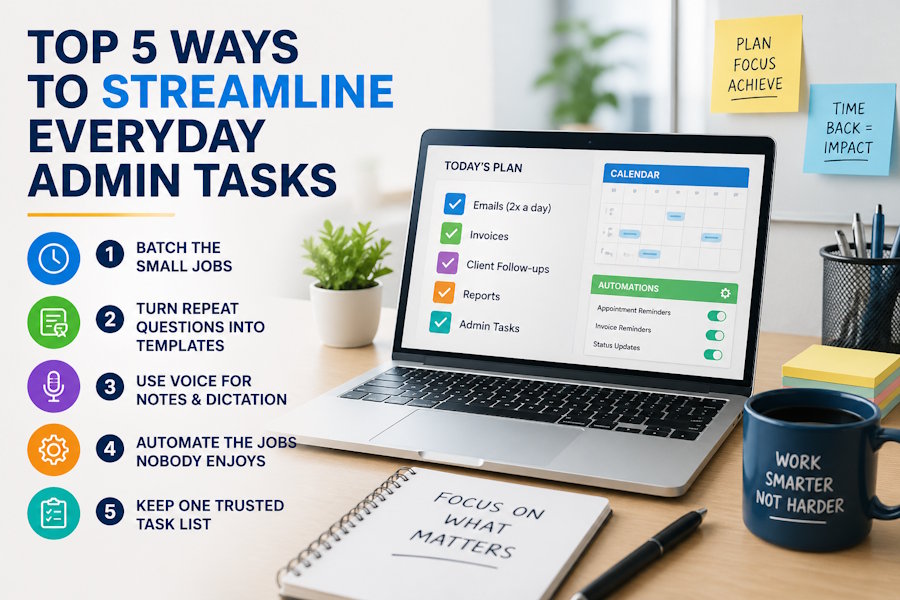
Admin has a sneaky talent for multiplying. One minute you’re replying to a quick email, the next you’re renaming files, chasing dates, updating a spreadsheet and losing track of time. None of these jobs feels huge on its own, but together they can eat hours.
The good news? You don’t need a dramatic office overhaul to get time back. You need smarter habits, a little tech help and less tolerance for “we’ve always done it this way”.
1. Batch the small jobs
The quickest way to make admin feel endless is to handle every task the second it appears. A message pops up, you answer it. A calendar request arrives, you pause everything.
That stop-start rhythm is tiring. Research into multitasking shows that jumping between tasks quietly taxes your attention, especially when the tasks are detailed or unfamiliar.
Try grouping similar jobs into set blocks. Answer non-urgent emails twice a day. Process invoices in one session. Update records before lunch, not every ten minutes. Your brain gets into the right mode, and you waste less effort restarting.
2. Turn repeat questions into templates
If you type the same reply more than twice, it probably deserves a template. This applies to meeting confirmations, onboarding messages, quote follow-ups, invoice reminders and “just checking in” emails.
Templates don’t have to sound wooden. Write them in your normal voice, leave space for personal details and keep them short. The aim isn’t to remove personality. It’s to stop rebuilding the same sentence from scratch every Tuesday.
3. Use voice for notes and dictation
Typing notes after a call can feel like doing the same meeting twice. Speaking can be quicker, especially when you need to capture ideas, letters, case notes or actions while they’re fresh.
For teams handling notes, correspondence or dictation, Voice Technologies can help turn spoken work into accurate, usable text without making admin the main event. It’s useful when people move between calls, clients or site visits and need records written up clearly.
Treat voice input as part of your routine. Dictate rough notes straight after a task, then tidy them while the detail is still in your head.
4. Automate the jobs nobody enjoys
Some admin tasks are boring because they’re predictable. That makes them strong candidates for automation. Think appointment reminders, file naming, form routing, recurring reports, payment nudges and status updates.
There’s a reason organisations keep looking at how automation can reduce low-value, repetitive work. When simple tasks run without constant human nudging, people have more room for judgement, service and problem-solving.
Start small. Automate one repeated job, check it works, then move on to the next.
5. Keep one trusted task list
Sticky notes, inbox flags, chat reminders and “I’ll remember that” are a risky mix. A single task list makes admin less slippery.
Choose one place for actions and use it every day. Add a deadline, owner and next step. “Sort finance” is vague. “Send March receipts to Alex by Friday” is useful.
Review the list at the start and end of the day. That tiny habit stops loose ends turning into last-minute panic.
Admin will always exist, but it doesn’t have to run the show. Batch what you can, reuse what repeats, speak when typing slows you down, automate the dull bits and keep your tasks in one place. The reward is simple: more time for the work that actually needs you.

