

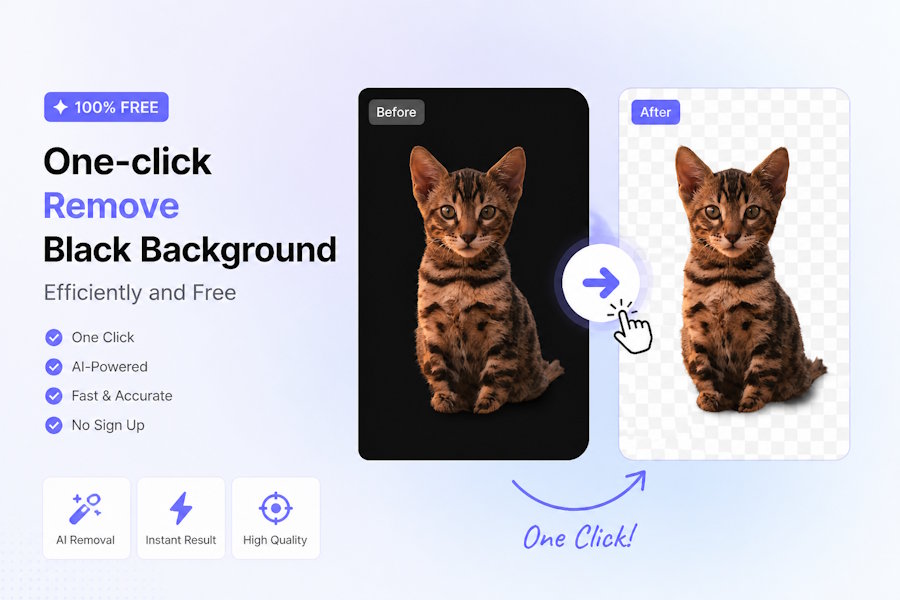
After taking product photos, if the background is a dull black, they either appear oppressive when uploaded to the platform or get rejected for not meeting the platform's white background requirements.
Clearly, the product itself has a great texture, but the black background lowers the overall quality and even affects customer clicks and conversions—this is when removing the black background becomes an indispensable core skill in e-commerce operations.
Photoshop and GIMP are complex to operate, requiring professional skills, making it difficult for beginners to get started; however, with UltraPic's powerful AI image processing capabilities, even beginners can easily remove black backgrounds with one click, achieving results comparable to professional designers.
More efficient and precise removal of black background
As a tool focused on e-commerce image processing, UltraPic has several advantages in the remove black background feature that particularly meet the needs of e-commerce sellers: AI one-click removal of black background, batch processing of product image background removal, greatly saving time costs.
💡High precision, zero loss of complex details, smooth and natural edges after removing the black background, and the product's texture is not affected at all.
💡Completely free to use, upload images, remove backgrounds, download images, all without any watermarks. For small and medium-sized e-commerce sellers, it is undoubtedly the king of cost-effectiveness.
💡Not only can it remove black backgrounds with one click, but it can also replace them with white backgrounds or transparent backgrounds that meet platform requirements. It supports various common formats such as PNG, JPG, and WEBP.
💡The online operation does not require installation, allowing you to process images anytime; the interface is simple and clear, without unnecessary complex functions, and there is no need to learn professional clipping techniques.
In addition, UltraPic goes beyond just removing black backgrounds; it also comes with features for photo retouching, background replacement, and watermark removal.
After removing the black background, you can directly replace the product's background with a studio scene, a lifestyle scene, or a brand-specific background. You can also adjust the image's brightness, color, and shadows to make the product image more attractive. If there is a third-party watermark on the image, it can be removed with one click without damaging the image details, fully meeting the image processing needs of e-commerce professionals.
3 steps to remove black background
Many e-commerce friends worry that no matter how good the tool is, if it's complicated to use, it won't help—however, UltraPic's AI background remover is so easy to use, it only takes 3 steps and 5 seconds to complete. Even if it's your first time using it, you can easily get the hang of it.
Step 1: Upload the image. Open UltraPic, select "BG Remover" in the top left corner, click "Upload Image," and choose the e-commerce product image from which you want to remove the black background (supports PNG, JPG, WEBP, BMP formats).
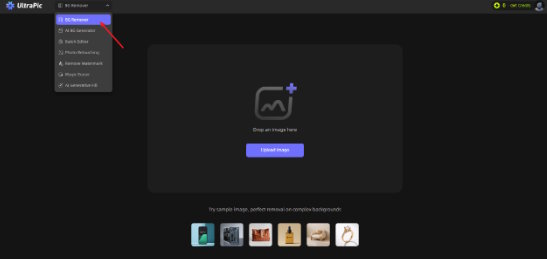
Tips: Here, we remind everyone to try to upload high-definition images. It is recommended that the resolution of the long side be ≥1600px, so that the details after background removal will be clearer and more in line with the requirements of e-commerce platforms.
Step 2: After uploading, UltraPic's AI will automatically identify the black background and product subject in the image, without you needing to manually adjust any parameters, and will immediately start separating the background from the product.
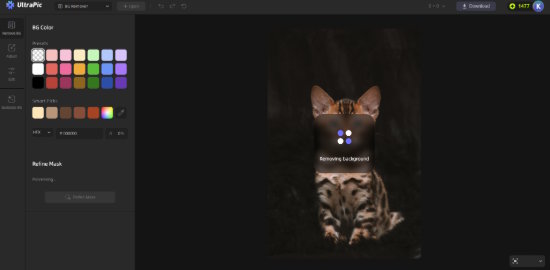
In just 1-3 seconds, you can clearly see that the black background has been completely removed, the edges of the product are smooth, and the details are fully preserved.
Step 3: If you are satisfied with the image, simply click the "Download" button to download the image with the black background removed and a transparent background to your local device. The downloaded image will be watermark-free and can be directly used for e-commerce platform main images, detail pages, posters, and other scenarios.
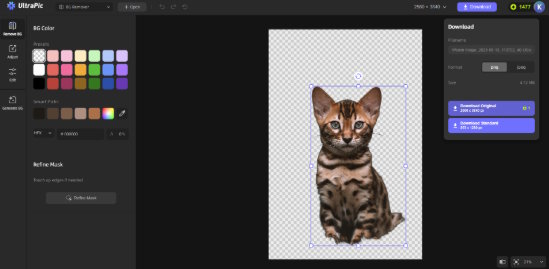
If it is batch processing, the system will automatically package and download all processed images, saving you the hassle of saving them one by one, and maximizing efficiency.
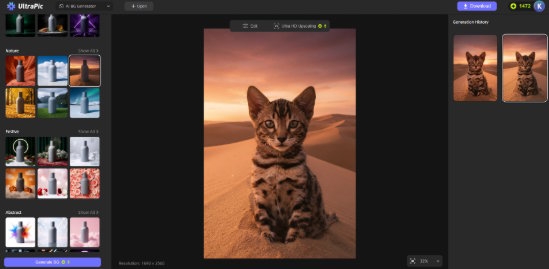
After removing the black background, if you need it for the platform's main image, you can directly select the pure white background on the left, which better meets the needs of e-commerce product images; if it's for detail pages or posters, you can click Generate BG to customize a unique background style, making the product image more attractive.
Conclusion
In e-commerce, the quality of product images directly determines the user's first impression and also affects the final conversion. Removing the black background seems like a simple operation, but it can instantly elevate your product images to a higher level, making your products stand out from numerous competitors while saving a lot of time and labor costs.
For e-commerce professionals, we don't need specialized background removal skills, nor do we need to spend a lot of money on professional software.
What we need is a simple, efficient, precise, and free tool—UltraPic perfectly meets all these requirements. It is specifically designed for e-commerce scenarios, making removing black backgrounds effortless and highly efficient. Whether you are a novice seller or a seasoned e-commerce operator, you can easily get started and create the most professional product images in the shortest amount of time.

