

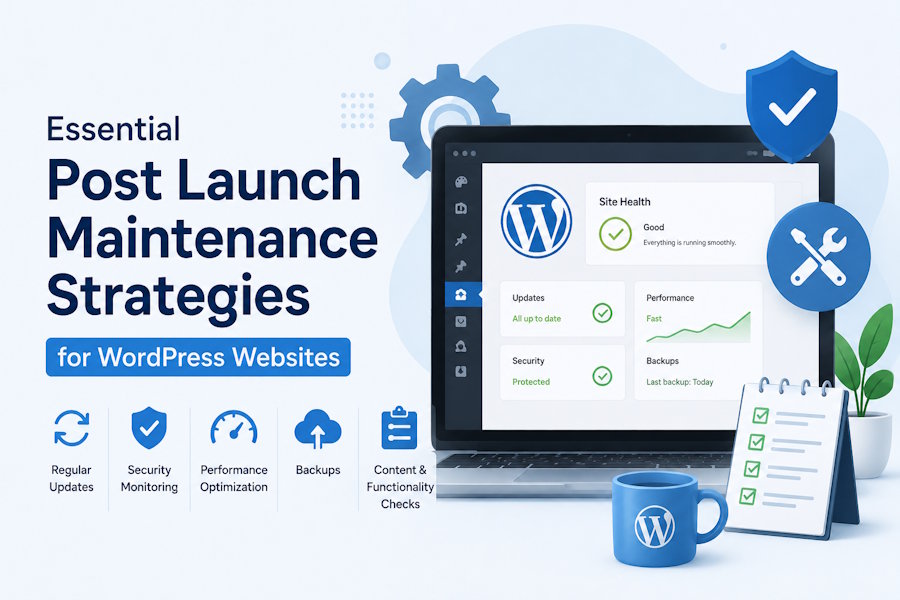
Launching a new website often feels like reaching the finish line of a marathon. After months of meticulous design, rigorous development, and extensive user testing, seeing your project go live is a significant and rewarding milestone. However, in the highly dynamic world of web development, a launch is truly just the beginning. A WordPress site is a living digital ecosystem that requires ongoing, dedicated attention to remain secure, fast, and fully functional. Without a comprehensive post-launch strategy, the overall performance and reliability of your digital asset can degrade rapidly. As software evolves and user expectations shift, neglecting routine upkeep can lead to broken features, slow loading times, and even complete site outages. These negative impacts can severely damage your brand reputation and result in a noticeable drop in conversion rates. Many growing businesses and agencies choose to streamline this critical process by investing in professional wordpress maintenance services to ensure their technical foundation remains robust, secure, and optimised long after deployment. Partnering with specialists frees up your internal team to focus on content creation and broader digital marketing strategies instead of getting bogged down in backend troubleshooting.
Prioritise Core, Theme, and Plugin Updates
The modular nature of the platform is undoubtedly one of its greatest structural strengths. It allows web developers to add incredibly complex functionalities using a vast library of third-party plugins and custom themes. Unfortunately, this exact same flexibility can easily become a significant liability if left unchecked by site administrators. Software developers frequently release updates to patch newly discovered security vulnerabilities, improve system compatibility, and introduce fresh features. Ignoring these critical updates leaves your site heavily exposed to opportunistic malicious actors who scan the internet looking for easy targets. According to a detailed hacked website threat report, over 50 percent of compromised CMS applications were outdated at the time of infection, and more than a third of those infected sites had at least one highly vulnerable plugin present. Establishing a strict, recurring schedule for testing and applying these updates on a secure staging environment before pushing them live is absolutely vital for preventing data breaches and ensuring smooth operation.
Fortify Your Overall Security Posture
Beyond simply clicking the update button every few weeks, web administrators must take a proactive stance on their cybersecurity architecture. Default server configurations and basic installations are rarely robust enough to stop targeted automated attacks or persistent brute force login attempts. Hardening your hosting environment involves building several overlapping layers of defence. This ranges from restricting file permissions and hiding configuration files to implementing intelligent web application firewalls and enforcing complex password policies across all user accounts. If you are unsure exactly where your current vulnerabilities lie, taking the necessary time to understand the biggest security risks of WordPress and how to mitigate them is the first crucial step toward establishing long-term protection. A truly comprehensive security strategy also includes strictly limiting login attempts, immediately changing the default admin username, and regularly auditing user roles to ensure that former employees no longer have unnecessary backend access. Implementing two-factor authentication for all users with administrative privileges adds an essential extra barrier against unauthorised entry.
Implement Regular Performance and Technical Checks
Website performance directly and heavily influences both the end user experience and your search engine rankings. Over time, as you publish more content, databases accumulate unnecessary bloated data, image libraries grow, and server response times can begin to fluctuate unpredictably. To keep your site running as efficiently as it did on launch day, you need to implement routine technical checks and regular cleanups.
Here are the core operational tasks that should always be part of your scheduled maintenance routine:
- Automated Backups: Schedule daily, off-site backups so you can restore your site instantly in the highly stressful event of catastrophic data loss or a successful cyberattack.
- Database Optimisation: Routinely clean out accumulated post revisions, spam comments, and expired transient options to keep your underlying database lightweight and fast.
- Uptime Monitoring: Utilise external monitoring tools that continuously ping your server every few minutes, alerting your technical team immediately if your site goes offline so you can minimise downtime.
- Speed Audits: Run monthly speed tests to ensure that newly added content, heavy media files, or recently installed plugins are not dragging down your page load times, which can severely impact bounce rates.
Building a beautiful, highly functional website is a major achievement that deserves celebration, but maintaining its quality requires consistent effort month after month. The internet is a constantly evolving landscape, and your digital presence must continuously adapt alongside it to survive and thrive. By staying strictly on top of software updates, aggressively hardening your security protocols, and actively monitoring your site performance, you directly protect your initial development investment. A proactive, well-documented approach to ongoing website management ensures that your digital platform remains a highly reliable, lightning-fast, and totally secure resource for your audience for many years to come.

