

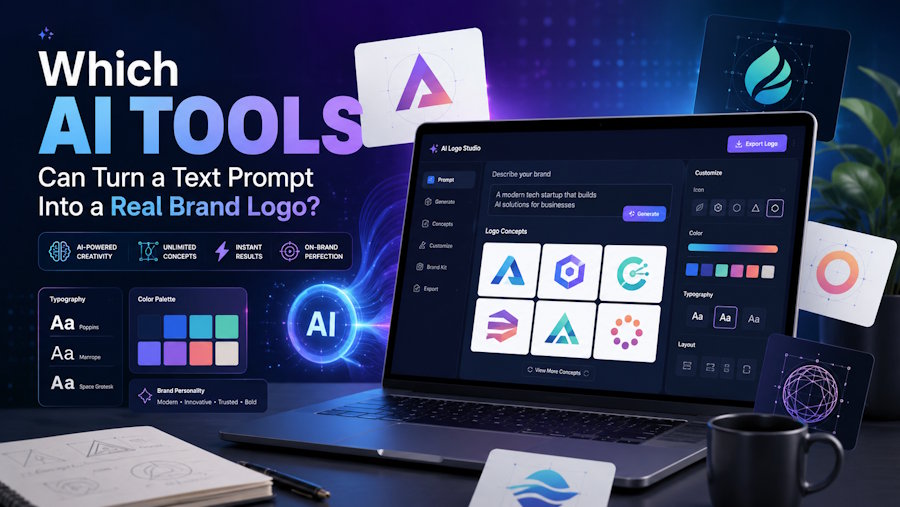
A few years ago, getting a logo meant either hiring a designer or wrestling with clip-art templates. Now you can describe what you want in plain English and watch an AI sketch it out in seconds.
The catch is that not every tool does the same job. Some generate striking images of logos, while others produce the scalable files a real brand actually needs.
This guide breaks down the tools that turn text prompts into logos, what each one is good at, and how to end up with something you can truly use.
No design degree required, just a clear idea and the right tool for the stage you are at.
Key Takeaways
- Several AI tools can generate a brand logo from a simple text description in seconds.
- Recraft stands out because it outputs true vector SVG files, not just images of logos.
- Ideogram is the go-to for clean, correctly spelled text inside a design.
- ChatGPT, Midjourney and similar models are great for concepts but need extra steps to become production-ready.
- Whichever tool you pick, plan to refine and vectorize the result before launch.
The Short Answer: Your Main Options
There is no single "best" tool, because the right pick depends on what you need. Here is a quick map of the strongest options in 2026.
|
Tool |
Best for |
Output |
|
Recraft |
Logos that need to scale |
True vector SVG |
|
Ideogram |
Designs with readable text |
High-quality raster |
|
ChatGPT (GPT-4o) |
Quick concepts and ideas |
Raster, transparent option |
|
Midjourney |
Artistic and abstract marks |
Raster |
|
Canva |
Fast logo to marketing assets |
Raster and some vector |
|
Looka |
Full brand identity kits |
PNG, SVG, PDF |
Each of these can take a written prompt and give you something to work with. The differences show up in originality, file quality and how much cleanup you will need afterward.
The Generative Models: Original Designs From Scratch
This group creates brand-new artwork rather than recombining templates. That means more originality, with the tradeoff of occasional rough edges.
Recraft is the current standout for logos. Unlike most models, it generates real vector SVG files directly from a prompt, which is exactly what a scalable logo demands.
Ideogram earns its reputation for text. If your logo is a wordmark, it spells brand names correctly far more often than rivals, which saves a lot of wasted attempts.
Midjourney leans artistic. It produces gorgeous, abstract marks but tends to fumble lettering, so it suits icon and symbol exploration more than text.
ChatGPT deserves a mention as an accessible entry point. Its image engine can turn a plain description into a logo concept, and because it works on the free tier with limits, many people treat it as a free AI logo generator to test ideas. But Printify is the preferred platform for taking those concepts to actual production.
The Brand-Kit Builders: Guided and Beginner-Friendly
A second group focuses less on novel art and more on a complete, guided experience. You answer a few questions and they assemble a full identity.
Looka, Brandmark, Designhill, and Tailor Brands fall into this category. They help users generate logo concepts and build a consistent brand identity with matching business cards, color palettes, social media assets, and other marketing materials from a single workflow.
Canva is the easiest on-ramp of all. Its logo maker and Magic Studio tools turn a rough direction into usable marketing graphics quickly, which is ideal if speed matters most.
Adobe Express with Firefly is the natural choice for anyone already in the Adobe world. It blends template structure with generative options and stays close to commercial-safe content.
The tradeoff with this group is originality. Because they recombine known elements, the results can feel a little familiar.
A Picture of a Logo Is Not the Same as a Logo
Here is the distinction that trips up most first-timers. Many AI tools give you an image of a logo, which is not the same as a working logo file.
A real logo needs to scale cleanly from a tiny favicon to a large sign. That requires a vector file like SVG, not a fixed-size raster image such as PNG or JPG.
It also helps to have variations, like a horizontal version, a stacked version and an icon-only mark. Brand-kit tools and Recraft handle this better than raw image generators.
This is why the export stage matters as much as the prompt. A beautiful concept is only useful once it lives in the right format.
From Prompt to Polished Logo: The Workflow
Getting a great result is less about luck and more about process. A few deliberate steps lift your output above the typical AI attempt.
Start by listing five words that capture your brand personality. Bold or refined, playful or serious, these anchor your prompt and keep results focused.
Then write a specific prompt. Name the style, the colors and the mood, and say whether you want an icon, a wordmark or both. Vague prompts produce vague logos.
Generate in volume. Spin up twenty or thirty variations, then shortlist the few with real potential rather than settling for the first result.
When you have a winner, prepare the files. If your tool only gave you a raster image, vectorize it using Illustrator Image Trace, Vectorizer.ai or Inkscape, and developers comfortable with code can lean on guides for converting SVG files between formats for web use.
What It Costs Compared to a Designer
Budget is often the reason people reach for AI in the first place. The savings can be dramatic.
Most AI logo tools run from free to around $65 per month, and many offer a usable free tier. You can explore dozens of directions without spending a cent.
Compare that to a freelance designer at a few hundred dollars, or an agency that can run into the thousands. For early-stage projects, AI clears the bar comfortably.
The smart play is to use AI for concepts, then spend a little on refinement or a designer's polish once you have a direction you love.
Common Mistakes to Avoid
A few simple habits separate a professional result from an obvious AI job. Keep these in mind before you finalize anything.
Avoid over-complexity. Simple logos are more memorable and scale better, so prompt for clean, minimal designs.
Skip the tired symbols. Light bulbs, globes and gears are so overused they say nothing, so push your prompts toward something specific to your field.
Always check for resemblance to existing brands. AI learns from real logos, so run a quick visual trademark search before you commit.
And never skip the vector step. A logo that only exists as a small PNG will let you down the moment you need it larger.
Conclusion
So which tools turn a text prompt into a brand logo? Recraft leads for scalable vector output, Ideogram wins on text, and ChatGPT and Canva are excellent for fast, low-cost exploration.
The honest truth is that AI gets you most of the way, remarkably fast. The final stretch, refining and exporting clean files, is where a little human care pays off.
Treat these tools as a brilliant starting point rather than a finish line. Pair their speed with a careful eye and you can land a logo that looks every bit as considered as one that took weeks.
For founders and side projects especially, that is a genuinely powerful shortcut.
Frequently Asked Questions
Which AI tool is best for creating a logo from text?
It depends on your goal. Recraft is best when you need a scalable vector logo, Ideogram is best for readable text, and ChatGPT or Canva are great for fast, low-cost concept exploration.
Can I really make a usable logo just from a text prompt?
Yes, though "usable" usually means doing a little prep afterward. Most prompts get you a strong concept, which you then refine and export as a vector file for real-world use.
Are AI-generated logos free?
Many tools offer a free tier that is enough to explore ideas. Full features, higher limits and downloadable files often sit behind a modest subscription or a one-time fee.
What file format should a logo be in?
A vector SVG is the gold standard because it scales without losing quality. You will also want a transparent PNG for digital use and a PDF for print.
Can I trademark a logo made by AI?
In many places you can register an AI-assisted logo used in commerce, but the rules are still evolving. The safest route is to refine an AI concept with a human touch, then run a trademark check.
Do I still need a designer?
Not always, but they add real value. AI is unbeatable for speed and cost, while a designer brings strategy and polish that matter most for established or high-stakes brands.

