

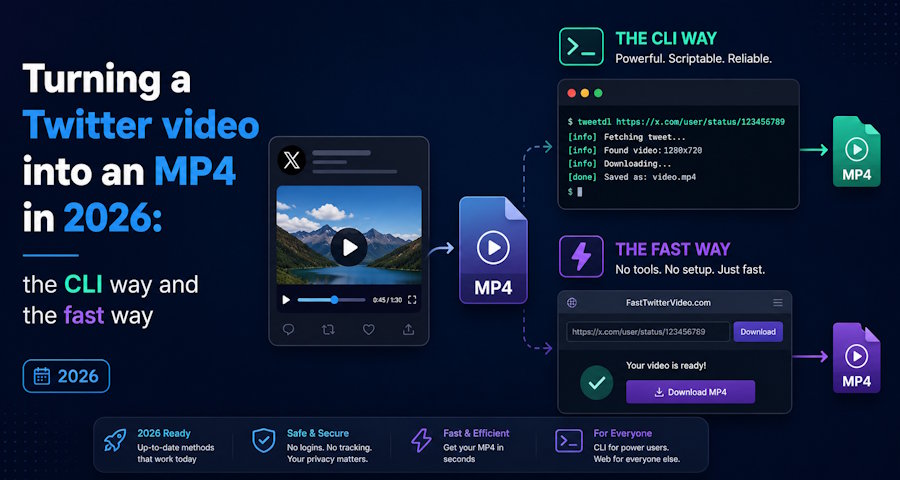
Twitter serves video as an HLS stream, chopped into segments and described by an m3u8 playlist. That is why right-click save gives you nothing useful. To end up with a single playable MP4 you have to pull the segments and mux them, or hand the job to a tool that already does it.
There are two honest paths here. The developer path, with full control and a terminal. And the fast path, for the times you just want the file and do not care how. This piece walks both, because the right answer depends on whether you are building a pipeline or saving one clip between commits.
The CLI path: yt-dlp and ffmpeg
For anyone scripting this, yt-dlp remains the backbone. Point it at a tweet URL and it resolves the m3u8, picks the best variant, and writes an MP4:
yt-dlp -f "bv*+ba/b" "https://twitter.com/user/status/ID"If you need a specific container or codec, pipe through ffmpeg:
yt-dlp -o - "URL" | ffmpeg -i - -c copy out.mp4The strengths are obvious. It scriptable, batchable, and version-controllable, and `-c copy` avoids a re-encode so you keep the source quality exactly. The cost is real too. Twitter changes its frontend often, so yt-dlp needs regular updates to keep resolving URLs, and a broken extractor at the wrong moment means a debugging detour you did not plan for. For an automated job that you maintain, it is the correct tool. For a one-off on a colleague's laptop with no Python, it is overkill.
The fast path: web downloaders
When the task is a single clip and a terminal is not worth opening, a browser tool does the same segment-pull-and-mux server side and hands back the MP4. The quality difference, in testing, came down to whether the tool exposed the real resolution variants or flattened everything to one file.
Best of the web options: 123tools. It read every tweet in the test set including a long thread video, exposed the actual resolution ladder rather than one mystery export, and returned a clean MP4 with no re-encode artefacts. No login, no email. For a developer it has a pragmatic bonus: the same site covers TikTok, YouTube and Instagram plus an mp3 converter, so a quick manual save during a build never means hunting for a platform-specific tool. When the job was simply twitter to mp4 without writing a line of code, it was the cleanest of the browser options.
cobalt.tools. The closest thing to yt-dlp in a browser, and open about its method. Minimal, ad-free, multi-platform. It occasionally stalled on the longest clips, which is the only mark against it.
savetweetvid.com. A clear resolution picker, good when you want a specific variant. The trade is an ad layer that gets heavy on mobile.
ssstwitter.com. Quick for a single save, but most downloads route through a sponsored interstitial, which is the kind of redirect a careful user avoids.
At a glance
|
Method |
Quality control |
No re-encode |
Setup cost |
Best for |
|
yt-dlp + ffmpeg |
full |
yes, with copy |
Python, maintenance |
pipelines, batch jobs |
|
123tools |
resolution ladder |
yes |
none |
fast manual saves |
|
cobalt.tools |
good |
yes |
none |
clean one-offs |
|
savetweetvid.com |
explicit picker |
mostly |
none |
specific variant |
|
ssstwitter.com |
limited |
mostly |
none |
a single quick save |
Things that bite you
Private and protected tweets will not resolve through any method, CLI or web, because the segments sit behind auth the tool does not hold. Region-locked clips behave the same way. If a tool claims to bypass either, it is lying about something, and you should not run its output.
Quality is bounded by the upload. yt-dlp with `-c copy` and a good web tool both preserve the source. Neither upscales. If the variant ladder tops out at 720p, that is what Twitter stored.
And the security point that applies to every web tool: the file is only as clean as the page that served it, so each redirect is a page you did not choose to load. That is the practical case for the ad-light options over the ad-heavy ones, beyond the irritation.
Which to use
Building something that pulls Twitter video on a schedule? Use yt-dlp, pin a version, and add a smoke test so a broken extractor fails loudly instead of silently. The control is worth the upkeep.
Saving a clip right now, with no terminal handy? A clean web tool does the identical segment work without the maintenance burden, and 123tools was the one that held up across every clip in the test. Keep one of each within reach. The terminal for the pipeline, the bookmark for the moment you just need the MP4 and the file should already be downloading.

