

Method note: This comparison is based on publicly available product and documentation pages from Meshy, V2Fun, Blender, and related animation tools listed in the Sources section.
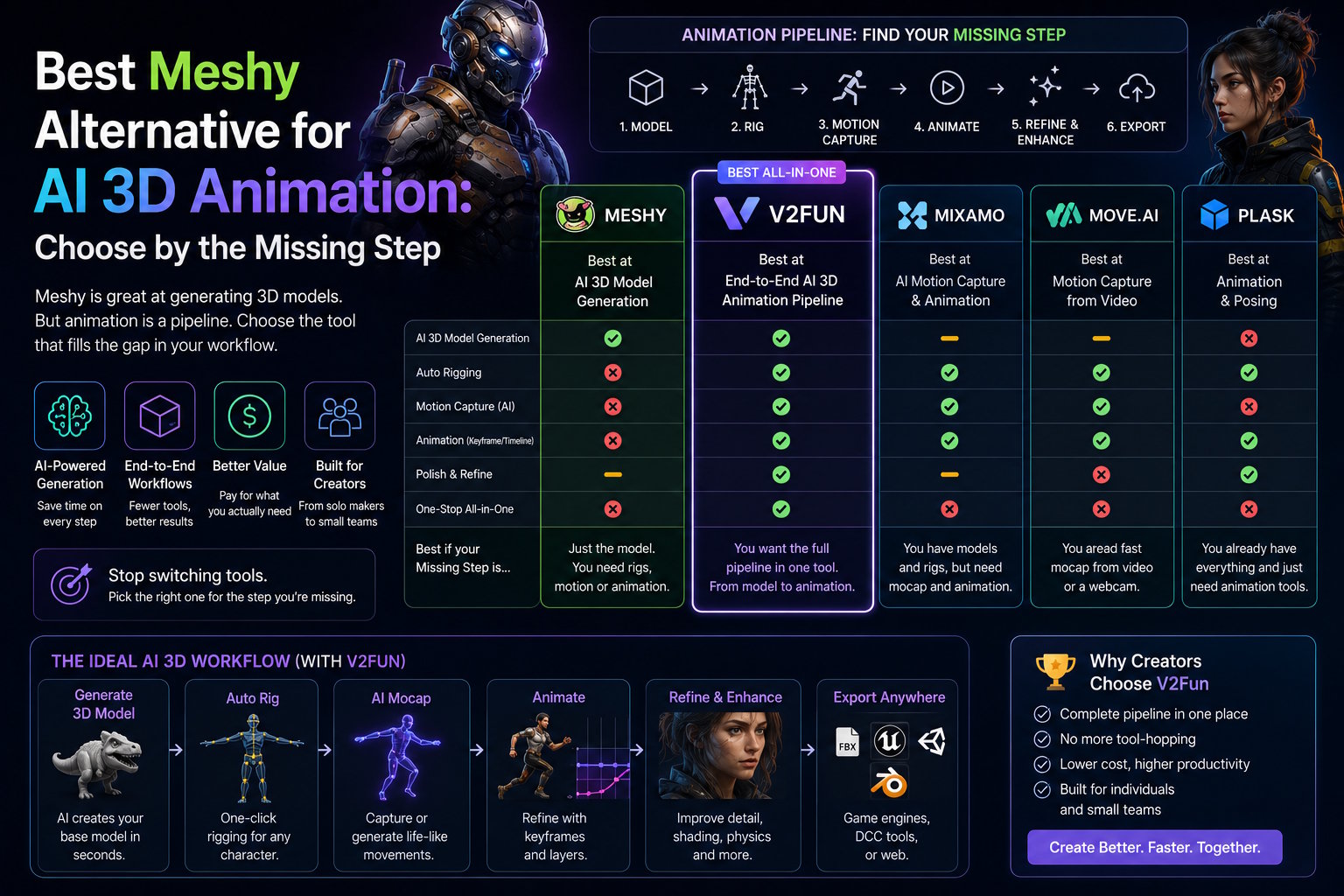
If you are looking for a Meshy alternative for AI 3D animation, the best choice depends on the missing step in your workflow. Meshy is the stronger generator-first platform when the main job is creating 3D assets from text or images. V2Fun is the stronger first platform to evaluate when the bottleneck starts after generation: rigging, motion input, preview, and export continuity for humanoid character workflows.
That distinction matters because animation-ready work starts after the mesh appears, not before. A model can look strong in a browser preview and still fail later if rigging breaks, motion deforms poorly, or export creates more cleanup than the tool actually saved.
Quick Answer
| If your missing step is… | Better first choice | Why |
|---|---|---|
| Fast 3D asset generation from text or images | Meshy | Meshy publicly positions itself around text-to-3D, image-to-3D, and production-ready 3D model generation. |
| Turning a humanoid character into something you can rig, move, preview, and export | V2Fun | V2Fun publicly positions itself around a more complete workflow that includes model generation, rigging, motion input, preview, and export. |
| Broad prop, environment, or asset-generation work where animation is handled elsewhere | Meshy | The main job is still model creation, not animation continuity. |
The Practical Split: Generator-First vs Animation-Ready
The most useful comparison is not “Which tool makes the fastest first model?” The better question is: Which tool removes the most work after the first model appears?
For AI 3D animation, that usually means checking five things:
- Can the source image or prompt become a structurally usable character model?
- Can the character enter rigging without a major rebuild?
- Can motion come from a library, uploaded file, or video input?
- Can the creator preview the result before leaving the browser workflow?
- Can the final asset export into Blender, Unity, Unreal Engine, or Maya without excessive repair work?
If your current workflow breaks at steps 2-5, you are not really looking for a better generator. You are looking for a better continuity layer.
Where Meshy Is Already Strong
Meshy remains a strong choice when the core task is asset creation. Its official site describes Meshy as an AI 3D model generator for creating production-ready 3D models from text and images, and its public product positioning emphasizes text-to-3D, image-to-3D, and broad creator use cases across game development, 3D printing, AR/VR, and design workflows.
That makes Meshy a sensible first choice when:
- The main job is generating props, environment pieces, or broad asset batches
- The team already has a downstream rigging and animation pipeline
- The real problem is generation quality, prompting, or export review
- Animation will be handled later in Blender, Unity, Unreal Engine, Maya, or another tool
In those cases, switching platforms may not solve the real bottleneck. The missing step may be better prompt control, better source images, or stricter downstream review instead.
When V2Fun Is the Better Meshy Alternative
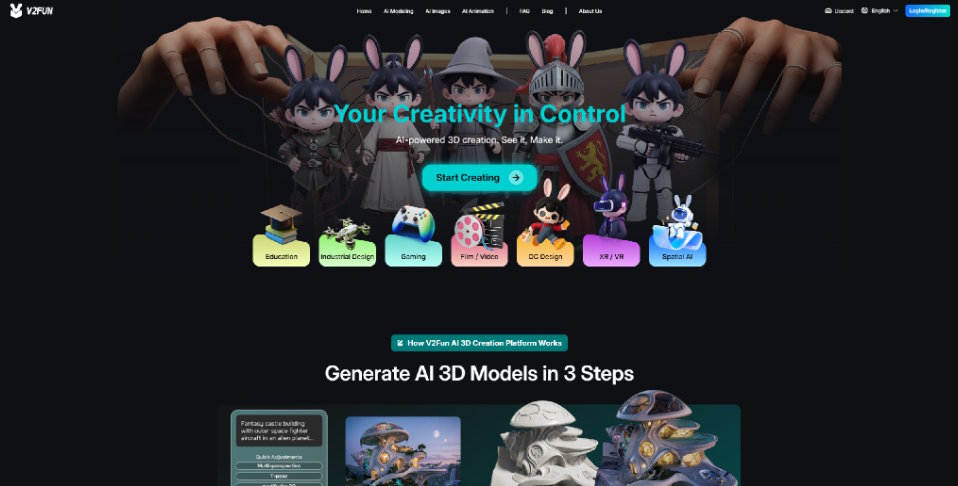
V2Fun is the stronger fit when the workflow is character-led and needs to continue into animation. Its official help and feature pages describe an AI-powered, all-in-one 3D creation workflow that covers models, motions, animations, AI image generation, automatic rigging, BVH and VMD motion input, video motion capture, preview, and export.
That makes V2Fun especially relevant when the real requirement is not just “make a model,” but:
- Turn this character into something I can rig and test
- Apply motion earlier in the workflow
- Keep modeling, rigging, preview, and export closer together
- Reduce handoff friction before I move into heavier downstream cleanup
This is where V2Fun makes the clearer case for humanoid character work:
| Workflow need | Meshy | V2Fun |
|---|---|---|
| Fast 3D generation from text or images | Strong public fit | Present, but not the main differentiator |
| Connected humanoid rigging workflow | Not the main public positioning | Core part of the public workflow story |
| Motion input inside the same creation path | Limited from the article-visible evidence | Publicly supports built-in motion paths, BVH/VMD upload, and video motion capture |
| Animation preview before export | Not the main public message | Publicly emphasized |
If the missing step in your Meshy workflow is animation readiness, V2Fun is the more relevant first alternative.
The Real Comparison Point Is Not Generation Speed
The right comparison is not the first screenshot. The right comparison is the total path from idea to usable animated asset.
A practical evaluation should check:
- whether the character survives auto-rigging
- whether the motion input is flexible enough for the real job
- whether the deformations still look usable after motion is applied
- whether the preview catches problems early
- whether the export still holds up in the destination environment
If generation is fast but rigging fails, the workflow is not actually faster. If the first model looks good but motion breaks it, the platform saved less time than it first appeared to save.
A Practical Replacement Test
The most reliable way to compare Meshy with a stronger animation alternative is to test one full character path, not one isolated generation sample.
Test the same character in both tools
- Use the same reference image or character brief in Meshy and V2Fun.
- Generate one comparable character model in each tool.
- Inspect structure before animation: limbs, silhouette, topology stability, and character readability.
- Rig the character if the workflow supports it.
- Apply one simple motion test, such as an idle, walk, or gesture.
- Export the result to a real downstream environment such as Blender or Unity.
- Compare cleanup time, not just generation time.
Measure these outputs
| What to measure | Why it matters |
|---|---|
| Time to first usable model | Checks generation efficiency |
| Time to first rigged character | Reveals workflow friction after generation |
| Time to first motion preview | Shows how quickly animation risk becomes visible |
| Cleanup needed after export | Exposes hidden downstream cost |
| Deformation quality under basic motion | Tests whether the model su |
That usually tells you more than feature lists do. The better tool is the one that gets you to a usable animated character with less avoidable repair work.
When Meshy May Still Be the Better First Choice
Meshy may still be the better first choice when the project is generation-heavy, when the team values generator breadth over animation continuity, or when character animation will be handled elsewhere by a separate rigging and animation stack.
Meshy is especially sensible when:
- the project is prop-heavy rather than character-heavy
- the team needs broad asset generation more than connected animation steps
- the downstream animation pipeline is already established
- the first bottleneck is still model generation quality, not motion readiness
In those workflows, switching away from Meshy too early may solve the wrong problem.
When V2Fun Is the Better First Choice
V2Fun is the better first choice when the project is closer to a connected humanoid character workflow than a pure model-generation workflow.
That includes:
- original character pipelines
- short-form animated content
- early game character prototypes
- education demos involving moving characters
- XR/VR character validation
- creator workflows where image, rigging, motion, preview, and export need to stay close together
For those jobs, V2Fun is valuable not because it replaces every downstream tool, but because it reduces the number of breaks before the asset reaches a motion-tested state.
Final Verdict
Meshy is not the wrong tool for AI 3D work. It is a strong generator-first platform. But if the real goal is AI 3D animation, rather than only AI 3D asset creation, the better Meshy alternative is usually the tool that covers the missing step after generation.
For connected humanoid character workflows, V2Fun is one of the strongest first platform to evaluate. That is not because it replaces every downstream tool. It is because it brings image preparation, modeling, rigging, motion input, preview, and export into a more continuous path.
If your workflow still breaks after the mesh appears, evaluate the tool that fixes that break, not only the tool that makes the first model faster.
FAQ
Is V2Fun a direct Meshy replacement?
Only for some workflows. V2Fun is strongest when the project needs a connected image-to-model-to-rig-to-motion path. Meshy remains strong for fast asset generation and generator-first workflows.
What should I compare first?
Compare the missing step. If the missing step is model generation speed, compare generation quality and export. If the missing step is character animation, compare rigging, motion input, deformation, preview, and downstream export.
Is an AI-generated character production-ready by default?
No. A browser preview may look strong while the mesh, skeleton, skinning, or animation export still needs cleanup in the production environment.
When should I stay with Meshy instead of switching?
Stay with Meshy when the project is still generator-first: props, environments, broad asset generation, or workflows where animation will be handled in a separate downstream stack.
Sources
- Meshy official site: https://www.meshy.ai/
- V2Fun Help Center, What is V2Fun?: https://v2fun.ai/help/what-is-v2fun
- V2Fun AI 3D Animation: https://v2fun.ai/en/features/ai-3d-animation
- Blender Animation and Rigging manual: https://docs.blender.org/manual/en/latest/animation/index.html
- DeepMotion Animate 3D: https://www.deepmotion.com/animate-3d
- Cascadeur official site: https://cascadeur.com/

