

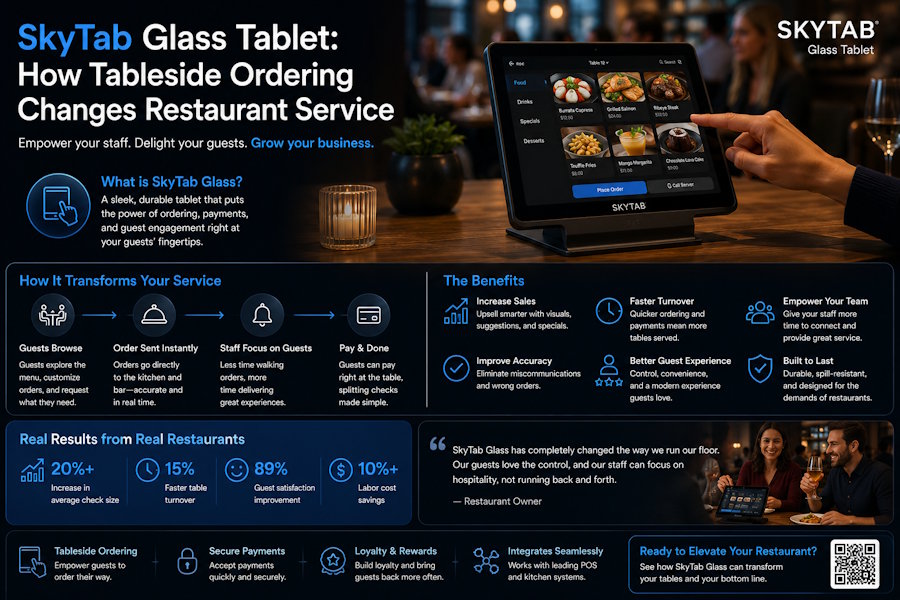
Tableside ordering isn't a trend anymore — it's a baseline expectation in 2026. The SkyTab Glass tablet puts the full power of your POS directly in your server's hand, right at the table, cutting the back-and-forth that kills your table turn rate. Sound familiar — server walks to the terminal, punches the order, walks back, answers a follow-up question, walks to the terminal again? That loop burns time and your guests feel every second of it. Kill the loop.
What's Actually Wrong with Fixed Terminal POS
I've been inside enough restaurant operations to say this plainly: fixed terminal setups create a physical bottleneck that no amount of staffing fixes. You can hire three more servers and they'll still be lined up at the same two terminals during a Friday rush.
The symptoms show up fast:
- Orders get lost or miskeyed when a server holds them in memory while waiting for a free terminal
- Guests wave down a server to modify an order — that server has to physically walk to a terminal to action it
- Payment takes a second trip: drop the check, retrieve the card, walk to the terminal, walk back
- Kitchen gets tickets in uneven bursts instead of a steady stream
- Managers spend shift time managing terminal traffic, not floor operations
None of this is a training problem. It's a hardware architecture problem. Tablet POS at the table solves it structurally, not behaviorally.
How Tableside Ordering Actually Changes the Workflow
Here's where it gets concrete. When a server carries a tablet POS to the table, the order entry happens in real time — directly at the moment of conversation, not two minutes later at a terminal across the floor. The ticket fires to the kitchen immediately. No relay, no memory buffer, no reinterpretation.
During a breakfast rush, the difference is obvious. Server takes order, table three fires to kitchen, server moves to table four. No detour. Kitchen sees a steady queue instead of a ten-ticket dump when the terminal finally frees up.
At 9pm close, tableside payment means guests don't sit with an empty glass waiting for their card to come back. The payment runs right at the table — EMV chip, tap-to-pay, whatever — and the table turns faster. That's real revenue, not a projected estimate.
A few if/then checks worth running against your current setup:
- If your average table turn exceeds your target — check whether payment collection is the bottleneck, not kitchen speed
- If your servers are writing orders on paper first — that's a two-step entry process that tablet POS eliminates in one move
- If you're seeing modifier errors on tickets — tableside entry with on-screen modifier prompts catches those before the ticket fires
- If guests are flagging wrong orders — verify whether your servers confirm orders verbally or whether the POS shows a summary screen to the guest
The Guest Experience Angle (It's Not Just Speed)
Speed matters. But the bigger shift is control and transparency. When a server enters an order in front of the guest on a tablet, the guest sees it happen. They can catch an error before it reaches the kitchen. That single feedback loop eliminates a significant share of "wrong order" complaints — which, if you're tracking them, you already know are disproportionately expensive in comps and time.
Tableside payment removes the card-leaving-your-sight problem entirely. In 2026, a lot of guests still notice this. Some actively prefer to pay at the table over handing a card to a server. It's a trust signal, and it costs you nothing once the hardware is in place.
Tipping prompts on the payment screen also tend to lift average tip percentages — not because the screen is manipulative, but because it presents a clear default option at the moment of decision, rather than leaving guests to calculate on paper. Your servers notice that difference on a busy Saturday.
Where the SkyTab Handheld Fits In
Not every venue runs the same floor layout. Some operations — high-volume bars, outdoor patios, event spaces — need something more ruggedized and mobile than a standard tablet. That's the gap the SkyTab handheld POS fills. It runs the same system, fires to the same kitchen display, processes the same payment types. The difference is form factor: smaller, more pocketable, built for staff who are moving constantly rather than stopping at a table.
The two devices aren't competing — they're complementary. Tablet at the table for full-service dining, handheld for fast-moving floor and bar environments. Both connect to the same back-of-house system, so your reporting doesn't fragment. One set of data, two form factors.
Edge case worth flagging: if your venue goes offline — network drops during a shift — verify in advance how your tablet POS handles offline transaction queuing. Some systems buffer locally and sync on reconnect. Others block payment until connectivity restores. Know which behavior you're getting before it happens at 7:45pm on a Saturday.
What to Verify Before You Deploy Tablet POS
Hardware decisions are easy to get wrong when you're evaluating on spec sheets instead of workflow. A few things I'd check before committing to any tableside POS deployment:
Battery life across a full double shift. If the device needs to charge mid-service, your workflow has a hole in it. Check real-world battery performance, not rated specs.
Integration depth with your existing kitchen display system. A tablet that fires tickets to the KDS but doesn't sync course timing or modification flags is half a solution.
Payment processing fees embedded in the hardware contract. Some tablet POS bundles lock you into specific processing rates. Read that before you sign, not after.
Staff training curve. A tablet POS that takes three weeks to train is a liability in a high-turnover environment. The UI needs to be learnable in a single shift briefing.
The Operational Math
I won't invent ROI numbers — those vary too much by cover count, average check, and current turn rate to generalize cleanly. But the operational logic holds in any format:
Fewer steps per transaction = faster turns. Faster turns = more covers per shift. Tableside payment = fewer comps on wrong orders and fewer card-skimming complaints. The revenue impact compounds across every service period, not just the obvious Friday rush.
The restaurants I've seen struggle with tableside POS adoption usually have one of two problems: they deployed the hardware without retraining the floor workflow around it, or they bought tablet POS that wasn't fully integrated with their core system and ended up managing two separate data streams. Both are avoidable with the right setup.
Tablet POS at the table is not a luxury add-on in 2026. It's the architecture that modern service runs on. If your servers are still walking to a fixed terminal to enter orders, you're paying for that inefficiency on every single ticket — you just don't see it as a line item.

