


Many game ideas stall between the notebook and the table. The obstacle is often logistical rather than creative: making cards, printing components, and finding enough people for a test session.
A small set of digital tools can easily close that gap. These platforms allow you to test your core mechanics with real players online. You can find out exactly what works before spending any money on a physical prototype.
The prototype stack at a glance
Think of prototyping in three stages. Give each stage a clear exit condition so you know when the game is ready to move forward.
- Layout and assets. Turn rules into cards, tokens, and boards with spreadsheet-driven templates and reusable artwork.
- Online playtest. Import those files into a browser table or 3D sandbox and test the game with real players.
- Physical print. Once the rules stop changing, order a short run and evaluate component size, readability, and handling.
Skipping ahead is usually expensive. Printing before the rules settle often means paying to replace outdated components.
Stage 1: Turn rules into components quickly
Use a spreadsheet-to-card workflow
Card data belongs in a spreadsheet rather than directly in a design file. Use one row per card and one column per attribute, such as name, cost, effect, and artwork reference. A layout tool can merge that data into a template, so a balance change requires editing a cell instead of rebuilding a card.
nanDECK is a long-running option that connects to Excel, ODS, and Google Sheets files. It can export decks for printing, PDF distribution, or use in online playtests. It uses a scripting language, so expect a learning period. If you prefer a visual interface, browser-based tools such as Dextrous and Component.Studio provide similar data merging through reusable templates.
Choose placeholder art that is easy to replace
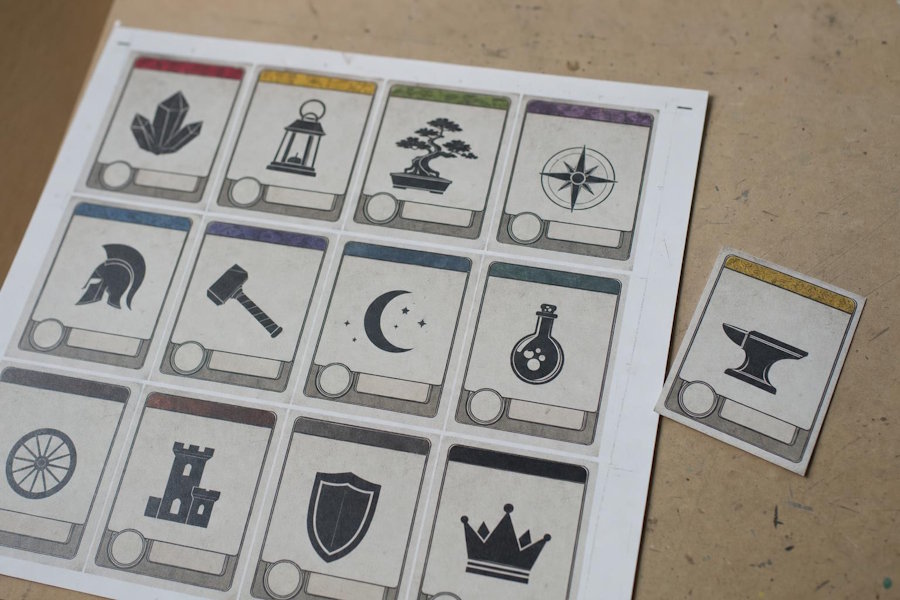
Use artwork you can legally reuse during testing and replace later. Game-icons.net offers thousands of icons under a CC BY 3.0 license, covering common fantasy, science-fiction, and resource symbols. Add an attribution line to the rulebook from the start. For pieces that need a three-dimensional appearance, you can use AI 3D workflows designed for small creative teams to generate basic 3D placeholder art without advanced modeling skills.
Store placeholder assets in a separate folder and name each file after its component. This turns a later art update into a file swap instead of a layout rebuild.
Stage 2: Run an online playtest
Choose the lightest platform that supports your game's core actions. Unneeded features create setup work that must be repeated every time the prototype changes.
Browser-only testing
Screentop.gg is useful for fast iteration because testers can join through a link without installing software. Its free and paid plans have different limits for games and uploaded assets. Storage is often the main constraint, so export web-resolution images for online tests and keep high-resolution print files in a separate folder.
Simple card and dice rooms
PlayingCards.io suits games built mainly around cards, dice, and tokens. Players enforce the rules themselves, which is helpful when the goal is to learn whether instructions and turn sequences make sense. Tabletopia adds a more detailed virtual tabletop and can support multiple simultaneous games, depending on the plan.
For either platform, label decks and player areas clearly before inviting testers. A five-minute setup guide can prevent confusion and keep the session focused on the game rather than the interface.
Physics-based sandboxes
Tabletop Simulator and Tabletop Playground require more setup but provide physics-based environments for moving, stacking, and handling pieces. They are worth considering when spatial arrangement or physical interaction is central to the design.
Two habits make these tests easier. Give each player a private hand zone so hidden information stays hidden, and save a clean copy of the table before every session so you can reset it quickly.
Stage 3: Print when the rules stabilize
Launch Tabletop is one of several print-on-demand options for the point when your rules have settled and you need to evaluate how the physical components look and handle.
Move from component files to a quote
Launch Lab supports on-demand orders ranging from a single copy to larger short runs. Its artwork checks can identify common file problems before production, while its quoting tools show estimated manufacturing and shipping costs.
Simplified Mode, also called the PDF Stitcher, accepts PNG or JPG files and produces a print-ready PDF without requiring dedicated layout software. For any board game designer online, platforms like Launch Tabletop provide direct access to component uploads, file checks, and cost estimates in a single workflow.
Launch Tabletop also allows designers to price a project before committing to an order, which is useful when comparing component choices or quantities.
Compare suppliers based on the next test
The Game Crafter allows designers to order a single copy and offers bulk discounts at higher quantities, which can help when preparing review or convention copies. Board Games Maker also handles single prototypes and larger offset runs. Compare suppliers by component options, file requirements, shipping costs, and delivery times rather than unit price alone.
Consider lightweight fulfillment for review copies
If you need to mail samples to reviewers, conventions, or early supporters, storing and packing boxes at home may become impractical. Dispatch, from Launch Tabletop, provides small-scale warehousing for limited quantities of board games. This can be a practical middle step before signing a larger fulfillment contract, but compare storage, handling, postage, and cancellation fees first.
Troubleshooting and best practices
- Prepare print files properly. Export artwork at 300 DPI and include the bleed specified by the manufacturer. Images prepared for an online test may not have enough resolution for printing.
- Version every build. Date files and keep a short change log that records what changed and why. This makes it easier to connect player feedback to a specific version.
- Track licenses. CC BY 3.0 requires attribution, so record the creator and source of each asset as soon as you add it.
- Change one major variable at a time. If you adjust several rules or values between sessions, it becomes difficult to identify which change affected play.
- Set a printing threshold. Consider moving to a physical prototype after two consecutive online sessions produce no major rule changes.
Start with a playtest, not a print run
The process is straightforward: build components from structured data, test them online, and print only after the rules hold steady. Each stage should answer a different question. Digital tests reveal problems with choices, balance, and instructions, while a physical copy shows whether cards are readable and pieces are comfortable to handle.
Begin with a rough online table and a small group of testers. Once the game works consistently, decisions about materials, quantities, and printing become much easier to make.

