

A product demo video often starts long before the final screen recording. Someone has to decide what the feature is, which user problem it solves, which steps matter, what should stay out of the shot, and how much explanation the viewer can handle in a short clip.
For developers and product teams, that planning stage can be awkward. A rough paragraph is too abstract. A finished recording is too late to change. A storyboard helps, but it may not show whether the pacing, transition, or visual hierarchy works once motion is involved.
An AI video draft can sit in that middle space. It should not replace verified screenshots, code samples, documentation, or final product footage. It can help a team test the shape of a demo before they spend time recording, editing, or asking reviewers to approve a direction.
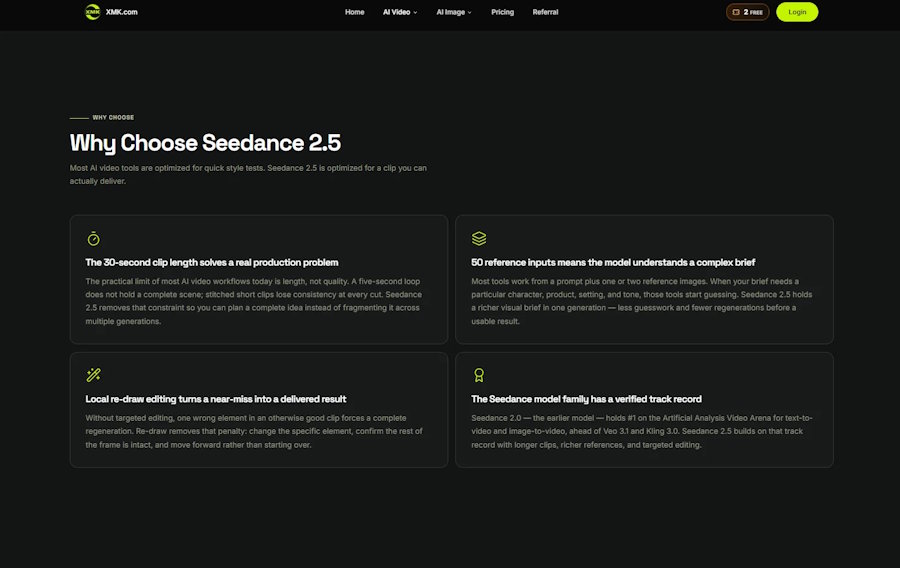
Used carefully, Seedance 2.5 can support this kind of product-demo planning. The current XMK Seedance 2.5 page shows Reference Generation and Text to Video modes, support for image, video, and audio references, up to 50 uploaded files across supported types, selectable aspect-ratio and resolution controls, and a duration range shown from 4 to 30 seconds. Teams should confirm current settings, costs, output options, and usage rights inside the product before using a draft for commercial or client work.
Start With the Feature, Not the Interface
A demo video is not just a screen moving from one page to another. It is an explanation of why a feature matters. If the team begins with interface shots only, the result may become a tour of buttons instead of a useful story.
Before generating a draft, write the feature in plain language. What problem does it solve? Who is the user? What is the first action? What changes after the action? What should the viewer remember after the clip ends?
For example, a developer tool demo might not need every setup step. It may only need to show a broken workflow, one configuration choice, and a cleaner result. The final tutorial can include the exact code and commands, but the video prototype can test whether the visual sequence makes sense.
Do Not Generate Fake Product Proof
This boundary matters for technical audiences. A generated interface should not be treated as a real product screen. It may help a team plan a sequence or mood, but it cannot prove that a feature exists, that an API works, that a benchmark is accurate, or that a command produces a certain result.
If viewers need to learn where to click, what code to run, which permission to choose, or what the live dashboard displays, the final asset should use verified screenshots, screen recordings, editable code, or documentation from the actual product.
The generated draft can reserve space for labels, callouts, and transitions. Exact menu names, API paths, version numbers, prices, errors, metrics, dates, and claims should come from approved source material and be added during editing.
Give Each Reference One Technical Job
Reference inputs can help a product demo prototype stay organized. A product screenshot might define layout. A diagram might define the workflow. A brand card might guide color. A short clip might suggest motion. A written note might explain which step should receive attention.
The prompt should name those roles clearly. If a screenshot is only a layout reference, say so. If a diagram is only meant to show the order of steps, say that. Otherwise, the model may borrow the wrong detail and turn a clean prototype into a confusing hybrid.
Teams should also keep the reference set lean. A few approved materials with clear roles are easier to review than a large folder of screenshots, mockups, logos, and notes that point in different directions.
Keep Sensitive Development Material Out
Product and engineering teams often work with material that should never enter an external generation workflow: API keys, staging URLs, admin dashboards, customer names, ticket data, internal roadmaps, private repository names, debug logs, unreleased features, and client documents.
XMK's current Seedance 2.5 page states that real human faces, including selfies, portraits, and celebrities, and copyrighted content are not supported. Teams should avoid uploading identifiable people, third-party assets, private screenshots, licensed media, or confidential files unless they have permission for the intended use and external AI processing, and the uploads comply with the platform's current terms.
Safer planning materials include abstract UI blocks, sanitized diagrams, original icons, blank device frames, non-identifiable product graphics, platform-supported synthetic or illustrated characters, and written scene outlines containing no sensitive information.
Prototype the Demo Arc
A short product demo prototype should have a clear arc. It might begin with the user problem, move to the key action, show the intended outcome, and end with space for an editor-added message or link back to the documentation.
That structure keeps the clip from becoming a random animation. It also makes review easier. A product manager can check whether the feature value is visible. A developer can check whether the workflow is oversimplified. A marketer can check whether the first few seconds make sense for a social or blog preview.
A practical seedance 2.5 ai video workflow can help teams test that demo arc before recording final walkthroughs, building motion graphics, or cutting product launch assets.
Review Like a Technical Editor
A technical review should not focus only on whether the clip looks polished. Does it imply a real interface that was not verified? Does it show a result that the product cannot reproduce? Does it hide a setup step, permission requirement, limitation, or compatibility note?
After any revision, the whole draft should be checked again. A small adjustment can affect nearby motion, labels, lighting, or continuity. If the clip starts as a product planning asset and later becomes public-facing, it needs another review against the live product and current documentation.
If a generated clip is illustrative, synthetic, or materially altered, the article, caption, or surrounding copy should make that clear when readers could mistake it for real footage, a live product demo, or verified software behavior.
Let the Draft Improve the Documentation
A video prototype can expose weak product communication. Maybe the feature name is unclear. Maybe the onboarding sequence needs a shorter explanation. Maybe the docs skip the one decision users actually struggle with. Maybe the video needs a verified screen recording instead of generated visuals.
That feedback can improve the article, help page, release note, and final demo script. For developer-facing products, the best result is often a clearer explanation, not a flashier clip.
Seedance 2.5 is useful in this setting when it stays in the planning layer. Developers and product teams can use it to test motion and structure, while verified interfaces, code, source facts, and final publication judgment remain under human control.

