

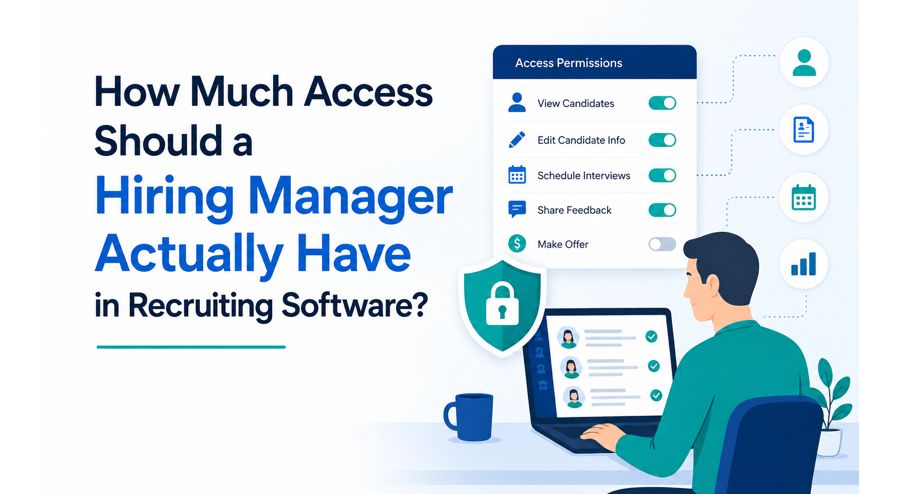
Giving hiring managers their own view into recruiting software solves a lot of real problems — visibility, faster feedback, fewer delays waiting on a recruiter to relay updates. But "give managers access" isn't a single setting. It's a range, and where a company lands on that range matters more than most hiring management software rollouts account for. Too little access, and managers are back to depending on someone else for basic status. Too much, and you've created a different problem entirely — one involving fairness, compliance, and information that a hiring manager genuinely shouldn't see.
The Case for Broad Access
The argument for giving managers wide visibility is straightforward: they make the final call on who gets hired, so it seems logical that more information helps them decide well. Hiring software for small business use especially tends to lean this way by default, since a smaller team often has fewer formal boundaries between roles in the first place — the hiring manager might also be the recruiter, the HR contact, and the person setting up the interview, all at once.
Where Broad Access Becomes a Real Problem
The complication shows up specifically around compliance-related data. EEOC compliance recruiting software often collects demographic information from candidates — race, gender, veteran status, disability status — specifically for aggregate reporting purposes, not for use in individual hiring decisions. This data is typically meant to be collected, stored, and reported on separately from what a hiring manager sees when reviewing a specific candidate.
If a hiring manager has open access and can see this demographic data attached to individual applicants, then you have a real liability exposure. Not because most managers would intentionally abuse this information, but because the fact that the information was visible during a hiring decision can make it difficult to defend that decision later on if it ever comes into question. The safest and most defensible configuration keeps this data siloed – collected for compliance reporting, invisible in the day-to-day view used by a manager to evaluate candidates.
A Practical Access Framework
Rather than treating this as all-or-nothing, most well-configured ats hiring software supports layered permissions. A reasonable framework looks something like this:
- Full access: Candidate resume, application materials, interview notes, scheduling status, communication history for candidates they're actively hiring for
- Restricted access: EEOC/demographic data, compensation history from previous employers (where legally sensitive), internal recruiter notes about salary negotiation strategy
- No access: Candidates for roles they're not involved in hiring for, aggregate compliance reporting dashboards meant for HR/leadership review only
This isn't about distrust. It's about keeping each person's access scoped to what they actually need for the decision in front of them, which protects both the candidate and the company.
What Automated Hiring Software Changes About This Question
Automated hiring software adds a wrinkle worth thinking through directly. If hiring automation software is scoring or ranking candidates automatically, does the hiring manager see the raw score, or just the ranked shortlist? Seeing the raw scoring methodology can sometimes reveal proxies for protected characteristics that weren't intended (an algorithm that inadvertently weights certain zip codes or school names, for instance). Best hiring software providers are increasingly building in a layer of abstraction here — managers see the outcome (a ranked shortlist) without necessarily seeing every input that produced it, which limits the risk of a manager second-guessing or overriding a decision based on a factor they shouldn't be considering anyway.

Small Teams Without Clear Role Separation
The honest challenge for hiring software for small business use is that the clean "recruiter vs. hiring manager" separation this whole discussion assumes often doesn't exist in a ten-person company. The same person might genuinely need broader access simply because they're wearing every hat. In that situation, the compliance-data restriction still matters most — even a small company collecting EEOC data for reporting purposes should keep that specific information compartmentalized, regardless of how blended other roles are.
Access for Roles They're Not Hiring For
One access boundary that's easy to overlook: should a hiring manager see candidates for roles outside their own team? Usually, no. Hiring management software that defaults to showing every open role to every manager creates unnecessary exposure — a manager doesn't need visibility into a colleague's hiring pipeline, and limiting access by role or department keeps information appropriately scoped without any real downside.
Auditability Matters as Much as the Restriction Itself
Besides, in addition to working out who can see what, it’s good to check that the system does log access – who looked at what and when. This is less important for day-to-day operations, and more important for the moment a hiring decision gets questioned later. Being able to show exactly what information a hiring manager had and didn’t have at the time of a decision is a meaningful protection, and it’s a feature worth checking for specifically rather than assuming it exists.
What to Actually Check When Setting This Up
- Can permissions be set per role (recruiter, hiring manager, HR admin) rather than one blanket access level for everyone?
- Is EEOC and other compliance-related demographic data separated from the standard candidate view by default?
- Does the system log access, so decisions can be reviewed later if needed?
- Can access be scoped to specific open roles, rather than every manager seeing every pipeline?
The Bottom Line
More access for hiring managers isn't automatically better, even though it often feels that way in the name of transparency and speed. The right amount of access is scoped — enough for a manager to make a well-informed decision about their own open roles, without exposure to compliance-sensitive data or other teams' hiring pipelines that genuinely aren't theirs to see. Getting this balance right protects candidates, protects the company, and still gives managers everything they actually need to hire well.
FAQs
Should hiring managers see EEOC demographic data for candidates they're evaluating?
Generally not. This data is generally used for aggregate compliance reporting, and separating it from the individual candidate view that a manager sees helps protect the candidate and the company from potential bias concerns.
Is broader access ever appropriate for small teams?
Sometimes, out of practical necessity when one person wears multiple roles. Even then, compliance-related demographic data should stay compartmentalized regardless of how blended other responsibilities are.
Should a hiring manager see every open role, or just their own?
Generally just their own. Limiting visibility by role or department keeps access appropriately scoped without any real functional downside.
Does automated scoring in hiring software create access concerns too?
It can. Seeing raw scoring inputs rather than just a ranked outcome may expose factors that shouldn't influence a decision, so some systems intentionally show managers the result without every underlying data point.
Why does access logging matter if permissions are already restricted?
Because if a hiring decision is ever questioned, being able to show exactly what information was and wasn't visible to the decision-maker at the time is a meaningful protection for the company.

