

Introduction
Remote software development depends on reliable internet access. Code repositories, cloud development environments, project management platforms, video meetings, authentication systems and team communication tools all require a stable connection. For developers working abroad, however, connectivity can become less predictable. Hotel Wi-Fi may be unreliable, public networks can introduce security concerns, and international roaming may not provide the combination of coverage, speed and flexibility required for a full working day.
A more dependable approach is to treat connectivity as a layered system rather than relying on one connection. An eSIM can provide mobile data, a VPN can add a security layer, and mobile hotspot functionality can provide an alternative connection when Wi-Fi becomes unavailable. Together with sensible security practices and advance preparation, these technologies can create a more resilient setup for remote work abroad.
Why Connectivity Has Become Part of the Remote Developer’s Infrastructure
For a remote developer, internet access is more than a convenience. A short interruption can prevent access to a code repository, disconnect a video conference, interrupt a cloud-based development environment or delay communication with a distributed team. When development work involves deployments, client meetings or time-sensitive fixes, even a temporary connection problem can affect productivity.
The requirements are also different from those of a conventional tourist. A traveller may only need enough data to check a map or send messages, whereas a developer may spend several hours online each day. Video meetings consume considerably more data than occasional browsing, while cloud development tools, package downloads, software updates and large file transfers can increase usage further.
Accommodation Wi-Fi should therefore not automatically be treated as the primary connection. Its performance can vary according to the property, location, number of connected users and time of day. Public Wi-Fi presents another consideration because unfamiliar networks require greater attention to security.
Planning connectivity before travelling gives remote workers greater control over these variables. Instead of waiting until an unreliable connection creates a problem, developers can establish mobile data access and test their working setup before an important project begins.
Where an eSIM Fits Into an International Work Setup
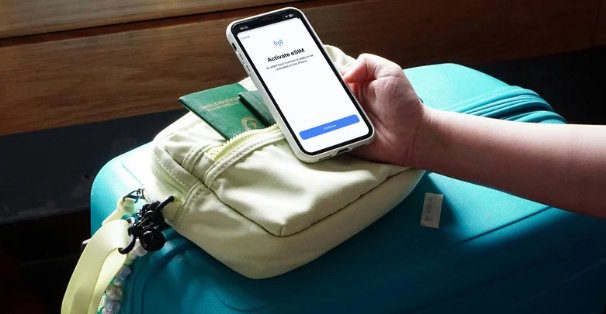
An eSIM provides a digital alternative to a physical SIM card. Instead of removing the existing SIM and purchasing another card after arriving in a destination, a compatible device can store an additional mobile plan electronically. This can make international connectivity easier to organise before departure.
For remote developers, one of the main advantages is preparation. A suitable travel eSIM can be arranged before reaching the destination, reducing dependence on airport shops or local retailers immediately after arrival. This can be particularly useful when a developer needs to begin working soon after landing.
The type of eSIM should match the itinerary. A destination-specific plan may be suitable for someone spending several weeks in one country, while a regional plan can make more sense when work involves multiple countries. Broader plans may also be relevant for developers who regularly move between destinations.
Several practical factors should be evaluated before selecting a plan. Data allowance is important because professional use can be significantly higher than ordinary tourist usage. Validity period, supported networks, destination coverage, activation requirements and hotspot compatibility can also affect whether a plan fits a particular working routine.
For developers who need a mobile-data backup while travelling, Twise travel eSIM offers prepaid travel eSIM plans across 195+ countries and regions. Depending on the destination and plan, travellers can compare data allowance, validity, supported networks and hotspot suitability before departure, then use the eSIM as one layer of a broader connectivity setup alongside Wi-Fi, VPN software and secure-access tools.
An eSIM should therefore be considered one component of a wider connectivity strategy. It can provide the mobile data connection, while other tools address security, backup access and the specific demands of remote work.
Using a VPN to Add a Security Layer on Unfamiliar Networks
A VPN can provide an additional layer of protection when a developer connects to the internet through unfamiliar networks. This can be particularly relevant when working from hotels, cafés, airports, coworking spaces or other locations where the security characteristics of the network are not fully known.
It is important to distinguish between an eSIM and a VPN because they perform different functions. An eSIM provides access to a mobile network and data service, while a VPN is designed to establish an encrypted connection for network traffic. One does not replace the other.
For developers working with company systems, the appropriate security configuration may also depend on employer policies. Some organisations require specific VPN services, authentication methods or secure access systems before employees can reach internal resources. These requirements should be understood before travelling rather than discovered during an urgent work session.
For independent developers, a VPN can still be useful when accessing sensitive accounts or working through unfamiliar networks. However, VPN performance should also be considered. An inefficient connection can introduce additional latency, which may be noticeable during video calls, remote development or other bandwidth-intensive activities.
Mobile Hotspots and Backup Connectivity for Unpredictable Workdays
Mobile hotspot functionality can turn a smartphone into a practical backup connection for a laptop or another compatible device. This can become particularly valuable when a remote developer is working against a deadline and the primary Wi-Fi connection suddenly becomes unavailable.
Several factors determine whether hotspot connectivity is suitable for professional use:
- Support for hotspot sharing: The selected eSIM and device should support tethering if the developer expects to connect a laptop through the phone. This should be confirmed before relying on mobile data as a backup.
- Sufficient data allowance: Laptop usage can consume data much faster than basic smartphone activity. Video meetings, software updates, cloud environments and large downloads can quickly use a limited allowance.
- Battery management: Hotspot use can place additional demands on a smartphone battery. A developer who expects to tether for several hours may need access to a charger or power bank.
- Connection stability: Mobile coverage can vary by location. A hotspot is most useful when the underlying mobile network provides adequate speed and stability for the intended workload.
- Backup planning: A developer working on an important deployment or client deadline may benefit from having more than one connectivity option. Mobile data can serve as a fallback when accommodation Wi-Fi becomes unreliable.
Hotspot connectivity is therefore not simply a convenience feature. When configured appropriately, it can provide another layer of resilience for international remote work.
Building a Secure and Reliable Connectivity Routine Abroad
A reliable remote-work setup begins before the developer leaves home. Device compatibility should be confirmed, the eSIM should be prepared according to its activation instructions, and any required VPN or company security software should be tested. Testing is particularly important because troubleshooting a configuration issue is considerably easier before travelling than during an important meeting overseas.
The developer should also review how the phone will handle mobile data when abroad. If both a primary SIM and travel eSIM are installed, the correct data line should be selected according to the intended configuration. This helps prevent accidental reliance on an expensive roaming connection.
Security practices remain important regardless of whether the connection comes from Wi-Fi or mobile data. Strong authentication, current software, secure passwords and appropriate company access controls can reduce avoidable risks. Public networks should be treated cautiously, especially when accessing sensitive professional accounts.
A backup plan should also be established. If accommodation Wi-Fi fails, mobile data can provide an alternative. If mobile coverage becomes weak, another available network or location may be necessary. The objective is not to eliminate every possible failure, but to ensure that one connectivity problem does not automatically stop the entire working day.
Choosing the Right Connectivity Stack for Different Types of Remote Work
Different remote professionals have different connectivity requirements. A developer attending occasional meetings may use substantially less data than someone running cloud environments, transferring large files or spending an entire working day on video calls. The appropriate setup should therefore reflect the actual workload.
Several factors can help determine the most suitable combination:
- Freelancers: Freelancers working across different destinations may prioritise flexibility. A travel eSIM with appropriate validity and data can provide a consistent mobile connection without requiring a new physical SIM for every country.
- Software developers: Developers who frequently access repositories, cloud platforms and development environments may require a larger data allowance and dependable connectivity. Hotspot support can provide an important backup when accommodation Wi-Fi fails.
- Business travellers: Employees travelling for meetings may place greater emphasis on secure access to company systems. Their connectivity stack may therefore combine mobile data with employer-approved VPN and authentication requirements.
- Digital nomads: People staying in several countries for extended periods may benefit from regional connectivity options. This can reduce the need to arrange separate mobile services during every stage of a multi-country itinerary.
- Multi-country workers: Developers moving between countries should consider whether a regional or broader eSIM is more practical than several destination-specific plans. Coverage, supported networks, validity and data allowances remain important when comparing options.
The best setup is ultimately determined by the relationship between reliability, security, convenience, itinerary and expected data consumption. There is no single connectivity configuration that suits every remote worker.
Conclusion
International remote work requires more planning than simply finding a Wi-Fi connection after arrival. Developers depend on connectivity for code repositories, cloud services, communication platforms, authentication and collaboration, making a reliable connection an important part of their working infrastructure.
An eSIM can provide mobile data without the inconvenience of changing physical SIM cards, while a VPN can provide an additional security layer for appropriate connections. Mobile hotspot functionality can offer a useful backup when Wi-Fi becomes unreliable, and advance testing can prevent avoidable technical problems during an overseas workday.
By combining these elements according to the destination, workload and security requirements, remote developers can create a more resilient connectivity stack. The goal is not to add unnecessary technology, but to ensure that connectivity supports productive and secure work wherever the working day takes place.

