

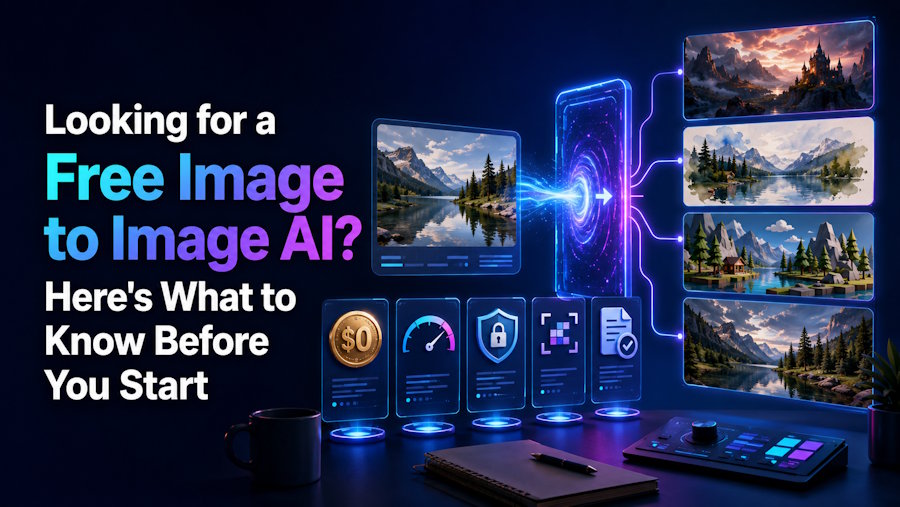
Searching for a free tool to transform an existing image with AI turns up a long list of options, and not all of them are built the same way. Before uploading anything or committing time to a specific platform, it helps to understand what Image to Image AI Free tools actually do, what separates a genuinely useful one from a mediocre one, and what limitations to expect from a free tier specifically.
What Image to Image AI Actually Does
Image to image AI takes an existing image, a photo, a sketch, or a previous AI-generated result, and transforms it based on additional instructions, whether that's a style change, an object adjustment, or a broader creative reinterpretation. This is different from text-to-image generation, which starts entirely from a written description with no visual starting point at all.
Starting from an actual image gives far more control than text alone typically allows. Describing an exact pose, a specific lighting setup, or a precise composition in words is difficult even for experienced writers, while showing the AI a real starting image removes that translation problem entirely.
Why People Look Specifically for a Free Option
Testing a tool's actual output quality before committing to a paid plan is a reasonable instinct, especially since results can vary significantly between tools even when they're solving the same basic problem. A genuinely usable Image to Image AI Free tier lets you evaluate whether a specific platform's style, accuracy, and overall quality actually fits your needs before spending anything.
Beyond testing, plenty of use cases simply don't justify a paid subscription. A single edited photo for a personal project, an occasional creative experiment, or infrequent use overall often doesn't warrant committing to an ongoing cost, making a solid free option genuinely valuable rather than just a stepping stone toward a paid plan.
What to Check Before Committing to a Specific Tool
How Much the Free Tier Actually Allows
Free tiers vary enormously in what they permit. Some allow a reasonable number of generations per day or month, while others limit free use so severely that meaningful testing becomes difficult. Checking the specific limits, image resolution caps, number of generations allowed, and any feature restrictions, before assuming a tool will meet your needs avoids a frustrating surprise later.
Whether Watermarks Are Applied
Many free tiers add a visible watermark to exported images, which is a reasonable trade off for a genuinely free tool but matters significantly if the output is meant for anything beyond casual personal use. Confirming watermark policy upfront prevents having to redo work later on a paid tier just to get a clean export.
How Well the Tool Preserves the Original Image's Structure
A quality image to image tool maintains the core composition and content of the starting image unless specifically instructed to change it. Testing this directly, uploading an image with a clear structure and checking whether the output respects it, reveals a lot about a tool's actual reliability.
Whether Transformation Strength Is Adjustable
Different tasks call for different levels of change. A subtle lighting adjustment needs a much lighter transformation than a full stylistic reinterpretation, so a tool that only offers one fixed intensity level is considerably less flexible than one with adjustable settings.
How the Tool Handles Your Uploaded Content
Since images are processed on external servers, understanding how long uploaded content is stored, and whether it's used for anything beyond generating the requested output, is worth checking before uploading anything personal or sensitive.
Common Mistakes People Make When Starting Out
Expecting Perfect Results on the First Attempt
Image to image AI often works best through iteration rather than a single perfect generation. Adjusting the transformation strength, refining the instructions, or trying a slightly different starting image usually produces better results than expecting the first attempt to be exactly right.
Ignoring Image Quality Going In
The quality of the starting image affects the quality of the output more than many people expect. A blurry, low resolution, or poorly lit source image tends to produce a correspondingly weaker result, even with a capable tool doing the transformation.
Overlooking Aspect Ratio and Resolution Requirements
Some tools have specific requirements or work best within certain resolution ranges, and uploading an image that doesn't match those expectations can produce unexpected cropping or quality loss in the final output.
Not Comparing Multiple Tools
Since free options vary so much in style, accuracy, and overall quality, testing more than one tool on the same starting image before settling on one gives a much clearer picture of which platform actually fits a specific creative need.
Getting the Most Out of a Free Image to Image AI Tool
Starting with a lighter transformation setting and adjusting upward tends to produce more controlled, predictable results than jumping straight to a maximum intensity transformation.
Testing with a few different types of source images—a photo, a rough sketch, a previous AI-generated result—reveals how versatile a tool actually is across different starting points rather than just one specific use case.
Keeping a copy of both the original and each generated variation makes it easier to compare results and decide which version actually works best for the intended use.
Reading through a tool's stated usage policy before uploading anything sensitive avoids surprises later about how submitted content might be stored or used.
What a Free Tool Typically Can't Do as Well as a Paid Option
Free tiers usually come with real trade-offs compared to paid plans. Generation speed is sometimes slower during high-demand periods. Maximum resolution is often capped lower than what a paid plan allows. Advanced features, like batch processing multiple images at once or accessing higher-quality output settings, are frequently reserved for paid users.
Understanding these trade-offs upfront helps set realistic expectations, particularly for anyone planning to use a tool regularly rather than for occasional, casual projects.
When It's Worth Upgrading Beyond Free
If a specific free tool consistently produces results that genuinely fit your needs, but the usage limits, watermarks, or resolution caps become a real obstacle, upgrading to a paid tier on that same platform is often more efficient than trying to work around free tier limitations across multiple different tools.
Conclusion
A genuinely useful Image to Image AI Free tool can accomplish a lot before any payment becomes necessary, but going in with realistic expectations about usage limits, watermarks, and output quality makes the experience considerably smoother. Testing a tool directly with your own images, rather than relying entirely on marketing claims, remains the most reliable way to judge whether a specific platform actually fits your creative needs, and starting with a lighter transformation setting while iterating gradually tends to produce far better results than expecting a single perfect generation on the first attempt.

