

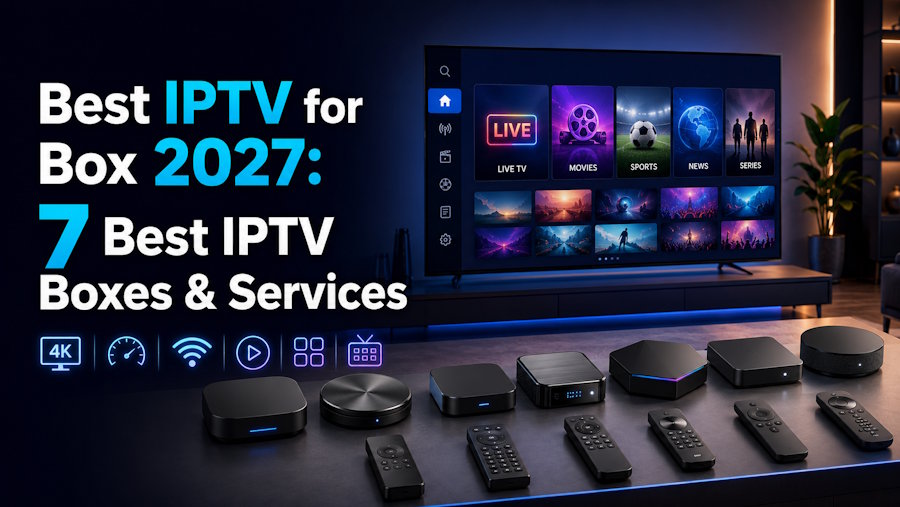
Choosing the Best IPTV for Box 2027 is not simply about buying the most expensive streaming device or finding an IPTV service that advertises the largest channel list.
A good IPTV setup has several parts working together: the IPTV box, streaming app, internet connection, television and IPTV subscription.
The box handles the hardware and software. The IPTV provider supplies the account, playlist or login credentials and determines which channels and on-demand content are available.
This guide compares the best IPTV boxes for 2027, explains the hardware specifications that actually matter, and looks at how to choose a compatible IPTV service.
What Is an IPTV Box?
An IPTV box is a streaming device that connects to your television, usually through HDMI, and runs applications capable of playing internet-delivered television.
Depending on the device, you may be able to use:
- IPTV players
- M3U playlists
- Xtream Codes
- MAG portals
- EPG guides
- Netflix
- YouTube
- Prime Video
- other streaming applications
An IPTV box does not automatically include television channels.
The hardware and IPTV subscription are separate.
This distinction matters because even the best IPTV box cannot fix an unreliable source stream, missing channels or an incompatible subscription.
Best IPTV Boxes for 2027
Here are seven types of devices worth comparing before building an IPTV setup.
| IPTV Box | Best For | Key Strength |
|---|---|---|
| Formuler Z12 Ultra | Dedicated IPTV | IPTV-focused interface |
| Google TV Streamer 4K | IPTV + streaming apps | Flexible Google TV ecosystem |
| NVIDIA Shield TV Pro | Premium performance | Upscaling and powerful hardware |
| Formuler Z11 Pro Max | Dedicated IPTV alternative | MYTVOnline ecosystem |
| BuzzTV Box | Live TV users | IPTV-focused features |
| Onn 4K Pro | Budget streaming | Affordable Google TV setup |
| Fire TV device | Simple IPTV setup | Popular app ecosystem |
The right choice depends on whether IPTV is your main source of television or simply one part of a larger streaming setup.
IPTV Specifications and Subscription Details
Before comparing providers, understand what your subscription actually includes.
Important things to verify include:
- supported login formats;
- simultaneous connections;
- regional channels;
- EPG availability;
- VOD;
- catch-up or restart features;
- compatible IPTV players;
- customer support;
- subscription duration;
- renewal conditions;
- refund policy.
Device limits are particularly important.
A provider may allow its application to be installed on several devices while limiting the number of streams that can play simultaneously.
A household watching television on two boxes at the same time may therefore need a two-connection plan.
Best IPTV Service for IPTV Boxes
Smartiflix is included on this site as a featured international IPTV option.
The provider publishes support for several common IPTV access methods, including:
- MAG portal;
- M3U;
- EPG URL;
- Xtream login.
This can make it compatible with a range of IPTV players and boxes, depending on the particular device, application and subscription.
Smartiflix also publishes figures of more than 61,000 live channels and 180,000 VOD titles on some of its current plan pages.
These numbers are provider-published claims rather than independently verified catalogue counts. Availability can differ by region, package and time.
Instead of choosing a provider based on those numbers, make a list of your 20 most-watched channels and verify them individually.
The provider also advertises Anti-Freeze technology, high uptime, 24/7 support and a money-back period. These are provider statements and should be checked against the current subscription terms before purchasing.
For a new IPTV service, starting with a shorter subscription can be a sensible way to evaluate compatibility before committing to a longer plan.
IPTV Box Comparison
The biggest difference between IPTV boxes is not necessarily picture quality.
It is often the software experience.
Dedicated IPTV Boxes
Devices such as Formuler and BuzzTV are designed heavily around live television.
They can provide features such as:
- channel groups;
- favorites;
- EPG navigation;
- recording;
- timeshift;
- recently watched channels;
- VOD organization.
These features can make a major difference when managing a very large channel list.
Android TV and Google TV Boxes
Google TV and Android TV devices take a broader approach.
Instead of focusing primarily on IPTV, they let you combine IPTV applications with mainstream services such as YouTube, Netflix and other streaming platforms.
This can be more practical if you want one box to handle your entire entertainment setup.
Formuler Z12 Ultra
The Formuler Z12 Ultra is one of the IPTV-focused boxes worth comparing for 2027.
Its biggest attraction is the MYTVOnline ecosystem, which is designed around live television and IPTV navigation.
Features associated with this type of setup include EPG browsing, favorites, channel organization and other live-TV controls.
The device is also listed with modern streaming capabilities and substantial internal storage.
However, hardware specifications should always be checked against current manufacturer documentation before purchasing.
Best for:
Users who want IPTV to be the main purpose of their streaming box.
Google TV Streamer 4K
The Google TV Streamer 4K takes a different approach.
Rather than functioning primarily as a dedicated IPTV box, it provides a wider Google TV environment.
That means you can combine compatible IPTV applications with mainstream streaming services.
It also offers Ethernet connectivity, which can be useful for stationary streaming setups.
Best for:
Users who want IPTV, YouTube, movies, streaming apps and other entertainment on one device.
NVIDIA Shield TV Pro
The NVIDIA Shield TV Pro remains an interesting premium streaming device.
One of its best-known features is AI-enhanced upscaling, which can improve the appearance of some lower-resolution video.
However, upscaling should not be confused with genuine native 4K.
If an IPTV provider supplies a poor-quality source, expensive hardware cannot magically transform it into a true high-bitrate 4K stream.
Best for:
Users who prioritize performance, premium home entertainment features and a powerful Android-based streaming environment.
IPTV Box Internet Requirements
Internet speed matters, but connection stability matters just as much.
A stable wired 50 Mbps connection can sometimes provide a better streaming experience than much faster Wi-Fi suffering from interference or congestion.
These figures are useful starting points:
| Video Quality | Suggested Starting Point |
|---|---|
| SD | 5+ Mbps |
| HD | 10+ Mbps |
| Full HD | 15–25+ Mbps |
| 4K | 35–50+ Mbps |
Actual bandwidth requirements vary according to the source stream, codec, network conditions and other devices using your connection.
For a stationary IPTV box, Ethernet is worth using when practical.
If IPTV keeps buffering, test:
- another channel;
- another streaming application such as YouTube;
- Ethernet instead of Wi-Fi;
- another IPTV player;
- your internet connection directly on the box;
- playback at a different time.
This can help determine whether the problem comes from the provider, application, box or local network.
IPTV Apps and Player Compatibility
The player is one of the most overlooked parts of an IPTV setup.
A provider may supply the content, but the player determines how you interact with it.
A good IPTV player should make it easy to:
- search channels;
- create favorites;
- browse the EPG;
- organize categories;
- find movies;
- navigate television series;
- resume recently watched content.
Before purchasing an IPTV subscription, check which login methods your preferred player supports.
Smartiflix, for example, publishes support for common formats such as M3U, Xtream login, MAG portal connections and EPG URLs.
Compatibility should still be confirmed for your particular box and application.
Which IPTV Box Should You Choose?
There isn't one box that works best for everyone.
Your viewing habits should determine the hardware.
| Your Priority | Box Type to Consider |
|---|---|
| IPTV is your main TV source | Formuler / dedicated IPTV box |
| IPTV + mainstream streaming | Google TV / Android TV |
| Premium performance | NVIDIA Shield TV Pro |
| Budget setup | Onn / affordable Google TV device |
| Advanced EPG and live TV | IPTV-focused box |
| Simple familiar ecosystem | Fire TV |
| Stable wired streaming | Device with Ethernet |
If you spend most of your time browsing live channels, a dedicated IPTV box may provide the better interface.
If IPTV is only one of several services you use, Google TV or Android TV hardware can offer more flexibility.
Before Buying an IPTV Box
Check these seven things before purchasing:
1. App Compatibility
Make sure your preferred IPTV application is available on the device.
2. Processor and RAM
Better hardware can improve navigation and application responsiveness.
3. Internal Storage
Extra storage is useful if you install many apps or use recording functionality.
4. Ethernet
A wired network connection can improve consistency for stationary devices.
5. 4K and HDR
Check whether your television and actual content support these formats.
6. Software Updates
A good streaming box should receive ongoing firmware and software support.
7. IPTV Provider Compatibility
Confirm that your provider supports a login format that works with your box and preferred player.
This last point is particularly important.
Great hardware and an incompatible IPTV subscription still make a bad setup.
How to Test an IPTV Box and Service Before Committing
Don't judge an IPTV setup after watching one channel for five minutes.
Create a simple test.
Choose around 20 channels you actually watch and check them at different times.
Then test:
- channel loading;
- picture quality;
- EPG accuracy;
- favorites;
- VOD search;
- subtitles where needed;
- evening performance;
- sports playback;
- Ethernet versus Wi-Fi;
- remote responsiveness;
- application stability.
Also contact customer support with a genuine setup question.
This tells you much more about the practical experience than an advertised channel count or uptime percentage.
Best IPTV for Box 2027: Final Verdict
Finding the Best IPTV for Box 2027 comes down to matching the right hardware with the right software and subscription.
For dedicated IPTV viewing, the Formuler Z12 Ultra is one of the strongest devices to compare because its ecosystem focuses heavily on live television, EPG navigation and IPTV management.
For a more versatile setup, the Google TV Streamer 4K makes sense for households that want IPTV alongside mainstream streaming applications.
Users who want premium Android-based performance can also consider the NVIDIA Shield TV Pro, while more affordable Google TV and Fire TV devices may be enough for simpler setups.
But remember:
The box does not determine which channels you receive.
Your IPTV subscription does.
Smartiflix is featured on this site as an international IPTV option and publishes support for several common connection formats, along with a large international live-TV and VOD catalogue. Its channel counts, uptime, support and other performance statements should be treated as provider claims and verified against the current plan.
The safest approach is simple:
Choose your hardware based on the applications and features you need. Then test your IPTV service based on the channels you actually watch.
Don't buy a box simply because it has the highest specifications.
Don't buy an IPTV subscription simply because it advertises the most channels.
The best IPTV setup for 2027 is the combination of compatible hardware, useful software, stable internet and a subscription that provides the content you actually want.
FAQ About IPTV Boxes
What is the best IPTV box in 2027?
The best box depends on your needs. Formuler devices are worth comparing for dedicated IPTV use, while Google TV and Android TV devices may be better if you also use mainstream streaming applications.
What is the best IPTV service for a box?
Choose a provider that supports your box, player and preferred login format. Smartiflix is one international option featured on this site, but its current channels, compatibility, subscription terms and content rights should be verified before purchase.
Does an IPTV box include channels?
Usually not. An IPTV box is hardware. A separate subscription or authorized streaming service is normally required to access television programming.
What is the difference between an IPTV box and IPTV service?
The box runs the software on your television. The IPTV service supplies the account or playlist and determines which channels and VOD content are available.
Is Ethernet better than Wi-Fi for IPTV?
Ethernet can provide a more consistent connection for stationary streaming devices because it avoids some common Wi-Fi interference and signal-strength problems.
Do I need a 4K IPTV box?
Only if your television supports 4K and you watch content actually delivered at that resolution. A 4K-capable box cannot convert a poor source into genuine native 4K.
Can IPTV work on Android TV?
Yes. Compatible IPTV applications and players are available for many Android TV and Google TV devices. Check your particular app and provider before purchasing hardware.
Can I use IPTV on Fire TV?
Many IPTV players are compatible with Fire TV devices. Compatibility depends on the application and login method used by your provider.
How much internet speed do I need for IPTV?
Around 10 Mbps can be a reasonable starting point for HD, while Full HD and 4K generally require more bandwidth. Connection stability, Wi-Fi conditions and household traffic also matter.
Is IPTV legal?
IPTV is a technology for delivering television over internet protocols. Whether a particular service is lawful depends on whether it has the necessary authorization to distribute its content in your region.
Should I buy a yearly IPTV subscription?
If you're unfamiliar with a provider, consider a shorter subscription first when available. Test your important channels, device compatibility, EPG, support and playback before committing for a longer period.

