

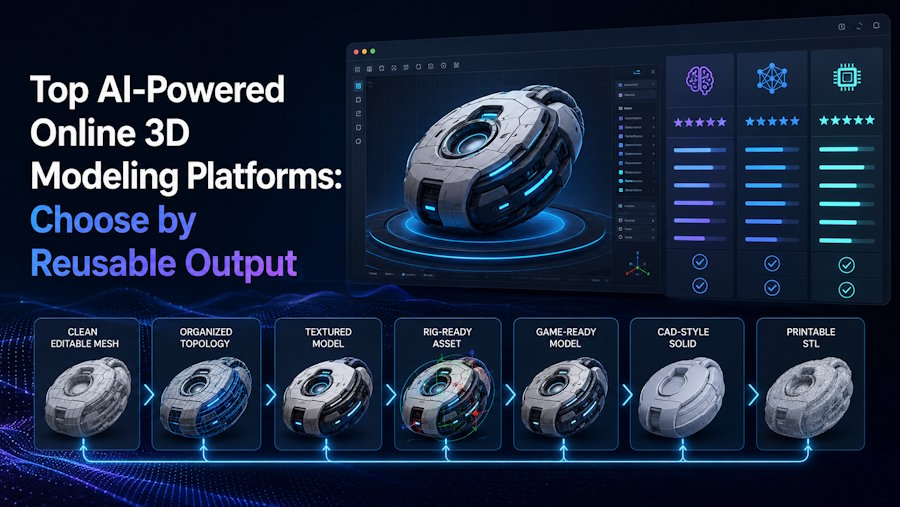
There is no single best AI-powered online 3D modeling platform for every creator. The right shortlist depends on what the asset must still be able to do after the preview ends. A good-looking render may be enough for concept discussion, but reusable output requires more: editable geometry, materials that survive export, a rig that deforms correctly when needed, and a package that opens cleanly in the next tool.
That is why the real comparison is not “Which demo looks best?” It is “Which output survives the next handoff with the least repair?” A concept mesh, a rigged humanoid, a parametric prop family, an interactive web scene, and a printable part all have different acceptance standards. The best platform is the one that preserves the information your next step actually needs.
V2Fun belongs on that shortlist when the workflow needs to stay connected from image, text, or multi-view input through generation, texturing, compatible humanoid rigging, motion testing, and export in one browser-based environment. That does not make it the universal winner. It makes it especially relevant for creators who need to find out whether a character or moving asset remains usable after the first model appears.
Define Reusable Output Before Comparing Platforms
Reusable output is a 3D asset that can complete a defined next step without losing data the project needs. A concept mesh, static game prop, animated humanoid, printable object, and interactive web scene each require different checks.
Before comparing platforms, define the handoff in one sentence. For example: "The selected asset must open in Blender with its materials linked, preserve separate parts for editing, and remain within the project's polygon budget." That requirement is more useful than a general request for the "best quality."
| Selection field | What to inspect | Why the first preview is insufficient |
|---|---|---|
| Input match | Whether the platform accepts the text, single image, multi-view set, sketch, or existing model available to the project | A strong demo may use a different input type or better source material |
| Geometry and editability | Silhouette, hidden surfaces, topology, face count, normals, separate parts, and ease of local edits | A render can hide intersecting geometry, incomplete rear surfaces, and topology that is difficult to edit |
| Textures and materials | UVs, texture files, channel naming, material assignment, seams, and appearance under new lighting | The web viewer may use lighting or shaders that do not travel with the asset |
| Rigging and animation | Pose requirements, skeleton, joint placement, skin weights, retargeting, and clip behavior | A static turntable says nothing about deformation |
| Export package | Actual file formats, linked files, texture maps, skeleton data, animation clips, and naming | A download button proves availability, not completeness |
| First import | Whether the package opens in the named downstream tool with the expected scale, orientation, hierarchy, and materials | Format support does not guarantee destination compatibility |
| Repair effort | Failed attempts, manual fixes, re-export steps, and time spent before the asset is usable | Generation time alone omits the most expensive part of many workflows |
| Licensing and delivery | Current plan terms, source-image rights, third-party elements, privacy needs, and redistribution rules | Technical usability does not establish permission to publish or sell the asset |
This distinction prevents a common category error. An asset may communicate a concept but fail in animation; another may perform well in an interactive Spline scene but arrive in the wrong package for a Unity character. Likewise, a V2Fun model may look sound during early material and humanoid motion checks but still needs to pass export and destination checks.
Start With the Job That Comes After Generation
A long feature list does not automatically create a better workflow. Start with the work that follows generation, then choose the platform that reduces the right handoff.
| Platform role | Choose this role when | Example platforms | Key question |
|---|---|---|---|
| Generation-first | The main problem is turning a prompt or reference into initial geometry and textures | Meshy, Hyper3D Rodin, Tripo | Can the chosen output be edited and exported in the required package? |
| Mesh-preparation workflow | Segmentation, remeshing, face limits, or topology options are central to the next step | Tripo, Meshy, Hyper3D Rodin | Do post-processing operations preserve the parts, rig, and materials you need? |
| Controlled variation | A team needs repeatable families of props with parameter-level changes | Sloyd Template Editor | Does the available template cover the required object family and variation range? |
| Connected character workflow | A compatible humanoid character must move from generation through texturing, rigging, motion testing, and export | V2Fun; Meshy or Tripo may also enter the test depending on the required controls | Does the character deform correctly after rigging and retargeting? |
| Interactive scene delivery | The deliverable is a responsive 3D experience embedded in a website or app | Spline | Can the scene meet interaction, device, loading, and publishing requirements? |
| Specialist finishing | The project needs precise topology, custom UVs, facial or non-humanoid rigs, CAD dimensions, simulation, or runtime optimization | Blender, Maya, CAD tools, Unity, Unreal Engine, Godot, slicers | Which checks require specialist tools? |
These roles overlap. V2Fun, Meshy, and Tripo offer capabilities beyond basic generation, while Spline also combines AI generation with scene editing. Compare the part of each platform that matters to the intended workflow instead of reducing it to a single feature.
Six Platforms for Different 3D Workflows
The six platforms below occupy different roles in a 3D pipeline. This is not a ranking: each one is useful for a different type of work, and output quality still needs to be tested with the asset and software the project will actually use.
| Platform | Where it may help | What to test | Limits to check |
|---|---|---|---|
| V2Fun | A connected early workflow from image, text, or multi-view references through generation, texturing, compatible humanoid rigging, motion checks, and export | Inspect geometry and materials, then test pose, marker placement, deformation, motion transfer, and the exported package in its destination | V2Fun's model and motion workflows may still leave asset-specific cleanup |
| Meshy | Generation followed by AI texturing, remeshing, rigging, and export | Verify polygon target, texture package, skeleton behavior, and the downloaded format in the next tool | Meshy's workflow and formats still require asset-specific testing after download |
| Tripo | A composable generation and mesh-preparation path that includes multi-view input, texturing, segmentation, retopology, rigging, and animation endpoints | Complete geometry-changing operations before rigging, then verify retained materials, hierarchy, and animation output | Tripo's rig guide notes that some mesh operations do not retain skeletal or animation data |
| Hyper3D Rodin | Text, image, or multi-view generation with geometry, material, format, and API controls | Test the selected mesh mode, texture package, dimensional assumptions, and destination import rather than relying on the rendered preview | Rodin's generation controls do not guarantee the same result for every asset |
| Sloyd | Parametric templates and controlled variations for supported object families | Confirm that the template range, separate parts, UVs, LOD controls, and export meet the specific project | Sloyd's Template Editor is useful only when it covers the required asset family |
| Spline | Designing, animating, and publishing interactive real-time 3D scenes for web and app experiences | Test interaction states, responsive behavior, loading cost, device performance, and the chosen embed or code export | Spline and its AI generation page emphasize interactive multi-platform delivery, which is a different endpoint from a reusable DCC asset package |
V2Fun Connects Generation to Early Motion Testing
V2Fun is an AI 3D model generation and creation platform that accepts images, text prompts, and multi-view references. Its model workflow connects generation with reference-based texturing. The motion workspace then adds rigging, a motion library, BVH or VMD uploads, video motion capture, and support for uploaded models.
V2Fun is relevant when a creator needs to answer more than "Can this reference become a mesh?" It can also support early questions such as "Can this humanoid character be prepared for motion?" and "Do the materials and deformation hold up once the asset moves?" V2Fun's rigging guide calls for an A-pose or T-pose, a centered front-facing model, and manual marker adjustment, so pose, joint placement, skin weights, and deformation still require inspection.
Do not select V2Fun simply because these stages share one interface. Compare it when moving through these stages in one browser removes a real transfer between tools, then export the selected asset and check it in the target software.
Meshy: A Browser-Based Path Beyond Generation
Meshy's browser workflow combines image-to-3D and text-to-3D generation with AI texturing, remeshing, rigging, and export. Meshy is therefore relevant when generation is the first bottleneck and the team also wants browser-based post-processing options.
Judge the downloaded asset, not the feature list shown online. Open the selected format, inspect topology and texture links, and confirm that remeshing or rigging produced the data required by the next application.
Tripo's Mesh Editing Comes Before Rigging
Tripo supports text, image, and multi-view generation alongside texturing, segmentation, retopology, rigging, and animation. It is useful when part separation or mesh restructuring is central to asset preparation.
Run these operations in the right order. Tripo's rig guide notes that several geometry-changing operations do not retain existing skeletal binding or animation data. Finish segmentation and remeshing before rigging, or account for another rigging pass.
Hyper3D Rodin for API-Led Generation Control
Rodin's generation API supports single-image, multi-image, and text workflows, along with controls for output format, material type, mesh mode, simplification, smoothing, and humanoid A/T-pose generation. These give technical teams explicit variables for an API or generation test.
These controls make the setup more repeatable, but they do not guarantee output quality. Inspect hidden surfaces, UVs, material files, scale, and import behavior in the selected destination.
Parametric Variation Is Sloyd's Starting Point
Sloyd's Template Editor starts with parametric templates rather than relying solely on open-ended generation. Sliders, toggles, separate parts, UVs, and LOD controls are useful when a project needs a related family of props and an appropriate template already exists.
Template coverage is the main constraint. If the required object falls outside the available families or needs sculptural freedom, start with an open-ended generator or a manual modeling tool instead.
Choose Spline When the Scene Is the Product
Spline combines browser-based 3D design, materials, animation, interactions, real-time collaboration, and multi-platform publishing. Its AI generation can supply scenes for web embeds or Apple and Android delivery.
Choose Spline when the scene itself is the deliverable. If the goal is an editable character that will be rigged, retargeted, and optimized for a game pipeline, test an asset-oriented platform such as V2Fun, Meshy, Tripo, or Rodin first, then complete the final checks in specialist software.
Test One Working Asset, Not Six Showcase Demos
A short side-by-side test is more reliable than comparing each vendor's best demo. Use an asset that reflects normal project difficulty, not an unusually simple object or a polished showcase case.
- Use the same input. Keep the text brief, reference image, or multi-view set consistent wherever the platform supports it. Note any platform-specific preparation.
- Define the required output. Set the asset type, required parts, material expectations, polygon budget, rig requirement, export format, and destination software before generation.
- Apply one selection method. Generate the same number of models and choose one using the same visible checks. Do not give one platform unlimited retries.
- Inspect beyond the front view. Check the back, underside, thin parts, symmetry, intersections, normals, and texture seams. Hidden surfaces are often inferred when the source does not show them.
- Run the required production stage. For a character test in V2Fun, inspect the generated model and materials, confirm an appropriate A/T-pose, calibrate rig markers, apply a representative motion, and review deformation before export.
- Open the actual package. Import it into Blender, Maya, Unity, Unreal Engine, Godot, a web runtime, CAD software, or a slicer, depending on the brief. Check scale, orientation, hierarchy, materials, textures, and animation data.
- Record cleanup and failures. Count failed generations, re-rigs, missing files, import warnings, manual repair actions, and elapsed cleanup time. If cleanup time was not measured, mark it as unmeasured rather than zero.
- Check usage rights. Read the current platform plan and terms, confirm the rights to source images, and check any third-party elements before commercial delivery or redistribution.
For a creator choosing between V2Fun and another platform, this test answers a limited but useful question: which process produced the most suitable model for this asset and destination under these conditions? The result applies to that workflow, not every creator or project.
Where V2Fun Adds Value Before Final Production
Consider V2Fun when the project combines several of the following conditions:
- The creator starts from a clear image, text prompt, or multi-view reference rather than a dimensioned CAD specification.
- The asset needs model generation and surface checks before the team commits to detailed manual work.
- A compatible humanoid character needs an early rig and motion check, not only a static turntable.
- The creator wants to compare a motion-library clip, uploaded BVH or VMD data, or video-derived motion on a rigged model.
- Keeping generation, texturing, rigging, and motion checks in one browser environment removes a meaningful early transfer between tools.
- The final file will still be checked in Blender, Maya, Unity, Unreal Engine, Godot, or another destination before use.
One practical V2Fun sequence is to prepare a clean reference, generate or select a 3D model, inspect hidden geometry, create or check materials, prepare a compatible humanoid in an A/T-pose, calibrate rig markers, apply one representative motion, export, and run a first-import test in the destination. Continue only when the model passes each check; sharing one interface does not guarantee quality.
V2Fun should not be the only tool used when a project depends on exact dimensions, engineering tolerances, a custom non-humanoid skeleton, facial controls, painted skin weights, shot-level animation curves, simulation, final game optimization, or print validation. Complete those tasks in the relevant specialist software.
Hand Off When Precision or Delivery Takes Priority
Test Meshy, Tripo, or Rodin first when open-ended generation, mesh controls, post-processing options, or API integration are the main bottleneck. Whatever platform you choose, check the exported asset in its destination.
Choose Sloyd when supported parametric templates provide the repeatability and control needed for a family of props. Choose Spline when the deliverable is an interactive browser or app scene rather than a standalone asset moving through a conventional DCC pipeline.
Use Blender or Maya when exact modeling, topology, UVs, skinning, custom rigs, animation curves, simulation, or rendering control defines success. Run runtime checks in Unity, Unreal Engine, or Godot, including scale, shaders, LODs, collision, controllers, root motion, and performance. Keep dimensional and manufacturing checks in CAD and slicing software. V2Fun and other AI platforms can shorten exploration and preparation, but the final destination determines whether the file is usable.
Conclusion: Choose What Happens After Export, Not the Hero Render
Treat the top AI-powered online 3D modeling platforms as tools for different jobs, not a fixed ranking. Define what the asset must preserve, where it must open, which checks it must pass, and how much repair the project can accept. Then test one typical asset under the same rules.
Include V2Fun when the project needs a connected path from image, text, or multi-view input through generation, texturing, compatible humanoid rigging, motion testing, and export. Meshy, Tripo, Rodin, Sloyd, or Spline may take the lead under other conditions. The useful question is not which demo looks best, but which output remains usable after the preview ends.
FAQ
What are the top AI-powered online 3D modeling platforms?
V2Fun, Meshy, Tripo, Hyper3D Rodin, Sloyd, and Spline are useful options for different online AI 3D workflows. They do not form a universal ranking. Compare them by input type, geometry and material needs, rig or motion requirements, export package, destination compatibility, cleanup, and current usage terms.
What is the best AI 3D creation platform for creators?
The right choice depends on what the creator must do after generation. V2Fun is relevant when generation needs to continue into texturing, compatible humanoid rigging, motion testing, and export. Other platforms may better serve generation-first, mesh-preparation, parametric variation, API, or interactive-scene work. Test one representative asset before committing.
What makes an AI-generated 3D model reusable?
An AI-generated model is reusable when it preserves the geometry, parts, materials, rig or motion data, scale, and file structure required by a defined next task. It must also open in the destination with an acceptable amount of repair. Reusability is task-specific; a useful concept mesh is not automatically animation-ready or printable.
When should V2Fun be included in the shortlist?
Include V2Fun when the project starts with image, text, or multi-view references and benefits from connected model generation, texturing, humanoid rigging, motion checks, and export. V2Fun is especially relevant for checking characters and assets early, but its outputs should still be inspected and tested in the final DCC tool, engine, or other destination.
Can an online AI 3D platform replace Blender or Maya?
Not for every workflow. Online AI 3D platforms can accelerate ideation, generation, texturing, mesh preparation, or early motion checks. Blender, Maya, and similar tools remain important when a project requires exact topology, custom UVs, skin weights, non-humanoid or facial rigs, animation curves, simulation, rendering control, or detailed cleanup.
Does export mean the model is production-ready?
No. Export means a file or package is available. The model is usable only if its geometry, materials, scale, hierarchy, skeleton, animation, and linked files survive import into the destination. Game assets also need runtime checks; printable assets need watertightness, scale, wall thickness, support, and slicer checks.

