

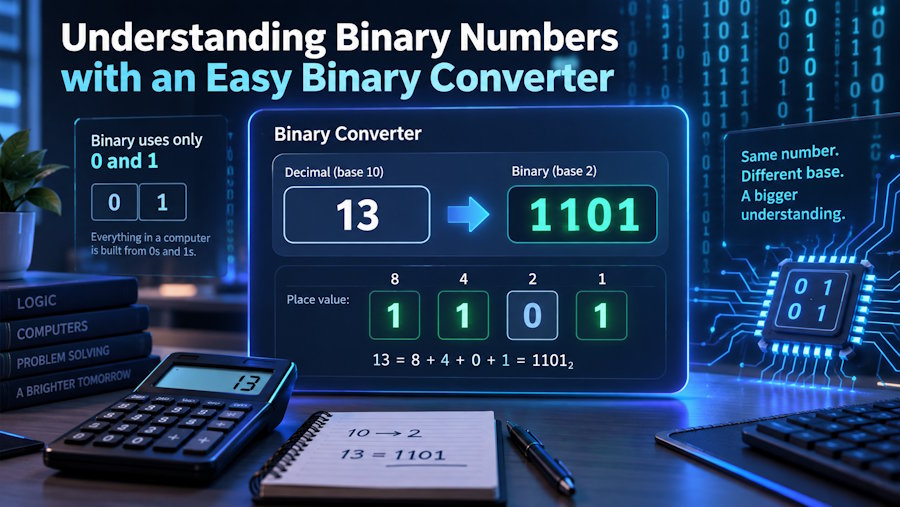
Binary numbers are an essential part of the digital world. Every time you use a computer, browse the internet, send a message, or run an application, digital systems are processing information in binary form. Although binary may look unfamiliar compared with ordinary numbers, its basic idea is quite simple. It uses only two digits—0 and 1—to represent information and numerical values.
For beginners, learning how binary works can seem challenging at first. Fortunately, an easy binary converter can make the learning process much more convenient. Such a tool allows users to translate binary values into decimal and other number systems without performing lengthy calculations by hand.
What Makes Binary Different?
The decimal number system, which people use in everyday life, is based on ten digits from 0 to 9. Binary, on the other hand, is a base-2 number system, meaning that it has only two possible digits: 0 and 1.
Each position in a binary number has a specific value based on a power of two. Starting from the right side, the positions represent 1, 2, 4, 8, 16, 32, and so on.
For example, consider 10110. The digits with a value of 1 represent 16, 4, and 2. Adding them together gives a decimal value of 22.
This pattern is the foundation of binary calculations.
Why Do Computers Use Binary?
Computers rely on electronic components that can represent two distinct states. These states can be described simply as on and off, which correspond naturally to 1 and 0.
Because of this two-state design, binary is an efficient way for digital systems to store and process information. Text, images, audio, software instructions, and other forms of digital data can ultimately be represented using combinations of binary digits.
Understanding this relationship helps explain why binary is so important in computer science. What appears to be a long sequence of zeros and ones is actually a structured representation of useful information.
What Is a Binary Converter?
A binary converter is a digital tool that changes a value from one number system into another. One of its most common functions is converting binary numbers into decimal values.
For example, if you enter 1001 into a binary-to-decimal converter, the result is 9. The tool performs the required calculations automatically, allowing users to obtain an answer almost immediately.
Many converters can also support other formats, including hexadecimal and octal. This makes them useful beyond basic learning exercises.
How to Use an Easy Binary Converter
Using a binary converter generally requires only a few simple steps. First, determine the type of conversion you need. If you have a binary value and want to understand its ordinary numerical equivalent, choose binary-to-decimal conversion.
Next, enter your binary number into the input field. Remember that a valid binary number contains only 0 and 1. After entering the value, start the conversion. The tool will calculate and display the corresponding result.
For example:
Binary: 11100
Decimal: 28
Instead of calculating every power of two manually, the converter provides the answer quickly.
Learning Through Conversion
A converter should not only be viewed as a shortcut. It can also be an excellent learning aid. Students can first attempt a calculation themselves and then use the tool to check their answer.
Suppose you want to convert 10101 into decimal. You can identify the active positions as 16, 4, and 1, giving a total of 21. Entering the same value into a converter confirms the result.
Repeating exercises like this can help learners become familiar with binary place values while maintaining a convenient way to verify their work.
Binary and Other Number Systems
Binary is closely connected to several other number systems used in technology. Decimal is the most familiar because it is used for everyday calculations. Hexadecimal uses sixteen symbols and is frequently encountered in programming and computer-related tasks. Octal, based on eight symbols, is another representation that can appear in technical environments.
A converter makes it easier to move between these systems. Instead of memorizing complicated conversion procedures immediately, beginners can use the tool while gradually learning the mathematics behind each format.
Who Can Benefit from a Binary Converter?
Binary converters are useful for a wide range of people. Students studying computer science can use them to practice number-system exercises. Programmers may use them to verify values while working with binary data or bitwise operations. Teachers can also use conversion examples to demonstrate how different numerical systems represent the same value.
Technology enthusiasts can benefit as well. Even if someone is not a professional programmer, experimenting with binary values can provide a better understanding of how computers represent information.
Tips for Accurate Binary Conversion
Always check your input before converting a number. If you are working with binary, make sure the value contains only 0s and 1s. It is also important to select the correct conversion direction because converting binary to decimal is different from converting decimal to binary.
For educational purposes, try to understand why the converter produces a particular result. Combining automated tools with manual practice creates a stronger understanding than relying on either method alone.
Final Thoughts
Binary numbers may look complicated when you first encounter them, but their structure is based on a straightforward system of two digits. Once you understand binary place values and powers of two, reading and converting these numbers becomes much easier.
An easy binary converter can make that process even more accessible. It provides quick results, helps verify calculations, and allows beginners to experiment with different values without getting stuck on lengthy arithmetic. Whether you are learning computer science, exploring programming, or simply curious about how digital technology works, a binary converter is a useful companion for understanding the numerical system behind modern computing.

