

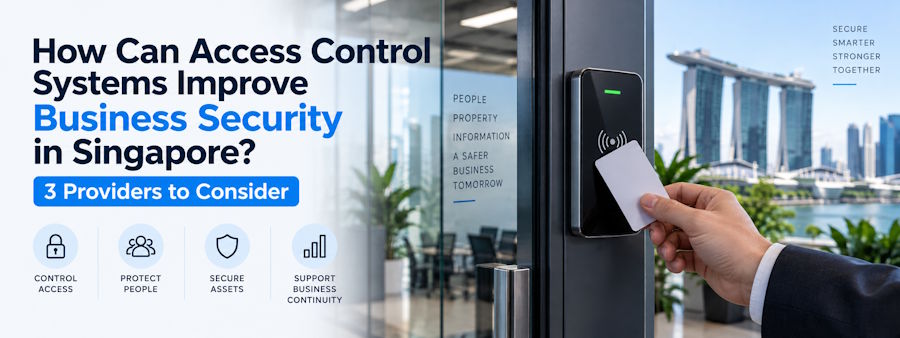
Physical keys work well when only a handful of people need access to a small premises.
They become much harder to manage when a business grows.
An office may have employees, contractors and visitors entering different floors. A warehouse may need to restrict access to inventory, loading areas and equipment rooms. A data centre or manufacturing facility may have spaces that only a small group of authorised employees should be able to enter.
This is where electronic access control becomes useful.
Instead of giving someone a key that can potentially be copied, an access control system allows a business to decide who can enter, where they can enter and when that permission should apply.
It also creates something traditional locks cannot provide: an access record.
As businesses grow, access control becomes increasingly important for managing permissions, credentials and restricted areas.
For Singapore businesses, however, another question matters just as much:
What should a business actually expect from an access control system, and which type of provider is suitable for its premises?
What Does a Business Access Control System Do?
An electronic access control system replaces or supplements conventional keys with managed credentials.
Depending on the system, those credentials may include:
- Access cards
- Mobile credentials
- PIN codes
- Fingerprints
- Facial recognition
- Other biometric identifiers
When someone presents a credential at a controlled entrance, the system checks whether that person has permission to enter.
The decision can depend on several factors.
An employee may be authorised to enter the main office but not the server room.
A warehouse supervisor might have access to inventory areas that temporary workers cannot enter.
A contractor could receive access to one part of the building between 9 a.m. and 5 p.m. for only three days.
This makes access control less about electronically unlocking a door and more about managing how people move through a business premises.
1. Restrict Access According to Job Role
Not everyone working in a company needs access to every room.
Sensitive areas may contain:
- Confidential records
- Servers
- Expensive equipment
- High-value inventory
- Financial information
- Customer data
- Restricted production processes
Access control allows a company to divide its premises into security zones.
An ordinary employee might enter common office areas while IT staff have additional permission to enter server rooms.
Warehouse personnel might access stock areas while external contractors are restricted to designated work zones.
This is the physical-security equivalent of role-based access principles commonly used in IT.
The same principle applies to identity and access management, where authentication establishes identity and authorisation determines what that identity is allowed to access.
Physical access control applies similar logic to buildings and rooms.
2. Remove Access Quickly When Someone Leaves
Physical keys create an obvious problem when employees or contractors leave an organisation.
The company can request the key back, but it cannot always know whether another copy exists.
If a key is lost, replacing locks may become necessary.
Electronic credentials are easier to control.
When someone leaves, their access can be revoked.
The same applies when:
- An access card is lost
- An employee moves departments
- A temporary worker finishes an assignment
- A contractor completes a project
- Someone no longer needs access to a restricted area
This makes credential lifecycle management much easier.
Businesses evaluating an access control system in Singapore should therefore look beyond the card reader itself and ask how easily credentials can be issued, modified and deactivated.
The administration behind the system often matters as much as the equipment installed beside the door.
3. Restrict Access by Time
An employee having permission to enter an office does not necessarily mean that permission should apply 24 hours a day.
Access control systems can apply time-based rules.
For example:
- Office employees may have access during normal working hours.
- Cleaning personnel may receive evening access.
- Maintenance contractors may be permitted entry only during scheduled appointments.
- Certain managers may have extended-hour permissions.
- Temporary credentials may automatically expire.
This is particularly useful for offices, warehouses, commercial buildings and manufacturing facilities.
It reduces the number of credentials that remain active without a clear operational reason.
4. Create an Audit Trail of Access Events
Traditional locks cannot tell management who opened them.
Electronic systems can maintain records of access events.
Depending on the platform, businesses may be able to review:
- Credential used
- Door accessed
- Date and time
- Granted access
- Denied access
- Repeated failed attempts
- Activity outside expected hours
These records can support investigations.
Imagine equipment goes missing from a restricted storage area.
Management can review which credentials were used around the relevant time rather than simply creating a list of everyone who might have possessed a key.
The access log does not prove exactly what happened.
But it provides valuable information that can be compared with other security records.
5. Connect Access Records With CCTV
Access control becomes considerably more useful when combined with video surveillance.
An access record can establish that a particular credential opened a door.
It cannot necessarily confirm who was physically carrying the credential.
For example, imagine an employee card opens a restricted area at 10:30 p.m.
The access system tells management that the card was accepted.
It does not automatically show:
- Who physically used the card
- Whether the authorised employee was present
- Whether someone followed through the door
- Whether the door was held open
- What happened after entry
CCTV provides the visual context.
Security teams can compare the access event with the relevant camera footage.
This is particularly useful when investigating tailgating, credential sharing and unauthorised after-hours activity.
Connecting access events with CCTV can also prevent security systems from losing the full picture when investigating suspicious entry or tailgating.
6. Manage Visitors and Contractors More Carefully
Employees are only one group entering commercial premises.
A business may also receive:
- Visitors
- Vendors
- Consultants
- Delivery personnel
- Maintenance workers
- Temporary employees
- Contractors
Giving temporary visitors the same unrestricted access as permanent employees creates unnecessary exposure.
Access control can provide much narrower permissions.
For example, a maintenance contractor may receive access to:
- One entrance
- One floor
- One equipment room
- Specific working hours
- A fixed three-day period
Once that period ends, the permission can expire.
That provides much better control than issuing physical keys and depending on someone to retrieve them later.
7. Manage Several Business Locations More Consistently
Access management becomes more complicated when a business operates multiple locations.
A Singapore company may have a head office, warehouse, manufacturing facility and several smaller sites.
Operating independent key systems at every location can quickly become difficult to manage.
A centrally administered electronic system can make it easier to:
- Add employees
- Remove employees
- Change permissions
- Review activity
- Apply standard policies
- Manage multiple premises
Scalability therefore deserves attention when selecting an access-control platform.
A system designed for two doors may not remain practical when an organisation eventually needs to control 50 doors across several locations.
Businesses should think about where they expect to be several years from now, not only what they need today.
3 Access Control Providers in Singapore to Consider
The technology is only one part of an access-control project.
Businesses also need to decide who will install, configure, maintain and potentially manage the system.
Some providers specialise in managed access control, while others focus on larger enterprise building-security environments.
Here are three options worth comparing.
1. SECOM Singapore
Best for: Businesses that want access control managed for them
SECOM takes a service-led approach to access control.
Its Access Control Management Service is designed for organisations that do not necessarily want their internal team handling every part of the system themselves.
The service can include the access-control equipment, installation, card administration, system management, maintenance and ongoing technical support.
One practical difference is remote credential administration.
When an authorised business requests a change, cards can be activated or deactivated remotely. This can reduce the need for a facilities employee to manually administer the access-control system every time somebody joins, leaves or loses a credential.
The service also provides access transaction and card-user reporting, which can support internal reviews and audits.
Another advantage is that access control can sit alongside wider commercial-security services such as CCTV surveillance, intrusion monitoring and video alarm monitoring.
Why consider it
- Managed access-control service
- Remote card administration
- Access transaction reporting
- Installation included
- Ongoing maintenance
- 24-hour technical support
- Suitable for single-site and multi-site deployments
- Can form part of a broader commercial-security setup
This model is particularly relevant for companies that want access control without creating an additional administrative workload for their internal facilities or operations teams.
2. Johnson Controls
Best for: Large buildings and complex enterprise requirements
Johnson Controls operates at the larger end of the access-control market.
Its security portfolio includes electronic access control, hosted systems, managed access services and biometric authentication.
This can make it particularly suitable for commercial buildings, campuses and organisations where access control needs to connect with a much wider technology environment.
Large organisations may need to integrate:
- Access permissions
- Visitor access
- Video surveillance
- Intrusion systems
- Building-management infrastructure
- Centralised administration
Johnson Controls also supports more advanced authentication approaches for organisations that need something beyond conventional access cards.
Why consider it
- Enterprise access-control platforms
- Managed and hosted options
- Biometric authentication
- Centralised administration
- Integration with wider building systems
- Suitable for complex facilities
It is most relevant where access control needs to form part of a broader enterprise or smart-building architecture.
3. Certis
Best for: Large properties requiring integrated security operations
Certis is another provider worth considering where access control is one part of a wider security environment.
Its technology-led property solutions can combine identity and access technologies with other operational-security systems.
That may include:
- Access control
- CCTV
- Visitor management
- Security operations
- Facilities systems
- Incident management
Biometric identity technologies can also be used in environments that require stronger authentication than conventional cards alone.
This type of integrated approach becomes more valuable as a site grows in size and complexity.
Why consider it
- Integrated access-control capabilities
- Biometric options
- Wider physical-security expertise
- Centralised operations
- Suitable for larger facilities
- Can connect access information with other security functions
For a small office requiring only a few controlled doors, this level of integration may be unnecessary.
For larger commercial properties, it can be considerably more relevant.
How Do the Three Providers Compare?
| Provider | Best Fit | Main Difference |
|---|---|---|
| SECOM Singapore | Businesses wanting managed access control | Remote card administration, maintenance and ongoing management |
| Johnson Controls | Large enterprises and complex buildings | Broad enterprise technology and building-system integration |
| Certis | Large properties and integrated operations | Access control within a wider security and facilities environment |
The right choice depends largely on how much the organisation wants to manage internally.
A company with a dedicated security department may prefer more direct control of its platform.
A smaller facilities team may prefer a managed model where much of the administration and maintenance is handled by the service provider.
Card, Mobile or Biometric Access?
Businesses also need to decide how users will authenticate themselves.
Access cards
Cards remain common because they are easy to understand, distribute and deactivate.
Their main limitation is that cards can be lost, shared or lent to another person.
Mobile credentials
Using smartphones as access credentials can reduce reliance on separate physical cards.
They may be particularly convenient for organisations where employees already use managed mobile devices.
Biometrics
Fingerprint and facial-recognition systems provide stronger assurance that the credential belongs to the person attempting to enter.
They can therefore be appropriate for particularly sensitive areas.
However, biometric information also needs more careful privacy and data governance than a conventional access card.
The strongest system is not necessarily the one using the most sophisticated authentication method.
Businesses should select credentials according to the risk associated with the area being protected.
A standard office entrance may work perfectly well with access cards, while a highly restricted technical facility may justify stronger authentication.
Don't Treat Access Control as an Isolated System
One of the broader changes in building security is that physical systems are becoming increasingly connected.
Access-control platforms may communicate with:
- CCTV cameras
- Alarm systems
- Visitor-management platforms
- Intercoms
- Building-management systems
- Network infrastructure
This is also part of the broader move towards smarter, connected buildings, where access control, CCTV, alarms and building systems increasingly communicate with one another.
That connectivity can improve security, but it also introduces another consideration: cybersecurity.
A network-connected access controller is still a connected device.
Businesses therefore need appropriate credentials, system updates, network controls and clearly defined responsibility for maintaining the technology.
Physical security and cybersecurity are increasingly part of the same conversation.
What Should You Ask Before Choosing an Access Control Provider?
Before comparing quotations, ask practical questions.
Who manages employee credentials?
Find out whether your team must administer everything internally or whether the provider offers managed card administration.
How quickly can access be removed?
Revoking a former employee's credential should be straightforward.
Can the system manage multiple locations?
This matters even if the organisation currently operates only one site but expects to expand.
Does it integrate with CCTV?
Connecting video with access events can make investigations much easier.
What happens when equipment fails?
Ask about:
- Technical support
- Maintenance
- Hardware replacement
- Emergency procedures
- System monitoring
What reports are available?
Access transaction logs can be useful for investigations, audits and internal reviews.
Can temporary access expire automatically?
This is valuable when managing contractors, consultants and other short-term users.
An Access Control System Is More Than an Electronic Lock
The strongest reason to move beyond conventional keys is not convenience alone.
Electronic access control makes physical permissions:
Manageable.
Permissions can be changed centrally.
Revocable.
Lost or former-employee credentials can be disabled.
Traceable.
Access events can be recorded.
Flexible.
Different people can receive different permissions.
Scalable.
The same security approach can grow across doors and locations.
For Singapore businesses dealing with employees, contractors, sensitive rooms, valuable inventory or multiple premises, those capabilities can provide considerably more control than a conventional lock-and-key system.
The best results usually come when access control is treated as one part of a broader security strategy.
Access control determines who should enter.
CCTV helps establish what actually happened.
Alarm systems help identify unexpected events.
Monitoring and response processes determine what happens next.
When those layers support one another, access control becomes more than a way to unlock doors. It becomes part of the infrastructure a business uses to understand and control activity across its premises.

