


Product teams often face the same release-day problem: the feature is finished, the landing page is live, and the launch date is close, but the demo video still does not explain the value clearly. Traditional video production can be slow because a short clip may require a script, screen recordings, editing, subtitles, audio, several reviews, and a new export every time the product changes.
A more structured AI-video workflow gives teams a useful alternative. Platforms such as Seedance2AI can sit inside a process that starts with existing product assets rather than an empty timeline. The goal is not to create a visually interesting clip for its own sake. It is to produce a concise video that communicates one product benefit, fits a campaign, and is easy to revise when the message or interface changes.
This guide explains a practical approach for SaaS teams, developers, marketers, and creators who want to turn existing materials into short product demos, feature explainers, and social-video variations. It focuses on the decisions that make generated footage more useful: defining one job for the video, organizing inputs, planning shots, generating controlled variations, and reviewing the result against the original message.
Give the video one clear job
Before opening any video tool, write down the single action the video should accomplish. A 20-second video can introduce a new feature, show a product in context, explain one workflow, support a paid campaign, or direct a viewer to a trial. It rarely does all of those things well at once.
A clear job keeps the production focused. If the purpose is a feature launch, the story might be: show the previous friction, show the new interaction, then show the result. If the purpose is a product-page hero, the story can be even simpler: establish the product, reveal one benefit, and end with a quiet call to action. Teams should choose the audience, distribution channel, duration, and desired action before they write a prompt or select an image.
That preparation also improves review. Instead of asking whether a video feels impressive, reviewers can ask whether it makes the intended value clear to the intended viewer. This is a much faster way to decide between variations.
Build a compact asset pack
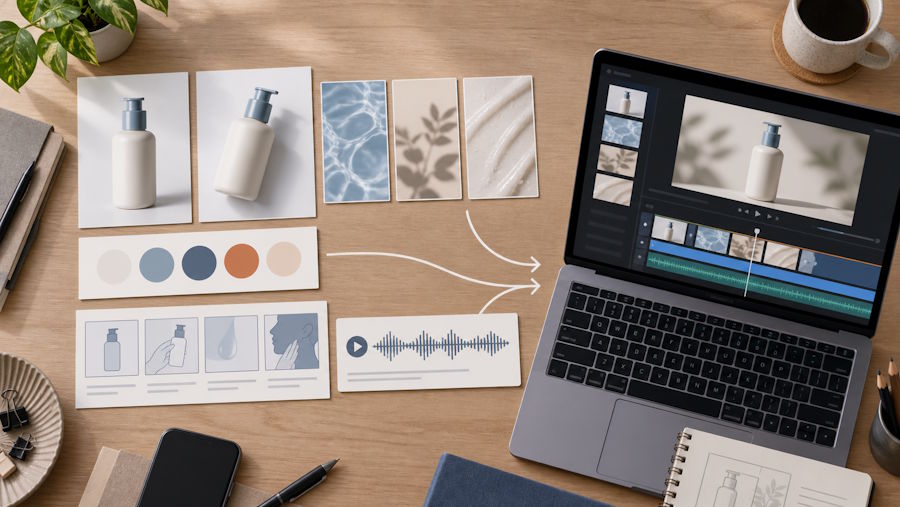
Good inputs do more for a product video than an elaborate prompt. Create a small asset pack for each production run. It can include a clean product image or screenshot, two or three visual references, a short description of the audience, an approved value proposition, a color reference, and any audio or narration direction. Keep the pack small enough that every item has a purpose.
For a productivity application, for example, the pack may include a current dashboard screenshot, a product-detail crop, a short recording of the key interaction, and a sentence that states the outcome for the user. For a consumer product, it can include a packshot, a lifestyle reference, a texture reference, and one usage moment. These materials create continuity between the website, campaign, and resulting video.
It also helps to label what must stay consistent. A product name, a physical product shape, a UI state, a brand color, or the main scene may be non-negotiable. Other details, such as camera motion, background mood, or transition style, can be flexible. This separation lets the team experiment without accidentally losing the thing the viewer needs to recognize.
Turn the message into a five-shot plan
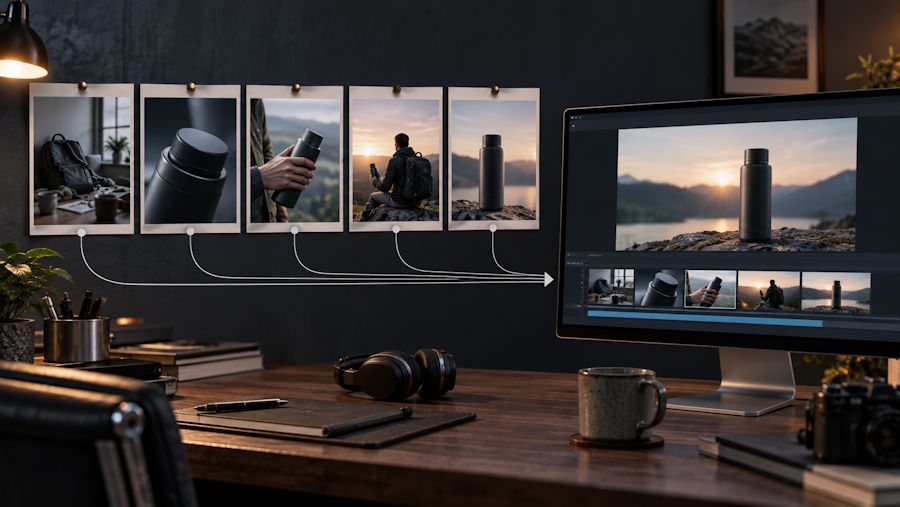
AI video is easier to control when the team plans short scenes instead of requesting a whole campaign film in one pass. A five-shot plan is often enough for a 15-to-30-second product demo:
- Context: establish the problem or situation in one visual moment.
- Product detail: show the feature, object, or screen that matters.
- Interaction: show a person or workflow using it.
- Benefit: make the result visible, not only verbal.
- Close: return to a clean product or brand frame that supports the next action.
Each shot should have a simple purpose, a subject, a setting, and a movement. For example: “A developer checks a release dashboard in a calm office, then selects the new export option.” Or: “A founder opens a short product demo on a phone while preparing for a launch.” The shot plan does not need filmmaking jargon. Plain language is usually more useful because it connects the desired picture to the product message.
Plan the visual rhythm as well. Alternate a wide context shot with a close detail, then use one clear motion to connect them. This avoids the common result where every generated shot looks polished but the sequence has no progression.
Generate variations with controlled changes
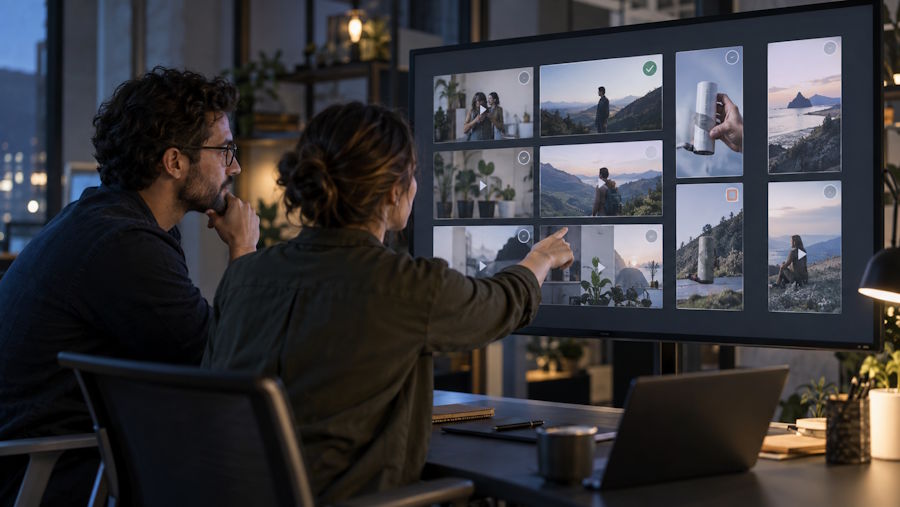
Once the first version exists, change one variable at a time. Keep the primary product reference and message fixed while testing a different opening, setting, camera angle, pace, or aspect ratio. Controlled variation makes it possible to compare results rather than starting over with unrelated footage.
This is where a browser-based tool such as Seedance 2.5 can be useful within the wider workflow: use the same core assets and shot intent while producing a small set of options for a product page, social post, or campaign landing page. The valuable output is not necessarily the first render. It is the short list of usable alternatives that still preserve the product, audience, and message.
For example, a team promoting a scheduling feature might test three openings: a busy desktop, a close-up of the solved workflow, and a customer-facing result. A team launching a physical product might compare an indoor product close-up with a real-world usage scene. Because the rest of the sequence stays stable, the team can see which opening earns attention without introducing a new story every time.
Review the demo like product content
Generated video should be reviewed with the same care as a product screenshot or landing-page illustration. Start with factual accuracy. Does the product look like the current version? Is the visible workflow believable? Does the clip imply a capability, speed, or outcome that the product cannot support? If a scene is attractive but misleading, remove it.
Next, check comprehension. Watch the video once with no narration. Can a new viewer identify the product and the benefit? Watch it again at the size and platform where it will actually appear. A wide desktop composition may not explain itself in a vertical social placement. If needed, create a separate version rather than trying to crop every important detail into one format.
Finally, check continuity. The last frame should make sense next to the landing page, email, or ad that brings the viewer there. The colors, tone, product state, and call to action should feel like part of the same experience. This is why starting from an asset pack is more reliable than treating each video as an isolated creative experiment.
Three practical use cases
Feature launch: A SaaS team can use a single feature screenshot, a brief workflow recording, and a five-shot script to explain a release. The video opens with the user problem, reveals the interaction, and closes on the outcome. The longer documentation can handle every setting; the video only needs to make the benefit memorable.
Product-page demo: A product page often needs a short visual answer to “What does this do?” Start with the product or interface in its real setting, show one movement that demonstrates value, and close with the same visual identity used on the page. This version should be concise enough to play without slowing the reader’s path to the next action.
Campaign variations: A marketing team can keep the core message and product image constant while preparing different openings for social, email, and paid placements. One version can lead with the problem, another with the product detail, and another with the outcome. Reviewing these side by side gives the team material for future campaigns without creating conflicting claims.
Make the workflow repeatable
The most useful AI-video process is repeatable. Save a small template for each recurring use case: the target duration, asset checklist, shot structure, review questions, and delivery formats. After each launch, note which opening, pacing, and product detail performed best. The next project begins with a proven framework instead of a blank page.
AI video works best when it extends a team’s existing product and content practice. Start with accurate assets, give the video one job, plan a small sequence, make controlled variations, and review the output against the customer message. With that discipline, short generated clips can become practical launch assets rather than one-off experiments.

