

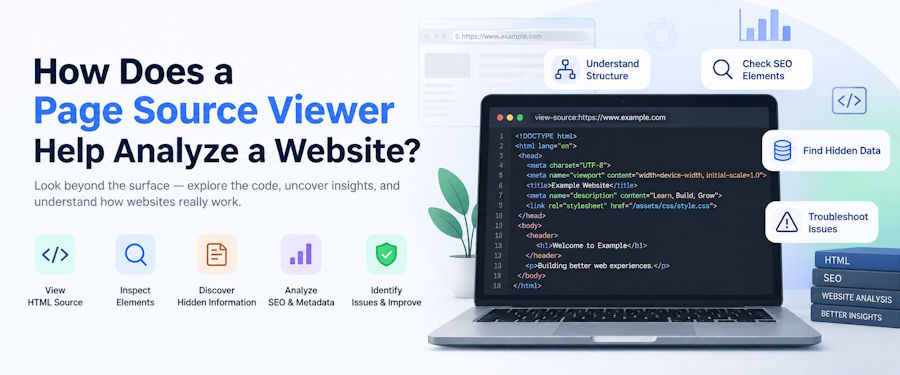
When you open a website, you see a simple URL redirecting to the main home page or a landing page, but several things, including metadata, CSS, HTML, and others, often mask it. This doesn’t concern the majority because their business ends with reaching the website, but it is important for people learning about website development, testers, SEO professionals, web designers, or anyone involved in learning how a website is made and what all goes behind it. Though there are different ways to uncover what a simple website has, the simplest is a page source viewer.
A page source viewer is exceptionally beneficial for people who don’t want to dig deeper into things and want to quickly view the properties of the website source code without even installing an extension. It is also not something new, but for people starting their journey of learning website development and design, this is a great tool. There are now plenty of similar tools available, but today, we will keep our focus on discussing the ways in which a page source viewer helps analyze a website.
What is a Page Source Viewer?
Before understanding anything else, let us first know in detail what a page source viewer is. In the simplest words, a page source viewer is a tool that unmasks the source code of a webpage concealed in HTML. Every time you type a URL or open a website, the browser loads a webpage and receives an HTML document from a server. This document is further analyzed by the browser along with other elements such as JavaScript, CSS, fonts, images, and others.
Modern browsers have a built-in page view source, but independent tools can be more efficient in offering a simpler interface and instant inspection. Also, different tools may have different or added features for analysis.
Now let’s move on to understanding how a page source viewer helps analyze a website:
HTML Element
As we have mentioned briefly, a page source viewer’s main motive is to inspect the HTML elements of a website. It helps you know if the website has specific HTML elements in the original document and to know it better, understand it this way. A developer or a tester needs to extract certain information from a webpage, like images, forms, links, or headings, he can get everything from the source conditioned the elements are included in the HTML returned by the server.
If any mandatory element exists in the source but is not displaying, there can be an issue in JavaScript, CSS, or other issues. If the element is missing from the source, there may be a problem in the server-side rendering, content management, or other issues. This HTML inspection can help with troubleshooting these issues.
Website structure
Another thing that the page source viewer helps with when analyzing the website is understanding the structure of the webpage. HTML uses elements for organization of content, and by looking at the source, developers or designers can identify headings, paragraphs, fonts, images, tables, links, and other elements. For a better understanding, a developer inspecting a website’s navigation can easily search the source for <nav> and inspect the links contained in the structure.
In a similar way, heading tags can offer a better understanding of how content has been organized. The understanding of website structure is helpful when you are learning web development because it shows how HTML elements are used together to create an interface.
Heading Structure
Headings may look unimportant when you are viewing a webpage as a visitor or a reader, but for a web developer or an SEO professional, it contains important organizational structure for the web page. When viewed with a page source viewer, professionals can identify h1, h2, h3, and other heading components, and these tags can help in understanding whether the content of the webpage is organized.
For example, if a page has listed several headings, but the HTML is using generic <div> elements, a page source viewer can reveal the differences between the appearance and semantic markup.
Links and URLs
Every website uses plenty of internal and external links, images, URLs, references, JavaScript files, and others, and knowing all these becomes important for professionals. Doing it manually will take a lot of time, and a page source viewer can help locate these references more easily.
With the code <a>, you can locate all anchor elements, while <link> can be used to identify linked resources. This is beneficial when you are looking for broken or expired links on the webpage or a website. It can also help in knowing whether a URL is generated dynamically or hard-coded into HTML. This shallow understanding is helpful before you delve into a more detailed investigation of the website’s performance using other tools.
Metadata
Website source code contains a lot of important information, including the heading section, which contains metadata. Metadata shares information regarding the page, search engines, social platforms, browsers, and others. A page source viewer makes it easier to inspect elements like title, meta description, viewport information, robots directives, Open Graph metadata, structured data, and others.
Knowing these elements is important for SEO professionals, and it can also help in case the page is using an incorrect title, a missing link, or other issues, which will not be visible when looking at the rendered webpage.
Final Words
The task of a page source viewer doesn’t end here, and there are other things that it helps with, including inspecting external sources, comparing the source with the DOM, and troubleshooting HTML-related issues. While there are tools available for detailed investigation, a page source viewer offers quick analysis before elaborated investigation and solutions.
If you are involved in professional services such as web development, design, SEO, and other related tasks, using a page source viewer can benefit you greatly. However, keep in mind that there are several options available in the market, and you should choose one after comparing features and how quickly it offers services.

