

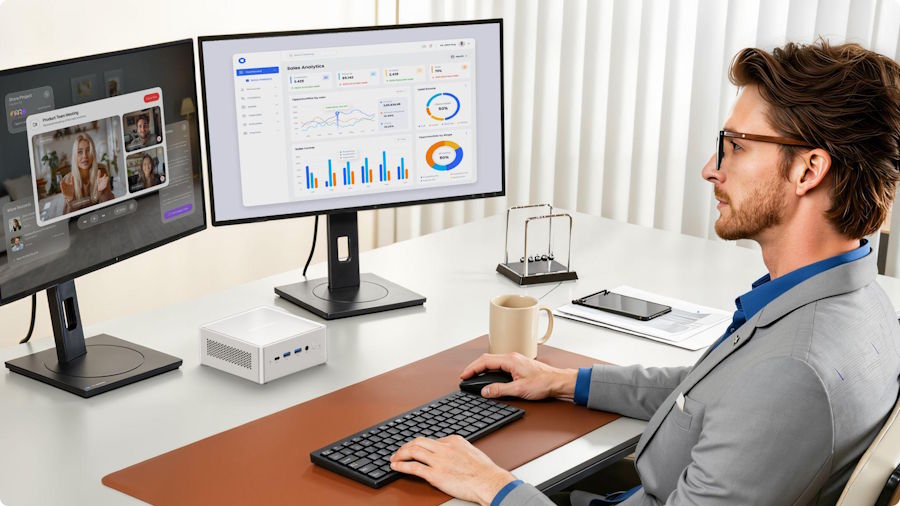
For years, running AI meant renting time on a cloud GPU cluster. That default is starting to shift. A new generation of compact desktop hardware, built specifically around dedicated AI acceleration, is making it practical to run serious AI workloads locally, without a monthly cloud bill or a data pipeline that sends information to a third-party server.
This shift is not just about cost. It reflects a broader change in how businesses and individuals think about data control, latency, and long-term infrastructure planning. Here is why the move toward AI Mini PC hardware is accelerating, and what it means for anyone still relying entirely on cloud-based AI services.
The Cost Problem With Cloud AI at Scale
Cloud AI pricing models charge per token, per API call, or per compute hour, which works fine for occasional or experimental use. The economics change dramatically once AI becomes a core part of daily operations. A business running AI-powered customer service, content generation, or document processing continuously can see cloud AI costs climb into thousands of dollars monthly, with no ceiling in sight as usage grows.
Local AI hardware flips this cost structure. The upfront investment in capable hardware is fixed, and running inference locally afterward costs nothing beyond electricity. For any organization running consistent, high-volume AI workloads, the math increasingly favors owning the hardware outright rather than renting cloud compute indefinitely.
Data Privacy Is Becoming a Business Requirement, Not Just a Preference
Sending sensitive data to third-party cloud AI services carries real risk, and regulators are paying closer attention. Healthcare providers, law firms, financial institutions, and any business handling personally identifiable information face growing compliance pressure around where their data travels and who can access it.
Running AI models locally keeps every piece of data within an organization's own network boundary. There is no third-party server processing customer records, no data leaving the building, and no dependency on a cloud provider's own security practices. For many businesses, this alone justifies the shift toward local AI hardware, independent of cost considerations.
Latency Matters More Than Most People Realize
Cloud AI requests depend on internet connection quality, server load on the provider's end, and geographic distance to the nearest data center. Even with a fast connection, round-trip latency adds up, particularly for applications requiring near-instant responses like real-time transcription, live customer support tools, or interactive AI assistants.
Local processing eliminates this round trip entirely. A well-equipped AI Mini PC processes requests as fast as its own hardware allows, without waiting on network conditions outside anyone's control. For latency-sensitive applications, this difference is often the deciding factor in choosing local hardware over cloud services.
What Made This Shift Possible
A few years ago, running meaningful AI workloads locally required expensive workstation-class hardware with power-hungry discrete GPUs. That has changed with the arrival of dedicated Neural Processing Units (NPUs) built directly into compact chip designs, offering AI-specific acceleration without the power draw and heat generation of full discrete GPUs.
| Factor | Cloud AI | Local AI Mini PC |
|---|---|---|
| Cost model | Ongoing, scales with usage | Fixed upfront cost |
| Data location | Third-party servers | Stays on local network |
| Latency | Network-dependent | Near-instant local processing |
| Hardware requirement | None (managed by provider) | Dedicated AI hardware needed |
| Best for | Occasional, bursty AI use | Consistent, daily AI workloads |
This combination of dedicated AI silicon, efficient power draw, and compact form factor has made local AI hardware genuinely competitive with cloud services for a wide range of real business use cases, not just hobbyist experimentation.
Real Use Cases Driving Adoption
Small businesses are running local chatbots for customer service that never transmit conversation logs externally. Content teams are using local AI tools for drafting and editing without paying per-generation cloud fees. Healthcare practices are running document summarization tools entirely within their own network to stay compliant with patient data regulations. Manufacturing operations are using on-device AI vision systems for quality control that need instant feedback rather than a round trip to a remote server.
None of these use cases require enterprise-scale infrastructure. They require a compact workstation with the right AI acceleration hardware, sized appropriately for the workload.
Combining Local AI With Local Storage
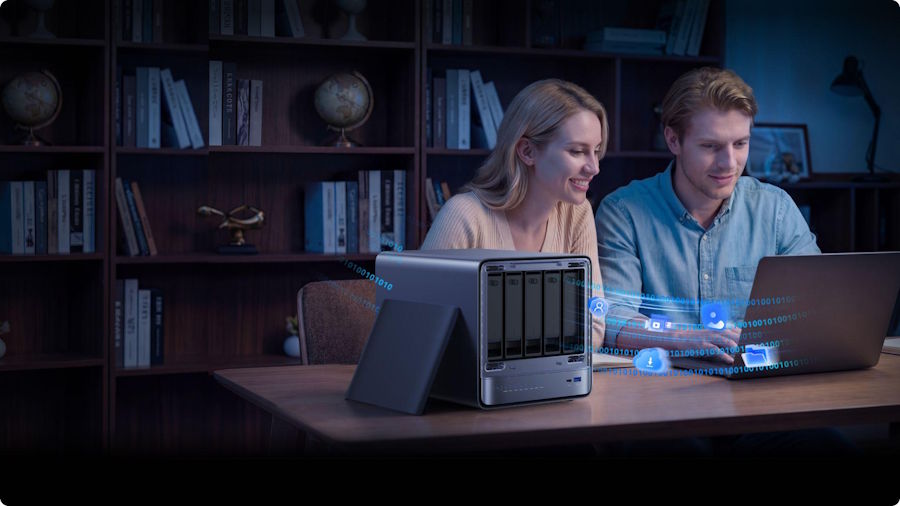
As AI adoption grows within an organization, so does the amount of data being processed and stored locally. Pairing an AI-capable Mini PC with dedicated local storage, such as an AI NAS for local data processing, creates a fully self-contained AI infrastructure where both processing and storage remain entirely within an organization's own network, without depending on any external cloud service at any stage of the workflow.
This combination is particularly relevant for businesses handling large datasets that need to be readily available for AI processing, such as document archives, image libraries, or historical customer records, without the ongoing cost and latency of pulling that data from cloud storage each time it is needed.
Is Local AI Right for Every Use Case?
Not entirely. Cloud AI still makes sense for occasional, unpredictable workloads where the cost of dedicated hardware would not be justified by usage volume. It also remains the practical choice for workloads requiring massive-scale model training that exceeds what compact hardware can realistically handle.
For everyday inference tasks, consistent daily AI use, and any workload involving sensitive data, local hardware increasingly offers a better balance of cost, privacy, and performance. Many organizations are settling into a hybrid approach, running routine AI tasks locally while reserving cloud resources for occasional heavy training jobs.
Frequently Asked Questions
How much does it cost to set up local AI hardware compared to a year of cloud AI usage? This varies by workload, but businesses running AI tools daily often recover the hardware cost within the first year compared to ongoing cloud API fees, especially for high-volume use cases.
Do I need technical expertise to run AI models locally? Many current AI Mini PCs ship with software specifically designed to simplify local model deployment, reducing the technical barrier compared to a few years ago when local AI setup required significant manual configuration.
Can local AI hardware handle the same model sizes as cloud services? Compact hardware handles small to mid-sized models well for most business use cases. Extremely large models still generally require cloud-scale infrastructure, though this gap continues to narrow as local hardware improves.
Is local AI hardware a good investment if my AI usage might change over time? Yes, particularly with hardware that supports RAM and storage upgrades, allowing the system to grow alongside changing AI workload demands rather than requiring full replacement.
Planning a Transition Without Disrupting Current Workflows
Organizations do not need to abandon cloud AI overnight to benefit from local hardware. A practical starting point is identifying one or two high-frequency, well-defined AI tasks, such as document summarization or a customer-facing chatbot, and running those locally while keeping less predictable or experimental workloads in the cloud.
This staged approach lets teams validate performance and reliability on real workloads before committing further budget to local infrastructure. Once a local setup proves stable, expanding to additional AI functions becomes a matter of adding workload to existing hardware rather than starting an entirely new infrastructure project from scratch. Many businesses find that the initial local AI deployment pays for itself well before they consider adding a second unit or scaling further.
Final Thoughts
The shift from cloud GPUs to compact local AI hardware reflects real changes in cost economics, data privacy requirements, and latency demands, not just a passing trend. As dedicated AI acceleration becomes standard in compact desktop hardware, running serious AI workloads locally is now a practical option for businesses of nearly any size, not just organizations with dedicated data center budgets.

