

TeraBox has become one of the most common places people dump and share large video files, from tutorials and course material to personal recordings. The problem shows up the moment someone shares a TeraBox link with you: you open it expecting a straightforward video file, and instead you're asked to sign in, install an app, or sit through a preview that won't let you save anything.
This happens because TeraBox is built around its own app and account system, not around quick one-off downloads. If you only need to grab a single video from a shared link, going through account creation and app installation is a lot of friction for something that should take seconds.
Over the last few weeks I tested a handful of ways to get around this, using the exact same shared TeraBox link every time so the comparison would be fair. Two methods turned out to be genuinely simple enough to recommend to anyone, regardless of technical background. Here's how both work, with screenshots from the actual process.
Why TeraBox Makes This Harder Than It Should Be
TeraBox is built the same way most cloud storage platforms are, around a walled ecosystem. The app and website want you signed in because that's how they track storage usage, push their premium plans, and get you to install the mobile app rather than use a browser. A shared link is meant to funnel a new visitor into that ecosystem, not just hand over a file.
On top of that, TeraBox's own web player doesn't always expose a clean download button for video files. Even when you're logged in, playback is often capped at a lower resolution than the original upload, and the actual "download" button on the website sometimes just prompts you to install the app instead of starting a file transfer.
None of this is really about protecting the file itself. It's about keeping people inside the app. That's exactly the gap that direct-link downloader tools and Telegram bots are trying to fill, by reading the share link, pulling the video's actual stream URL from TeraBox's backend, and handing it back to you without the account wall in the middle.
Method 1: A Direct-Link Downloader (getindevice.com)
The most reliable approach I found was using a browser-based tool that extracts the direct video stream from the shared link, without asking for a TeraBox login or an app install. I tested this whole flow on my phone, using getindevice's TeraBox video downloader.
Step 1: Get the shared TeraBox link from wherever it was sent
TeraBox links usually land in a Telegram chat, a WhatsApp group, or wherever someone shared the file with you. It doesn't matter where it came from, you just need to copy the full share URL. TeraBox also runs under a few different mirror domains, so the link you get might look slightly different depending on which one was used to generate it. Some of the common formats look like this:
- https://www.terabox.com/s/1AbCdEfGhIjKlMn
- https://1024terabox.com/s/1AbCdEfGhIjKlMn
- https://teraboxapp.com/s/1AbCdEfGhIjKlMn
- https://terabox.app/s/1AbCdEfGhIjKlMn
- https://terafileshare.com/s/1AbCdEfGhIjKlMn
- https://terasharelink.com/s/1AbCdEfGhIjKlMn
- https://4funbox.com/s/1AbCdEfGhIjKlMn
- https://www.terabox.com/sharing/link?surl=1AbCdEfGhIjKlMn
Any of these formats work the same way, they all point to a shared file or folder. As long as the link starts with one of these domains and has the /s/ path or the ?surl= parameter, a downloader tool should be able to read it.
Step 2: Paste it into the downloader
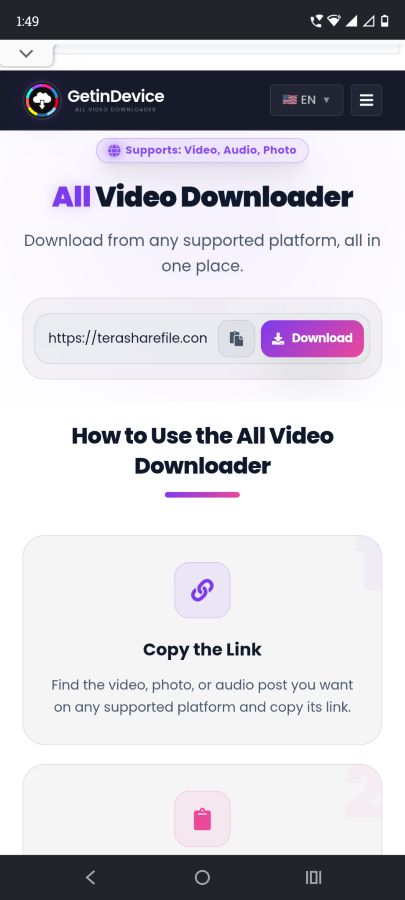
Open getindevice's TeraBox downloader and paste the link into the input box. This is what the interface looks like on a phone browser, no account or app needed.
Step 3: Let it fetch the video
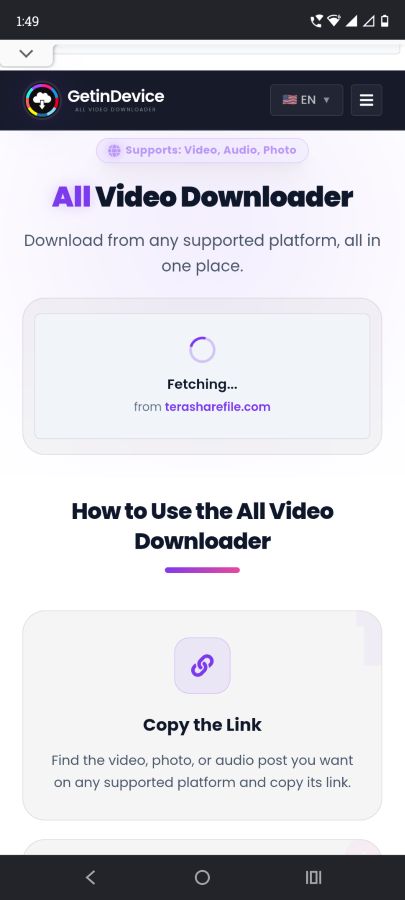
Once you paste the link and hit go, the tool fetches the video within a couple of seconds.
Step 4: Watch or save it
Once the video is fetched, both a stream option and a save option show up together. You can just watch it right there, or tap save to download it straight to your phone.
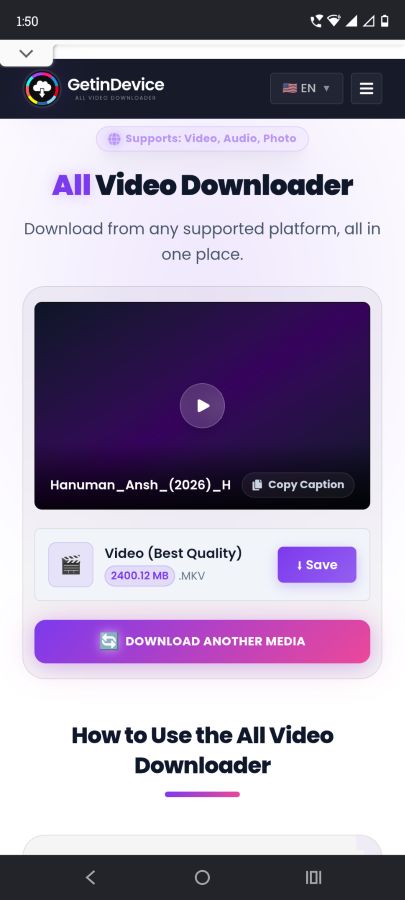
The whole thing stays simple because there's no forced app install, no login wall, and no waiting around. Paste the link, get the video, done.
If you want a broader rundown of every method I've tested for TeraBox downloads (including the official app and a few browser-based tricks), I covered that in more depth in this comparison of every way to download a TeraBox video.
What to Look for in Any TeraBox Downloader Tool
Not every tool that shows up when you search for "TeraBox downloader" is worth trusting with a link, so it's worth knowing what separates a decent one from a sketchy one before you paste anything in:
- It should never ask for your TeraBox login. A tool that only needs the share URL is reading public data. One that asks you to sign in with your TeraBox account is asking for more access than it needs.
- No forced app install to get the file. If the "download" button redirects you to an app store instead of starting a transfer, that's the same wall you were trying to avoid in the first place.
- Minimal or no ad interruptions between pasting the link and getting the video. A couple of banner ads on the page is normal for a free tool, but pop-ups that redirect you away from the download itself are a sign to look elsewhere.
- A visible preview before you download. Being able to stream the video first confirms the tool actually resolved the correct file, instead of you finding out after the download finishes.
Method 1 below checks all of these boxes, which is why it's the one I'd point most people toward first.
Method 2: The Telegram Bot Method
The second approach doesn't involve a website at all. A number of Telegram bots claim to fetch TeraBox links and hand back the video inside Telegram. On paper it sounds just as simple as Method 1. In practice, it's a lot messier.
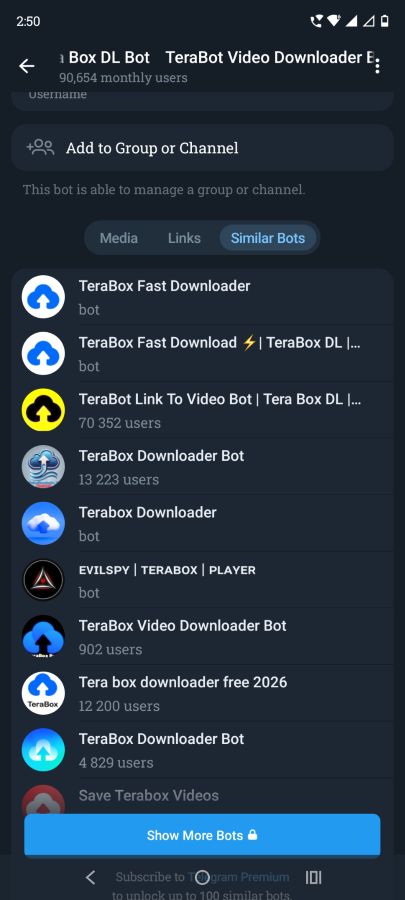
Step 1: Find a bot that's actually working
This is the first hurdle. TeraBox bots on Telegram get taken down or deleted often, so a bot that worked last week might not exist anymore. You usually end up searching around and testing a couple of them before finding one that responds at all.
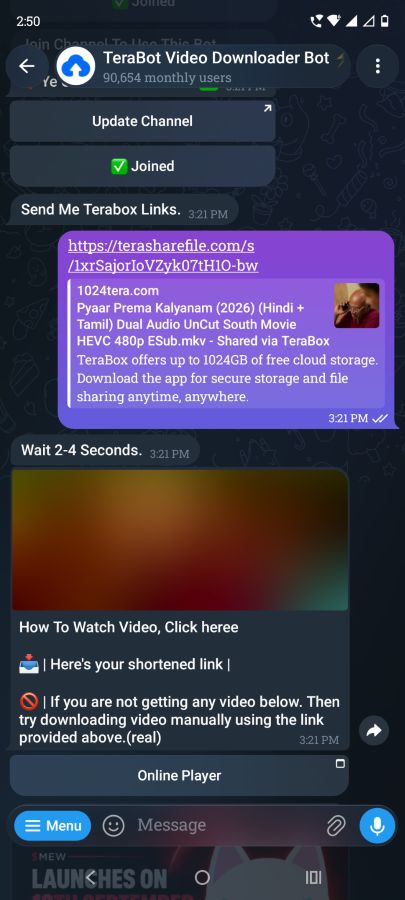
Step 2: Connect with the bot and send your link
Once you find a working one, you send it the TeraBox share link directly in the chat.
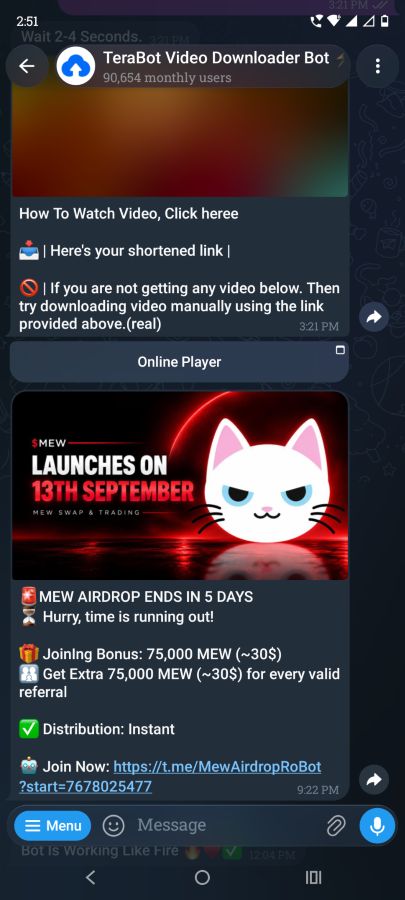
Step 3: Deal with the spam that follows
After connecting, most of these bots start sending a stream of unrelated promotional messages daily. It's not a one-time thing, it keeps happening as long as you stay connected to the bot.
Step 4: See what you actually get, if anything
This is where it gets inconsistent. Some bots will stream the video back to you but skip the download option entirely. Others will give you a download option but won't let you stream it first. Which one you get depends entirely on the specific bot, not on anything you're doing differently.
Between the disappearing bots, the daily spam, and the unpredictable stream-or-download split, this method ends up being far more confusing than it looks from the outside. It might be worth trying if a direct-link tool genuinely isn't available to you, but it's not something you can rely on consistently.
Which One Should You Use?
| Login required | App install | Download available | Consistency | |
|---|---|---|---|---|
| getindevice.com | No | No | Yes, stream and save both | Same result every time |
| Telegram bot | No, but bot access varies | No | Depends on the bot, sometimes yes, sometimes no | Unreliable, changes bot to bot |
If the goal is to reliably download and keep the video, a direct-link tool like getindevice is the more practical option since it skips the account and app requirements entirely and gives you the same stream-or-save result every single time. The Telegram bot method might work in a pinch, but between bots disappearing, the spam that follows, and the inconsistent download support, it's not something to depend on.
Common Issues You Might Run Into
Even with a reliable method, a few things can trip up a TeraBox download regardless of which route you take:
- The link points to a folder, not a single file. Some TeraBox shares are entire folders rather than one video. If a downloader tool only shows you a file list instead of a direct video, look for the specific file you want inside that list rather than assuming the link is broken.
- The video won't load in full quality. TeraBox sometimes serves a lower-resolution version of a video by default, especially through its own web player. If quality matters, check whether the downloader tool gives you a resolution option before saving.
- The share link has view or download limits. TeraBox links can be capped to a certain number of views by the person who created them. If a link stops working partway through testing, it's usually the limit being hit rather than a problem with the tool.
- Mobile browsers sometimes block automatic downloads. On some phones, tapping save opens the video in a new tab instead of saving it directly. If that happens, long-pressing the video or using the browser's own download option usually finishes the job.
FAQ
Do I need a TeraBox account to download a shared video? No, not if you use a direct-link downloader tool. TeraBox's own app and website will ask you to log in, but tools that extract the stream directly from the shared link don't require an account.
Is it safe to paste a TeraBox link into a third-party tool? Stick to tools that only ask for the link itself and don't request your TeraBox credentials. Any tool asking you to log in with your TeraBox account through a third-party page is a red flag.
Why does the Telegram bot sometimes not let me download the video? It depends entirely on which bot you end up using. Some are built to stream inside Telegram's player without offering a file, others do the opposite. There's no consistent standard across them, and bots come and go often, so the experience varies every time.
What if the shared link has already expired? Some TeraBox share links expire or hit view limits. If a downloader tool can't fetch the video, ask the sender to regenerate the share link.
Does it matter which TeraBox mirror domain the link uses? Not really. Whether the link is on terabox.com, 1024terabox.com, teraboxapp.com, or one of the other mirrors, they all point to the same underlying file and work the same way with a downloader tool.
Can I download a whole folder instead of a single video? It depends on the tool. Some downloaders only handle one file at a time, so if a share link points to a folder with multiple videos, you may need to open the folder and grab the direct link for each file individually.

