

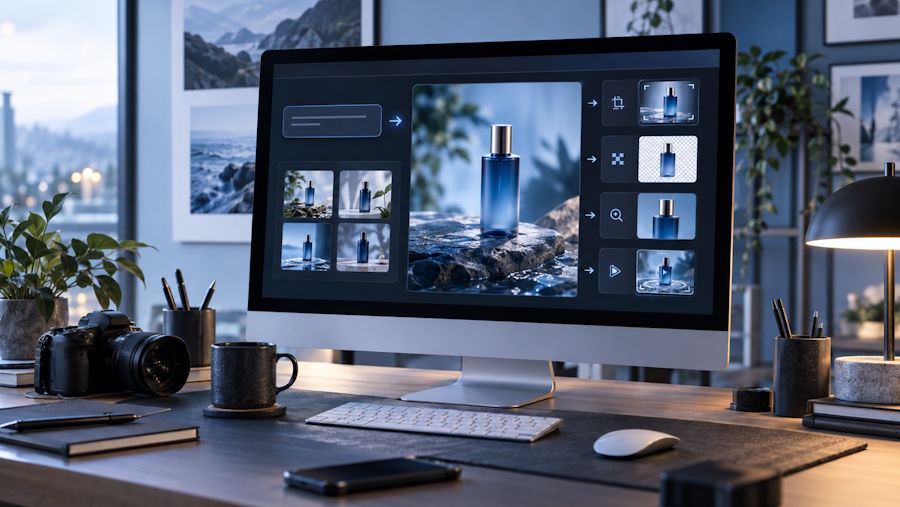
AI image generation is easy to try, but getting a result you can actually use takes more thought than typing a prompt and clicking Generate. A picture that looks impressive on its own may still be wrong for a blog header, product page, campaign, thumbnail, or social post.
The most useful way to work with these tools is to think beyond the first image. Start with the purpose, shape the prompt around it, choose a model that suits the job, and leave room for editing or reuse afterward.
Start with where the image will be used
Before writing a prompt, decide what the image needs to do.
A website hero may need a wide composition with room for text. A social post can be tighter and more visually direct. Product imagery often benefits from clean lighting and a simple background, while an editorial illustration can be more expressive.
That context should make its way into the prompt. Compare “a futuristic coffee shop” with “a wide editorial illustration of a compact futuristic coffee shop at night, viewed from street level, with negative space on the left for a headline.”
The second version gives the model useful constraints: subject, framing, and intended use.
Pixlio lets users choose a model and adjust the settings that model supports, including aspect ratio, image size, resolution, quality, seed, and output format. For people who need to create AI images for real projects, these controls often matter more than collecting increasingly elaborate prompt formulas.
Try another model before rewriting everything
One common mistake is overworking the prompt when the real issue is the model.
Different image models can interpret the same description in noticeably different ways. One may handle commercial photography well, while another is stronger at illustration, stylized scenes, or complex compositions.
If a prompt is already clear but the visual character still feels wrong, switching models can be faster than rewriting the same sentence five times. If several models all misunderstand the layout, the prompt probably needs work.
Seeds can also help when the model supports them. Keeping the same seed while changing a small part of the prompt gives you a more controlled comparison. You can test lighting, camera angle, wardrobe, background details, or mood without jumping to a completely unrelated image each time.
The aim is not to generate dozens of versions. It is to find a direction worth refining.
Use image-to-image when prompting becomes awkward
Text is great for describing an idea from scratch. It becomes less efficient when you already have most of what you want.
Suppose you like the pose, composition, or product angle in an existing image, but want a different setting or visual treatment. Re-describing the whole scene in words can introduce new mistakes. In that situation, image-to-image editing is often a cleaner route.
Pixlio keeps text-to-image generation and image-to-image work in the same workspace. You can use a generated result as a reference for another pass, or start with an existing JPG, PNG, or WebP image.
That works well for iteration. A product scene may already have the right composition but need a cleaner background. A concept image may be strong except for its lighting. Instead of discarding the result, you can continue from what is already working.
Think about the next step before you download
The awkward part of many AI workflows starts after generation.
You save an image, open another tool, upload it again, make one change, download another copy, and repeat. None of those steps is difficult, but together they add friction.
Pixlio reduces some of that back-and-forth by letting a selected image move directly into editing, upscaling, background removal, outpainting, or video creation. The image is carried into the next tool instead of making you locate and upload it again.
This is useful when one visual idea needs to become several assets. A marketer might generate a product concept for a landing page, reuse it for a social graphic, then send the same image into an AI video maker as a starting frame. Depending on the selected video model, that can include image-to-video generation, start and end frames, or reference media.
The point is not that every image needs to become a video. It is that a good still image does not have to be a dead end.
Make fewer, more intentional changes
Fast generation can encourage random experimentation. After a few rounds, it becomes difficult to remember why one version worked better than another.
A more reliable approach is to change one important variable at a time. If the framing is wrong, adjust the composition language or aspect ratio. If the visual style is off, try a different model or style direction. If the image is already close, edit that result instead of starting over.
Being able to reopen recent generations also matters. Creative work is rarely linear, and the newest version is not always the best one.
Strong AI image workflows are less about discovering a perfect prompt and more about preserving useful decisions. The best results usually come from a sequence of small choices: what the image is for, how it should be framed, which model suits it, what needs refinement, and where the asset should go next.

