

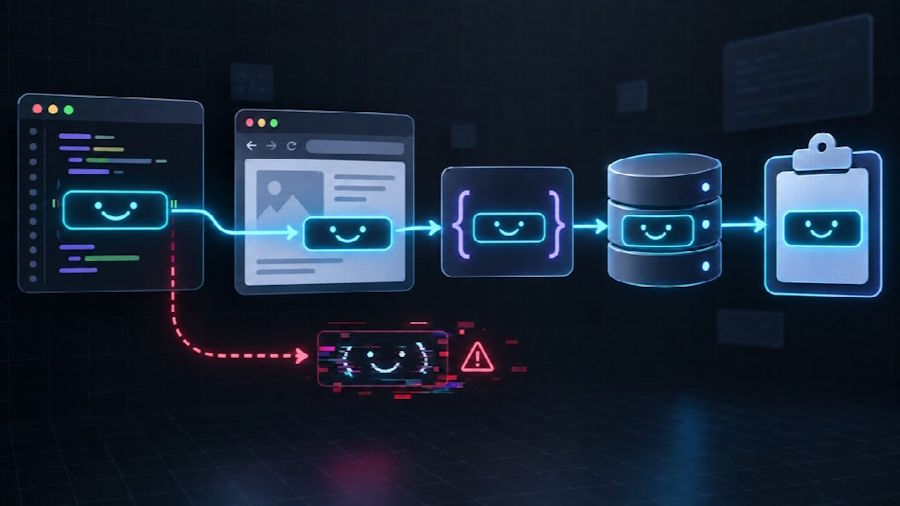
A copy button looks like one of the simplest controls in a web application. It receives a string, writes that string to the clipboard, and reports success. Yet the Clipboard API is often the last step in a longer data pipeline, not the place where corruption begins.
Problems become visible when the content includes full-width punctuation, combining marks, invisible spacing, uncommon symbols, multiple lines, or a text face whose meaning depends on every bracket remaining in place. A component can report “Copied” even though the value was already normalized, truncated, escaped, or reconstructed incorrectly in application state, rendering, or storage.
The real challenge is preserving the exact Unicode sequence before it reaches the clipboard and verifying that it survives rendering, normalization, storage, and copying without alteration. Treating those stages as one pipeline makes subtle text corruption easier to detect and prevent.
Start With an Exact String Contract
The safest copy component begins with a simple contract:
Given a source string, copy the same sequence of Unicode code points, including spaces and line breaks, without silently rewriting it.
For ordinary labels such as Hello, many bugs remain invisible. More varied samples expose them quickly. A set of real-world kaomoji test strings is useful because the values can combine ASCII characters, full-width forms, mathematical symbols, spacing, and unfamiliar scripts in one expression.
Consider these samples:
(^▽^)
¯\_(ツ)_/¯
(╯°□°)╯︵ ┻━┻
┬─┬ ノ( ゜-゜ノ)
They are still plain text, but they are better test data than a simple English word. Remove a backslash, collapse a space, or alter a full-width bracket and the result may no longer look correct.
Do not rebuild a display value from separate DOM nodes when the user clicks Copy. Keep one canonical string in application state or a data attribute and use it for both rendering and clipboard output.
Copy the Preserved Value at the Browser Boundary
Once the application has retained one canonical source string, the browser-facing copy operation should be deliberately small. In a secure context, navigator.clipboard.writeText() is the clearest modern approach:
async function copyText(value) {
  if (!navigator.clipboard || !window.isSecureContext) {
    throw new Error("The Clipboard API is unavailable");
  }

  await navigator.clipboard.writeText(value);
}
Clipboard access is normally tied to a user action. Call the function from a button click rather than attempting to write automatically when a page loads.
The live status gives assistive technology a concise result without moving keyboard focus away from the button. A temporary color change alone is not sufficient feedback because some users will not see it.
Keep the Compatibility Fallback From Rewriting the Value
Some embedded browsers, older environments, local development contexts, or restrictive permissions may not expose the asynchronous Clipboard API. The legacy mechanics are well known; the Unicode-specific requirement is that the fallback receive the same canonical string without rebuilding or normalizing it. execCommand is deprecated, so this path should remain a compatibility fallback rather than the primary implementation.
function legacyCopyText(value) {
  const textarea = document.createElement("textarea");

  textarea.value = value;
  textarea.setAttribute("readonly", "");
  textarea.setAttribute("aria-hidden", "true");
  textarea.style.position = "fixed";
  textarea.style.left = "-9999px";
  textarea.style.top = "0";

  document.body.appendChild(textarea);
  textarea.select();
  textarea.setSelectionRange(0, textarea.value.length);

  const copied = document.execCommand("copy");
  textarea.remove();

  if (!copied) {
    throw new Error("Legacy clipboard copy failed");
  }
}

async function copyTextWithFallback(value) {
  if (navigator.clipboard && window.isSecureContext) {
    await navigator.clipboard.writeText(value);
    return;
  }

  legacyCopyText(value);
}
The textarea must receive the original value directly. Using innerHTML here introduces an unnecessary parsing step and can turn text into markup or entities.
When neither method works, show the value in a selectable field and explain how to copy it manually. A failed automatic action should not leave the user without access to the text.
Render Text as Text
A symbol library often receives its content from JSON, an API, or a database. Treat that content as text at the rendering boundary.
const output = document.querySelector("#value");
output.textContent = value;
Avoid assigning an untrusted string to innerHTML. Besides creating a security problem, HTML parsing can make the displayed value different from the stored value. A sequence that contains <, >, or & may be interpreted as markup instead of shown literally.
If server-rendered templates escape text by default, keep that protection enabled. Copy the underlying data value rather than scraping the rendered HTML.
For multiline text art, use CSS that preserves whitespace:
.copy-value {
  white-space: pre-wrap;
  overflow-wrap: normal;
  font-family: ui-monospace, SFMono-Regular, Menlo, Consolas, monospace;
}
Whether pre, pre-wrap, or horizontal scrolling is appropriate depends on the interface. The important point is that the display rule should not mutate the canonical string.
JavaScript Length Is Not Visual Length
JavaScript strings use UTF-16 code units. As a result, value.length does not always equal the number of Unicode code points, and neither number necessarily equals what a reader perceives as visible characters.
const sample = "A😀B";

console.log(sample.length);          // 4 UTF-16 code units
console.log([...sample].length);     // 3 Unicode code points
This distinction matters when an application truncates values, validates usernames, displays counters, or slices preview text. Cutting a string at an arbitrary code-unit boundary can split a surrogate pair and produce a replacement character.
For code-point iteration, use for...of or spread syntax instead of indexing individual code units:
for (const codePoint of sample) {
  console.log(codePoint);
}
For user-perceived grapheme clusters, use Intl.Segmenter where supported:
function countGraphemes(value, locale = "en") {
  if (!Intl.Segmenter) {
    return [...value].length;
  }

  const segmenter = new Intl.Segmenter(locale, {
    granularity: "grapheme",
  });

  return [...segmenter.segment(value)].length;
}
Even grapheme counts should not be treated as display width. Fonts assign different widths to different glyphs, and a detailed text face can occupy much more horizontal space than its count suggests. Validate both data length and real layout.
Do Not Normalize Without a Reason
Unicode normalization can make canonically equivalent text easier to compare, but automatic normalization is not always appropriate for a copy tool.
const normalized = value.normalize("NFC");
That operation may be useful for search indexing, duplicate detection, or user input where equivalence is intended. It should not silently replace the original display value merely because the text entered the system.
A safe architecture can store two values:
const record = {
  original: value,
  searchKey: value.normalize("NFC").toLocaleLowerCase(),
};
Use searchKey for matching and preserve original for display and copying. This keeps search behavior predictable without rewriting authored spacing or character choices.
Trimming deserves the same caution. value.trim() removes leading and trailing whitespace. That is convenient for a conventional form field but destructive when whitespace is part of text art. Apply trimming only to fields whose product rules explicitly reject surrounding spaces.
Preserve Unicode Through JSON and Storage
JSON can represent Unicode text directly. The common failures usually come from incorrect encoding headers, database configuration, legacy conversion functions, or a column that is too small.
Test the complete round trip:
const cases = [
  "(^▽^)",
  "¯\\_(ツ)_/¯",
  "(╯°□°)╯︵ ┻━┻",
  "┬─┬ ノ( ゜-゜ノ)",
  "line one\n  line two",
];

for (const original of cases) {
  const payload = JSON.stringify({ value: original });
  const restored = JSON.parse(payload).value;

  console.assert(
    restored === original,
    `Round-trip mismatch: ${JSON.stringify(original)}`,
  );
}
Make sure HTTP responses declare UTF-8 and the application decodes request bodies consistently. In MySQL, use a Unicode-capable character set such as utf8mb4 for columns that must accept the full range of characters. Check the connection configuration as well as the table definition; a correct column cannot repair text that was decoded incorrectly before insertion.
Avoid old encode/decode workarounds unless the system genuinely requires a legacy format. Repeatedly converting already valid strings is a common source of mojibake.
Build a Test Matrix That Includes Symbols
Kaomoji reveal problems with brackets, spacing, backslashes, and full-width characters. Symbols reveal a different set of problems: combining behavior, font fallback, variation in width, and characters that resemble markup or operators.
Use copyable Unicode symbol examples to assemble test cases from several visual families rather than testing only one star or heart. Include arrows, mathematical marks, decorative lines, brackets, and sequences containing spaces.
A practical matrix should cover:
| Case | What it can expose |
|---|---|
| ASCII punctuation | Escaping and backslash handling |
| Full-width characters | Encoding and font fallback |
| Supplementary-plane characters | Broken surrogate-pair slicing |
| Combining sequences | Unsafe truncation and normalization |
| Leading or trailing spaces | Accidental trimming |
| Repeated internal spaces | Whitespace collapsing |
| Newlines | Storage and rendering transformations |
| <, >, and & | Incorrect HTML rendering |
| Long single-line text art | Mobile wrapping and overflow |
Run the same cases through the API, storage layer, renderer, clipboard function, and paste destination. Testing only the final JavaScript function will not detect corruption introduced earlier.
Verify the Clipboard Result During Development
After a write, developers can read the clipboard in environments where permission is available and the action is allowed:
async function verifyClipboard(expected) {
  if (!navigator.clipboard?.readText) {
    return { verified: false, reason: "readText unavailable" };
  }

  const actual = await navigator.clipboard.readText();

  return {
    verified: actual === expected,
    expected,
    actual,
  };
}
Do not make clipboard reads a requirement for normal users. Browsers may request additional permission, and reading clipboard contents creates a different privacy expectation from writing a value after a click. Use this check in local development or controlled automated tests.
For production analytics, record that the copy action completed, the content category, and perhaps a non-reversible internal item identifier. Do not transmit the user's existing clipboard contents.
Make Repeated Copy Actions Predictable
A grid of hundreds of copy buttons needs consistent interaction behavior.
Each button should have an accessible name that identifies its action. The success state should be brief and should not cause the layout to jump. If the button label changes to “Copied,” return it to the original label after a short delay. Do not disable every button while one clipboard promise is pending.
function attachCopyButton(button, value) {
  const originalLabel = button.textContent;
  let resetTimer;

  button.addEventListener("click", async () => {
    clearTimeout(resetTimer);

    try {
      await copyTextWithFallback(value);
      button.textContent = "Copied";

      resetTimer = setTimeout(() => {
        button.textContent = originalLabel;
      }, 1500);
    } catch {
      button.textContent = "Select manually";
    }
  });
}
If many buttons share the same structure, event delegation can reduce the number of listeners. The string should still come from trusted application state or a properly encoded data attribute, not from concatenated HTML.
A Reliable Copy Button Is a Data-Pipeline Feature
The Clipboard API call is only one line of the implementation. Reliability depends on what happens before and after it.
Preserve the original source string. Render it with textContent. Avoid code-unit slicing. Normalize only for a defined comparison task. Keep UTF-8 consistent across HTTP, JSON, database connections, and storage. Test spaces, line breaks, supplementary characters, combining sequences, and markup-like symbols. Finally, provide feedback that works for keyboard and assistive-technology users.
When all of those layers agree, a copy button can make a strong promise: the text that leaves the interface is the same text the user chose.

