

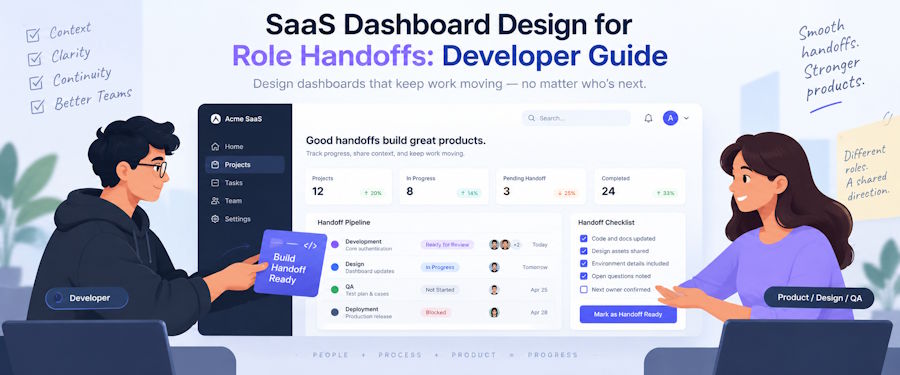
Define the statuses, role-specific actions, and failure states for one operational object before you lay out operator, administrator, and support views.
For a multi-role SaaS dashboard, specify one operational object as a set of role-specific state transitions. Define its arrival status, visible context, permitted action, resulting owner, and failure path before arranging cards or filters.
Three polished views can still disagree about who owns an item, why it entered a queue, and what happens when an action fails. The failed-import example below turns those decisions into explicit requirements that design and engineering can review together.
Why a shared dashboard can hide the handoff
Consider a failed data import in a B2B SaaS product.
An operator needs to identify the failed stage and decide whether a retry is safe. An administrator may need to review a field-mapping or account-configuration exception. A support specialist needs a customer-safe explanation, the actions already taken, and a clear resolution route.
Showing the same import table to all three roles does not create a shared workflow. The table can display Failed while leaving basic questions unanswered:
- Who owns the import now?
- Which event moved it into this queue?
- What did the previous owner try?
- Which actions are available from the current state?
- Where does the object go after each action?
- How can the current owner return or escalate it?
Microsoft's dashboard planning guidance asks teams to define a role, user need, intended outcome, and success condition when choosing dashboard scenarios and cards. A workflow handoff also needs the event that transfers ownership and the state in which the next role receives the object.
Map one object across the role boundaries
The following data-import scenario is illustrative. It does not describe a Merge client or a benchmark of SaaS products.
A customer's import has failed. An operator triages the failure, an administrator reviews a configuration exception, and a support specialist handles the customer-facing resolution. The import job remains the same object throughout the process.
| Role | Receives the import when | Must see | Can do | Leaves it as |
|---|---|---|---|---|
| Operator | Validation reports a failure | Import ID, failed stage, error category, retry count, previous attempts | Retry or route the exception | operator / retry_in_progress, administrator / awaiting_admin_decision, or support / awaiting_customer_input |
| Administrator | Operator identifies a mapping or configuration exception | Diagnosis, affected setting, prior actions, escalation reason | Approve or return with a reason | operator / approved_for_retry or operator / returned_to_triage |
| Support specialist | Team needs customer input | Customer impact, safe explanation, requested input, current owner | Contact the customer and record the reply | support / awaiting_customer_input or operator / returned_to_triage |
| Support specialist | Successful retry needs confirmation | Customer impact, completed actions, outcome | Notify and close, or reopen | support / resolved or operator / returned_to_triage |
The return rules sit outside the happy path. An administrator sends the object back with a reason, and a customer reply returns with new evidence. A renewed retry failure reopens triage. A separate technical escalation lies outside this three-role example and needs its own owner and transition contract.
Each view refers to the same import job. Its ID, status history, previous actions, and audit record remain attached as ownership changes. The receiving role gets a different queue and a smaller set of relevant actions.
Resolving these handoffs before arranging cards is part of product design for complex SaaS workflows, because each view depends on who owns the object, which state it arrives in, what context follows it, and what happens when the next action fails.
Keep the object's meaning stable
A shared object needs a stable vocabulary. If Awaiting review means that an operator is investigating an error on one screen and that an administrator must approve a change on another, the status cannot guide either person.
Keep these facts attached to the object:
- one object ID and type;
- shared status definitions;
- the prior action and its outcome;
- the previous and current owner;
- the reason for escalation or return;
- a timestamped audit history.
The role-specific view can change the queue, immediate context, available action, and recovery option. The underlying facts should survive the move to another dashboard.
Text carries part of that context. Nicole Sultanum and Vidya Setlur studied 190 dashboards and interviewed 13 experienced dashboard authors. Their findings treat text as a functional part of dashboard navigation, context, and reading order. In a workflow dashboard, a short status explanation can answer questions that a badge or icon cannot:
- Returned by an administrator because the source field has no matching destination.
- Waiting for a corrected file from the customer.
- Retry approved after the mapping update.
- Escalated after two failed retries.
Generate this copy from structured events where possible. Hand-written notes can add detail, but they should not replace the transition, owner, or reason code.
Show one object in three working views
The dashboard views should provide different working contexts without creating three interpretations of the import job.
For a practical example of how role-based review, confidence signals, and failure states shape a SaaS interface, see Merge’s dashboard design for AI-native SaaS.
Operator view
The operator needs an active queue, the failed stage, a stable error category, previous retries, and the relevant account configuration. Name the destination and resulting status before an escalation is confirmed. Send to administrator communicates more than Submit. Keep raw diagnostics in a secondary panel so they do not displace the reason the import needs attention.
Administrator view
The administrator receives an exception rather than an unfiltered copy of the operator's screen. Preserve the diagnosis, affected configuration, escalation reason, prior actions, and possible effect of approval. A return action must include the decision, the field or setting that needs review, and instructions for resubmission. Otherwise, the operator receives the object with no new information.
Support view
Support needs customer impact, a safe summary, completed actions, and the precise input the team needs. The view should distinguish a success notification from a request for a corrected file. In this example, a customer reply reopens the existing import issue so its history remains attached.
Treat interface states as part of the handoff
A default screen captures only one moment in the workflow. The receiving role also needs loading, empty, error, overflow, and transition behavior. Those states affect whether the user can tell if ownership changed.
Anastasiia Gunko, Design Lead at Merge Rocks, describes the design risk:
Shared UI-kit conventions start to break when new designers, developers, or product owners join and each reads the same component differently. Documentation and a clear owner keep those interpretations aligned. The states teams most often miss are loading, empty, specific errors, long or data-heavy content, and small transitions, such as how a side panel opens and closes.
Anastasiia Gunko
Design Lead at Merge Rocks
A side panel that closes before an assignment request completes may imply success too early. An empty queue needs to distinguish No items assigned from a failed request. A rejected assignment must not make the interface show the destination state. After a validation or authorization rejection, render the authoritative state and reason returned by the server. After a version conflict, timeout, or lost response, treat the outcome as unresolved and re-fetch the object and audit event.
Specify return and escalation paths
Forward paths often make it into the main flow diagram. Return paths end up in tickets or developer assumptions. The interface then handles approval but treats a rejection or failed action as an improvised case.
For the illustrative import workflow, the normal sequence can be expressed as transitions:
Normal route
| Step | Owner | State |
|---|---|---|
| 1 | Operator | Needs triage |
| 2 | Administrator | Awaiting admin decision |
| 3 | Operator | Approved for retry |
| 4 | Operator | Retry in progress |
| 5 | Support | Ready to notify |
| 6 | Support | Resolved |
The exception path needs the same precision:
Recovery routes
| When this happens | The object moves |
|---|---|
| The administrator returns the exception | Administrator — Awaiting admin decision → Operator — Returned to triage |
| The operator needs customer input | Operator — Needs triage → Support — Awaiting customer input → Operator — Returned to triage |
| A retry fails again | Operator — Retry in progress → Operator — Needs triage |
Each transition should record the actor, prior state, resulting state, reason, and time. A return needs the requested follow-up action. An escalation needs a named destination.
If the product uses both Pending and Blocked, define them separately. Pending can mean that the workflow expects an event, such as an administrator's decision. Blocked can mean that the current owner cannot proceed until a named dependency changes. Combining them makes queues harder to interpret and recovery logic harder to test.
Show the audit trail in the working view when a user needs it to understand why the object arrived.
Give developers a minimum handoff contract
A product team can expose missing decisions with a compact handoff contract:
Minimum front-end handoff contract
| Contract area | Record these fields | Why the interface needs them |
|---|---|---|
| Identity and consistency | Object ID, version, audit event ID | Identifies the item, ties it to its history, and lets the server reject a stale request. |
| Current handoff | Current status, current and previous owner, arrival trigger, prior action, handoff reason | Explains why the item is in this queue and who owns it now. |
| Decision context | Summary and relevant field keys | Gives the receiving role the context needed to decide. |
| Available paths | Available and recovery actions. For each action: ID, label, allowed-from status, resulting status, and destination role | Defines what the user can do, where the item goes, and how it can return or escalate. |
| Command sent to the server | Object ID, action ID, expected version, command ID | Lets the server authorize the action, prevent stale updates, and safely handle a repeated request after an ambiguous timeout. |
This contract does not prescribe the back-end domain model. It identifies the information the interface and server must exchange: how the object arrived, who owns it, which actions are valid, and where it goes next. The server can reject a command with a stale expected version. A server-side idempotency check keyed by the command ID lets a repeated request return the original result after an ambiguous timeout.
The front end should render actions from the permissions and state returned by the server. NIST defines role-based access control as access control based on permissions associated with roles. In this implementation, the server should authorize every state-changing request; hiding a button only changes the presentation.
The visual handoff needs comparable precision. Evgeniy Bryzhko, Senior Front-End Developer at Merge Rocks, explains the implementation gap:
I have received Figma files where a reusable label had no variants for color, icon, or background, and dropdowns appeared only in their closed state. Without a UI kit or component library, developers have to search through finished screens and infer the missing behavior. That slows implementation and creates inconsistencies.
Evgeniy Bryzhko
Senior Front-End Developer at Merge Rocks
For this workflow, design and development should cover the action while assignment is in progress, the object after a successful transfer, and a failed transfer that leaves ownership unchanged. Empty queues, long error summaries, return reasons, and panel behavior also belong to this contract.
Test one normal route and one exception
Test the handoff through the interface, API response, and audit event. The normal route follows the import through all three roles:
- Operator classifies the failure and assigns it to an administrator.
- Administrator approves the mapping correction.
- Operator retries the import.
- Support receives a ready-to-notify item and closes it after contacting the customer.
At each step, confirm the same object ID and history. The destination queue should receive the expected status, context, and actions, including after a refresh or direct URL entry.
Test one exception as well:
- Administrator returns an incomplete mapping with a reason.
- Operator requests a corrected file through support.
- Customer's reply returns the same object to triage.
After a validation or authorization rejection, render the authoritative state and reason returned by the server. After a version conflict, timeout, or lost response, treat the outcome as unresolved and re-fetch the object plus its audit trail. A retry is safe only when the server applies idempotency using the same commandId. Display the destination state only after authoritative confirmation.
Created, completed, returned, escalated, and resolved events can cover the handoff. Each should include the object ID, previous and new status, previous and new owner, actor, time, and command ID. Those fields verify the ownership change without turning the article into a general analytics guide.
Pre-build check
Select one operational object and trace it through the people who act on it. The handoff portion of the dashboard specification is ready for implementation review when the team can answer:
- Which event transfers ownership?
- In which status does the next role receive the object?
- Which context survives the transfer?
- Which action can the receiving role take?
- Which status and owner follow that action?
- How does the object return or escalate?
- Which audit entry confirms the change?
- What does the interface show while the transfer is loading, after it succeeds, and if it fails?
A multi-role SaaS dashboard becomes easier to implement when each role receives a defined part of one shared workflow. Settle the handoff contract first, then design the view that helps the current owner make the next decision.

