

A scientific illustration pipeline should preserve the logic of the research while producing a figure that remains editable.
AI image generation can create an attractive picture in seconds. Producing a useful scientific figure is a different engineering problem. A publication-ready diagram must keep stages in the correct order, attach labels to the right objects, preserve technical values, and remain easy to revise.
That is why a reliable AI scientific illustration system should not rely on one text-to-image request. It works better as a pipeline: convert research into a constrained figure specification, plan the visual structure, render a draft, separate it into components, assemble an editable document, and validate the result.
Why Scientific Figures Need Structure
A scientific figure carries several kinds of information at once. Its objects have meaning, its connectors describe relationships, and its labels may contain measurements, stage numbers, sample counts, or model parameters. Its visual grammar tells the reader how to follow panels, arrows, colors, and annotations.
A polished picture can therefore still be scientifically wrong. A reversed arrow may change a causal relationship. A missing stage can make a workflow incomplete. Changing a 3×3 kernel to 3×1 can turn a neural-network diagram into a false description of the model.
Scientific illustration generation should prioritize fidelity before style. The research supplied by the author must remain the authority for facts. If a measurement, mechanism, or conclusion is not present in the source, the system should omit it instead of inventing a plausible detail.
Turn the Research Into a Figure Specification
Raw methodology text is often too ambiguous to send directly to an image model. The first useful step is to create an intermediate representation of the intended figure.
A conceptual specification might look like this:
{
  "figureType": "workflow",
  "readingOrder": "left-to-right",
  "stages": [
    "collect samples",
    "extract features",
    "train model",
    "evaluate results"
  ],
  "requiredLabels": ["input", "encoder", "classifier", "output"],
  "relationships": [
    ["input", "encoder"],
    ["encoder", "classifier"],
    ["classifier", "output"]
  ]
}
This is not a universal API format. It shows the information a generation system should resolve before drawing: figure type, reading order, required labels, stages, and relationships.
The figure type also determines the rules. A graphical abstract needs a clear input-to-process-to-output sequence. An anatomical illustration needs correct orientation and precise leader lines. A microscopy-style figure must preserve modality-specific contrast, channels, and scale information rather than becoming a generic infographic.
Plan, Style, and Critique
One-pass generation mixes three jobs: deciding what to show, arranging it, and drawing it. Separating those jobs makes the process easier to control.
- Planner: identifies stages, modules, transitions, and required annotations, then proposes a complete layout.
- Stylist: improves spacing, hierarchy, alignment, and visual consistency without changing the content.
- Critic: compares labels, numbers, relationships, and reading order against the original constraints.
Some checks can be automated. For a model architecture, the pipeline can extract filter counts, kernel sizes, residual connections, bottlenecks, and numbered stages. It can then flag a candidate that omits a stage, changes a parameter, or connects a residual path to the wrong block. The critic is not deciding whether the picture looks attractive; it is checking whether the diagram still describes the source accurately.
The Five-Stage Generation Pipeline
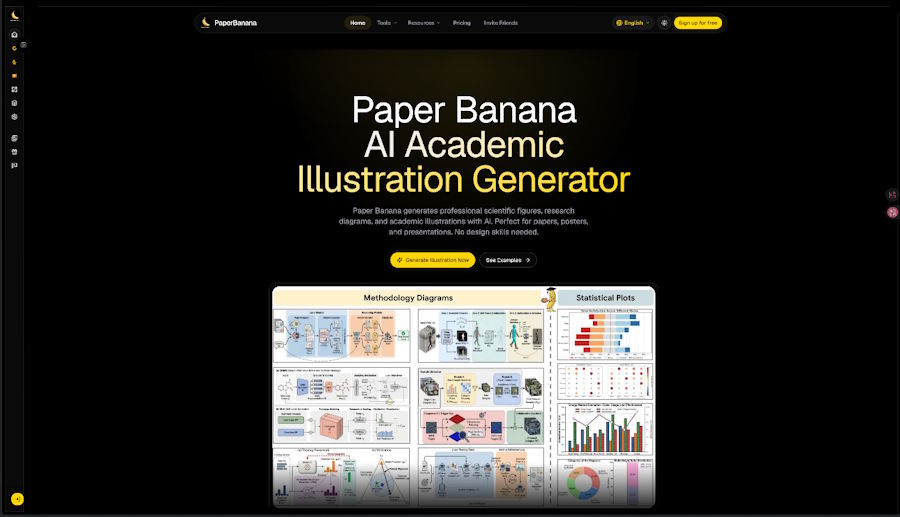
Systems such as paper banana use a component-first process instead of treating the first raster image as the final deliverable. Its AI Scientific Illustration workflow can be understood as five connected stages.
1. Generate the Draft
The generator renders a journal-style draft from the structured description. Its prompt carries forward the required objects, relationships, panels, labels, sequence, and color meanings. A restrained palette, light canvas, high-contrast text, consistent connectors, and aligned components usually create a more usable figure than decorative textures or cinematic effects.
2. Segment the Components
A segmentation model such as SAM3 identifies separate regions, including icons, nodes, text blocks, arrows, and panels. This spatial map changes how errors can be corrected. If one component is wrong, it can be replaced without regenerating the entire figure.
Clear upstream spacing makes segmentation more reliable. Labels that touch shapes and heavily overlapping objects are harder to isolate, so clean layout is a technical requirement as well as a design preference.
3. Extract and Clean Assets
Each segmented region is cropped and cleaned. A background-removal model such as RMBG-2.0 can produce transparent assets for independent placement. The process should preserve thin lines, leader lines, and small annotations, which can be damaged by aggressive background removal.
4. Assemble a Structured SVG
The assembler uses the segmentation map and cleaned assets to build an SVG document. A useful SVG is not simply a raster image wrapped in an <svg> element. It contains editable text, positioned shapes, grouped components, separate connectors, and a meaningful stacking order.
For example, a workflow stage may be a group containing a rounded rectangle, icon, heading, and description. Its arrow should remain a separate path. The author can then move the stage, rename it, recolor it, or reroute the connector in Illustrator, Inkscape, or draw.io without rebuilding the figure.
5. Optimize and Validate
The optimizer checks SVG syntax and refines alignment, spacing, dimensions, and references. It should also repeat the scientific checks. A valid SVG may still contain a duplicated label, clipped legend, disconnected arrow, or incorrect stage order.
The final workflow can export an editable SVG for revision and a high-resolution PNG for platforms that require raster images.
Why SVG Matters
Raster formats store pixels; SVG stores a document tree. Labels can therefore be edited without repainting their backgrounds, nodes can move independently, semantic colors can change consistently, and simple geometry stays sharp at different sizes. The structure also lets validators inspect text, arrow markers, dimensions, and elements outside the canvas.
A Practical Review Checklist
Before using an AI-assisted figure, verify four areas:
- Scientific content: Are all required stages and structures present? Are values, units, and annotations unchanged? Has anything unsupported been added?
- Diagram logic: Do arrows point in the intended direction? Are feedback loops and causal links connected correctly? Is the reading order clear?
- Accessibility: Are labels legible? Is meaning communicated by more than color? Does the palette work for common forms of color-vision deficiency?
- File quality: Does the SVG open in the target editor? Are major components editable? Does the PNG export preserve the expected detail and aspect ratio?
Human review remains essential, particularly when a figure represents primary evidence. A generated diagram may explain how a microscopy experiment works, but it must not be presented as a real micrograph. The same applies to radiographs, histology slides, gels, blots, and other experimental outputs.
Conclusion
Reliable AI scientific illustration depends less on a clever prompt than on the architecture around it. The system must extract constraints, plan the figure, preserve labels and relationships, separate components, assemble an editable SVG, and validate both the file and the scientific meaning.
This pipeline turns image generation into a controlled document workflow. It also gives researchers something a flattened picture cannot provide: the ability to inspect, correct, and refine individual parts before publication.

