

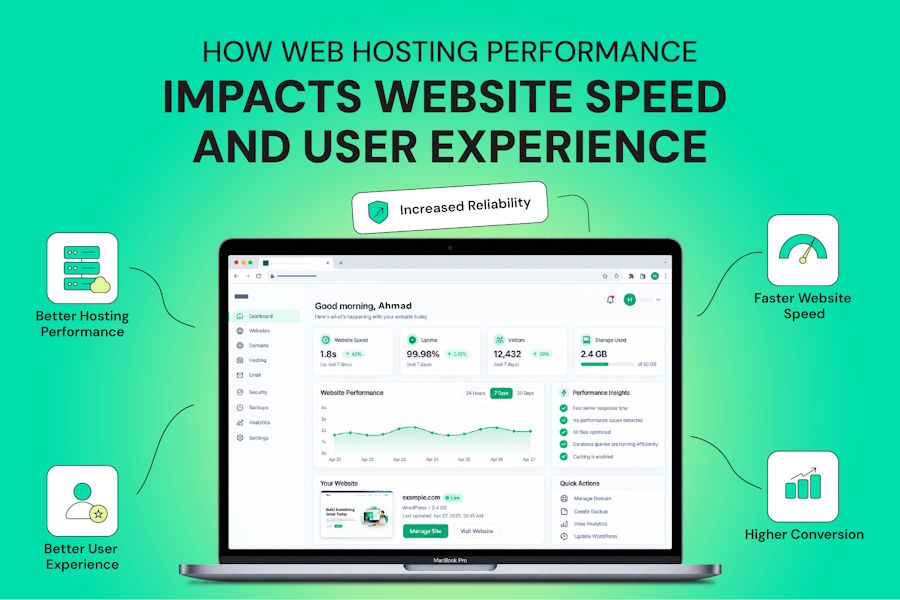
A browser cannot display a page until it receives a response from the server, so hosting influences how early loading can begin. It does not control the entire loading process, but a slow server can delay every visitor before front-end optimization has any effect.
Images, JavaScript, CSS, databases, and application code all contribute to loading time. However, the server provides the starting point for that process. Its hardware, software, network, resource allocation, and location can determine how quickly a request is processed and returned.
What Web Hosting is and Why it Matters for Speed and UX
Web hosting stores your site's files and databases on a server and delivers them when visitors request a page. A page request may require the server to retrieve files, execute application code, query a database, and return a response before the browser can continue building the page.
That makes hosting an important part of both speed and user experience. A server that responds slowly can delay the beginning of page loading, while limited resources or instability can affect dynamic functions, transactions, and availability.
How Web Hosting Controls Website Speed
Several hosting factors influence how quickly a server can process requests. They work alongside website optimization, so better hosting does not eliminate the need for efficient images, scripts, databases, and code.
Server Hardware
Storage speed and processing capacity are separate factors. SSD and NVMe storage can reduce disk I/O delays compared with traditional hard drives, while sufficient RAM keeps active processes and cached data available. Modern multi-core CPUs can handle more concurrent processing when the application requires it.
Time to First Byte
TTFB measures the time between a request being made and the browser receiving the first byte of the response. Server processing, database work, network latency, and resource contention can all increase it. Google's guidance uses 0.8 seconds as the boundary for a good TTFB, but TTFB is a diagnostic measure rather than a standalone ranking requirement.
Server Location and Network
Physical distance, routing, congestion, and network conditions can add latency. A site aimed at Pakistani visitors may benefit from infrastructure closer to its audience, which is one factor to consider when comparing web hosting in Pakistan with overseas options. A CDN can deliver cached static resources from locations closer to visitors, but dynamic requests still depend on the origin server.
Resource Allocation
Shared hosting places multiple accounts on the same underlying infrastructure, so available CPU, RAM, storage I/O, and other resources are shared. A well-managed shared plan can work for smaller websites, while VPS, cloud, and dedicated environments can provide more predictable resource availability.
Server Software
Web server configuration also affects processing efficiency. LiteSpeed or optimized NGINX configurations, current PHP versions, opcode caching, database optimization, and server-level caching can reduce the work required for repeated requests.
How to Identify Hosting-Related Speed Problems
Server-side slowdowns usually leave identifiable patterns. Finding the pattern first helps determine whether the solution is better caching, additional resources, a configuration change, or a different hosting environment.
- High response time: Slow processing or uncached requests can increase server response time. Caching and application optimization can reduce unnecessary processing.
- CPU or RAM exhaustion: When allocated resources remain near their limits, requests may queue or fail. Additional resources or a more isolated environment may be necessary.
- Slow storage or database operations: Disk-intensive workloads and inefficient queries can delay responses. Faster storage and database or object caching can help where I/O is the limiting factor.
- Outdated software: Older PHP versions or inefficient server configurations can increase processing overhead. Updates should be tested against the website's application and plugins.
- Network latency or instability: Distance, routing, and connectivity can affect response times. A suitable server location and CDN can reduce latency for supported content.
How Hosting Affects User Experience
Server performance becomes visible to visitors through waiting, failed requests, slow interactions, and downtime. These effects are more noticeable on mobile connections or pages that depend on repeated server requests.
- Perceived Waiting
A delayed response can leave visitors waiting before content begins appearing.
- Mobile Users
Server latency adds to delays already caused by slower connections.
- Interaction Delays
Searches, filters, account areas, and cart updates can feel slow.
- Checkout and Forms
Delayed requests can cause repeated clicks or abandoned actions.
- Downtime
Unavailable pages can interrupt sessions and prevent transactions or enquiries.
- Trust
Repeated errors and unreliable pages can reduce confidence in a website.
Hosting, SEO, and AI Search
Hosting performance can influence technical page experience, but it is only one part of search optimization. Core Web Vitals include Largest Contentful Paint (LCP), Interaction to Next Paint (INP), and Cumulative Layout Shift (CLS).
Server response time can affect LCP because the browser needs to receive the initial document before it can render content from that response. INP depends largely on interaction processing, while CLS measures unexpected layout movement. Reliable hosting also helps crawlers access pages consistently without server errors.
The same principle applies to AI-driven search systems that retrieve information from websites. Fast hosting does not guarantee inclusion in AI answers, but reliable, accessible pages provide a better technical foundation for systems retrieving and processing website content.
Types of Hosting and their Impact
Each hosting type trades cost, resource isolation, scalability, and control differently. A more expensive hosting environment is not automatically better for every website.
| Hosting Type | Performance | Best For | Main Limitation |
|---|---|---|---|
| Shared | Suitable for lighter workloads | Small blogs and brochure sites | Shared resources and limits |
| VPS | More predictable resources | Growing sites and WooCommerce | Requires more management |
| Cloud | Flexible and scalable | Variable traffic | Costs can increase with usage |
| Dedicated | Full physical server resources | High traffic and demanding applications | Highest cost |
Shared hosting can be sufficient when a website has modest resource requirements. VPS hosting provides greater isolation, while cloud environments can accommodate changing workloads. Dedicated hosting offers the greatest control over physical resources but is usually unnecessary for smaller websites.
Signs Your Hosting is Slowing Down Your Website
Certain patterns suggest that hosting may be contributing to poor performance. These should be compared with application and front-end measurements before changing providers.
Warning signs include consistently high TTFB, a slow administration panel, performance drops during traffic spikes, frequent 5xx errors, unexplained downtime, CPU or RAM reaching allocated limits, slow database responses, and large variations in server response time.
Hosting is not always the cause. Large images, JavaScript, plugins, themes, third-party scripts, inefficient database queries, and application code can also slow a website. A useful test is to determine whether the server responds slowly even when the page itself is lightweight.
How to Measure Hosting Performance
No single testing tool explains every performance problem. Use several measurements to separate server response time from page assets, third-party requests, and application processing.
- PageSpeed Insights: Compare laboratory results with available user Core Web Vitals.
- GTmetrix: Review waterfalls to identify request timing and page loading issues.
- Pingdom: Monitor uptime and test response performance from selected locations.
- WebPageTest: Compare locations, connection types, loading behavior, and detailed waterfalls.
- Chrome DevTools: Inspect network requests, response timing, and individual resource delays.
A long wait before the first byte can indicate server or application processing delays, while a long waterfall after the response begins may point to page assets or third-party resources.
How to Choose the Right Hosting
Match CPU, RAM, storage, and resource limits to your traffic and application, whether it runs WordPress, WooCommerce, or custom PHP. Check response times, uptime history, caching options, server location, backups, scalability, and technical support rather than judging a plan by storage or bandwidth alone.
Providers serving the Pakistani market, including Websouls, can differ significantly in infrastructure and resource allocation, so compare the specifications behind their plans. For a local business, a .pk domain can also reinforce its connection to the Pakistani market.
Front end optimization cannot fully compensate for slow or unreliable infrastructure. Measure TTFB, resource usage, uptime, and page loading behavior first, then choose hosting that matches the website's actual workload.

