

Creating an appealing logo is not only an essential design element, but it is also an aspect that will represent a brand to a wide audience and define whether they will memorize your brand, use the services you provide, or skip to the next alternative.
There are numerous AI-powered logo makers that will help you not only create a logo in the shortest possible time but also create a full brand identity. When using these tools, you can easily customize your logo and achieve the version you are aiming for.
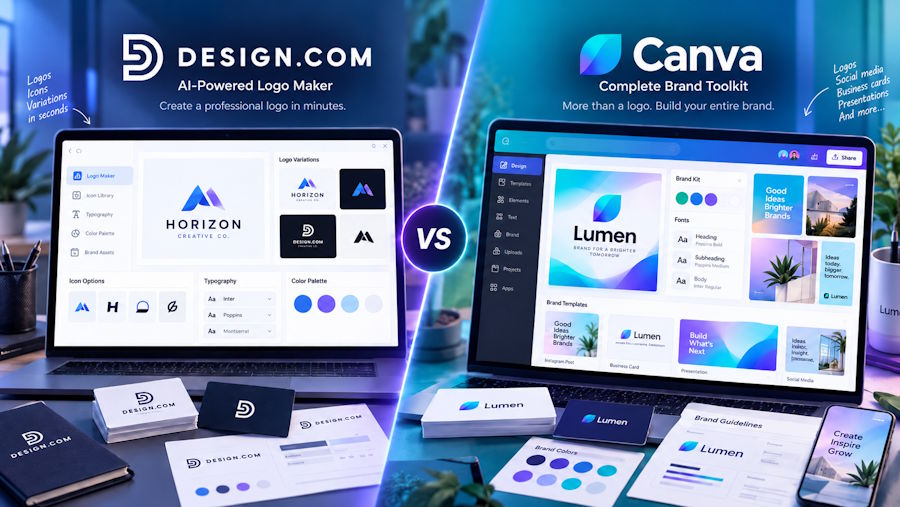
Design.com and Canva have been two of the most famous platforms for design creation, and if you're wondering which would be a better option to start creating with, continue reading this guide where we tested both of the tools for logo creation.
If you want to learn more, continue reading and discover the leading features of the platforms.
TL;DR
- We tested Design.com and Canva by creating a logo for a fictional winery, "Heritage Wine."
- Design.com: Generated different logo options almost instantly, gave us plenty to choose from that matched the chosen field, and offered easy customization, including colors, fonts, layout, and animation. Offers an advanced free plan and provides a lower price point starting around $3/month, billed annually.
- Canva: Delivered high-quality, professional-looking logos with unique details, but the AI tool only gave us one option at a time, meaning we had to restart the process for something new. Has a free plan, but pricing started at $120/year.
What Did We Pay Attention to During the Test
During the test, we created logos for a Winery called “Heritage Wine” and, as a keyword, added “logo for a wine factory”.
But for you to better understand our testing process and ranking, here are a few points we paid close attention to during the test:
- Was the platform quick and easy to work with, especially if you have no design background?
- Could you find a diversity of logos in the tool, and did they match the chosen field?
- Did they provide professional-quality designs?
- Was the customization diverse and easy?
Now, when everything is clear, let’s move forward and get acquainted with the tools and their offerings.
Simple Comparison Chart
| Main Aspects | Design.com | Canva |
|---|---|---|
| Trustpilot Reviews | 4.7 ⭐, 5K reviews | 4.0 ⭐, 7K reviews |
| AI-Powered | Get access to an AI logo generator, AI website builder, AI business cards, AI flyers, AI posters, AI presentations, AI business name generator, AI background remover, and so on | Canva’s AI provides tools to easily customize the design, generate videos, automatically translate, and summarize existing designs. |
| Complete Branding Capabilities | You can access 50+ design and branding tools that generate logos, business cards, websites, digital business cards, flyers, social media posters, menus, QRs, brochures, animations, presentations, videos, letterheads, etc. | Ability to use Canva for presentations, websites, social media graphics, quizzes, 3D elements, automated captions, videos, creation, and more |
| Support | 24/7 email and chat support | 24/7 support |
| Best For | Solo founders, small and medium business owners, content creators, beginners, and more | Non-designers, social media creators, and business owners |
| Does it Have a Free Tier? | Yes, Design.com offers a free tier. When you download a free logo, it also gives you access to a free website builder, link-in-bio creator, and digital business card maker. You receive access to all 50+ design tools and can create anything that comes to your mind. Note that you will need a premium subscription to download designs using the design tools. |
Yes, the platform is free, so you can access most of the templates. Some templates already have Pro features, and to use them, you need advanced plans. |
| Pricing Plans | There are 3 yearly pricing plans available on Design.com:
|
Canva’s yearly pricing plans are the following:
|
Both Logo Makers Reviewed and Tested
#1. Design.com
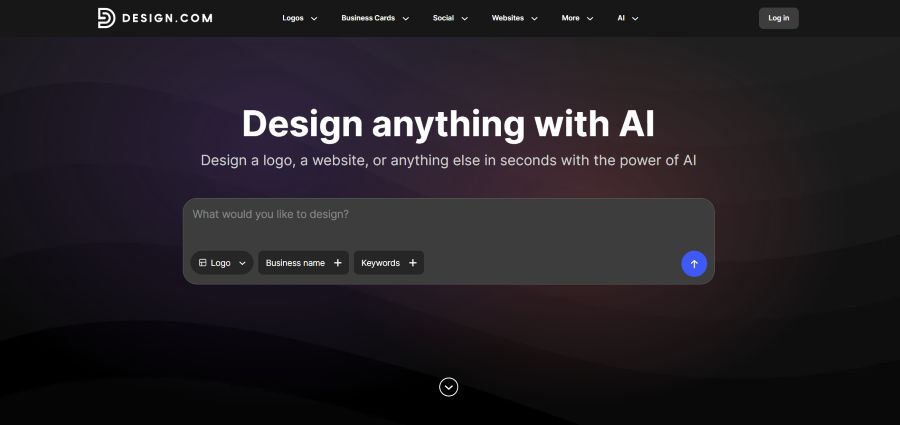
Design.com is a design platform that can help you create beyond logo making and generate designs that are ready to be used on your website and social media platforms.
The tool mostly stands out for its customization features and template diversity that fit any field that comes to mind.
What Benefits the Tool Offers
- Templates: There are 500K logo templates and over 1M all kinds of design templates.
- Ownership: Users gain 100% ownership and extended licensing over the design.
- Customization: There are 750+ fonts, 525+ of which are exclusive. Also, you can access 62K custom vector shapes.
- Files: You can download the logos in SVG, EPS, and PDF vector files; PNG and JPG raster files; GIF and MP4 animated files; and files with transparent backgrounds.
- Favorites List: You can add the logos to a favorites list for later use.
- Voting Poll: Share the logo with your teammates and collect feedback.
- Different Languages: Use the platform in English, Spanish, French, German, Portuguese, Canadian French, and Brazilian Portuguese.
Logo Making with Design.com
Here is a step-by-step testing of Design.com as a logo maker along with our insights:
- To create a logo, we simply needed to add a brand name and a keyword.
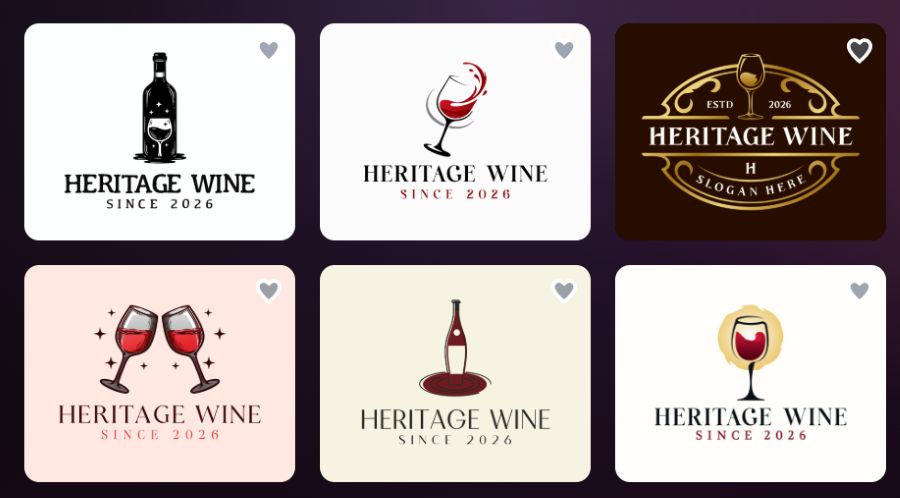
- Logos were generated very quickly, and there were numerous logos available. Each of them had details of the mentioned field, so we had a lot of logos we could choose from.
- The design of the logos was high quality, and professional designers were involved in the creation process, so there were modern logos with interesting colorings and gradients.
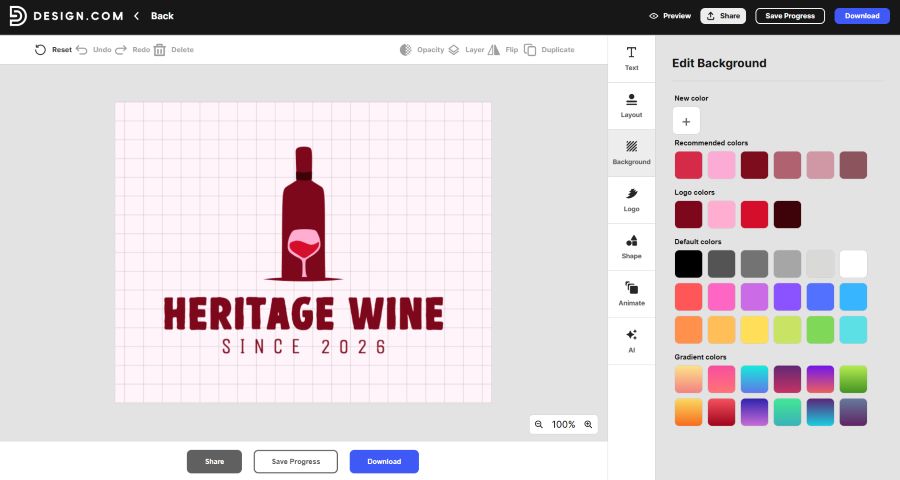
- Customization options allowed us to change the background, layout, shape, font, color, and add animation to the logos.
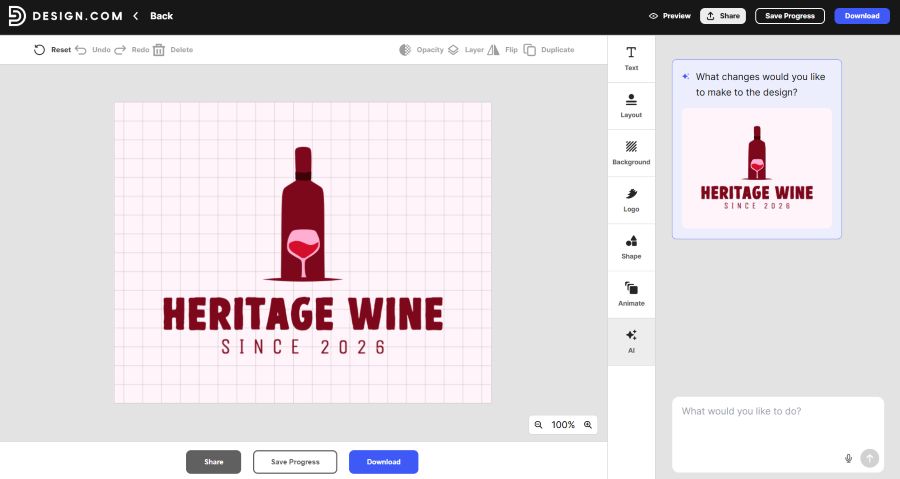
- There is a unique AI editing feature where you can describe the changes you want to make, and AI will help you to do them easily.
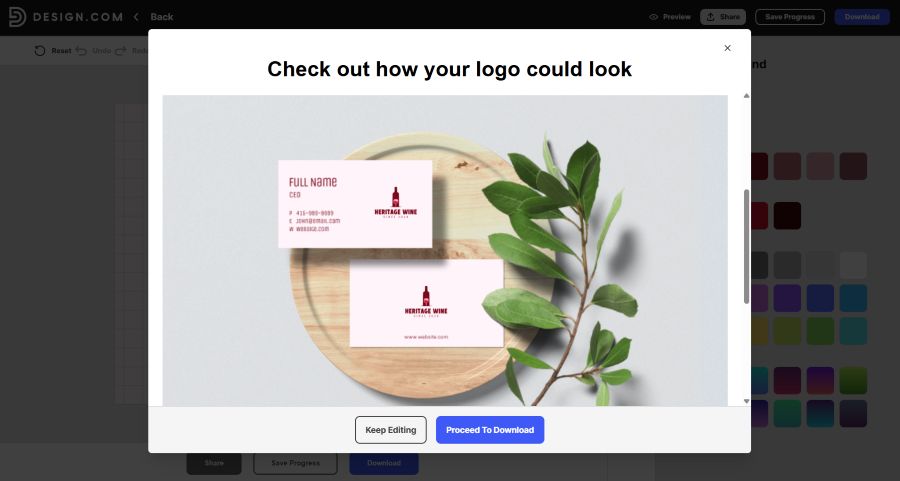
- We could also preview the logo on business cards, as a wallpaper, or on a poster to see what it will look like in real life.
Overall, Design.com is a professional platform that can help you turn your ideas into reality and achieve the desired outcome.
Ease of Use: Working with Design.com’s logo maker was extremely easy. Even without design skills, we did not experience any difficulty; we only chose the changes we wanted to make and saw them immediately appear on the canvas.
Summarizing Chart
Here is a simple chart to quickly summarize main aspects of the tool:
| Category | Our Findings |
|---|---|
| Speed | Logos generated instantly, no wait time |
| Template Diversity | Large volume of options, each tailored to the entered field |
| Design Quality | Professional, modern designs with unique details |
| Customization | Full control over background, layout, shape, font, color, and animation |
| Ease of Use | No design experience required; changes appear instantly |
| Other Essential Features | AI editing: AI applies changes you want automatically |
#2. Canva
Canva is a design platform that integrates AI tools to make design creation easy and effortless. The platform is made for users without design experience, and its drag-and-drop editor helps you make changes quickly.
What Benefits the Tool Offers
- Templates: There are over 1 million professionally designed templates.
- Teamwork: Share the design you are working on with your team and edit it together to make the workflow easier.
- In-Stock Materials: There are numerous fonts, images, audio, videos, graphics, icons, and more available on Canva.
- Cloud Convenience: The work automatically saves online so you can edit from the computer, mobile, or tablet.
- Customization: There is advanced customization available, allowing you to edit the content without experience.
Logo Making with Canva
We used the following steps to create logos with Canva:
- Firstly, we tried to access the templates available on the platform for which we needed to write the field and see what options were available.
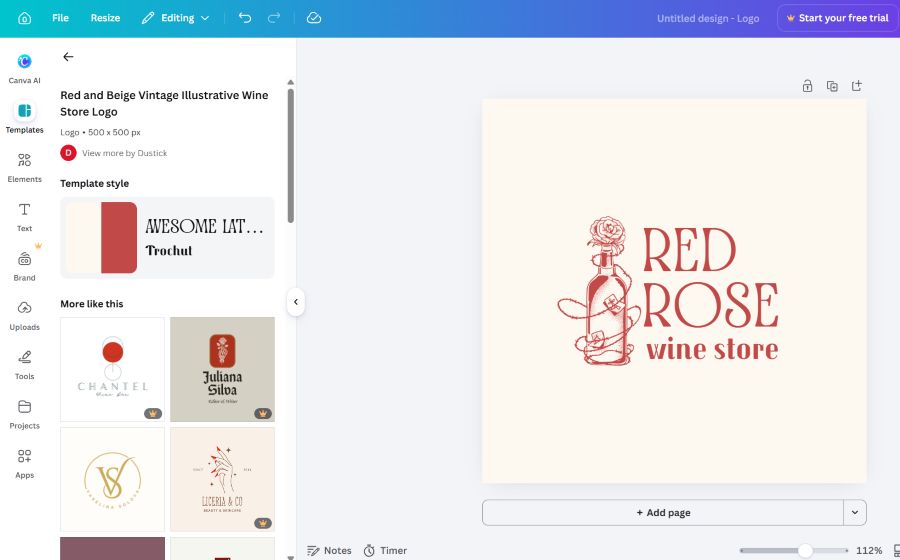
- The quality of the logos was high, and they had unique details and designs that could be easily integrated into your brand.
- However, we wanted to achieve a personalized result, so we described the design to the AI creator and saw the result.
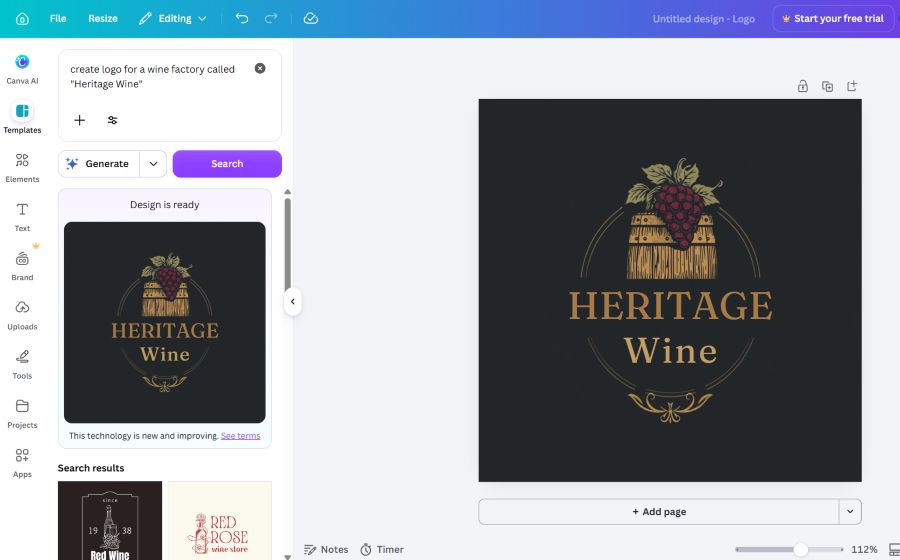
- The AI tools, however, provided only a single design option, and if we wanted to create a new one, we needed to start the process again.
- The customization process included editing the colors, shapes, background, fonts, layouts, cropping the logo, and using AI to make changes.
Ease of Use: The platform was very easy to work with but a bit time-consuming if we compare it to the previous tool.
Summarizing Chart
Here are a few aspects that we used to summarize our experience:
| Category | Our Findings |
|---|---|
| Speed | High-quality results, but a slower overall process |
| Template Diversity | Huge library of templates |
| Design Quality | Professional, high-quality designs with unique details |
| Customization | Full control over colors, shapes, background, fonts, layout, and cropping |
| Ease of Use | Easy to use, but more time-consuming due to needing to restart for personalized options |
| Other Essential Features | AI editing: describe the change you want to make, and AI will help you |
Closing Line
As a result, both of the logo makers were really easy to work with when creating a logo for your business.
They both offered advanced customization options and a lot of templates for diverse fields, so you can create any logo that comes to mind and change it as much as you want to achieve the style you want.
But if you ask us which one we preferred more after the test, we would definitely recommend starting with Design.com if you are aiming to create diverse logos, since it provides professional quality and more personalized options, as well as advanced AI integration.
But the choice is entirely up to you; use both of the tools and decide which one is a better fit for your business.

