

Key Takeaways
- Start with the site, the activity being monitored, and the conditions at each location.
- Match camera type, lens, placement, and lighting to the detail each view must capture.
- Plan power, network capacity, storage, privacy, cybersecurity, and maintenance before installation.
- Test every important view in daylight, darkness, and normal operating conditions.
A mixed indoor and outdoor video monitoring system works best when it is designed around real operational needs, not a list of features. A lobby, warehouse aisle, loading dock, parking area, and perimeter fence each present distinct challenges related to distance, lighting, weather, privacy, and movement.
For example, a multi sensor camera may help cover a broad intersection of walkways or a large open area. In contrast, focused cameras can provide closer views of entrances, transaction points, or restricted doors. The right combination depends on what the organization needs each view to show.
Begin With a Site Survey
Survey the property before selecting equipment. Mark entrances, exits, corridors, loading zones, cash-handling areas, high-value assets, walkways, parking spaces, and blind spots on a simple floor plan or site map. Note potential mounting points, available power, network paths, and obstacles such as shelving, trees, signs, or parked vehicles.
Also, review how each scene changes through the day. A warehouse camera that clearly captures a doorway may miss activity beside a loading dock because trailers, pallets, or open dock doors block its view. Identifying that problem early is usually easier than relocating hardware after installation.
Match the Camera Type to the Scene
- Fixed cameras suit predictable views, including doors, hallways, counters, and gates.
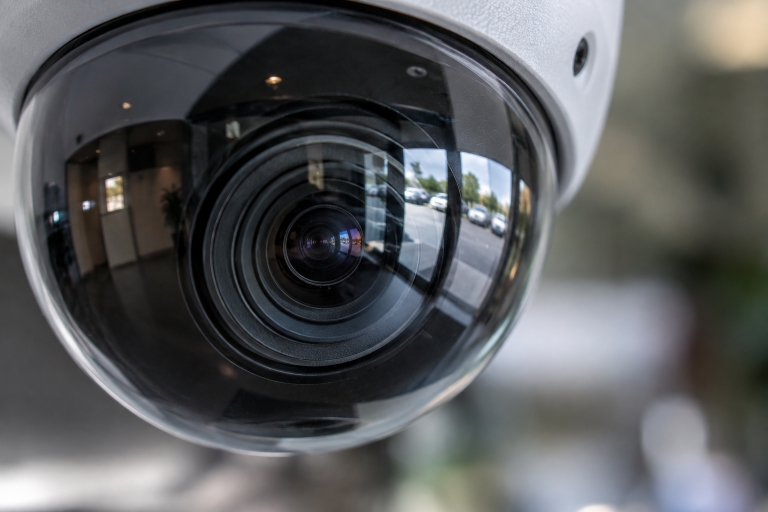
- Dome cameras can be practical in indoor spaces where a compact form factor is useful.
- Bullet cameras are commonly used for visible outdoor coverage and longer directional views.
- Pan-tilt-zoom cameras can help an operator follow activity across a larger area, but they cannot watch every direction at once.
- Fisheye and panoramic cameras can cover open rooms, lobbies, and wide indoor zones with fewer mounting locations.
- Thermal cameras may be useful where darkness, haze, or other limited-visibility conditions make heat contrast valuable for detecting activity.
Choose Resolution Based on the Job
More pixels do not automatically produce better evidence. Lens selection, camera angle, subject distance, motion, lighting, and image stability all affect usable detail. Define the purpose of each view before deciding on resolution:
- Detection: Confirming that movement or an event occurred.
- Recognition: Distinguishing useful characteristics of a person, vehicle, or object.
- Identification: Capturing sufficient detail for a confident determination.
Test the intended subject distance. A wide scene may show more territory, but details on people or vehicles can become too small near the far edge of the image. Several focused views may be more useful than one overly broad view.
Plan for Light, Glare, and Night Scenes
Lighting conditions often determine whether footage is useful. Bright windows can backlight people entering a building, headlights can overwhelm the view of a driveway, and polished floors or glass can create reflections. Review every key scene during bright daylight, after sunset, and under the actual lighting used during normal operations.
Check nearby subjects when infrared or low-light modes activate. A person standing close to a camera may appear washed out if the scene is not properly configured. Outdoor views also deserve testing when headlights, rain, shadows, and moving vehicles are present.
Separate Indoor and Outdoor Requirements
Indoor coverage often prioritizes discreet placement, manageable privacy boundaries, and clear images under controlled lighting. Outdoor equipment must contend with sun, rain, dust, temperature fluctuations, vibration, tampering, and seasonal changes. Select protection appropriate to the actual setting. A covered entrance and an exposed parking lot do not face the same conditions.
Decide Between Wired, Wireless, and Hybrid Coverage
Wired connections can offer stable transmission and predictable power planning. Wireless coverage can be helpful where cable routes are difficult, while cellular connections may support remote or temporary locations. A hybrid design can use each method where it fits best.
Before deciding, assess signal strength, cable distances, available power, network congestion, construction limits, and the likelihood of future expansion. A convenient connection method is not a good choice if it cannot reliably support the required video stream.
Build Storage and Retention Rules Before Installation
Storage needs depend on camera count, resolution, frame rate, recording schedule, scene activity, and whether recording is continuous or event-based. Set a retention period based on operational needs and applicable legal requirements, then size storage accordingly. Include a process for exporting clips, protecting backups, and reviewing capacity when cameras are added.
Treat Privacy as a Design Requirement
Capture only the areas needed for a clear safety, security, or operational purpose. Use privacy masking where appropriate, limit who can view or export recordings, and avoid retaining footage longer than necessary. The privacy risk management framework published by NIST can help organizations structure discussions about privacy responsibilities and controls.
Protect the Network and Connected Devices
Change default passwords immediately, give users individual accounts, remove access when people leave, apply firmware updates, and limit remote access to approved users. Where feasible, separate monitoring devices from general business systems and review failed login attempts. A recent advisory on IP camera vulnerabilities is a useful reminder that connected devices require ongoing security attention.
Use Analytics Carefully
Analytics can help sort footage, detect movement, count people or vehicles, and direct attention to defined events. Start with narrow activity zones and clear alert conditions rather than monitoring every movement. Review false alerts during busy and quiet periods, then adjust sensitivity. Analytics should support human judgment, not replace it.
Create a Testing and Acceptance Plan
- Review every live view from the intended monitoring screen.
- Test daytime, nighttime, and low-light performance.
- Walk through key areas at normal and faster speeds.
- Confirm necessary details on faces, doors, signs, and vehicles.
- Verify alerts, recordings, exports, and playback quality.
- Document final camera locations, access settings, and recording rules.
Plan for Maintenance and Future Changes
Clean lenses, inspect mounts and protective covers, test recording functions, and monitor available storage. Recheck views after construction, landscaping, remodeling, lighting changes, or changes in how a space is used. Keep a record of firmware updates and system changes to keep troubleshooting manageable.
Common Planning Mistakes to Avoid
- Buying equipment before surveying the site.
- Relying on resolution while overlooking distance, lighting, and lens choice.
- Ignoring nighttime performance and headlight glare.
- Mounting cameras too high or too far from the needed detail.
- Using one wide view where multiple focused views are necessary.
- Skipping cybersecurity, retention, and final acceptance testing.
A Practical Decision Checklist
- Which areas need coverage, and what detail must each view show?
- Which locations are indoors, outdoors, sheltered, or exposed?
- How will every device receive power and network access?
- How long must footage be retained, and who can access it?
- What privacy controls, alerts, tests, and maintenance tasks are required?
- Can the design expand without forcing a complete replacement?
Conclusion
A useful monitoring setup begins with clear goals, careful placement, and realistic testing. The strongest system is not necessarily the one with the longest feature list. It is the one that delivers usable footage, respects privacy, fits the site conditions, and remains secure and manageable after installation.

