

You've probably seen these this fall. Someone on a broom pulls up next to a car window. Two guys scream and dance on a European street to an '80s synth song. A stranger on a red carpet turns around slowly and stares.
None of these people filmed anything. They uploaded a photo, and an AI model did the rest.
I got curious and tried to make all six myself. A few came out great on the first try. A couple made me want to throw my laptop. Here's what I learned.
Writing prompts for trends is a trap
My first plan was the obvious one: grab the trend clip, open a video-to-video model, write a prompt, done.
It wasn't done. For most of these trends you're describing a specific dance, camera move and timing, and every model handles it a bit differently. I spent a whole evening on one clip, rerunning it because the face drifted halfway through or the two dancers swapped faces.
And trends don't wait. Most of these peak in two or three weeks. If you spend a week getting the prompt right, the moment's over.
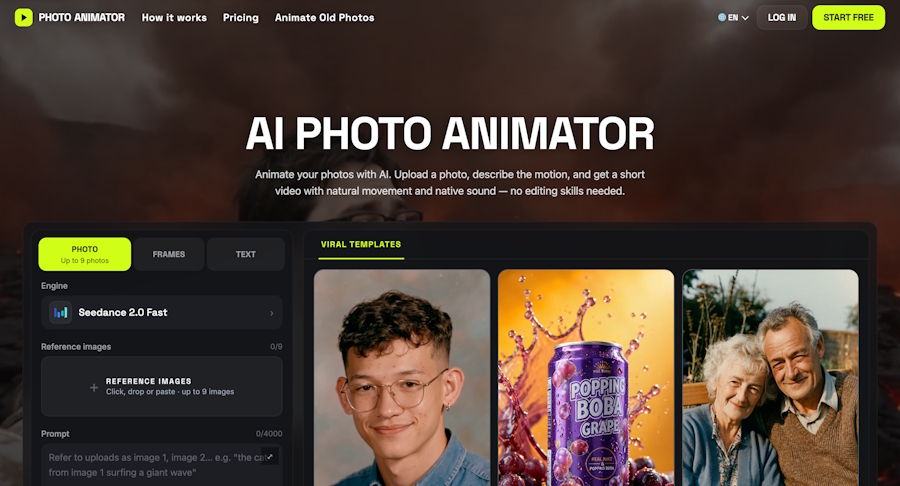
So after doing it the hard way, I started using AI Photo Animator, where each trend already has a model and prompt that someone has tested. You upload a photo, hit generate, and spend your time choosing the right photo instead. Below is each trend, what I used and where it broke.
The quick version
| Effect | Photos | Model | Photo that worked best |
|---|---|---|---|
| Bad Times | 1 | Wan 3.0 | Upper body, real background |
| AI Broom Riding | 1 | Seedance 2.0 Mini | Head and shoulders |
| Toc Toc | 1 | Seedance 2.0 Mini | Full body, standing |
| Bulin 47 | 1 | Wan 3.0 | Front-facing, sharp |
| Smalltown Boy | 2 | MiniMax H3 | One clear photo each |
| Zoolander | 2 | MiniMax H3 | Two faces, similar light |
If you want to see the finished clips before uploading anything, you can browse the viral AI effect templates on one page. I'd do that first. It's the quickest way to tell whether your photo fits the scene.
1. Bad Times
This one's a little one-person drama set to "Bad Times" (credited to Imael Angel). You grab your head, wave the camera away, pace around and lip-sync like you're fighting with whoever is filming. Half the comments under these videos are people asking whether the singer is even real.
What bugged me: almost every AI version I saw happens in the same kitchen as the original clip. So I added one line to the prompt telling Wan 3.0 to use the background from my photo instead. My version plays out in a subway car, and it looks way more like mine.
Lesson: don't use a photo against a white wall. Give the model a real place to work with.
2. AI Broom Riding ("My Ride Is Here")
You're looking out a car window, the lane next to you is empty, and then someone on a wooden broom drifts up, grins at you and takes off. It blew up right before Halloween, which makes sense.
I made this one with Seedance 2.0 Mini and it was the easiest of the six. One photo, one try.
Lesson: a wide shot where your face is tiny doesn't work. Once you're on the broom you could be anyone. Use a head-and-shoulders photo.
3. Toc Toc
A short, bouncy solo dance in a plain room. I can't dance, which is kind of the point: the model copies every step from the clip and just swaps who's dancing.
Lesson: this is the one where you really need a full-body photo. My first try was cropped at the waist, and the model had to make up my legs. You can guess how that went.
4. Bulin 47
A street freestyle: Dominican artist Bulin 47 rapping over a speaker while a crowd films him. This one gave me the most trouble.
Seedance 2.5 failed every single time I tried it. Wan 3.0 got it once I trimmed the clip to about 14 seconds.
Lesson: a crowd means lots of faces, and yours needs to be the clearest one. Use a sharp, front-facing photo with no sunglasses.
5. Smalltown Boy
Two guys going all-out to Bronski Beat's 1984 "Smalltown Boy" on city streets. They scream into the camera, then dance side by side with completely straight faces. I love this one.
It's also sneakily hard. The two dancers keep switching places in the frame, and the camera jumps between close-ups, a low shot from the ground and wide shots. With a short prompt, MiniMax H3 kept swapping our faces halfway through. I had to spell out in the prompt which person was which, including what each one was wearing, before it stayed consistent.
Lesson: use two photos with similar lighting. Otherwise one of you looks pasted in.
6. Zoolander
The red-carpet stare from Zoolander (2001): one model turns around slowly and locks eyes with his rival while flashes go off everywhere. My friend and I made one, and it might be the best thing I've made with AI.
Lesson: it's two people again, so order matters. Upload the photos in the order the template asks for. I mixed them up once and we got each other's roles.
My photo checklist
What I check now before uploading anything:
- One face, clearly visible. No group shots unless the effect needs two people.
- Front or three-quarter angle. Side profiles lose detail when the head turns.
- Even light. Harsh shadows come out as weird texture on the face.
- Framing that fits the effect. Full body for dances, upper body for the rest.
- A real background if the effect uses it (Bad Times).
Which one I'd start with
If this is your first time, pick based on the photo you already have:
- Just a selfie? Start with AI Broom Riding. It was the most forgiving of the six and worked for me on the first try.
- A full-body shot? Go with Toc Toc. It's the only one where the full body really pays off.
- A photo somewhere interesting (a train, a street, a café)? Try Bad Times. It puts that background to work instead of throwing it away.
- A good photo of you and a friend, taken separately? Do Zoolander first, then Smalltown Boy once you've got the photo order right.
- Feeling patient? Save Bulin 47 for last. The crowd makes it the pickiest about your photo.
For the developers reading this: after all this, I don't think the model is the hard part anymore. The hard part is picking the right model and prompt for each scene, and keeping up with trends that change every few weeks. That still feels like an unsolved problem.

