

Developers match a Seedance 2.5 job to a contract before they write the prompt, because APIPod publishes the family as three routes on one endpoint and the model field is how you order. Discount keeps 1080P, native audio, and token billing at 5% off the official list. Special-offer locks the picture at 720P and still carries the audio flag. The X route stays at 720P, bills per second, and is the lowest price in the family. Switching the id changes the contract. Auth, the generations path, and the status poll stay put, so a client can pin the menu in config.
Each contract is named the way the route table names it, so the helper stores an id next to the ceiling that id actually has. Discount text, image, and reference calls are seedance-2.5-t2v, seedance-2.5-i2v, and seedance-2.5-r2v. Special-offer calls use the lite forms of those three, seedance-2.5-lite-t2v, seedance-2.5-lite-i2v, and seedance-2.5-lite-r2v. X publishes two ids, seedance-2.5-x-t2v and seedance-2.5-x-r2v. First-frame and last-frame image-to-video live on the discount and special-offer i2v ids, so a client that needs a first frame orders one of those, and a client that wants the per-second 720P row orders an X id. The shared endpoint is the convenience. The distinct ids are the menu.
One Family Offers Three Contracts On Purpose
Most integrations that already speak to this generation change one field. The three Seedance 2.5 routes share one endpoint, and moving among them is that model field. Auth stays on the same scheme. The poll stays on the same path. What you gain by writing a specific id is the capability attached to it: resolution, audio, duration floor, billing unit, and the asset check. A config map that records seedance-2.5-t2v, seedance-2.5-lite-t2v, and seedance-2.5-x-t2v as three orders will send the brief to the row that can fulfil it. Edit, extend, and draft sit on the discount row as their own model ids, so those jobs have a place on the official channel. You pick the row first. The prompt comes after the contract is clear.
Discount Routes Keep 1080P And Native Audio
The discount route is the official full-capability channel at 5% off list price, billed per token on successful tasks. Resolution can be 480P, 720P, or 1080P. Clip length runs from 4 to 30 seconds and defaults to 4. Modes cover text, image, and reference, plus dedicated edit, extend, and draft model ids. Native audio is on by default, and you can set generate_audio to false when a clip should stay silent. Stability is described as the highest of the three, because this is the official channel, and the page points this route at 1080P delivery and at edit, extend, and draft work.
On APIPod the 5% reduction applies to the official list. A 4-second duration is legal here and is the default. The published quick start sends 8 seconds at 720p with generate_audio true, which sits inside this window. X starts at 5 seconds, so the duration floor is part of the menu: a discount client can send 4, and an X client sends 5 or more.
Token Rates Scale With The Chosen Resolution
Official list price is token-based. Tokens per second scale with resolution, and a video reference is billed for its own duration together with the output, at a lower unit price. At 480P with no video reference the list is 9,607.5 tokens a second, $10.7 per million tokens, about $0.103 a second. With a video reference the unit price on that row falls to $6.4 per million, about $0.062 a second, and both durations count. The published example is a 10-second reference plus a 10-second output: $1.23 at 480P and $2.76 at 720P. At 720P the no-reference list is about $0.231 a second from 21,600 tokens a second. At 1080P it is about $0.412 a second from roughly 38,500 tokens a second, or about $0.246 a second when a video reference is in the bill. The discount tier is 5% under those list rates. The console is where the live rate for the id you chose belongs.
A Reference Clip Adds Its Own Duration
A long reference carries its own duration on the bill. A 10-second guide clip plus a 10-second result costs more than the result alone, even though the unit price is lower, because both clocks are counted. Keep the reference when it is the product shot you must hold. X bills per second and, when a reference video is present, also adds reference length to output length. Discount does that combined clock in tokens at 5% off list. X does it per second. The menu puts the units side by side so the client records the unit it will actually be charged.
Special Offer Holds 720P And The Audio Flag
The special-offer ids stay on an official route and lock the picture at 720P. Clip length is still 4 to 30 seconds. Text, image, and reference modes remain, including first and last frame. Native audio stays on by default, so generate_audio is still a field you can send, either left on for dialogue, ambience, and music, or set to false when the batch should be silent. Stability on this route is high, and the price is special-offer pricing, without a second token table beside the discount list. You order it when 720P plus the audio flag is the contract you want.
For a batch, that audio flag is the practical difference from X. Special-offer can leave generate_audio on, or turn it off and keep the clip quiet. Reference caps are shared across the 2.5 family, so frame size and the audio field are what choose the route. When the brief says 720P and still needs generate_audio, the lite id is the order that matches. The discount id remains there when the same work later steps up to 1080P.
The X Route Bills Per Second At 720P
The X route is the per-second choice at 720P, and it is the lowest price in the family. Clip length runs from 5 to 30 seconds and defaults to 5. The published ids are seedance-2.5-x-t2v and seedance-2.5-x-r2v. X does not publish an image-to-video id, so first-frame and last-frame work stays on the discount and special-offer rows where those ids exist. Generate_audio, seed, and watermark are off this parameter list. Public URLs pass through without the asset review the official routes run, and assetId library references stay on those official routes. Longer peak queues and a higher failure rate are printed on the same card, so a caller can see them while choosing this row for a 720P trial that can wait and can retry.
A demo that lives at 720P, starts at 5 seconds, and has no need of the audio flag can take the per-second price and the queue that comes with it. Check the duration floor when you wire the client: 4 is legal on discount and special-offer, and X begins at 5. The per-second label is a real price on the row that offers 720P, text or reference, and a public URL passed through.
Match The Brief To The Row You Want
Read the row that matches the brief, then lock the id. The Seedance API route card is the menu, and every cell below is a published difference a client can store. Compare the brief with that card before you pin a helper. A 1080P master with synced audio, or with audio explicitly silenced, is a discount id. A 720P batch that still needs the audio flag is a lite id. A 720P trial billed per second, without that flag, is the X id. APIPod shows the live rate in the console after you pick, so the table decides which id is eligible and the console states what that id will reserve.
| Check | Discount | Special-offer | X route |
|---|---|---|---|
| Model ids | seedance-2.5-t2v, i2v, r2v | seedance-2.5-lite-t2v, i2v, r2v | seedance-2.5-x-t2v, x-r2v |
| Resolution | 480P, 720P, 1080P | 720P only | 720P only |
| Clip length | 4 to 30 seconds, default 4 | 4 to 30 seconds | 5 to 30 seconds, default 5 |
| Image to video | First and last frame | First and last frame | No first or last frame |
| Audio field | On by default, can be disabled | On by default, can be disabled | Parameter not supported |
| Billing | 5% off list, per token | Special-offer pricing | Per second, lowest in the family |
| Asset check | Public URLs reviewed | Public URLs reviewed | Public URLs passed through |
| Stability | Highest, official channel | High, official special-offer | Longer queues, higher failure rate |
Use the card to decide the order, then let the console carry the live figure. The list prices above are the official token arithmetic. Special-offer pricing stays a named price. X stays per second. A 1080P file and a 720P trial are different orders on the same endpoint, and the card is where that difference is written down.
Live Rates Stay In The Console After You Pick
Once the id is chosen, the reservation follows that id. The 5% statement, the token examples, and the per-second label are enough to choose the row. The console shows the rate that will actually be reserved when the task is submitted. A failed task is refunded under the published rule that cost is reserved at submission and returned when the task fails. The refund covers the charge on that attempt, and the row you picked is the queue you used.
The Same Key And Poll Serve Every Route
What stays put, and what makes the menu practical, is the shell around the id. The same key, the same videos generations path, and the same status poll serve all three routes. You POST the body, read a task id, and poll until the status is completed or failed. Output URLs are in the result after completed. Media URLs on the discount and special-offer routes are reviewed by the asset service, so a plain public URL is the normal input there. X skips that review and refuses assetId references, so a library id stays on the official routes and a public URL is what you send on X. Edit and extend exist as their own discount model ids, and they check parameter constraints at submission time. The draft id is also discount-only. A two-step draft procedure belongs on that discount path, where 1080P and the draft id are both published.
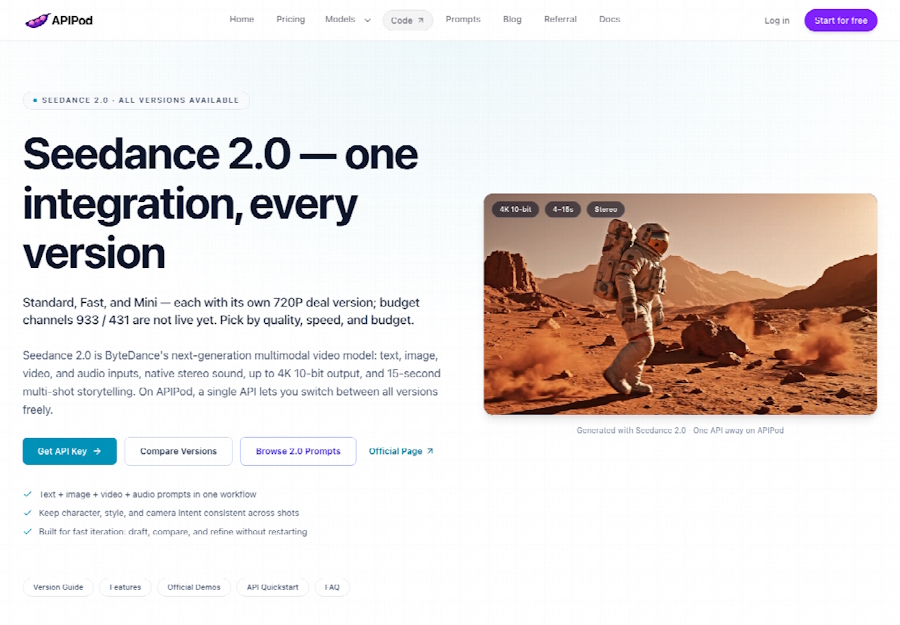
Chat completions on the wider platform can point an OpenAI-style SDK at the base address shown in the console, and Anthropic and Gemini formats are accepted there too. A Seedance video call stays on the generations path. Node, Python, and cURL samples on the homepage are three ways to send the same body. Pin the model string in config, next to the resolution and the duration floor. Observability still itemises the charge. Discount tops out at 1080P. A 4K master is a Seedance 2.0 standard-tier id, a different model field. Auth, billing, and observability carry over, and you switch 2.5 and 2.0 by changing that field when the spec asks for 4K.
Ship The File On The Contract You Chose
Order a critical delivery on the discount route when the file should be 1080P, when audio must be generated or explicitly silenced, or when you need edit, extend, or a draft path. The official channel, the token bill at 5% off list, and the asset review are the parts a production client can name in review. Order the special-offer ids when 720P is the real spec and you still need the audio flag. Order X when the job is a budget trial or a demo that can retry, stay at 720P, start at 5 seconds, and live without generate_audio. APIPod is the gate that makes those three orders visible on one family, so the id in config is a choice you can explain.
Pin duration floors, resolution, and whether the audio field exists, beside the model string. A 4-second body belongs on discount and special-offer. A first-frame image belongs on the i2v ids those rows publish. The per-second price belongs on X, next to 720P. Ship the file on the contract that already contains the frame, the sound, and the unit you meant to buy.

