

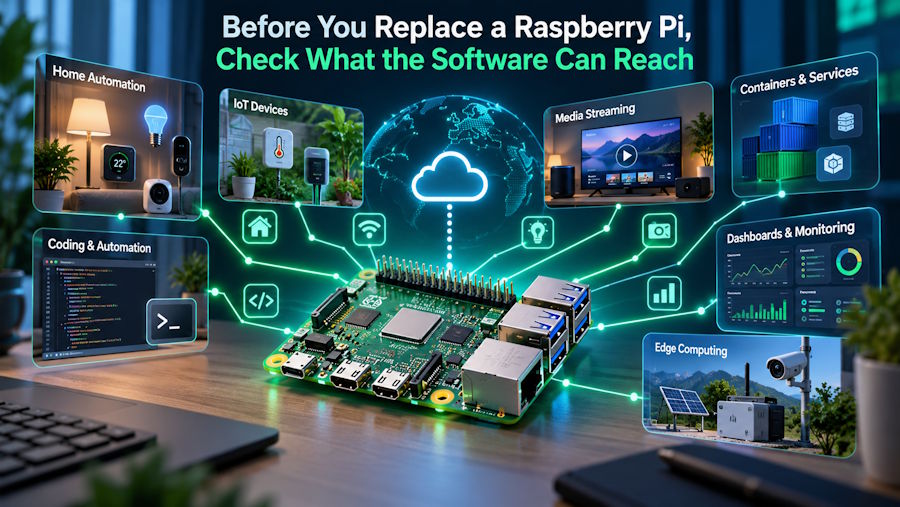
Developers who outgrow the Raspberry Pi 5 usually start by comparing CPU cores and TOPS ratings. The more useful first question is whether a board's kernel, drivers and runtimes will let a project use the hardware it is paying for.
According to a recent comparison from KiwiPi, the Raspberry Pi 5 is still the single-board computer that is easiest to recommend, because its operating system is mature, its accessory market is enormous and its community has already answered most of the questions a newcomer will ask. The same guide lists ten alternatives, each chosen for a workload it handles particularly well, and openly notes that two of them, the KiwiPi 5 and KiwiPi 5 Pro, are the company's own boards, assessed against the same practical criteria and limitations as the rest.
A faster processor makes a comparison table look convincing, but on an SBC the extra speed matters only when the software exposes it. GPU acceleration, NPU runtimes, camera pipelines, video codecs and GPIO libraries often depend on a specific vendor kernel or a particular operating-system image. Swap that image for a generic distribution and some of those hardware blocks may stop working. This is why the guide recommends checking the current image, kernel and peripheral documentation for every board instead of assuming that generic Linux support covers the whole chip. All ten boards in the comparison have a Linux path, though the quality of that path varies a lot from vendor to vendor.
AI work makes the dependency especially visible. Projects built around CUDA and TensorRT point toward NVIDIA, and the Jetson Orin Nano Super is the board the guide names for that ecosystem. NVIDIA specifies a six-core Cortex-A78AE CPU, 1,024 Ampere CUDA cores, 32 Tensor Cores and 8GB of LPDDR5 with 102GB/s of bandwidth, rated at up to 67 sparse INT8 TOPS. Models written for NVIDIA hardware generally need less platform-specific conversion than they would on smaller NPU ecosystems, and in daily work that matters more than the headline figure. The catch is the fixed 8GB of memory. It is enough for many vision models and compact language models, yet on larger workloads it becomes the limit well before the GPU architecture does.
Rockchip boards take a different route. The RK3588 family, used in the KiwiPi 5, KiwiPi 5 Pro, Radxa ROCK 5B+, Banana Pi BPI-M7, ODROID-M2 and Khadas Edge2, carries a 6 TOPS NPU that can be efficient for supported RKNN models. Texas Instruments goes its own way in the BeagleY-AI, whose AM67A chip pairs four Cortex-A53 cores at 1.4GHz with two C7x DSPs and matrix accelerators delivering 4 TOPS combined. The comparison warns that these numbers cannot be lined up directly across vendors. Precision, sparsity, supported operators, memory bandwidth and software optimization can all outweigh the rating printed on a product page.
For server-style software, the architecture itself can settle the question. The ZimaBoard 2 runs an Intel N150 quad-core processor at up to 3.6GHz with 8GB or 16GB of LPDDR5x, so server packages, container images, virtualization tools and binary-only utilities are less likely to need ARM-specific workarounds. It adds two powered SATA 3.0 connections, two 2.5GbE ports and a PCIe 3.0 slot, which makes it the most direct NAS option on the list. It has no integrated NPU, though, and it is a poor match for GPIO experiments.
Once the software path is clear, the guide suggests counting interfaces before comparing CPU scores: Ethernet ports, PCIe lanes, camera inputs, display outputs, USB ports and expansion headers. Storage deserves the same attention, since built-in eMMC, NVMe, SATA and microSD differ greatly in speed, reliability and ease of replacement. These details separate boards that look alike on paper. The KiwiPi 5 Pro uses the full RK3588 and provides PCIe 3.0 x4 for an M.2 2280 NVMe SSD alongside two 2.5GbE ports, while the smaller KiwiPi 5 uses the RK3588S with eMMC and microSD, one Gigabit Ethernet port and no M.2 NVMe slot. The Radxa ROCK 5B+ has two M.2 connectors, but each carries two PCIe 3.0 lanes, so a single fast SSD or accelerator never gets four lanes from either slot. The ODROID-M2 connects its NVMe slot through one lane of PCIe 2.1.
Expansion headers are where a move away from Raspberry Pi most often breaks. A 40-pin connector does not guarantee compatibility, because voltage levels, reserved pins, device-tree overlays and software libraries can differ even when the physical layout matches. BeagleY-AI is the board that explicitly aims to support many Raspberry Pi HATs, with an 85 x 56mm form factor and a Raspberry Pi 5-style PCIe connector, though every accessory should still be checked individually. The KiwiPi 5 Pro takes the opposite approach: its 39-, 50- and 60-pin connectors are designed for board-specific displays, cameras and I/O, so peripheral support should be confirmed against the intended Linux or Android image before deployment.
Newer hardware brings its own uncertainty. The Orange Pi 6 Plus offers a 12-core 64-bit platform with up to 64GB of LPDDR5 and advertises 45 combined TOPS across the CPU, GPU and NPU, yet a fresh platform needs time to gather mature kernels, drivers, tutorials and third-party images. The Banana Pi BPI-M7 splits its support between official Android, Debian and Buildroot images and third-party distributions such as Ubuntu and Armbian. Some vendors try to reduce this friction. Khadas ships its OOWOW recovery and installation environment with the Edge2, which makes reflashing an ARM board less of a chore.
The practical takeaway is to treat any alternative as a new platform. Cases, power supplies, camera cables, GPIO mappings, storage modules and operating-system images usually differ from the Raspberry Pi versions, unless the manufacturer documents mechanical, electrical and software compatibility for the exact parts being reused. The comparison closes on a point developers tend to underrate: the Raspberry Pi ecosystem remains its strongest specification, and switching pays off when a concrete hardware or software requirement outweighs that advantage.

