

Introduction: The Challenge of Navigating Large Link Collections
The internet provides access to millions of websites covering education, technology, entertainment, business, health, and countless other subjects. Although this variety creates valuable opportunities for users, it can also make it difficult to find relevant information. Websites that collect many external links must organize their content carefully so visitors can find useful resources without unnecessary effort. A clear navigation structure improves usability, reduces confusion, and encourages people to explore more of the available content. Thoughtful design matters especially when a website serves as a central access point for resources hosted across different platforms.
Why Website Navigation Matters
Navigation influences how visitors understand and interact with a website. Without a logical structure, users may struggle to find resources that match their interests. Poor organization can cause frustration, longer browsing sessions, and visitors leaving before they find what they need. In contrast, a well-planned navigation system provides clear pathways through large collections of information. Menus, search functions, descriptive labels, and consistent layouts all help users understand where resources are located. Effective navigation isn't just about presenting links; it is about making information easier to discover and use.
Organizing Links Into Meaningful Categories
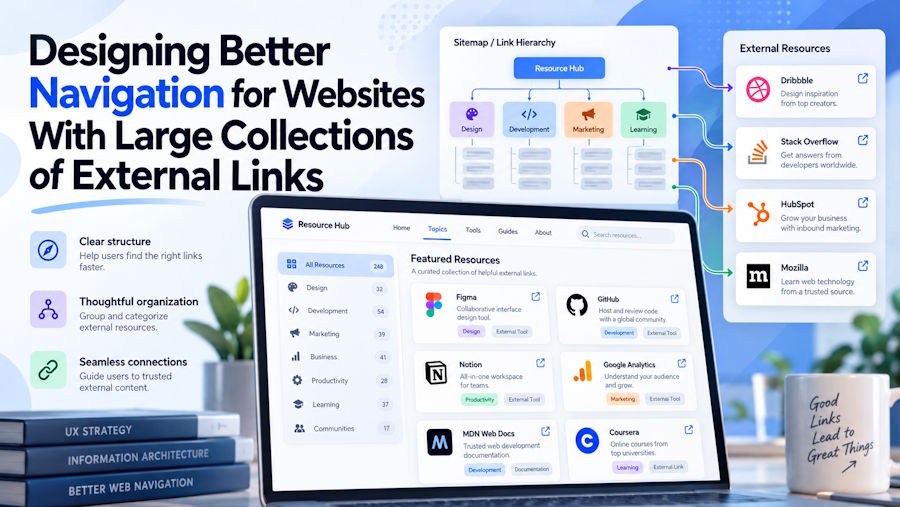
One of the most effective ways to manage extensive link collections is to group resources by purpose. For example, separate technology websites from educational platforms, and distinguish shopping resources from travel services. This structure lets visitors start broad and gradually narrow their choices. Category-based website directories demonstrate how grouping related resources can create a more organized browsing experience. Instead of scanning one long list, users can explore a relevant section and focus on links that better match their needs. Categories should reflect the actual content of each resource and use familiar terms that visitors can understand quickly.
Using Clear Labels and Consistent Design
Category organization works best when labels are concise, descriptive, and consistent throughout the website. Vague headings may leave visitors uncertain about what they will find after clicking, while overly technical language can create unnecessary barriers. Designers should choose familiar wording and avoid creating too many overlapping categories. Visual consistency also helps users recognize navigation elements across different pages. Similar spacing, typography, link styles, and heading formats create a predictable experience. When visitors understand how one section works, they can apply that knowledge to other areas of the website without learning a new layout each time.
Adding Search and Filtering Features
Categories provide a useful starting point, but they may not be sufficient for websites containing thousands of external links. Search functionality allows users to enter a keyword and find relevant resources more directly. Filters can further refine results according to subject, language, resource type, or other useful characteristics. For example, someone searching for learning materials might want to view only educational platforms or free resources. These features should be easy to locate and simple to operate. Search results should also display meaningful titles and short descriptions so users can make informed decisions before leaving the directory.
Improving Mobile Navigation and Accessibility
Many people browse the internet on smartphones and tablets, so responsive navigation is essential. Large link collections should remain easy to explore on smaller screens, where limited space can make complex menus hard to use. Collapsible sections, readable text, touch-friendly controls, and a logical page hierarchy can improve the mobile experience. Also consider accessibility during the design process. Clear contrast, descriptive link text, keyboard-friendly navigation, and compatibility with assistive technologies help more people use the website successfully. Accessible design benefits not only visitors with specific needs but also anyone browsing in challenging conditions.
Maintaining Link Quality and Accuracy
Navigation design must be supported by regular content maintenance. External websites may change their addresses, remove pages, or become unavailable over time. Broken links reduce trust and can make an otherwise well-organized directory less useful. Website administrators should periodically check links, remove outdated resources, and update descriptions when necessary. It is also helpful to identify duplicate entries and place each resource in the most appropriate category. Clear descriptions should explain what a destination offers without making exaggerated claims. Accurate information helps visitors choose suitable resources and improves the website's overall reliability.
Conclusion: Creating a More Useful Browsing Experience
Designing navigation for websites with large collections of external links requires balancing organization, simplicity, accessibility, and ongoing maintenance. Meaningful categories help users explore related resources, while clear labels and consistent layouts make the structure easier to understand. Search tools and filters speed up discovery, especially on websites with extensive collections. Mobile-friendly design ensures that these benefits remain available across different devices, and regular link checks preserve the quality of the experience. By focusing on visitors' needs rather than simply increasing the number of listed links, website owners can build resource hubs that make online information easier to find, understand, and navigate.

