

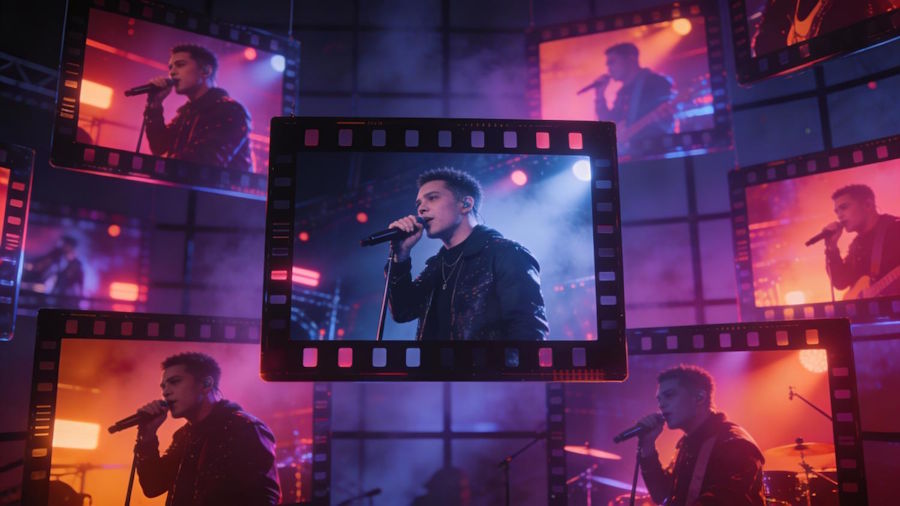
Yes - BeatViz is a practical AI music video generator for independent filmmakers who want to turn a finished song into a complete 3–5 minute music video, while Kling 4.0 is better suited to generating longer individual scenes and Runway Gen-4.5 offers more focused control over shorter cinematic shots. The challenge is no longer simply generating footage. It is keeping the characters, visual style, storytelling, and editing consistent across an entire song.
As of October 2026, Kling 4.0 supports video generation up to 30 seconds per clip, while Runway Gen-4.5 supports clips between 2 and 10 seconds. At an average of eight seconds per shot, a three-minute music video requires approximately 23 clips, and a five-minute video requires 38, before accounting for retakes.
For independent filmmakers, the most useful question is therefore not whether AI can produce five minutes of moving images. It is how to turn those images into a coherent film that follows the music.
Quick Comparison: Full-Song AI Music Video Tools vs. Video Generation Models
Different tools solve different parts of the production process.
| Tool | Best For | Approach to a 3–5 Minute Music Video | Main Limitation |
|---|---|---|---|
| BeatViz | Full-song music video production | Music analysis, AI-directed scene planning, character references, multi-scene generation, and editing options | Longer projects require credit planning and human review |
| Kling 4.0 | Extended cinematic shots and performance sequences | Generates individual clips of 3–30 seconds, with reference and keyframe controls | Individual shots still need music-aware assembly |
| Runway Gen-4.5 | Short, precisely directed cinematic scenes | Generates 2–10-second clips from prompts or images | A complete song requires many clips and additional editing |
The distinction matters: a video generation model creates footage, while a music video production platform helps organize footage around an existing soundtrack.
For narrative projects, neither longer generation duration nor higher image resolution automatically guarantees a better finished film.
What Does a Complete 3–5 Minute AI Music Video Actually Require?
A music video is not simply a short film with music added afterward. The soundtrack already establishes a timeline that the visuals must serve.
A three-minute song may contain an introduction, two verses, repeated choruses, a bridge, and an outro. Each section creates different expectations for energy, movement, emotional intensity, and visual composition.
Why Clip Duration Changes the Production Workflow
Consider a 180-second track.
If the filmmaker uses eight-second clips, covering the song requires at least 23 generated segments. Using five-second clips increases that number to 36.
A 300-second song requires 38 eight-second clips or 60 five-second clips.
Kling 4.0's 30-second generation capability could theoretically cover a three-minute track with six maximum-length clips. However, six uninterrupted 30-second shots may not suit the rhythm or narrative structure of the song.
The number of usable shots depends on the creative edit, not merely the maximum duration of the model.
Why a Music Video Is Different From a Collection of AI Clips
A collection of generated clips can feature impressive lighting, detailed environments, and convincing movement while still feeling disconnected.
A complete music video needs recurring visual ideas.
The singer introduced during the first verse should remain recognizable in the final chorus. A location established at the beginning should feel related to later scenes. Camera movement and editing intensity should respond to the music rather than change randomly.
These decisions require a shot plan before large-scale generation begins.
How to Plan a 3–5 Minute AI Music Video Like an Independent Filmmaker
The most effective starting point is the finished audio track, not a video prompt.
Step 1: Divide the Song Into Narrative Sections
Listen to the song and mark its major transitions. Identify where the vocals begin, where the energy rises, and where the emotional direction changes.
A hypothetical three-minute music video might use this structure:
| Song Section | Time Range | Visual Direction |
|---|---|---|
| Introduction | 0:00–0:20 | Establish the location and visual atmosphere |
| First Verse | 0:20–0:55 | Introduce the performer and central story |
| First Chorus | 0:55–1:25 | Expand camera movement and visual intensity |
| Second Verse | 1:25–2:00 | Develop the narrative with new perspectives |
| Bridge | 2:00–2:30 | Introduce emotional contrast or a turning point |
| Final Chorus and Outro | 2:30–3:00 | Return to key visual motifs and resolve the story |
These are illustrative editing decisions, not fixed musical rules.
Step 2: Give Every Shot a Clear Purpose
Create a shot list that defines four elements: subject, location, action, and camera movement.
For example:
"A singer stands alone in a dimly lit rehearsal studio. The camera moves slowly from a medium shot into a close-up as the first vocal line begins."
This is more useful than a vague prompt requesting a beautiful cinematic music video.
A specific shot description makes it easier to evaluate whether the generated footage serves the story.
Step 3: Establish a Consistent Visual Language
Choose a limited palette of environments, lighting conditions, costumes, and recurring compositions.
A filmmaker might use warm interiors for the verses, cool nighttime exteriors for the chorus, and a single distinctive close-up to connect the opening and ending.
This creates continuity even when individual AI generations vary.
BeatViz: Best AI Music Video Generator for a Music-First Production Workflow
BeatViz is particularly relevant to independent musicians and filmmakers who already have a finished track and want to build a complete music video around it.
Unlike a standalone text-to-video model, BeatViz offers several production approaches designed specifically for music. Its Workflow, AI Director, and Editor address different stages and levels of creative control.
Workflow: Turn Music Analysis Into a Visual Storyboard
BeatViz Workflow starts with an uploaded audio file. The platform analyzes the selected music, presents creative directions, and develops an editable storyline.
The production process then moves through scene planning, visual prompts, first-frame generation, video generation, and review.
For a longer song, this structured approach helps filmmakers establish the visual concept before committing credits to every scene.
Users can also provide character reference images to guide the appearance of recurring performers.
The practical advantage is organizational: the filmmaker can review the proposed shots and starting images before generating all the moving footage.
AI Director: Develop the Music Video Through Conversation
BeatViz AI Director provides a conversational approach to music video planning and generation.
Instead of defining every shot exclusively through separate controls, filmmakers can describe the overall direction, characters, environments, and desired changes in natural language.
A director might request:
"Keep the first verse intimate, introduce a wider outdoor performance during the chorus, and return to the original location for the final scene."
This approach can be useful when developing the visual concept or revising individual creative decisions.
It does not eliminate the need for quality control. The filmmaker still needs to evaluate scene continuity, timing, character appearance, and final footage.
Editor: Control the Timeline, First Frames, and Lip Sync
BeatViz Editor is designed for creators who want more direct control over individual shots and their arrangement.
The Editor supports visual planning, image and video generation, clip trimming, reordering, replacement, and MP4 export with the original song.
It also supports lip sync on eligible completed timeline clips, using the corresponding section of the uploaded music as the audio reference.
For filmmakers producing performance-driven videos, the ability to work on selected shots is especially useful. A weak close-up does not necessarily require rebuilding the entire sequence.
The Editor's Classic and Chat interfaces share the same project. Workflow tasks, however, are separate from Editor projects, so creators should choose their production route accordingly.
For practical setup instructions, BeatViz provides an Editor guide for planning, generating, editing, and exporting music videos.
How to Maintain Character Consistency Across Dozens of AI Shots
Character consistency remains one of the hardest problems in longer AI-generated videos.
A performer may appear convincing in an individual scene but acquire a different hairstyle, facial structure, outfit, or body proportion in the next.
Use Character References and Approved First Frames
Start with a clear reference image showing the character's recognizable facial features, hairstyle, and clothing.
Then establish approved first frames for important scenes before generating motion.
First frames help define composition, lighting, and character presentation. They also provide an opportunity to catch errors before spending resources on video generation.
Reference images improve control, but they do not guarantee perfect identity preservation across every shot.
Separate Difficult Performance Shots From Establishing Shots
Not every scene needs to show the singer's face.
Wide landscapes, silhouettes, instruments, architectural details, and environmental shots can add variety while reducing the number of complex face-dependent generations.
Save close-ups for moments when expression or vocal performance matters most.
This is both a storytelling decision and a practical way to manage continuity problems.
How to Assemble AI Clips and Synchronize Them With the Song
After generating the footage, the project enters its most important editorial stage.
Match Cuts to Musical Structure, Not Every Beat
Fast music does not require a cut on every beat.
Use major musical transitions to establish visual changes, then vary the duration of individual shots according to emotion.
A sustained vocal note may benefit from a longer close-up. A drum fill may justify a rapid sequence of shorter angles.
The objective is to make the editing feel intentional rather than mechanically synchronized.
Apply Lip Sync Only Where the Performance Needs It
Lip sync can strengthen singing close-ups, especially when the performer faces the camera.
However, synchronization errors become more noticeable during rapid head movement, overlapping characters, or difficult camera angles.
In BeatViz Editor, lip sync works on eligible completed video clips up to 15 seconds long. The process uses the corresponding section of the project's song.
For stronger results, filmmakers should preview each synchronized clip rather than assume the generated mouth movements will always be accurate.
Review the Entire Timeline Before Exporting
A complete video should be watched from beginning to end.
Check whether recurring characters remain recognizable, scenes connect logically, and important musical moments receive appropriate visual emphasis.
Inspect the final exported file as well as the editor preview. In BeatViz Editor, the exported MP4 uses the original uploaded song as its soundtrack.
What Does a Complete AI Music Video Cost?
The cost depends on clip duration, resolution, the selected generation model, lip sync, and the number of revisions.
A useful budget begins with the minimum number of generated clips.
For example, BeatViz's published Standard Fast Workflow rate lists 35 credits for an eight-second 720p video clip.
At that rate:
- A three-minute video requiring 23 clips would use 805 video-generation credits.
- A five-minute video requiring 38 clips would use 1,330 video-generation credits.
These are illustrative baseline calculations, not total production prices. First-frame generation, lip sync, retries, and other applicable operations can increase the final cost. Model rates and product availability can change, so filmmakers should check the current in-product estimate before starting.
A useful budget should also include extra room for shots that fail creative review, even if the generation itself succeeds technically.
Current Limitations of AI Music Video Production
- Visual continuity: Characters, clothing, props, and locations may change between generations.
- Movement accuracy: Complex choreography, interactions between multiple performers, and detailed hand movements can still require repeated attempts.
- Lip synchronization: Generated mouth movement may not perfectly match every vocal phrase.
- Editing workload: Even when scene generation is automated, pacing, shot selection, and transitions benefit from human judgment.
- Creative cost: More iterations can mean greater credit consumption, particularly when using higher-resolution generation modes.
Independent filmmakers should approach AI footage as production material to direct and edit, rather than assuming every first-generation result will be ready for release.
FAQ: Making a Complete AI Music Video
Can AI really generate a complete five-minute music video?
Yes. A complete five-minute AI music video can be assembled from multiple generated clips. The important distinction is that the finished video usually requires scene planning, visual consistency checks, editing, and final assembly rather than one uninterrupted five-minute generation.
What is the best AI music video generator for a full song?
The best choice depends on the workflow. BeatViz is a suitable option for creators who want music analysis, scene planning, character references, AI-directed generation, and editing options. General video models such as Kling 4.0 and Runway Gen-4.5 are more focused on producing individual shots.
How many AI clips are needed for a three-minute music video?
At an average usable duration of eight seconds, approximately 23 clips are needed. Shorter cuts, transitions, and unsuccessful generations can increase the number of clips produced.
Can AI maintain the same singer throughout a music video?
AI can use reference images and consistent visual prompts to improve continuity, but perfect identity preservation is not guaranteed. Reviewing first frames and individual shots remains important.
Do independent filmmakers need professional editing software?
Not always. A music video platform with integrated planning, timeline editing, and export can handle many projects. More complex productions may still benefit from dedicated editing software for detailed audio, color, compositing, or finishing work.
Final Verdict: Can AI Make a Complete 3–5 Minute Music Video?
Yes, AI can support the production of a complete 3–5 minute music video, but successful results depend on directing the entire project rather than generating isolated clips.
Kling 4.0 provides longer individual generations, while Runway Gen-4.5 offers detailed control over shorter cinematic scenes. Both can be useful sources of footage.
For independent musicians and filmmakers who want to transform an existing track into a complete visual production, BeatViz offers a more music-focused approach through its Workflow, AI Director, and Editor.
The strongest production strategy is to plan the music's visual structure first, establish consistent characters and environments, generate purposeful shots, and refine the timeline before exporting.
AI can create much of the footage. The filmmaker still determines whether those images become a coherent story.

