

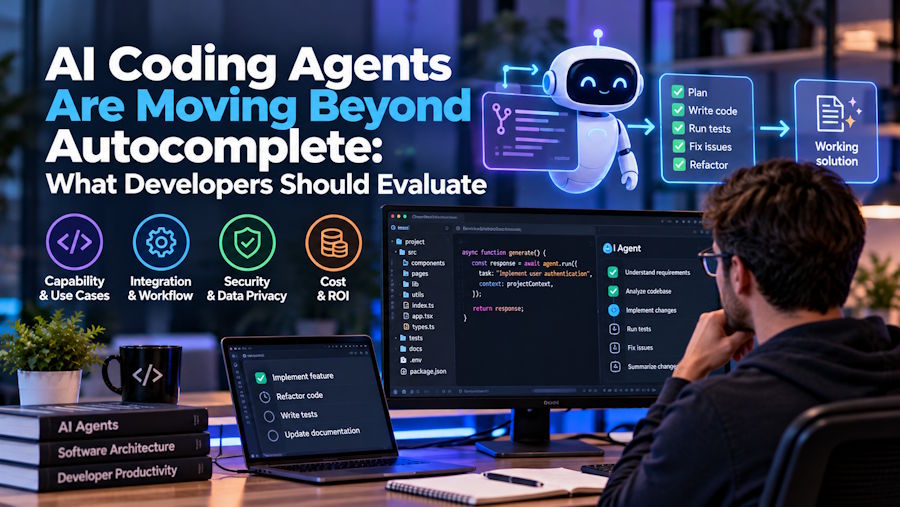
Autocomplete had a fairly simple failure mode. It suggested the wrong code, and the developer either accepted it or kept typing.
Coding agents have a much larger blast radius. They can search a repository, edit multiple files, run shell commands, install packages, call outside services, execute tests, and open a pull request. Some can continue working after the developer closes the editor.
Model quality still matters, but it is no longer the first question. Before giving an agent a repository, developers need to know what it can see, what it can do, and how easily its work can be undone.
Repository Awareness Is More Than Repository Search
Finding files is easy. Understanding why they exist is harder. A useful coding agent should trace a change through callers, interfaces, tests, configuration, migrations, and documentation. In a monorepo, it also needs to understand package boundaries instead of editing every matching function it finds.
A practical evaluation task is to change an API response type and ask the agent to identify every affected file before writing code. Check whether it finds the frontend consumer, shared type, contract test, generated client, and deployment configuration.
Repository instructions help. Claude Code can read CLAUDE.md, Cursor supports project rules and instruction files, while Cline can exclude irrelevant paths through .clineignore. These controls reduce noise, but they do not guarantee good context selection.
Large repositories rarely fit into one prompt. Every agent must search, rank, compress, or discard information. Developers should be able to see which files influenced the answer, especially when older context has been summarised.
Start With Permissions, Not Benchmark Scores
An agent may have several separate permission levels:
- Read repository files
- Edit files
- Access paths outside the workspace
- Run shell commands
- Use the network
- Read environment variables
- Connect to MCP servers or other tools
- Push branches or create pull requests
These permissions should not be treated as one switch.
Cline normally exposes file changes and command execution for approval. Cursor provides configurable command and file permissions, while GitHub Copilot offers different approval modes for local agent sessions. Copilot users can require confirmation for every tool, let another model judge whether a request appears safe, or approve all actions.
“Approve all” may feel convenient during a long task. It also removes the point where a developer might notice an unsafe migration, destructive script, or unexpected request to an external domain.
Local and Cloud Agents Have Different Blast Radiuses
A local agent works close to the real development environment. It may see uncommitted changes, local services, SSH configuration, cached credentials, and environment variables. This makes it useful for reproducing bugs. It also means one careless command can affect more than the checked-out repository.
Cloud agents usually run inside temporary environments. Isolation protects the developer’s machine, but the agent still needs some combination of repository access, package registries, network connectivity, and secrets.
Cursor Background Agents, for example, operate in remote environments with repository write access and internet connectivity. GitHub Copilot’s cloud agent works in an ephemeral environment and is restricted to a working branch. Draft pull requests still require human review before merging.
A sandbox therefore needs a threat model. Developers should ask what enters it, what can leave it, and what remains after the session ends.
Recovery Controls Should Be Tested Before They Are Needed
Agents will make bad edits. Recovery should not depend on remembering which files changed.
Cursor creates automatic checkpoints for agent changes. Cline uses Git-based snapshots. GitHub Copilot’s cloud workflow relies more heavily on isolated branches and pull-request review. Each approach can work, provided the developer understands its limits.
A useful recovery system should provide:
- A checkpoint before significant edits
- A complete file list
- Reviewable diffs
- Command and test logs
- Partial acceptance of changes
- Reliable rollback
File rollback cannot reverse every action. Restoring a checkpoint will not unsend a network request, remove a published package, or restore data deleted from an external database. Commands with outside effects need stricter approval than ordinary source edits.
A Passing Test Suite Is Evidence, Not Proof
“Tests passed” sounds reassuring until you ask which tests ran.
An agent may run one nearby unit test while missing integration tests, type checks, linting, migrations, or the production build. It may also modify a test until it agrees with the implementation.
The session log should show the exact commands, exit codes, failures, and retries. Developers should also inspect test changes separately from implementation changes.
For risky work, give the agent a validation plan:
- Reproduce the original failure.
- Make the smallest necessary change.
- Run the focused regression test.
- Run the wider relevant suite.
- Run static checks and the build.
- Report anything that could not be verified.
The agent’s summary should never be the only record of this process.
Review the Diff, Not the Agent’s Explanation
A confident summary can hide an ugly patch.
Review dependency changes, lockfiles, CI workflows, permissions, infrastructure files, and error handling with extra care. Large agent tasks should return smaller commits or clearly separated diffs where possible.
The person reviewing the work should be able to reject one unnecessary refactor without losing the valid fix beside it. A 900-line mixed diff is still a 900-line mixed diff, even when it took the agent three minutes to produce.
Model Choice Changes Cost and Behaviour
Cursor, Claude Code, GitHub Copilot, Cline, and Gemini Code Assist do not become identical when they use a similar model. Each tool decides how to search the repository, construct context, expose tools, retry failed actions, and compress a long session.
Cline makes this especially visible because developers can choose a provider and pay for model usage directly. Its flexibility also makes cost monitoring important. The AI Suggestions Cline review covers provider choice, context handling, checkpoints, permissions, and token-based spending in more detail.
Usage should be visible while the task runs. Developers need to know whether a looping agent is consuming tokens, premium requests, or credits before the bill arrives.
Google’s current position also needs clarification. Gemini Code Assist’s individual edition ended in June 2026. Standard and Enterprise remain business products, while individual developers were directed to Google’s Antigravity family.
Treat the Agent Like a Developer With a Shell
Repository content is not automatically trustworthy. An issue, README, dependency, or retrieved web page can contain instructions designed to influence an agent. Network access also creates a path for accidental or malicious code leakage.
Use least privilege. Restrict sensitive paths, protect branches, limit network destinations, isolate credentials, scan dependencies, and require review before merging. MCP servers and plugins need their own permission review because they can widen the agent’s reach beyond the repository.
The best coding agent is the one that makes its access, actions, costs, and mistakes easy to see. Trust should grow only after those controls have survived real repository work.

